Knowledge base
1000 FAQs, 500 tutorials and instructional videos. Here, there are only solutions!
Ticketing: add resellers to your online ticketing system
This guide explains how to add users as resellers so they can sell tickets for your events (as part of the Infomaniak ticketing system).
Preamble
- If you have points of sale, partners, or simply cash desks at the entrance of the event, you can give them reseller access.
- You can then grant them the right to sell from the ticket office.
Add a reseller
To do this:
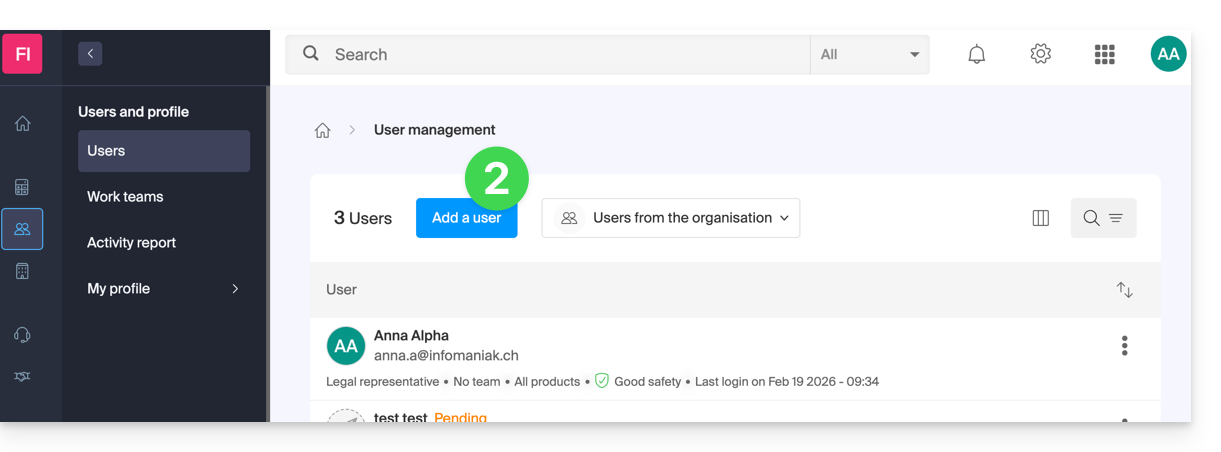
- Click here to access user management on the Infomaniak Manager (need help?).
- Click on the Add a user button at the top:
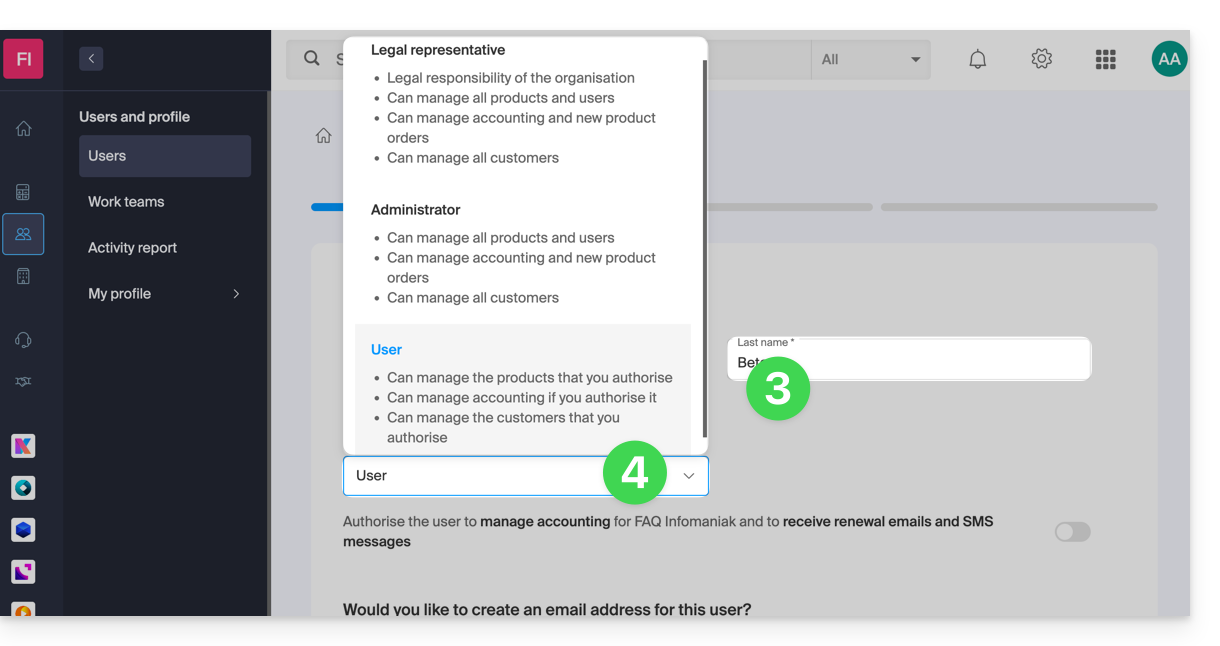
- Enter the different information of the user.
- Choose User as the role:
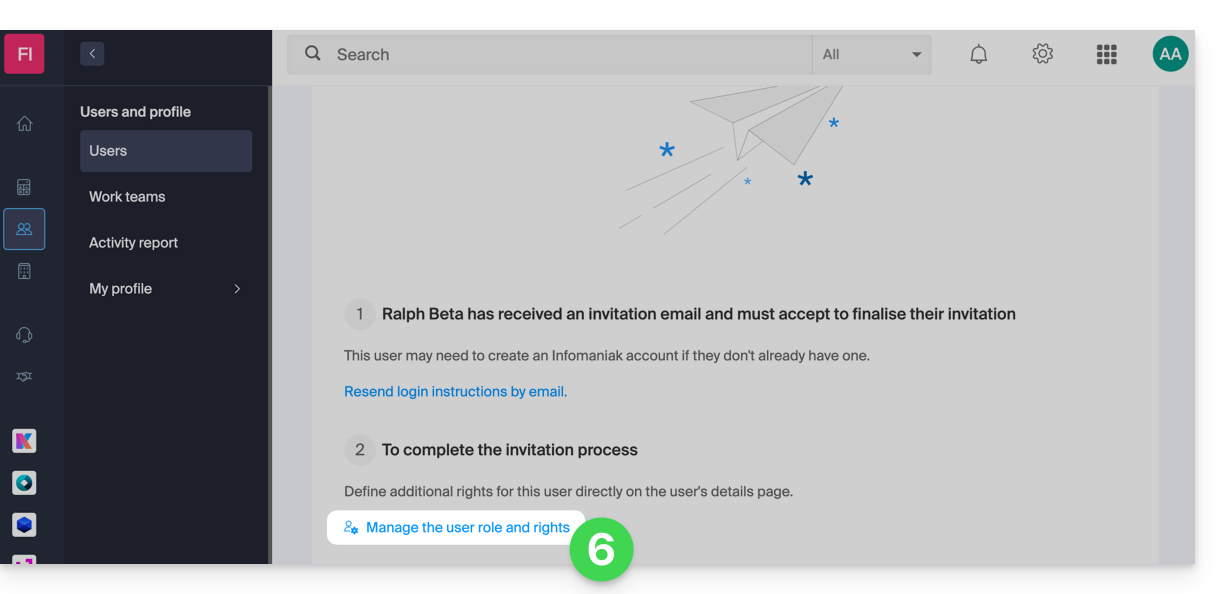
- Move on to the next step (choosing a possible work team) and then complete the invitation.
- Click to choose product access permissions:
- Expand the product administration section to click on Ticketing:
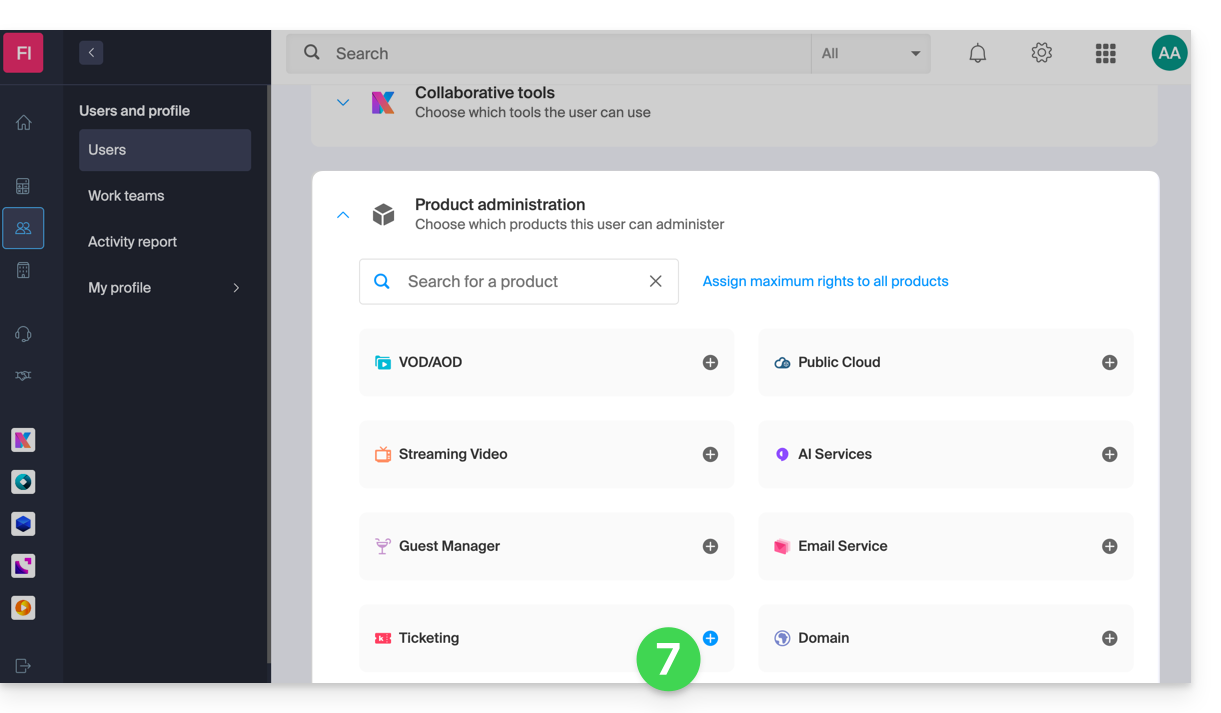
- A side panel opens — select the boxes to grant access to the relevant ticket offices:
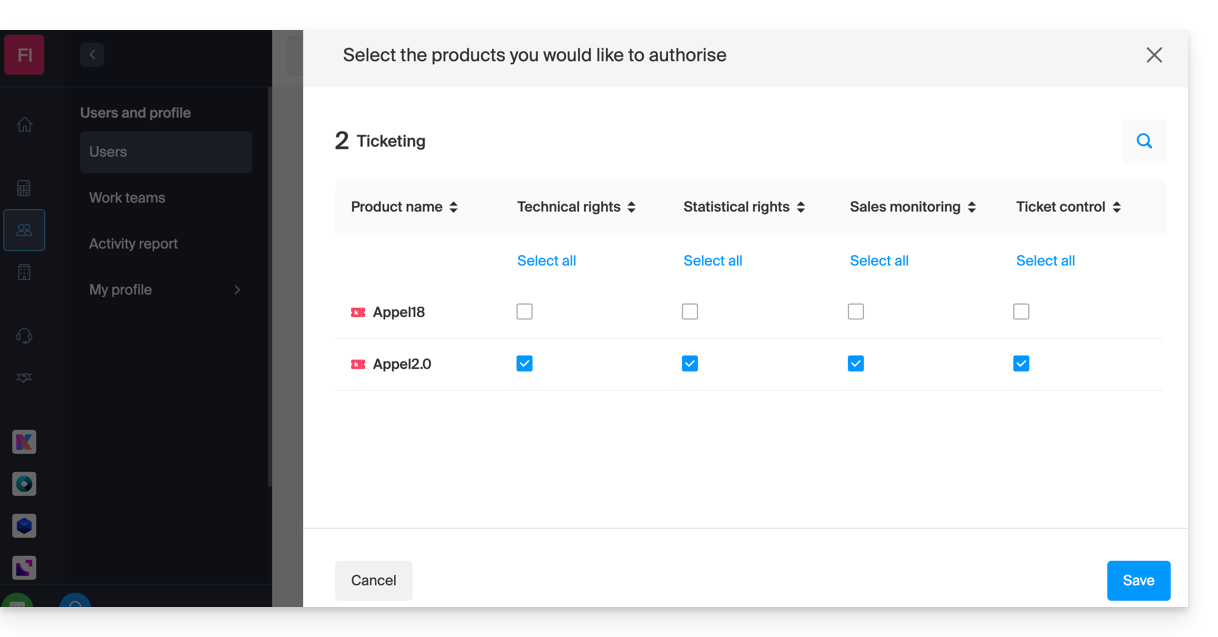
- Save your selection.
Details of rights and user access
1. Managers
- Group owner (legal manager of the account)
- Group administrator
- Billing administrator
- Accounting
2. Users
- Administrative — no rights assigned
3. Technical
- Programming Management
- Clients
- Mailing
- Client Export
- Promotional Code (Code Generation)
- Store/Billet Design
- Ticketing Integration
- Settings
4. Statistics
- Sales Details
5. Ticket Control
- Ticket Control
6. Ticket Sales
- Ticket Sales
- Points of Sale
- Clients (except Mailing, Export, and Promo Code Management)
- Member Card Management
7. Staff Management
- Staff
Next Step
You can now create profiles to detail reseller access…
Link to this FAQ:
Has this FAQ been helpful?