Knowledge base
1000 FAQs, 500 tutorials and instructional videos. Here, there are only solutions!
Using Euria on Site Creator (writing assistant)
This guide will help you quickly discover the essential features of the Euria writing assistant available on Site Creator Infomaniak.
Preamble
- The writing assistant will help you write a text on the topic of your choice, including if it must be based on existing elements, thanks to artificial intelligence.
- It is not a conversational agent or chatbot; it will not necessarily answer generic questions or engage in dialogue with you.
- Use it, for example, to write:
- a new title that must contain specific elements
- a new paragraph on a particular topic
- a rephrasing of a text excerpt
- correct grammatical syntax
- a translation into a foreign language
- a blog article
- etc.
- Refer to this other guide regarding the model used by the writing assistant and the responsibilities of each party.
How to use the assistant?
Prerequisites
- Access Site Creator:
- Click here to access the management of your product on the Infomaniak Manager (need help?).
- Click directly on the name assigned to the relevant Site Creator.
- Click on the Edit my site button to start the editor:

Then to start the writing assistant:
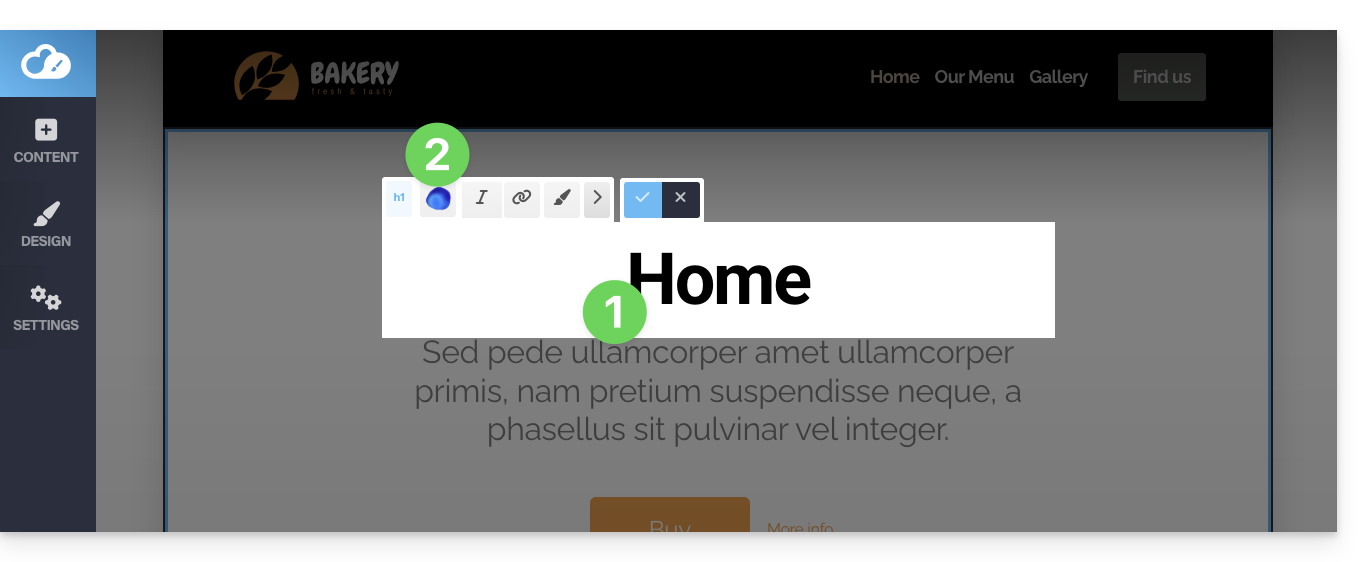
- Click on a content block, text, etc.
- Click on the Euria icon in the editing bar to open the assistant:
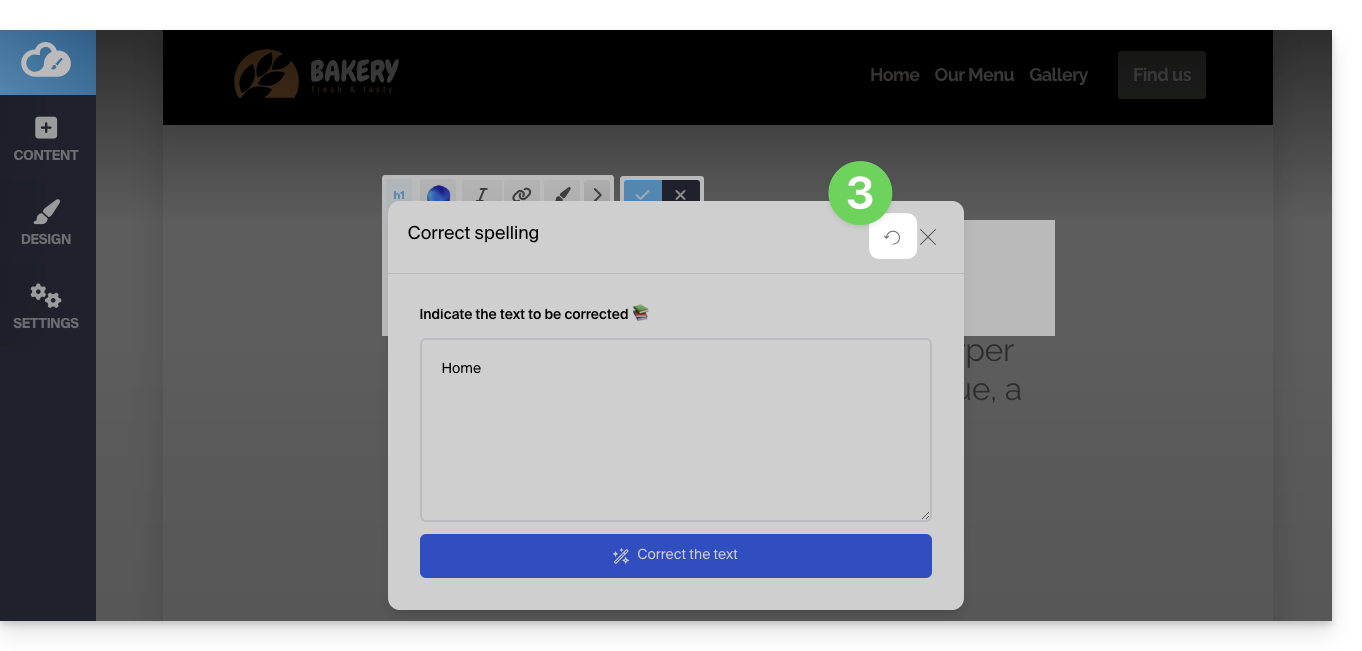
- To go back to the main choice once an addition type is selected, click on the icon at the top right:
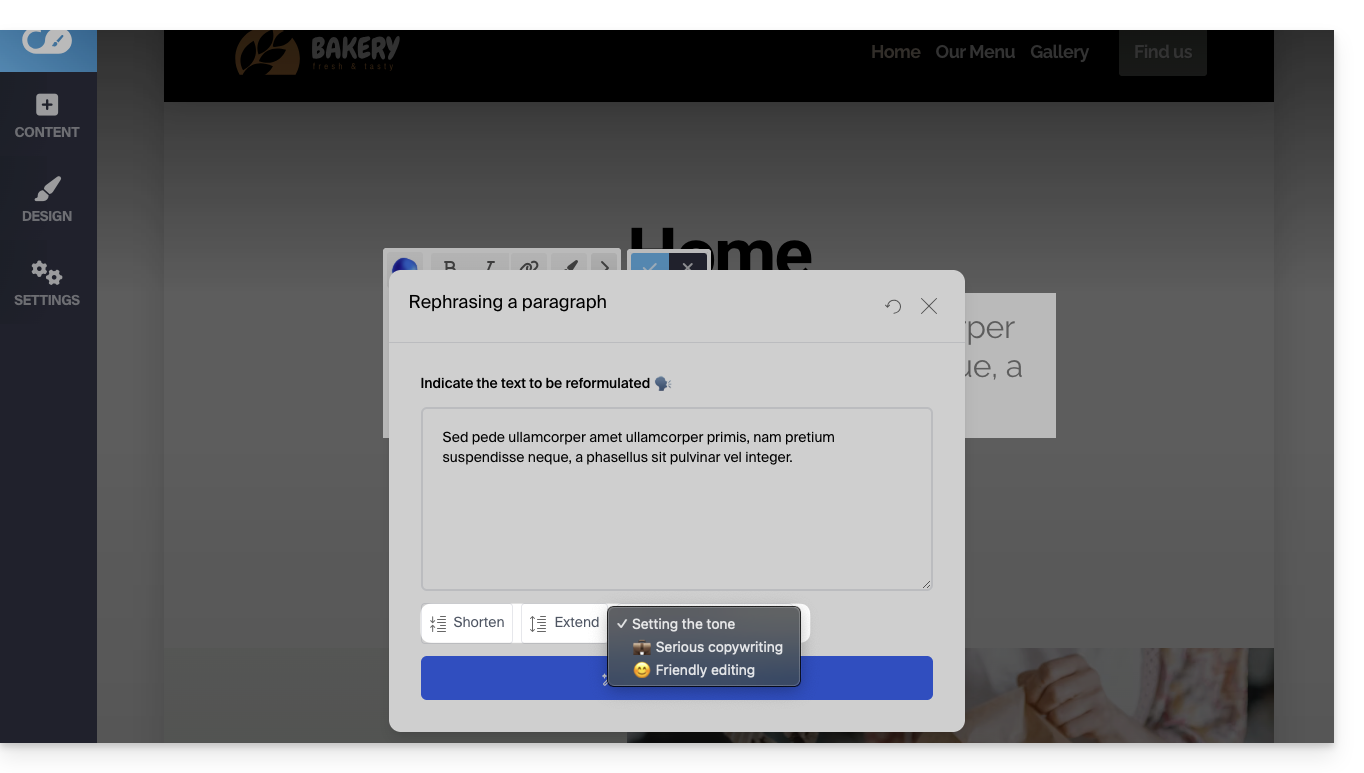
If the block already contains content and you choose to rephrase a paragraph, you will be able to select the tone given to your text (serious / friendly) using the assistant's buttons and add or shorten the proposed formulas…
- For example:
Link to this FAQ:
Has this FAQ been helpful?