Knowledge base
1000 FAQs, 500 tutorials and instructional videos. Here, there are only solutions!
Sign a PDF document in the kDrive web app
Update 10/12/2026
This guide explains how to sign a file in PDF format on the kDrive web app (online service ksuite.infomaniak.com/kdrive). Refer to this other guide if you are looking for information on other options when editing this type of document.
✘ UNAVAILABLE with
kSuite Free
my kSuite (ik.me, etik.com, ikmail.com)
Introduction
- The kDrive web app natively integrates an editor that allows you to digitally sign a PDF document.
- A user's signatures are personal and can only be used by that user on all kDrive accounts they have access to.
- Your files are never analyzed and are exclusively stored in Switzerland (❓: help).
Create and add your signature to a PDF
To access kDrive and manage PDF document signatures:
- Click here to access kDrive on your Infomaniak kSuite (❓: help).
- Open the relevant PDF document:
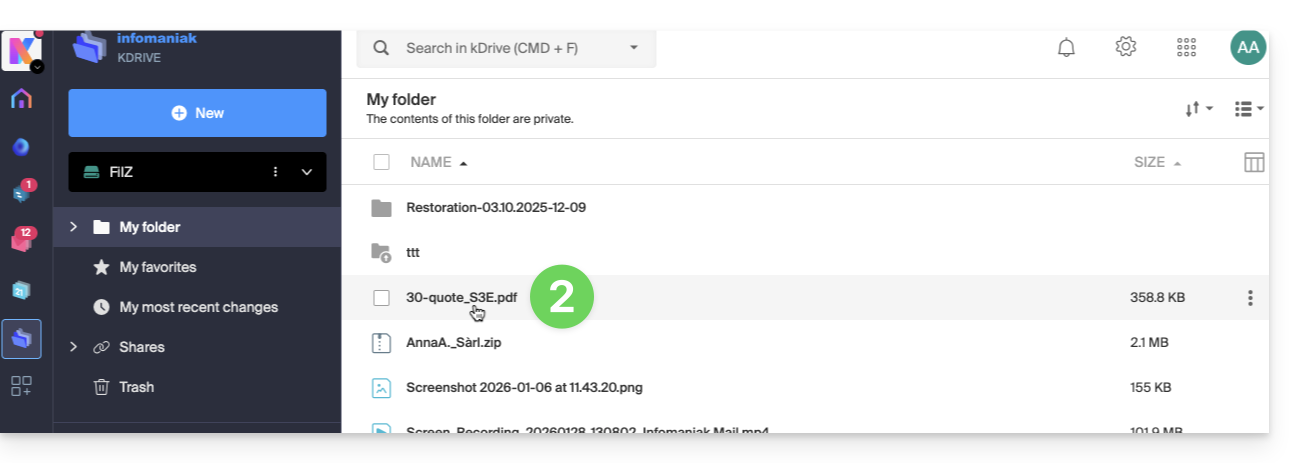
- Click on the Edit button at the top of the document to access the file editor:
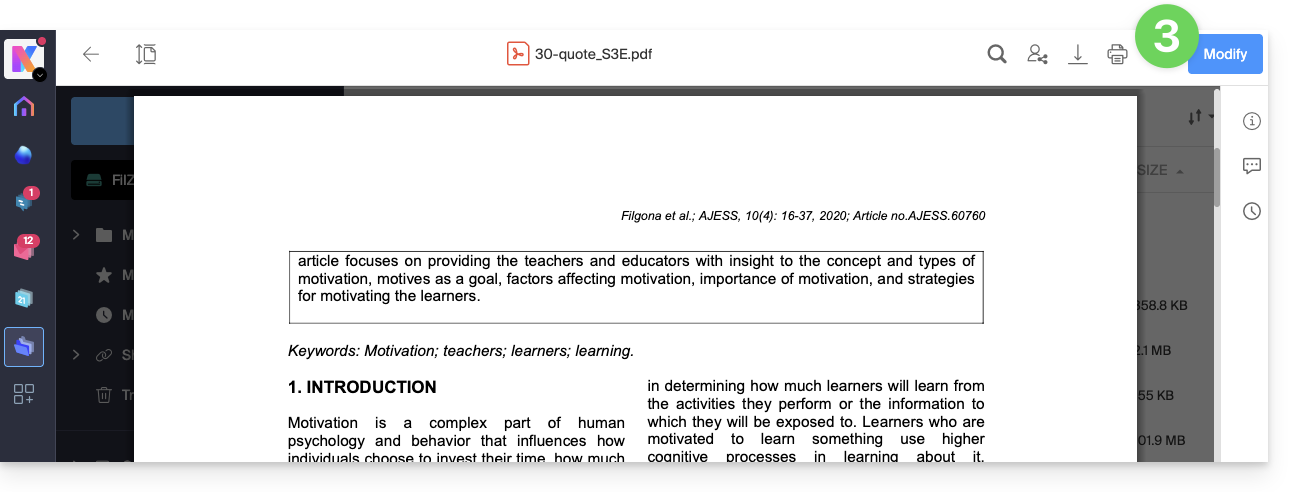
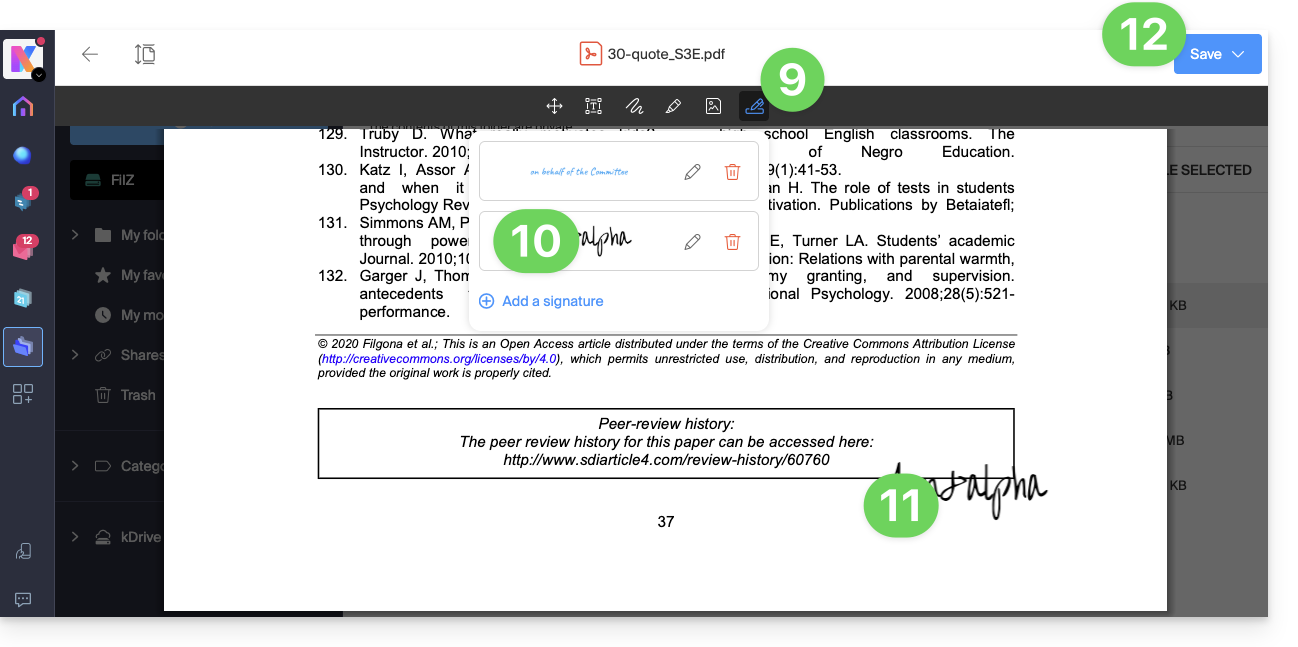
- Click on the Signature icon in the toolbar:
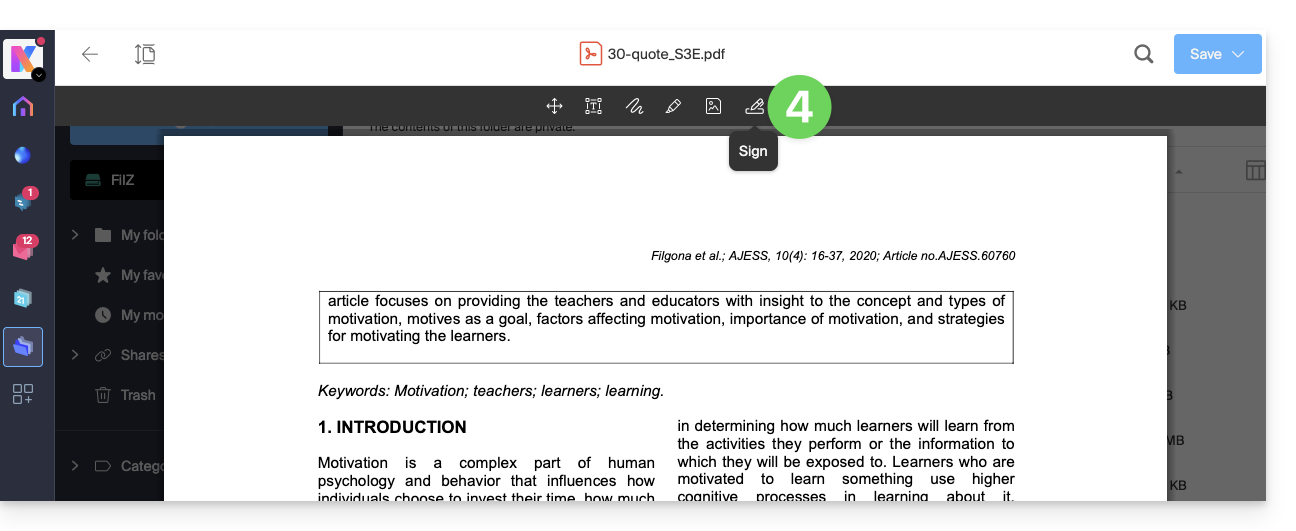
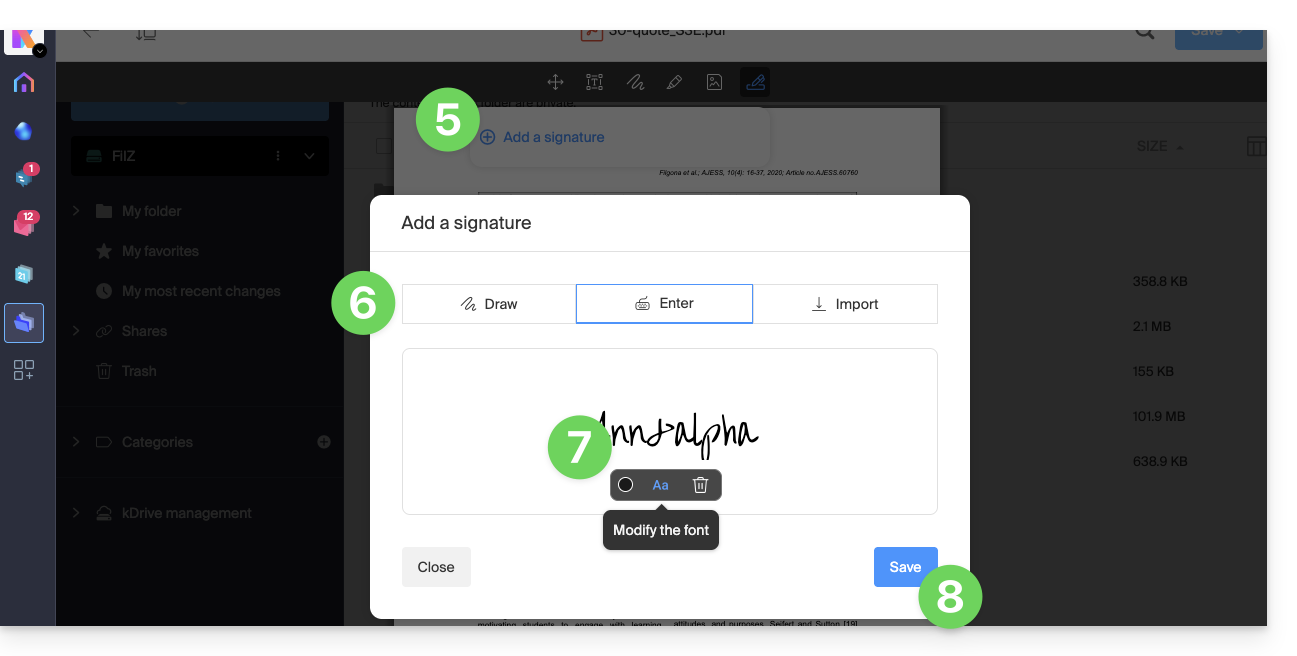
- Click on Add a signature.
- Choose the signature creation method:
- Draw freehand with the mouse.
- Type text and choose a handwriting font (example below).
- Import an image (e.g., a scan of your handwritten signature) from your device.
- Type the desired text for the signature and click the Aa button to choose the handwriting style.
- Click Save:
- Once a signature has been created, simply click the Signature icon again from any PDF to display your created signatures.
- Click on the signature to insert it seamlessly into the document.
- The signature can be moved and resized as desired.
- Once finished, to save, click the button in the upper right corner, then choose whether to create a copy of the modified document or overwrite the existing file:
Link to this FAQ: https://faq.infomaniak.com/1463
Has this FAQ been helpful?