Knowledge base
1000 FAQs, 500 tutorials and instructional videos. Here, there are only solutions!
Manage VOD/AOD notifications
Update 04/14/2026
This guide explains how to obtain and configure notifications in case of an incident or exceeding the consumption of VOD/AOD.
Email warnings
To configure notifications:
- Click here to access the management of your product on the Infomaniak Manager (need help?).
- Click directly on the name assigned to the product concerned.
- Click on Settings in the left sidebar.
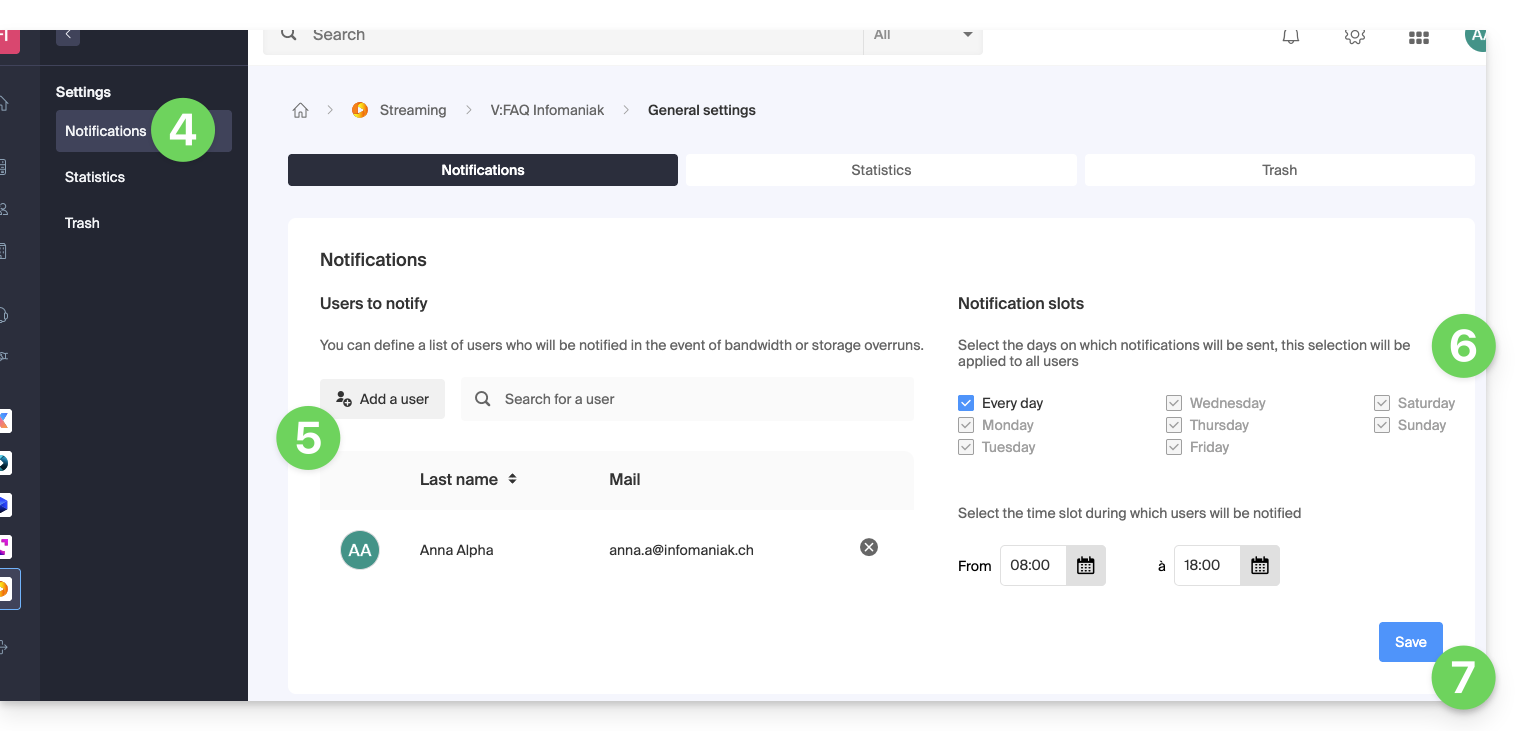
- Click on Notifications in the left sidebar.
- Add the Organization users who should be notified by email.
- Configure monitoring schedules (days of the week / hours).
- Save the changes:
Link to this FAQ:
Has this FAQ been helpful?