Knowledge base
1000 FAQs, 500 tutorials and instructional videos. Here, there are only solutions!
Manage CAA records
This guide explains how to add or modify one or more CAA records in the DNS zone (of a domain name) managed on the Manager Infomaniak.
Preamble
- A CAA record allows you to specify a certification authority authorized to issue certificates for a domain.
Add a CAA
To manage this type of record in a DNS zone:
- Click here to access the management of your domain on the Infomaniak Manager (need help?).
- Click directly on the name assigned to the domain concerned.
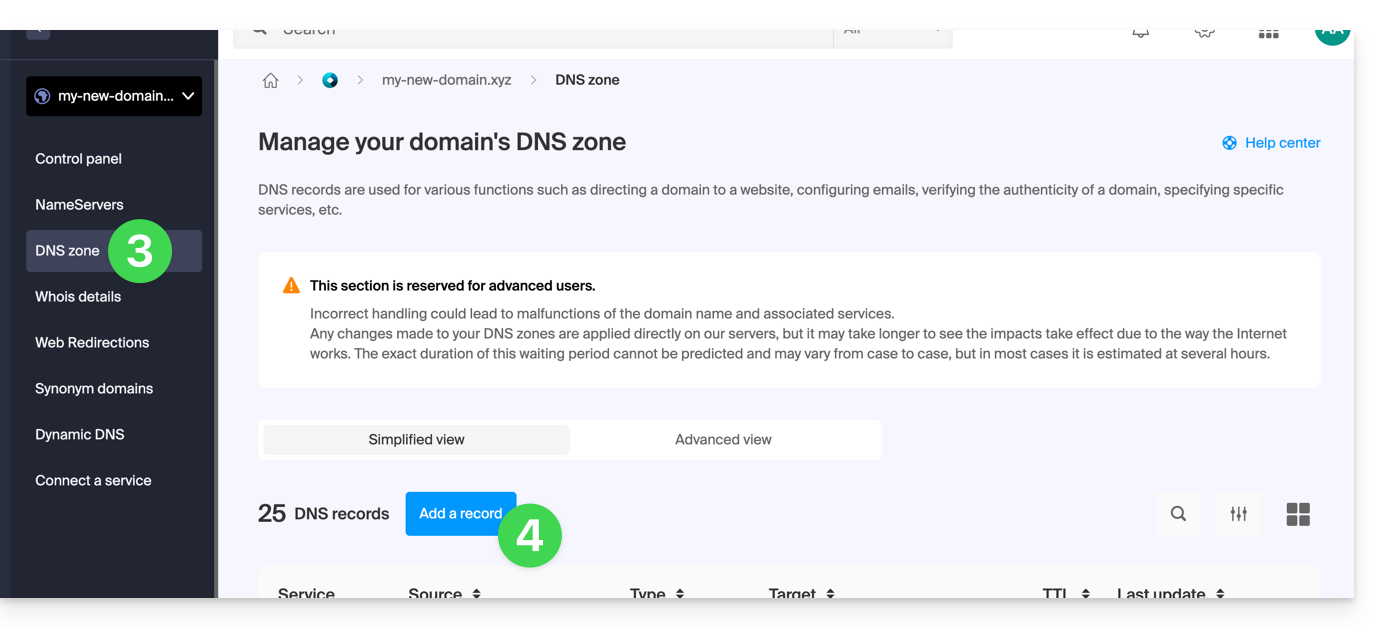
- Click on DNS Zone in the left sidebar.
- Click the button to add a record:
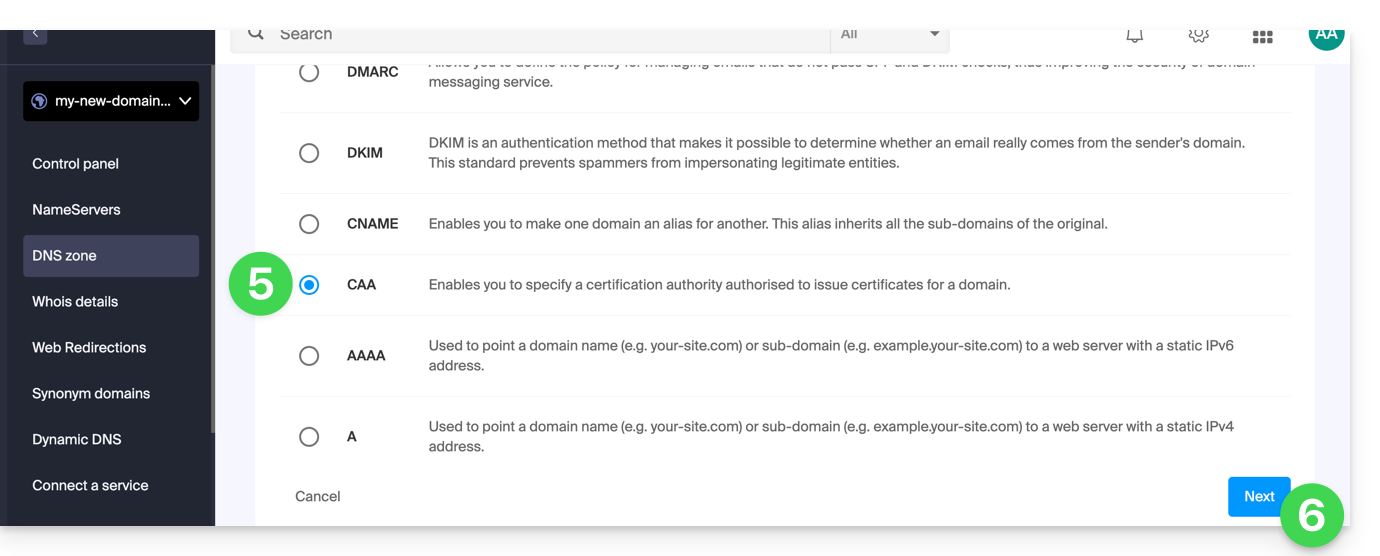
- Click on the radio button CAA to add a record.
- Click on the Next button:
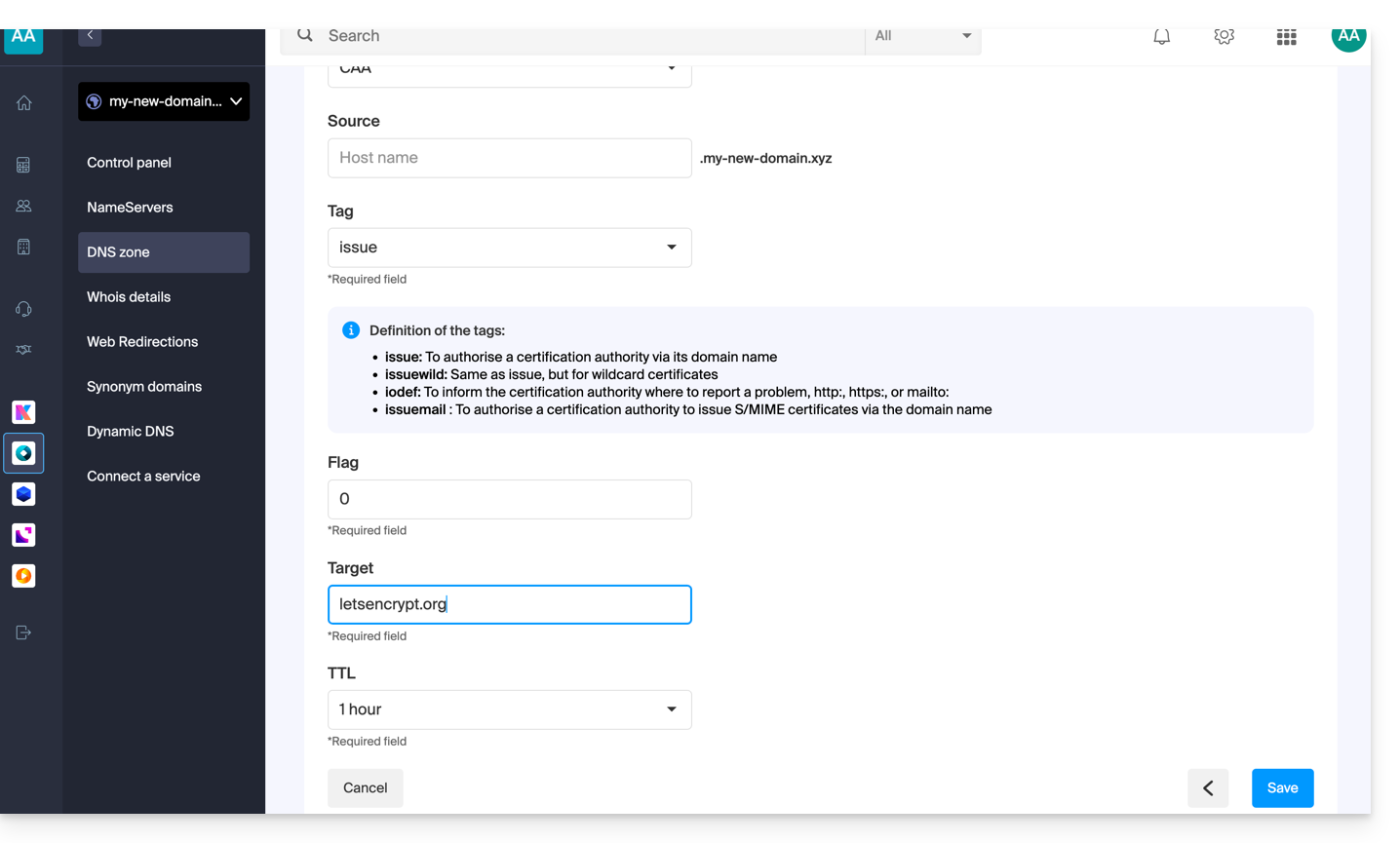
- Enter the CAA values required for your DNS zone: if you are validating an SSL certificate, refer to the information below.
- Save your information by clicking on the button at the bottom of the page.
Adding CAA to validate an SSL certificate...
... Sectigo
In the case of an SSL certificate validation Sectigo, follow the generic guide but specifically enter the following data:
- Choose “Issue for certification authority”.
- Enter the flag:
0. - Specify
sectigo.com.
... Let's Encrypt
In the case of a Let's Encrypt SSL certificate validation, follow the generic guide but specifically enter the following data:
- Choose “Issue for certification authority”.
- Enter the flag:
0. - Specify
letsencrypt.org.
Link to this FAQ: https://faq.infomaniak.com/1394
Has this FAQ been helpful?