Knowledge base
1000 FAQs, 500 tutorials and instructional videos. Here, there are only solutions!
Manage email address users
This guide explains how to add a user to an existing email address on Infomaniak without sharing a password.
If the email address in question is used as a login identifier for an Infomaniak account, it cannot be shared for security reasons.
Prerequisites
- Order a Mail Service from Infomaniak.
- Create one or more addresses on this Mail Service.
- Be an Administrator or Legal Representative within the Organization.
Add one or more users (new or existing) to an email address
The current email access management model allows each user to log in independently and securely to the same email address, without sharing a global password. In the case of one or more existing users already in the Organization, the email address will be automatically added to their Infomaniak Mail interface.
Refer to this other detailed guide on this topic.
Managing and removing a user
If a user should no longer have access to an email address and its content, simply remove them from the same interface, but there are 2 possibilities:
- Click on the action menu ⋮ to the right of the user in question.
- Choose whether you want to disconnect all of the user's devices: they will no longer have access to the email address on email software/clients, but will continue to have access to the address on the Infomaniak app (Web, mobile…).
- You can choose to remove all their access to the address, and they will never be able to view it again:
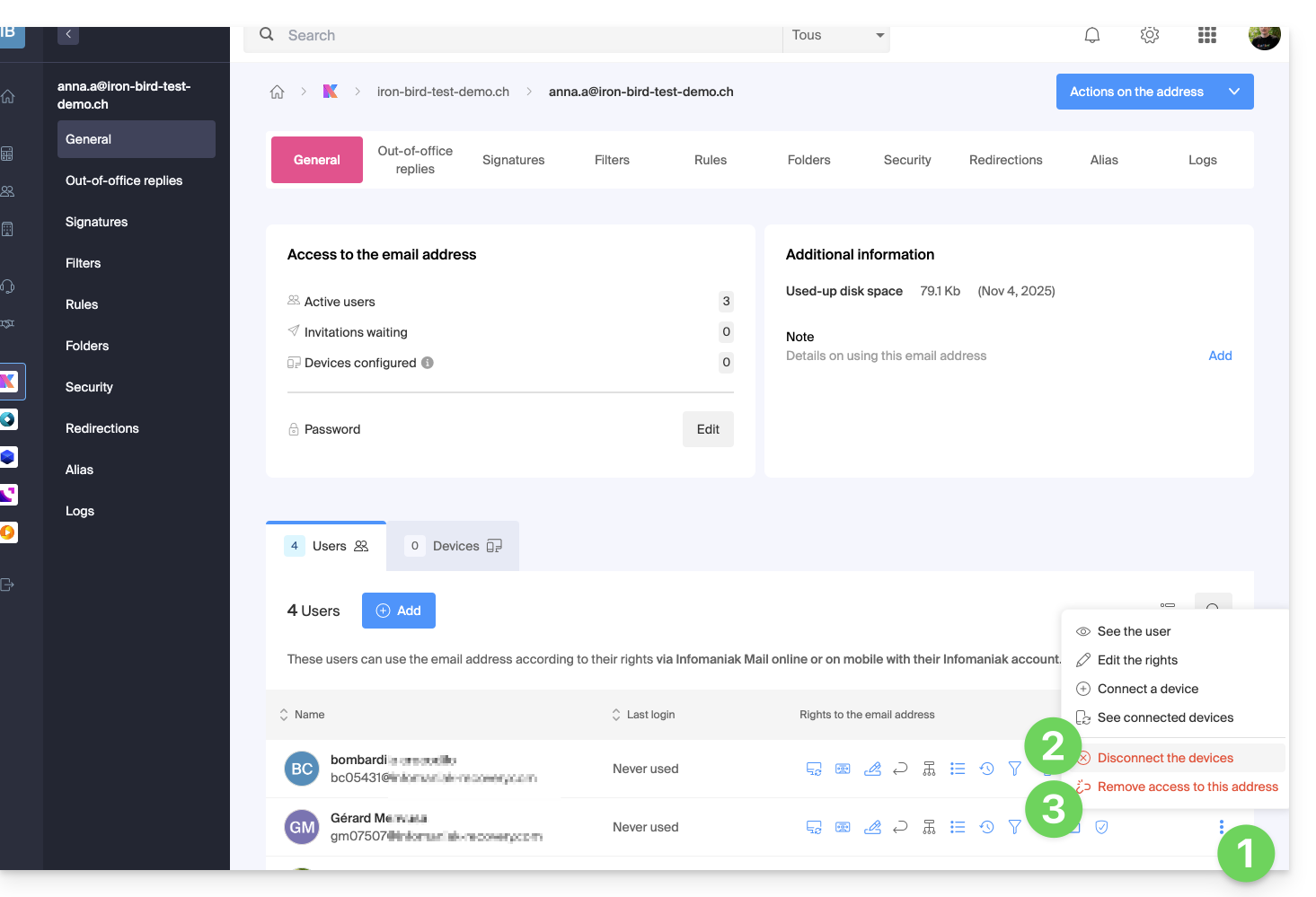
Their password is then immediately revoked, without affecting other users. You can then:
- … assign access to another person
- … retain full management of the address
- … create new accesses without service interruption
Also refer to this other guide if necessary to block a complete Mail Service to all users.
Management of individual accesses and passwords
Each added user has their own password, generated automatically when their access is configured. This password is unique to their account and device:
- The address owner no longer needs to share a main password.
- Each access is isolated and can be revoked without disrupting the others.
- A password is never visible after its creation; if needed, a new access can be created.
Multiple accesses can coexist for the same address, allowing different devices or software to connect without interruption. Each password is entered once per application or device and remains independent: you can revoke a specific access (for example, if a device is lost or replaced) without affecting the others.
Refer to this other guide on this topic.
On the Mail Infomaniak mobile app
When a user is added, the email address is automatically added to their Mail Infomaniak mobile application: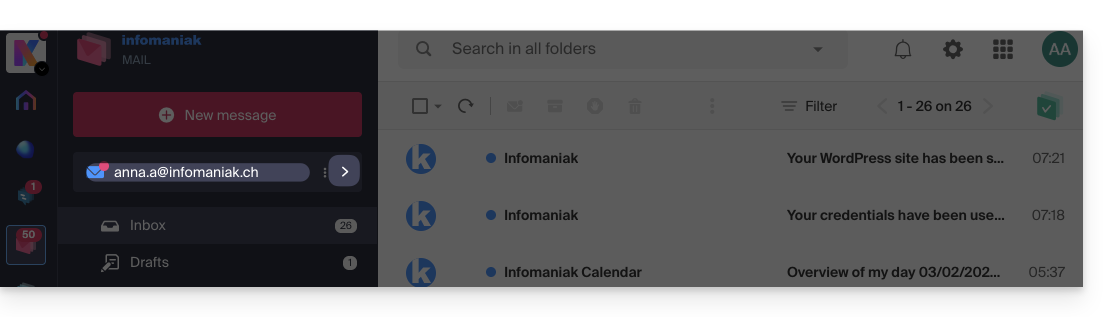
They can switch between their addresses at any time using the chevron located at the top left of the screen: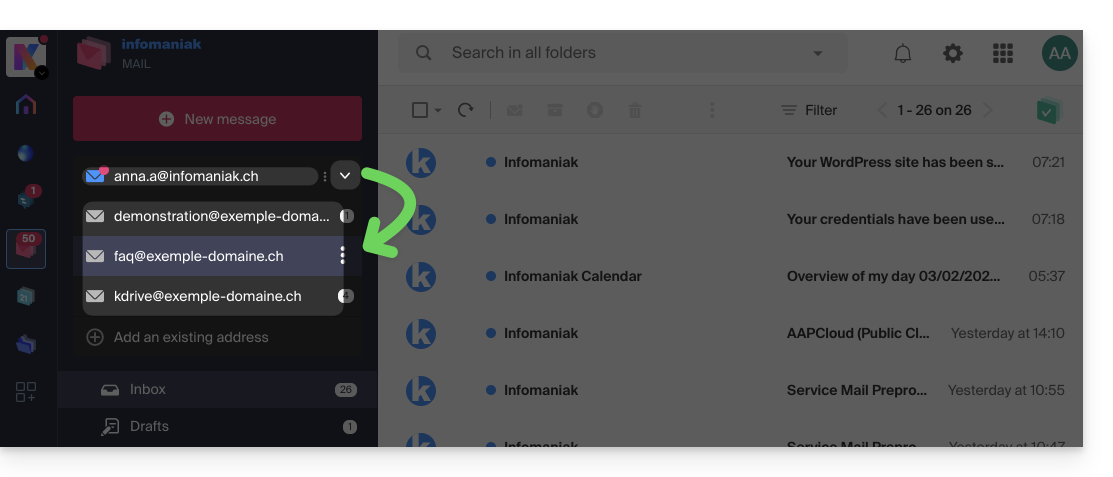
To do this, it may be necessary to choose to display, from the top left section, all Organizations: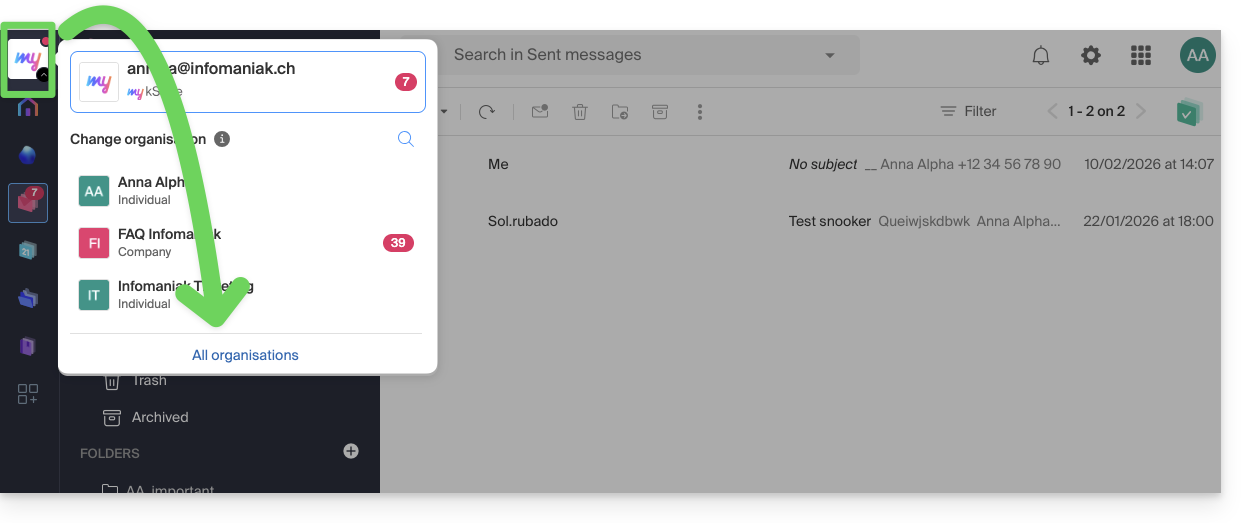
Link to this FAQ:
Has this FAQ been helpful?