Knowledge base
1000 FAQs, 500 tutorials and instructional videos. Here, there are only solutions!
Manage notifications during Infomaniak Radio Streaming instability
This guide explains how to obtain and configure notifications when the Streaming Radio stream(s) experience an outage (short and/or long duration).
Preamble
- Every minute, a script checks for outages and only sends an email and creates an event if the outage has lasted at least 5 minutes.
- It sends another email if the outage has lasted more than 30 minutes.
- If the stream resumes and an alarm has been sent to you, a confirmation email of resumption is sent.
- All outages are logged and kept for 30 days, but you will not be disturbed in case of a minor outage.
- Regarding the possible reasons for these outages, refer to this other guide.
- All outages are recorded by the system and visible in the events of the Manager.
Email Alert
To configure notifications:
- Click here to access the management of your product on the Infomaniak Manager (need help?).
- Click directly on the name assigned to the product concerned:
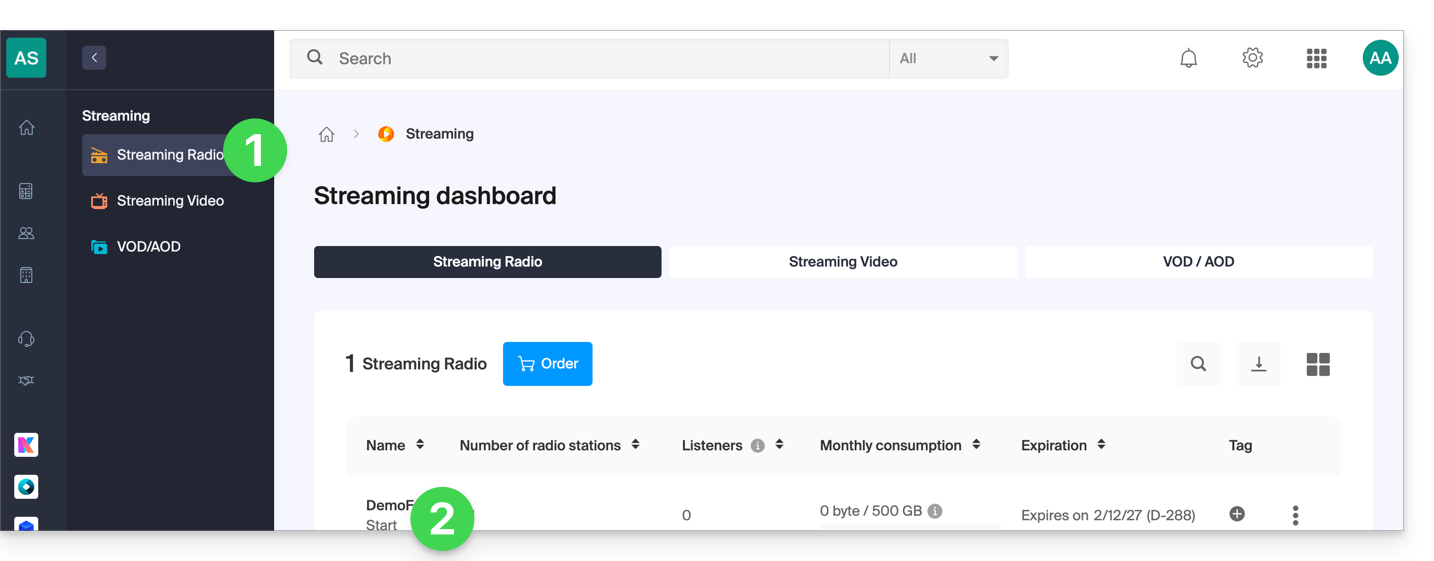
- Click on the name of the audio stream concerned:
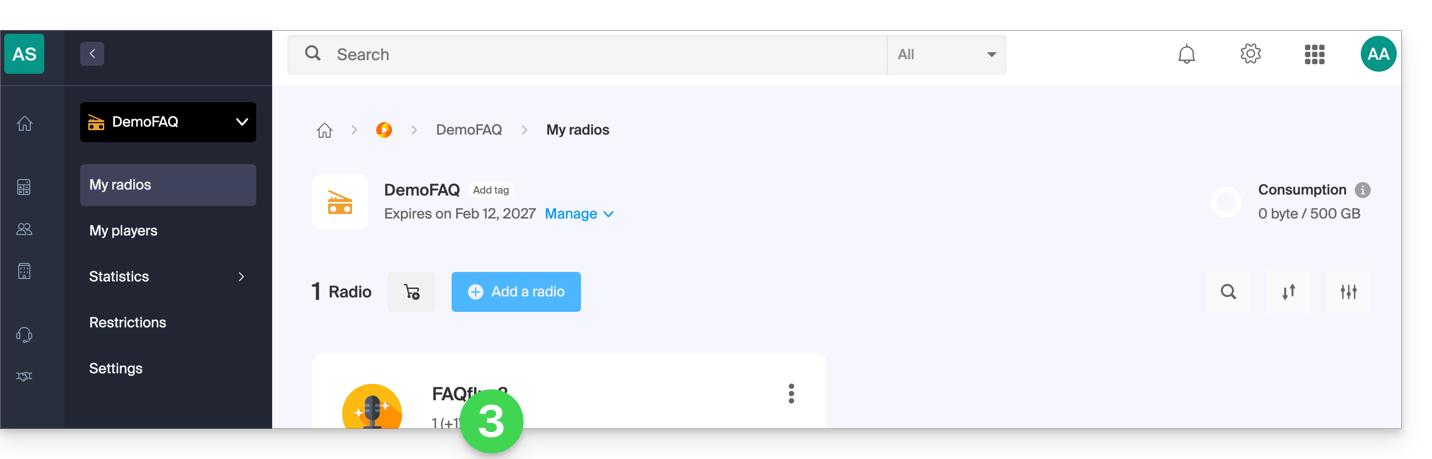
- Click on Settings in the left sidebar menu.
- Click on the Notifications tab.
- Enable notifications with the toggle switch:
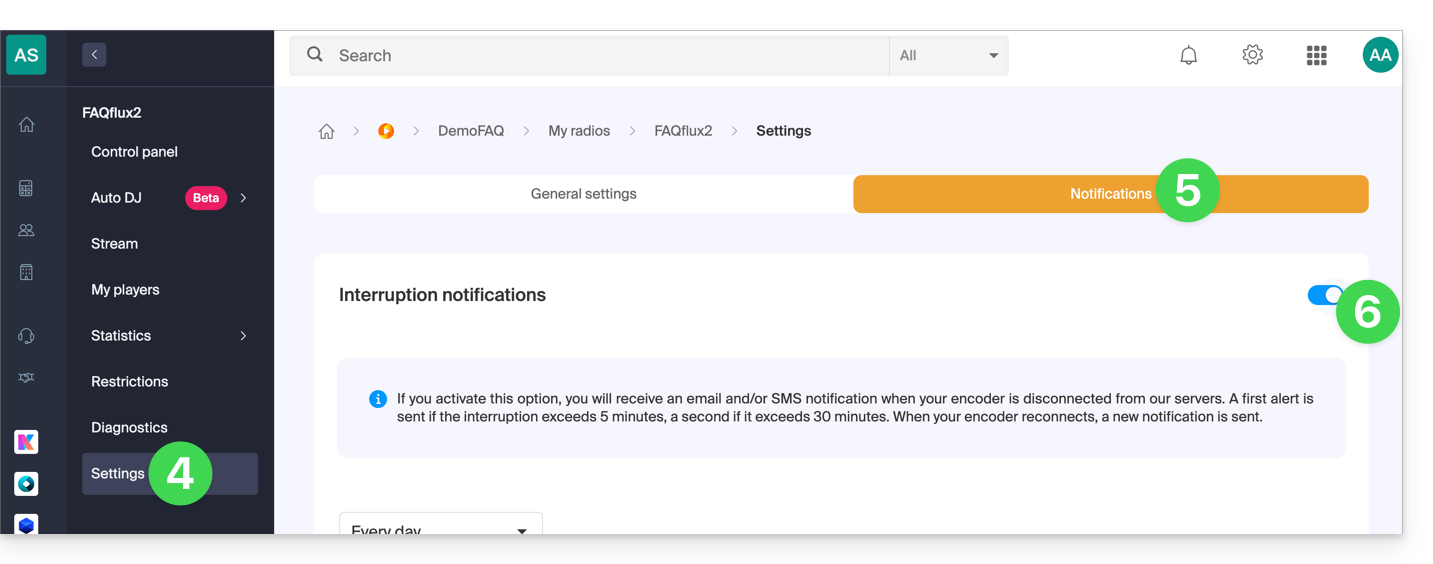
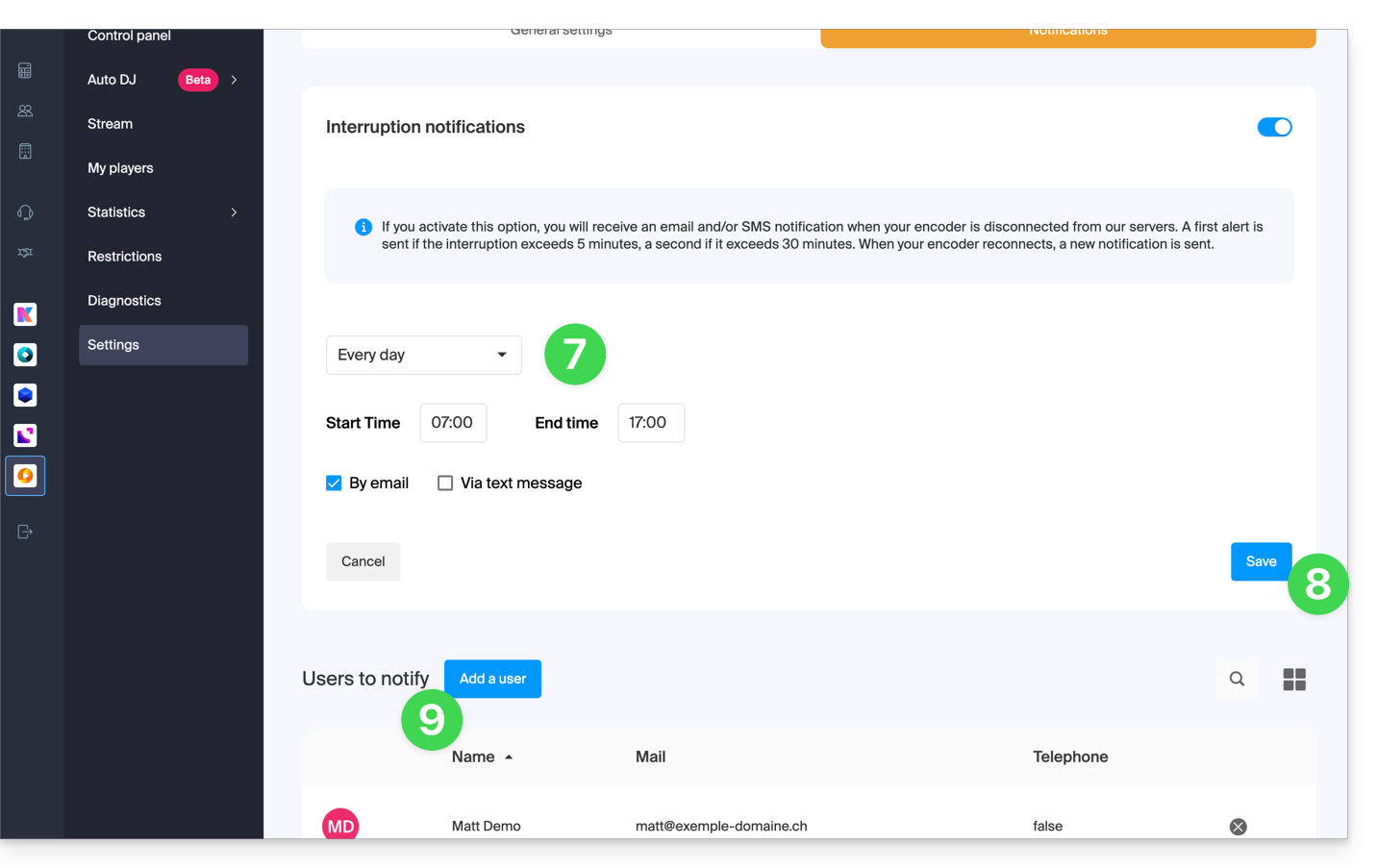
- Configure the monitoring hours (days of the week / hours).
- Save your changes.
- Add the Organization users who should be notified by email or SMS (depending on the settings above):
Link to this FAQ: https://faq.infomaniak.com/1345
Has this FAQ been helpful?