Knowledge base
1000 FAQs, 500 tutorials and instructional videos. Here, there are only solutions!
Delete all emails (empty mailboxes)
This guide offers several solutions to quickly delete a large number of emails contained in an email address hosted by Infomaniak. Note that the size of your mailbox is not limited.
Delete emails in bulk…
… from the Infomaniak Web Mail app
- Click here to access the Infomaniak Web Mail app (online service ksuite.infomaniak.com/mail).
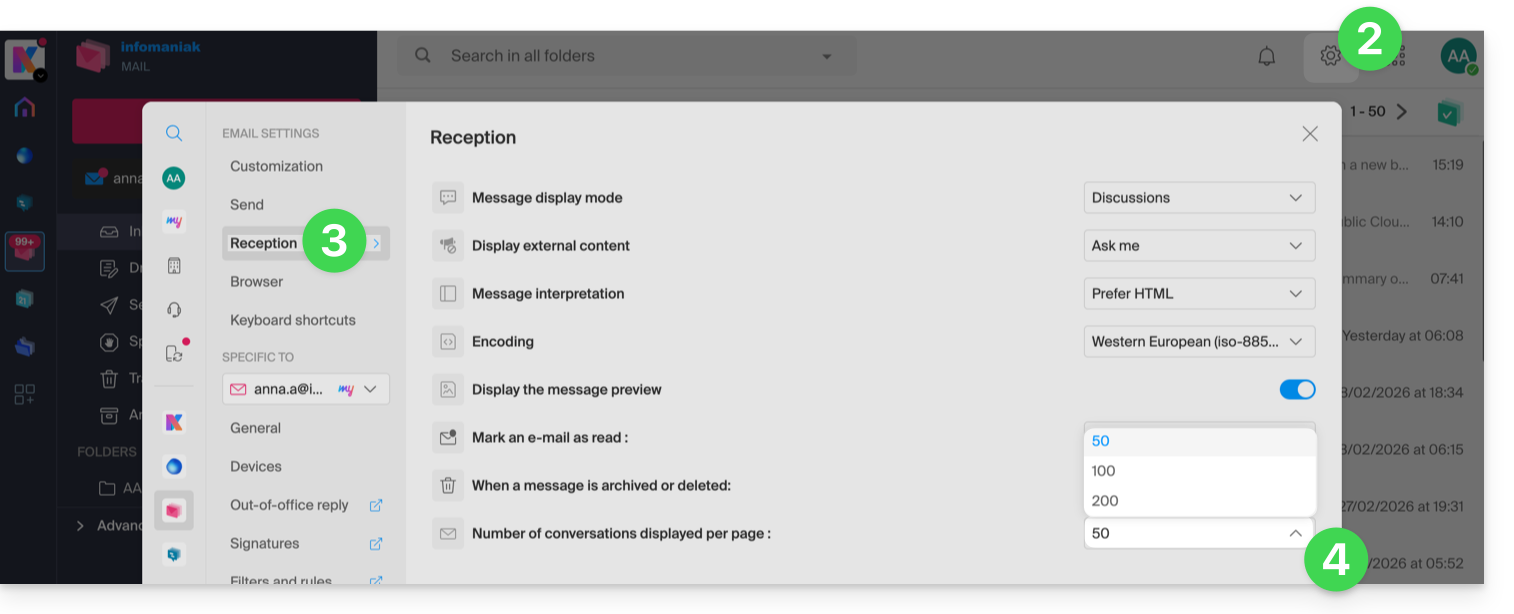
- Click on the Settings icon in the top right of the interface.
- Click on Reception.
- Display the maximum number of items loaded at once:
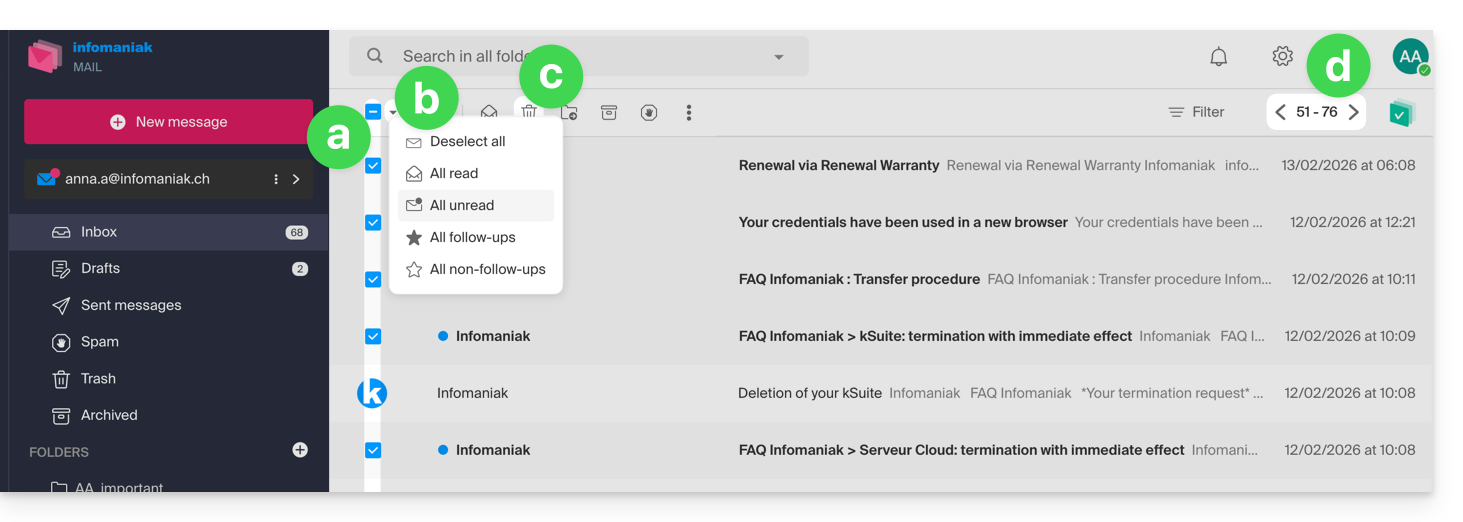
- To empty the inbox:
- Select all items visible on the screen.
- A more precise selection is possible.
- Click on the Trash icon to send them to the trash.
- Repeat this process on all pages:
- Apart from the inbox, folders can be emptied in a few clicks:
- Click on the action menu ⋮ to the right of the folder concerned.
- Click on Empty the folder:
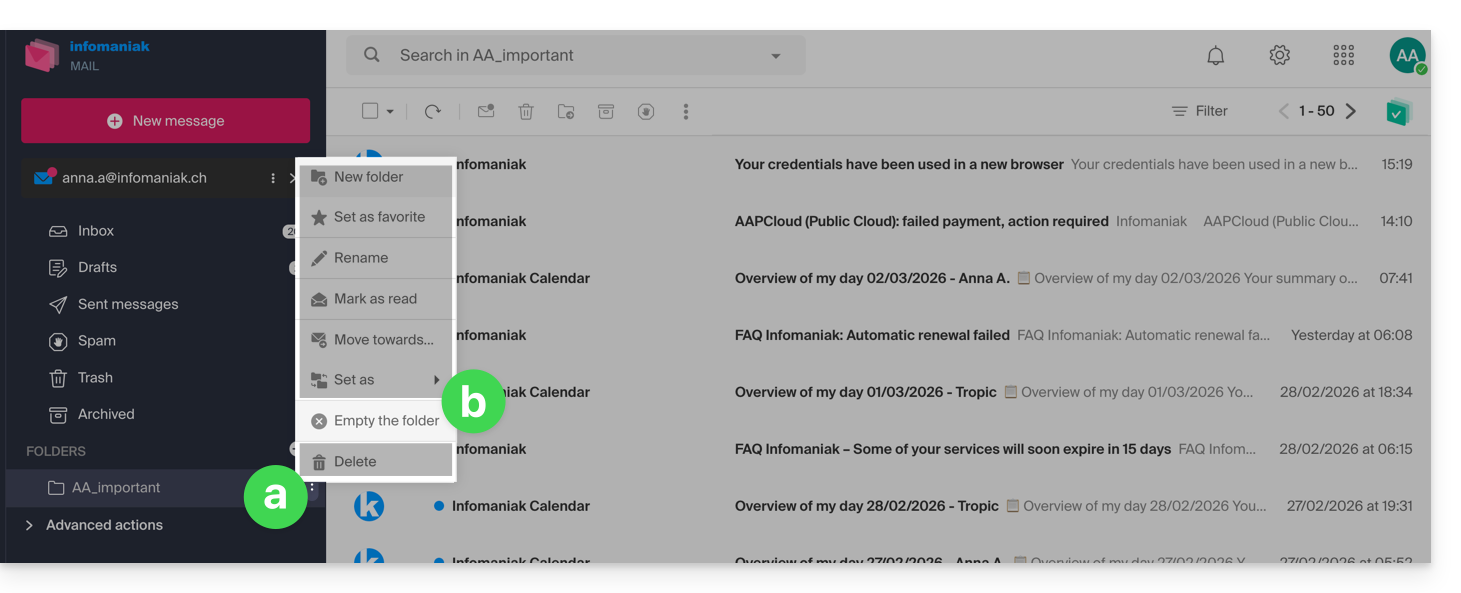
- Be careful, emails are deleted without going through the trash, as if you were deleting the folder itself — only a restoration can allow possible recovery.
You can also delete the email address found within a Mail Service, then recreate it. It will then be completely empty.
… from an IMAP email software/client
A solid solution is to configure the email address in an IMAP email software/client, which will allow the selection of all messages (without the notion of pagination…) therefore the deletion is easy and quick:
- Install Thunderbird (or any other messaging app on your device).
- Add your email address and specify its password.
- Wait for the inbox to load.
- Select all messages.
- Click on Delete.
- That's it, you can remove the application if you wish.
Special case: crossed-out messages
To permanently delete any tracked / struck-through emails appearing in your software/email client or on Mail Infomaniak: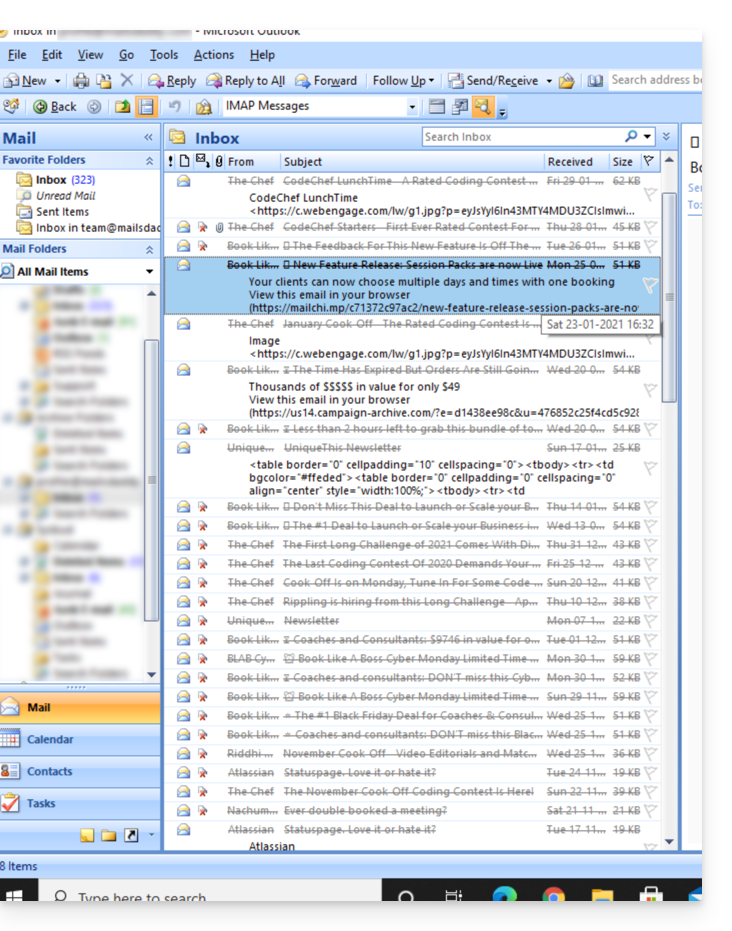
- Microsoft Outlook
- go to the Edit menu -> Empty Deleted Items (in English, you should have a menu Empty)
- Apple Mail
- go to the Mailbox menu -> Erase Deleted Items
They will then disappear from the Mail Infomaniak interface as well.
Link to this FAQ:
Has this FAQ been helpful?