Knowledge base
1000 FAQs, 500 tutorials and instructional videos. Here, there are only solutions!
Report a phishing email from the Infomaniak Web Mail app
This guide explains how to report a phishing attempt that you are a victim of.
Introduction
- Phishing is a fraud and scam attempt aimed at fraudulently obtaining sensitive information.
- Generally, the victim receives a message in their inbox that appears to be from Infomaniak, their bank, or a trusted organization, indicating that a problem has occurred with their account or in their daily life:
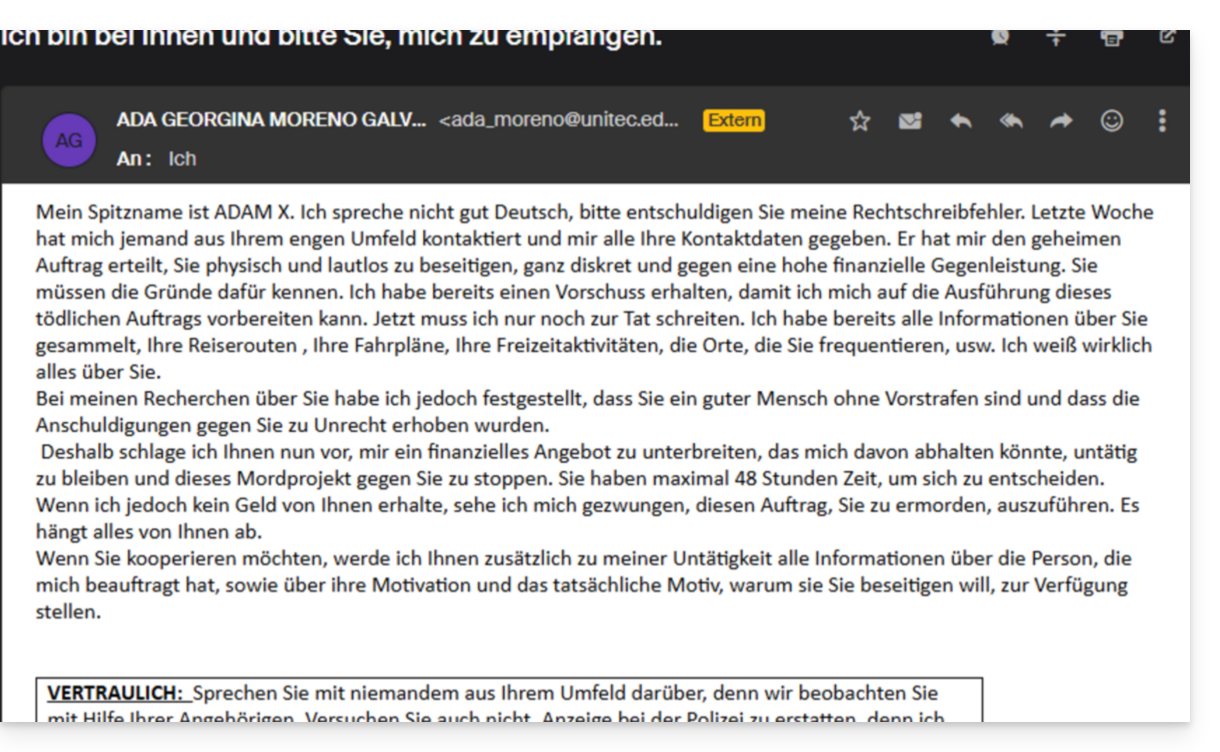
- The purpose of this identity theft is generally for the user to voluntarily go to a page and provide private information that will then be used for various purposes, mainly financial ones.
- If it is not a message “pretending to be something it is not”, but only an unsolicited advertising message, it is better to report it as Spam.
Reporting a Phishing Email
Prerequisites
- Verify that the spam filter is active.
- For greater security, enable the display of external mail.
Then, if you find an email of this type directly in your inbox, you have the option to take action so that these messages decrease and eventually disappear from the messaging systems:
- Click here to access the Infomaniak Mail web app (online service at ksuite.infomaniak.com/mail).
- Open the phishing message.
- Click on the action menu ⋮ on the right.
- Click on Report message.
- From the menu that appears, select Report as phishing:
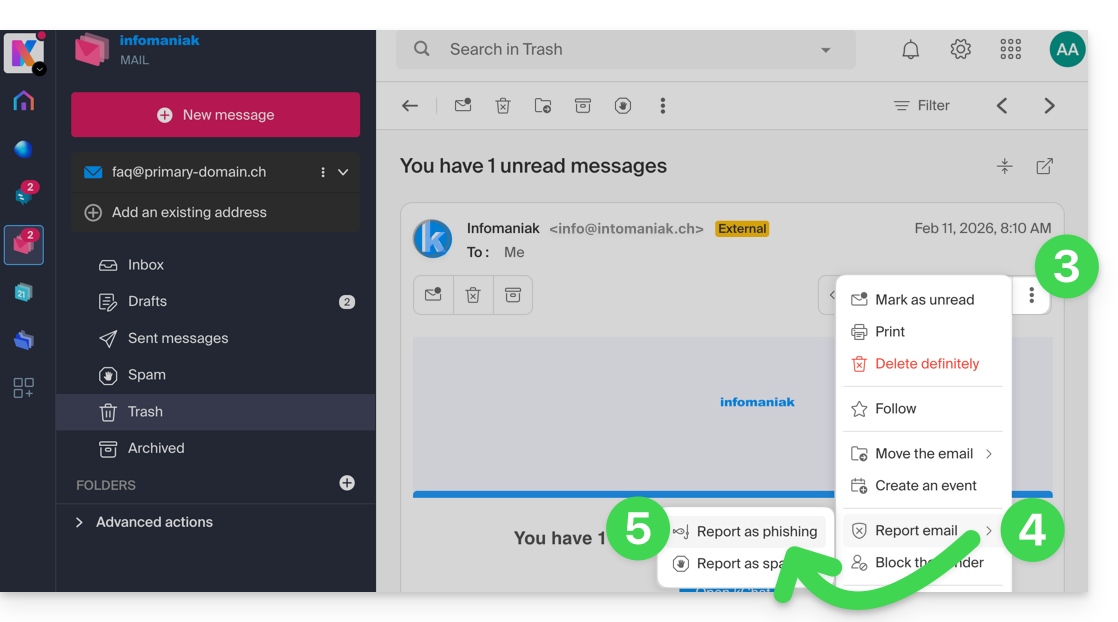
- Confirm the submission for processing.
- Delete the email.
Once you have clicked on Report as phishing, an email is automatically sent to Infomaniak with all the information needed to process the scam report.
In the event of a more serious problem (when the message is directly addressed to you by someone you know or a contact, and it is not a mass mailing), it is recommended to contact an organization such as report.ncsc.admin.ch.
Link to this FAQ: https://faq.infomaniak.com/1172
Has this FAQ been helpful?