Knowledge base
1000 FAQs, 500 tutorials and instructional videos. Here, there are only solutions!
Ticketing: ticket type packs (example configuration)
This guide shows you an example of a pass configured as a subscription where all events are included upon purchase (as part of the Infomaniak ticketing system).
The ticket pack
The example below allows you to have a pass that acts as a pack of multiple tickets. Typical uses of this type of pass would include:
- A pass with entries for 2, 3, or 4 evenings of a multi-day festival.
- A pass with different activities, such as a "museum entry with meal" pack where the entry and the meal are two individual and distinct events.
- A ticket pack including entry to multiple venues on the same day.
Creating the pass
The pass is configured as a ticket so that participants can print each ticket individually: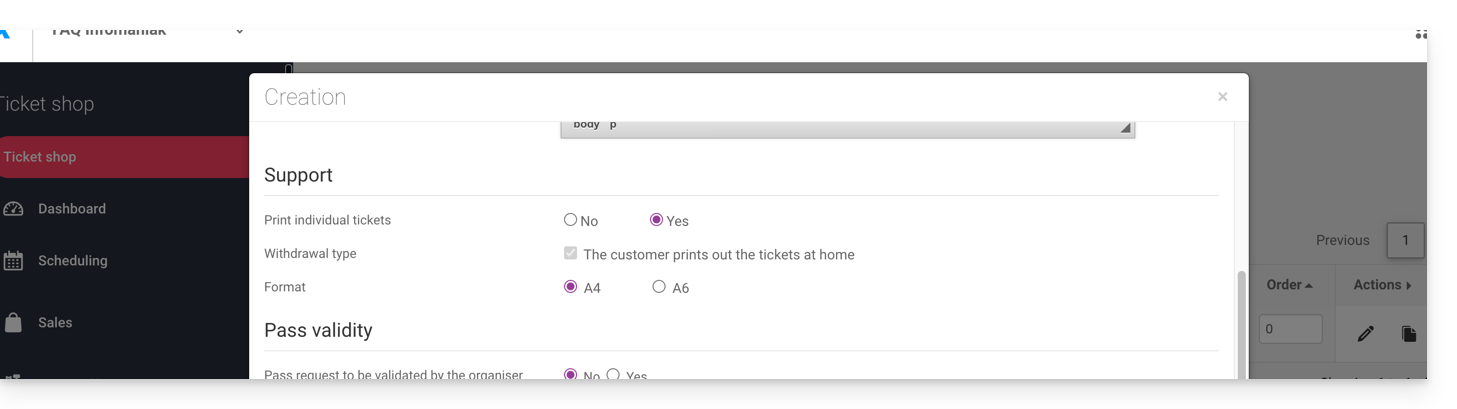
After filling in the information, such as the pass name, price, or the quantity of passes available, you need to set the pass to Automatic: 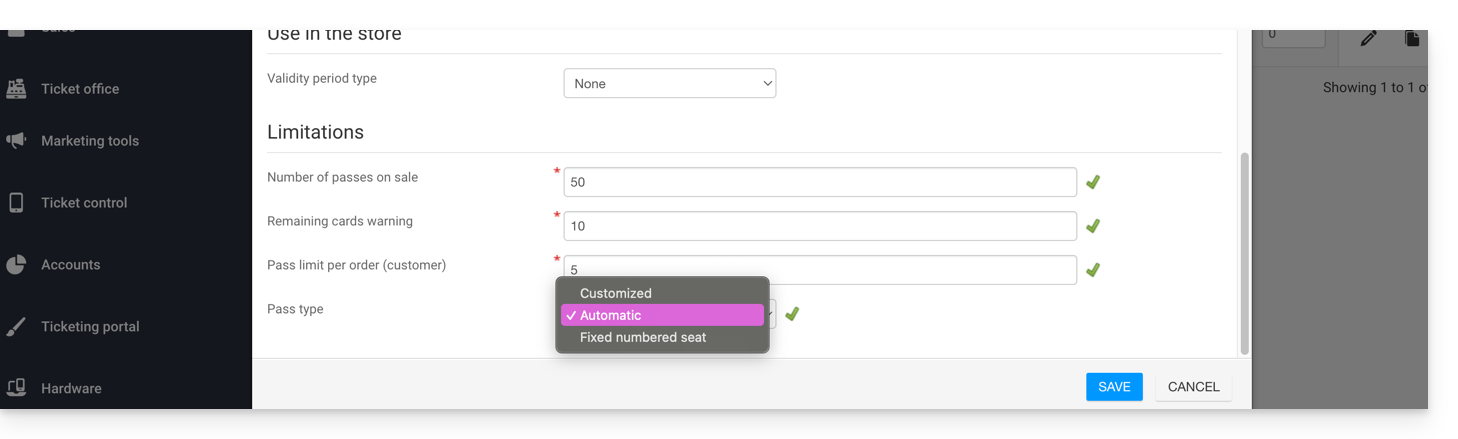
Associating events
The events are associated with the pass, with a limit of one ticket per event and no additional cost:
This pass contains a ticket for event 1 and a ticket for event 2:
Pass appearance
This pass will never be printed, as only the individual tickets linked to the events will be printed. Therefore, there is no need to configure the pass appearance. The customer who purchases this pass will receive a ticket for event 1 and a ticket for event 2, so you will need to define the appearance of these tickets.
Information requested
This pass is not personalized, but for easier identification, the option to provide the first and last name is available:
Link to this FAQ: https://faq.infomaniak.com/2774
Has this FAQ been helpful?