Knowledge base
1000 FAQs, 500 tutorials and instructional videos. Here, there are only solutions!
Log out and log back into the Infomaniak account
This guide explains how to log out of an Infomaniak account (= user account) from the Manager Infomaniak. Once logged out, it is easy to log back into a different Infomaniak account, and thus access another Organization or a user with a different role in the same Organization.
Log out and log back in with Infomaniak credentials
To log out of an Infomaniak account and log back into another one:
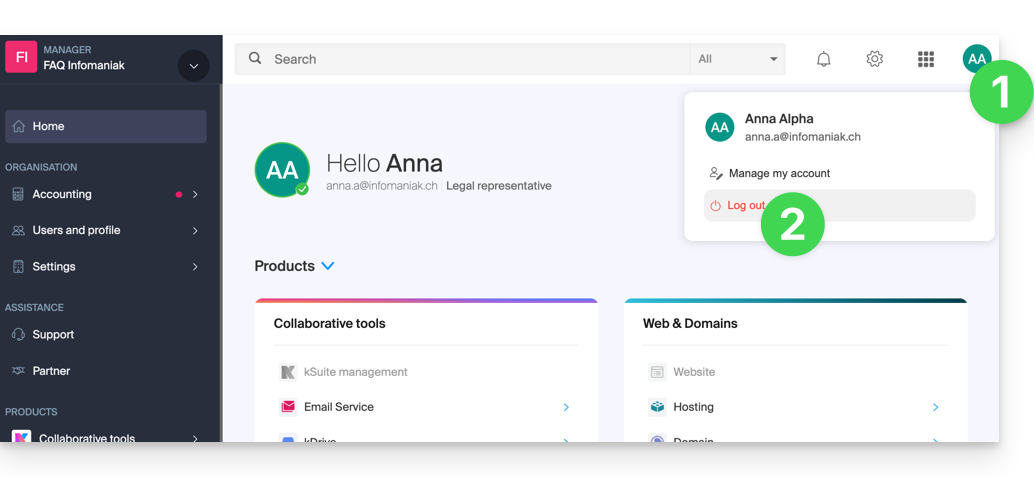
- Click on the dot with your initials/avatar in the top right corner of the Manager Infomaniak.
- Click on Log out:
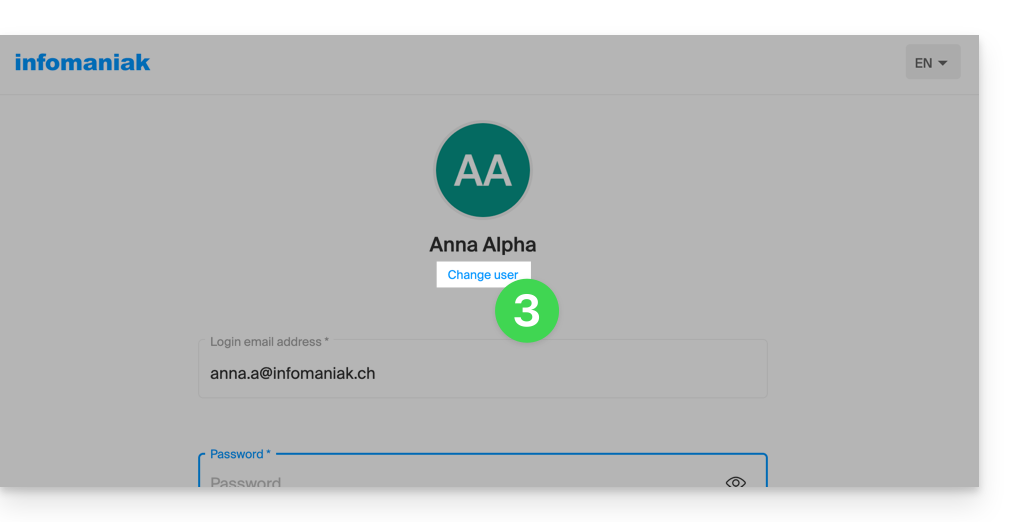
- Click on Switch user:
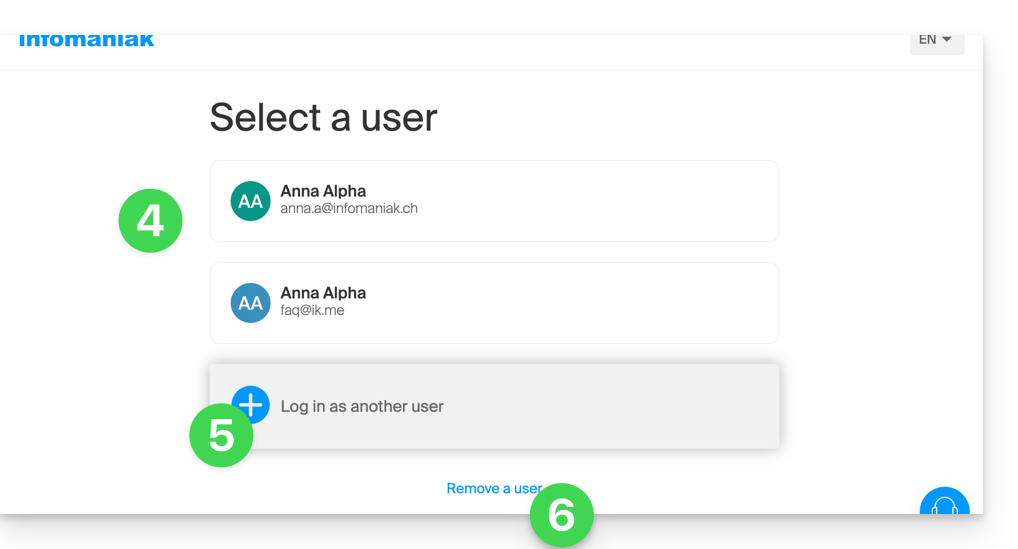
- Select another pre-registered user…
- … or click on the button to log in with new credentials…
- … or delete one of the already memorized users:
- Enter the login information and click on the Log in button.
Once you have logged in with multiple different users from the same device, you will be able to find your different Infomaniak accounts and switch from one to the other:
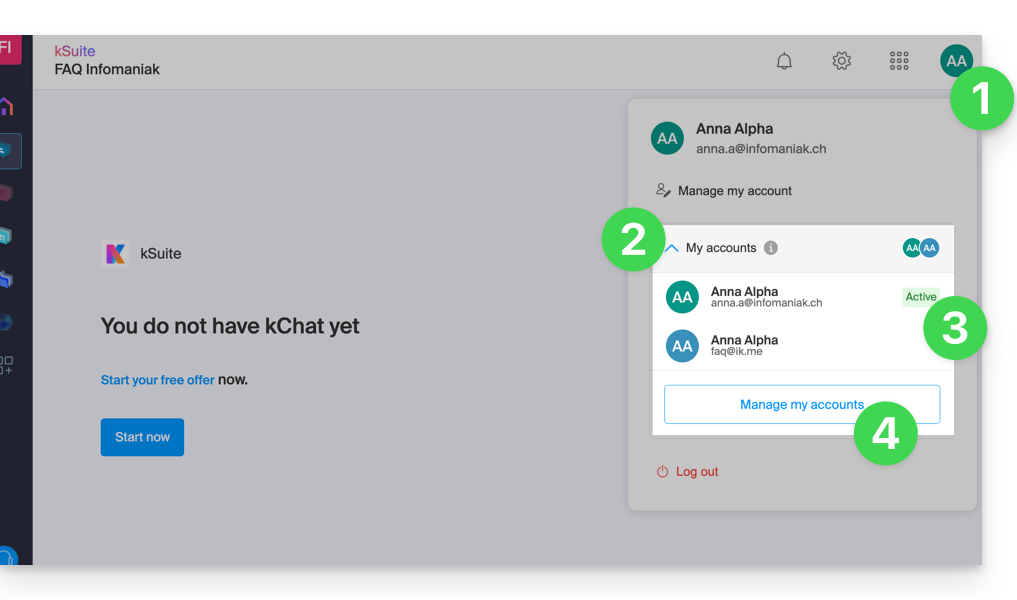
- Click on the dot with your initials/avatar in the top right corner of the Manager Infomaniak.
- Click on the chevron My accounts to expand the memorized accounts.
- Click on an inactive account to switch to it.
- Click on the Manage accounts button to add or remove one of your accounts (read from point 4 of the chapter above):
If your user is linked to multiple Organizations, they can simply switch from one to the other without needing to log out and log back in.
Link to this FAQ: https://faq.infomaniak.com/2642
Has this FAQ been helpful?