Base de conhecimento
1000 perguntas frequentes, 500 tutoriais e vídeos explicativos. Aqui, você encontra apenas soluções!
Criar uma tarefa no Calendário Infomaniak
Este guia explica como usar o gerenciador de tarefas presente no aplicativo web Calendar Infomaniak (serviço online ksuite.infomaniak.com/calendar/tasks).
Gerenciar suas tarefas
Para adicionar uma tarefa no gerenciador de tarefas:
- Clique aqui para acessar o aplicativo web Tasks (serviço online ksuite.infomaniak.com/calendar/tasks)…
- … também acessível a partir do seu calendário, clicando no ícone de Tarefas no menu lateral direito:
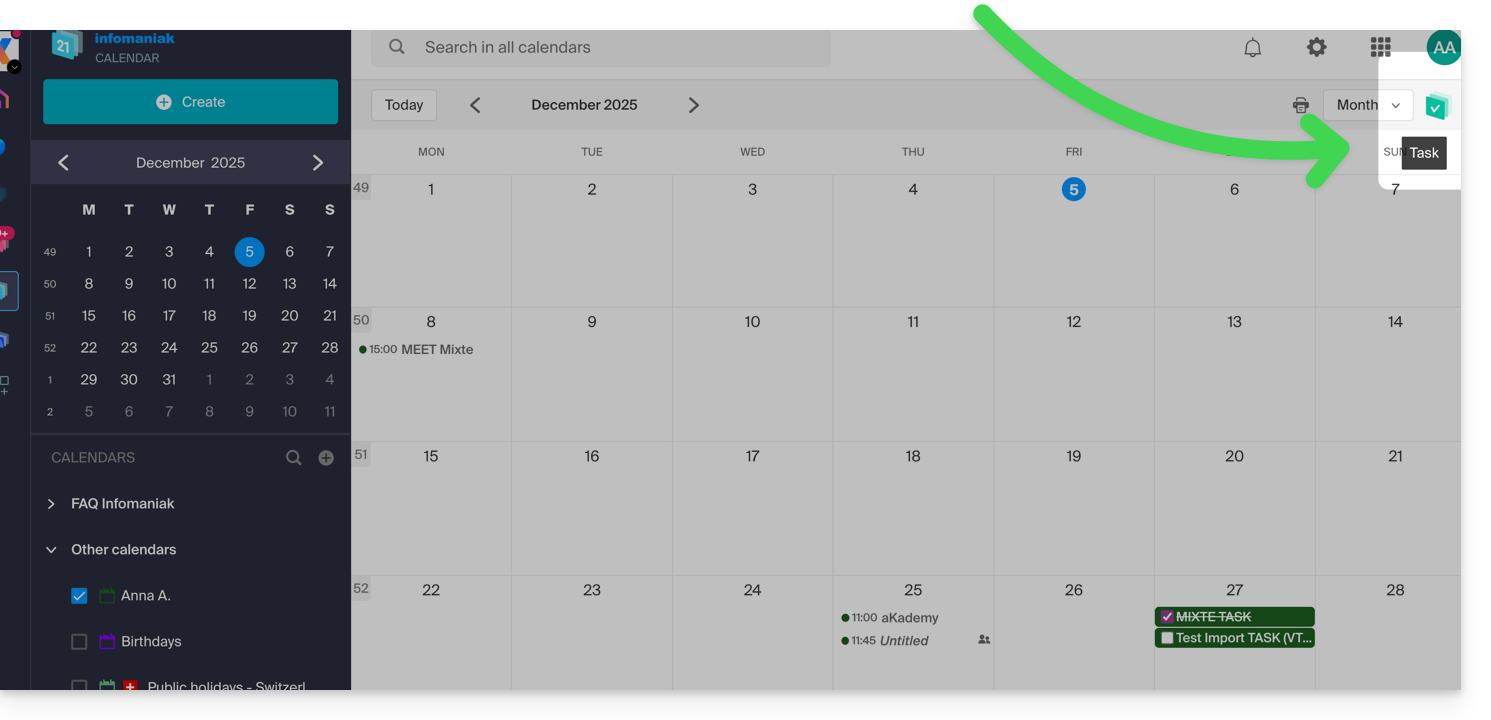
- … também acessível a partir do seu calendário, clicando no ícone de Tarefas no menu lateral direito:
Após abrir o gerenciador, você pode Criar uma tarefa no canto superior esquerdo, que estará vinculada ao calendário especificado à direita do botão: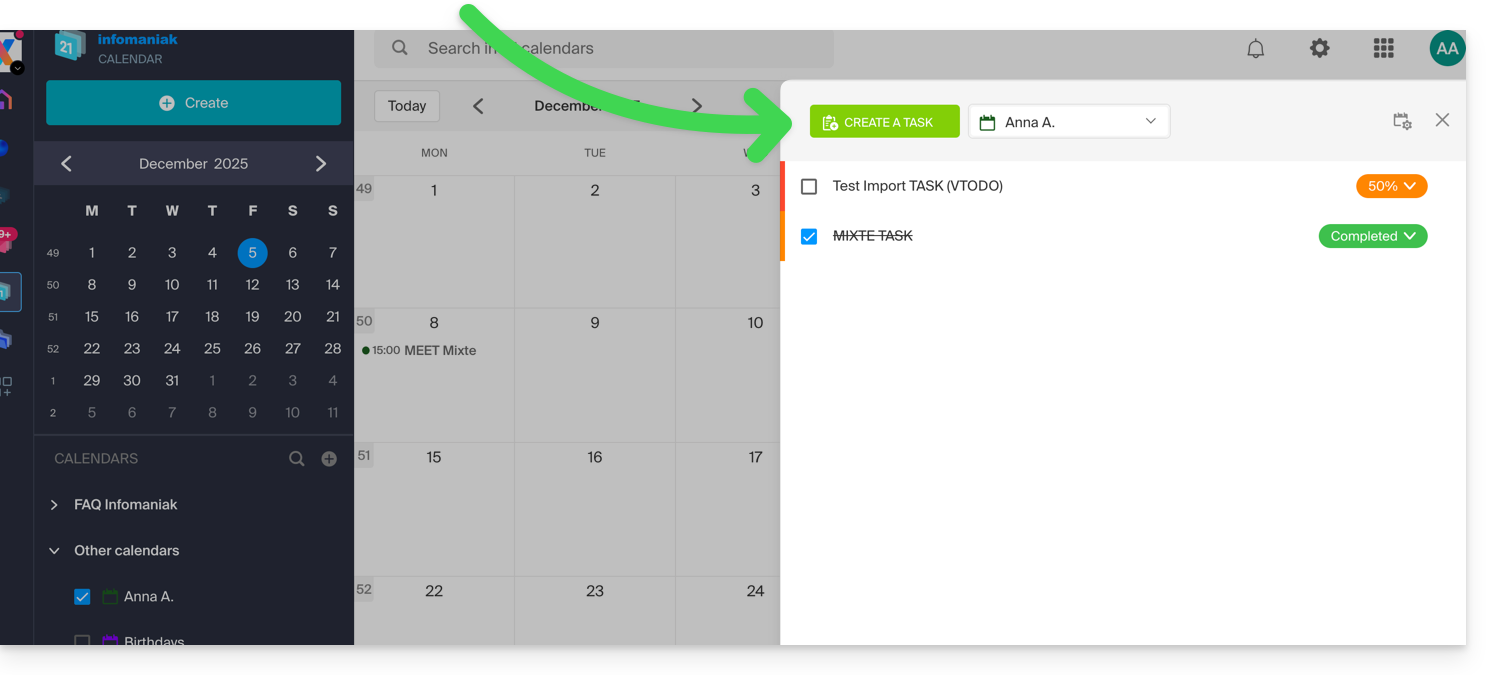
Se você adicionar uma data de vencimento à sua tarefa, ela será exibida no calendário correspondente: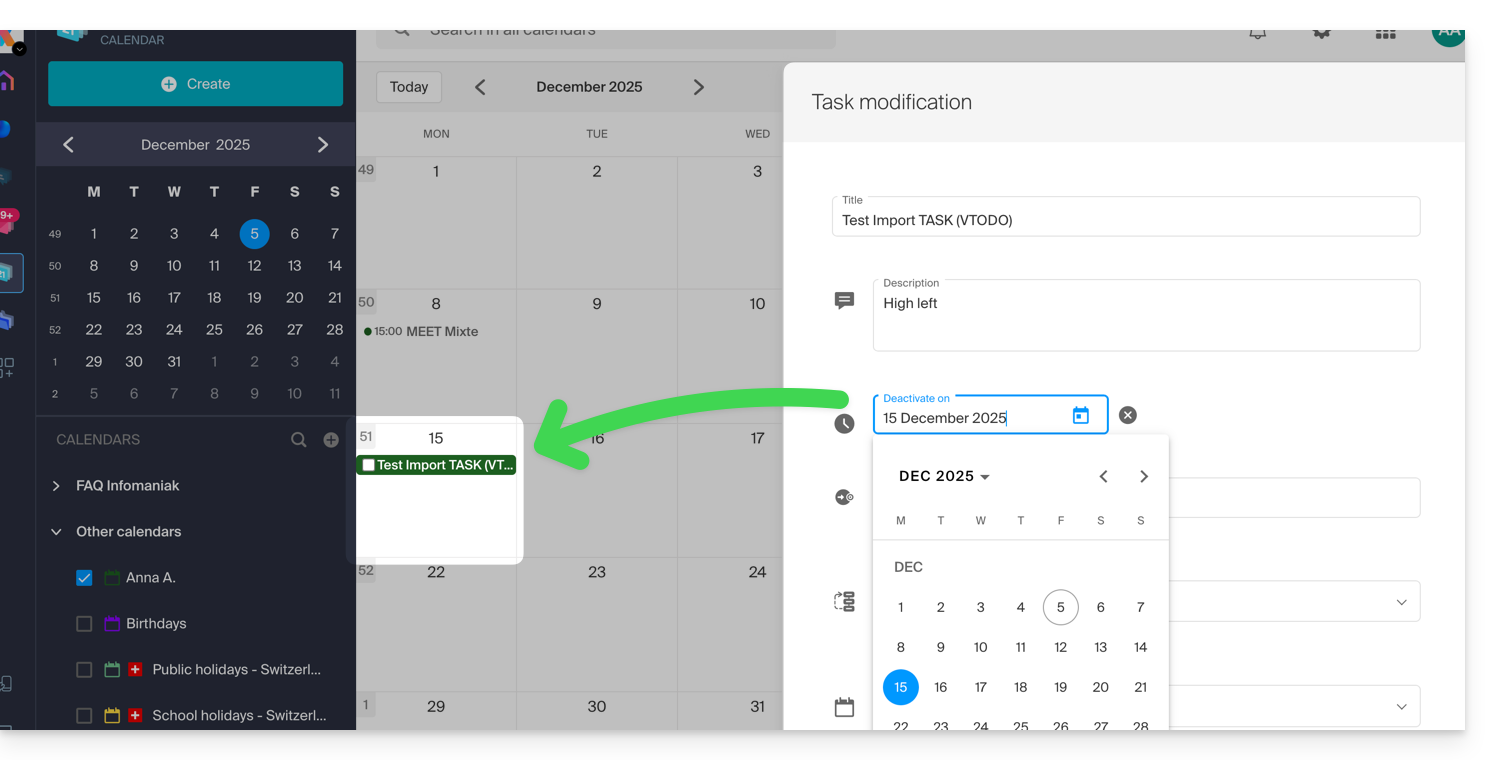
Você também pode filtrar e ordenar suas tarefas exibidas usando o botão localizado no canto superior direito do gerenciador, ao lado do "x" que permite fechá-lo: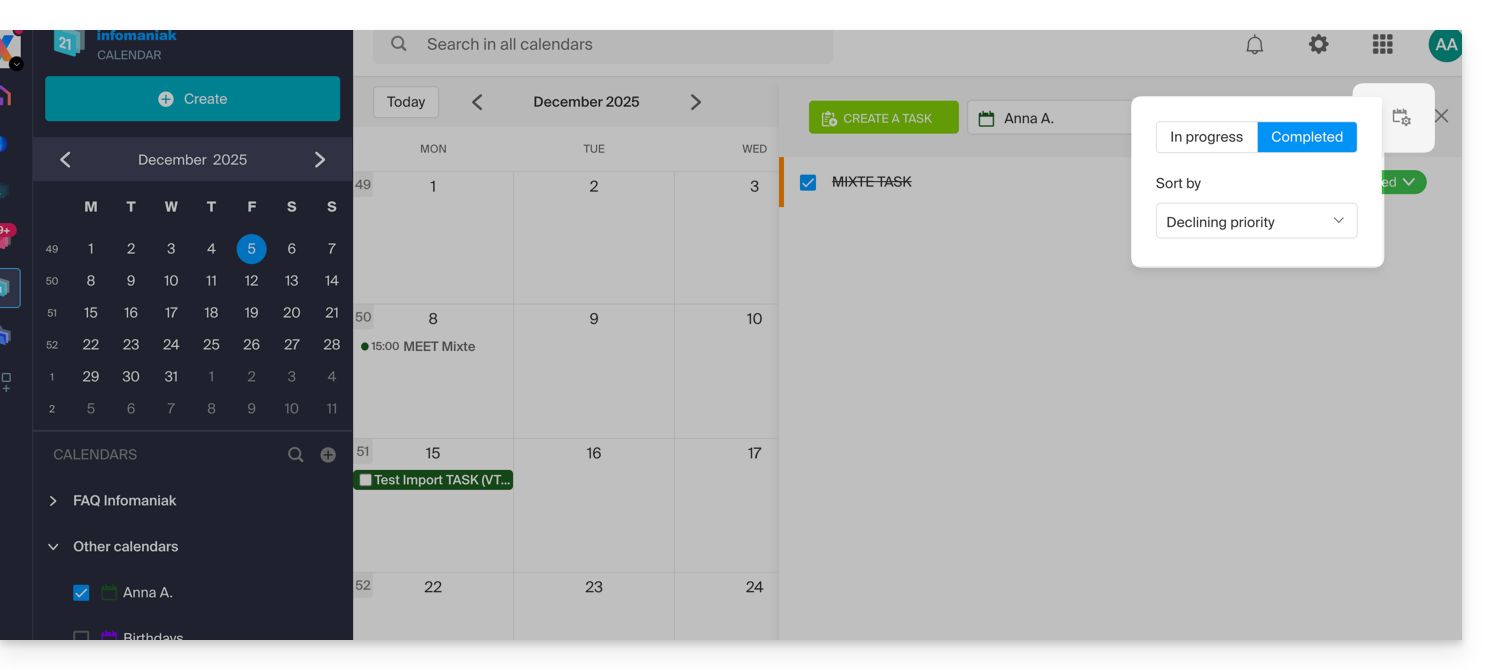
Você pode importar tarefas para o seu calendário.
Para sincronizar tarefas com um dispositivo Android, consulte este outro guia.
Link para esta FAQ: https://faq.infomaniak.com/984
Esta seção de perguntas frequentes foi útil?