Base de conhecimento
1000 perguntas frequentes, 500 tutoriais e vídeos explicativos. Aqui, você encontra apenas soluções!
Cancel kSuite Pro
This guide explains how to completely cancel a kSuite Pro subscription.
Cancel kSuite Free
If a kSuite exists within your Organization without you having ordered it (free offer), it is linked to the Organization, and you must delete the latter to cancel kSuite. Please refer to this other guide.
You can also simply detach the domain name if necessary.
Cancel kSuite Standard, Business, or Enterprise
Introduction
- When you decide to cancel kSuite, if a domain name is linked to it, it will be kept in your user account until it expires.
- All other kSuite products will be permanently deleted.
- Existing users will remain part of your Organization.
- Any outstanding or overage charges remain due.
To cancel your paid kSuite subscription:
- Click here to access the management of your kSuite in the Infomaniak Manager (need help?).
- Click on the action menu ⋮ to the right of the kSuite name.
- Choose Cancel:
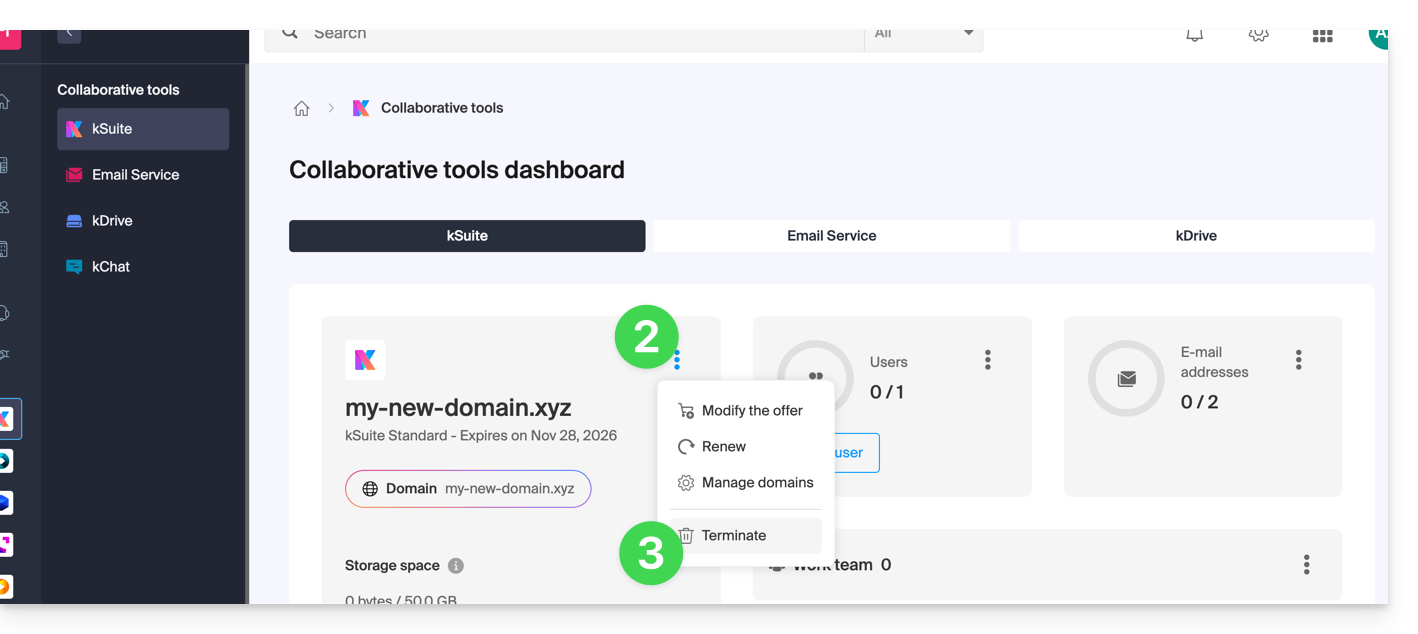
- Follow the procedure until the end and confirm the operation by email:
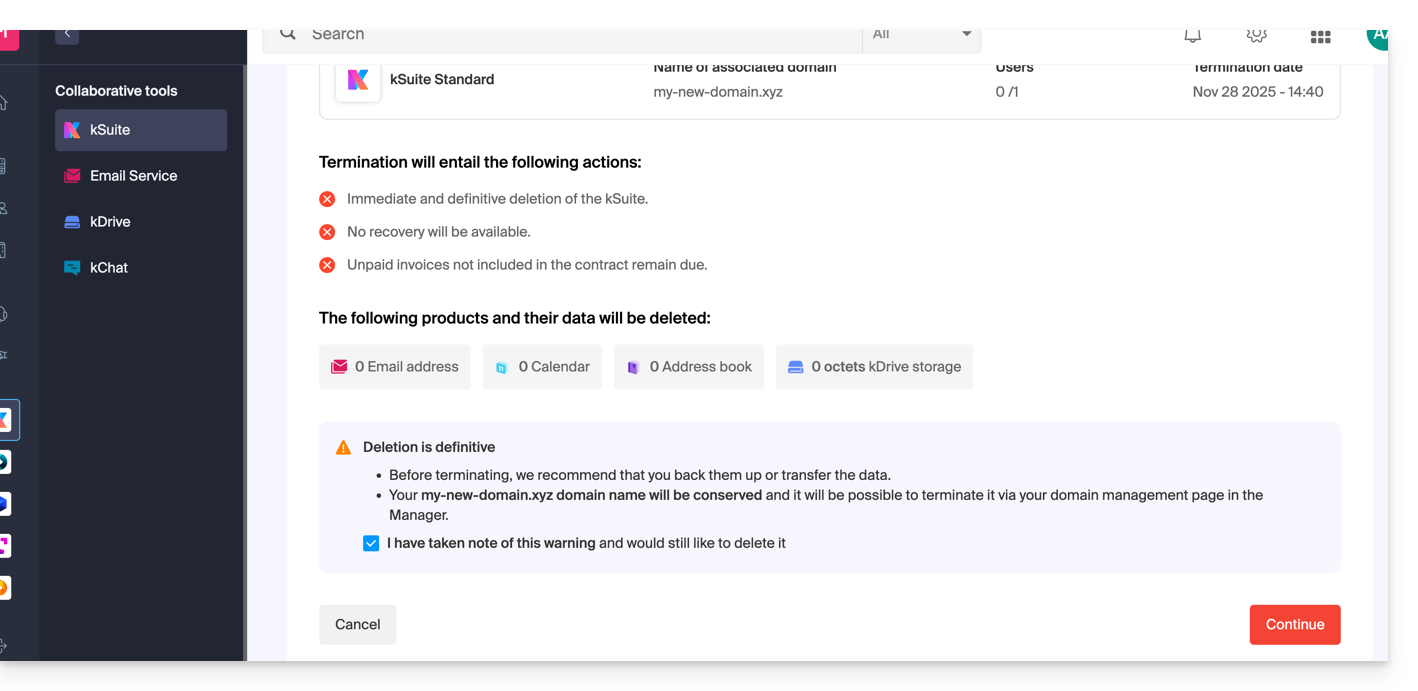
After these operations, the domain name, if any, is detached and remains accessible from the Manager, while kSuite is no longer available in its paid version.
Link para esta FAQ: https://faq.infomaniak.com/955
Esta seção de perguntas frequentes foi útil?