Base de conhecimento
1000 perguntas frequentes, 500 tutoriais e vídeos explicativos. Aqui, você encontra apenas soluções!
Entenda as notificações de login na sua conta Infomaniak
Este guia explica por que você pode receber um e-mail de segurança automático sobre sua conta Infomaniak (ou seja, sua conta de usuário).
Introdução
- Atenção: estão a circular mensagens falsas que imitam o e-mail de segurança da Infomaniak.
- Se não tiver a certeza da autenticidade do aviso, aceda ao painel de controlo Infomaniak e verifique a atividade recente em vez de clicar em qualquer link potencialmente malicioso que possa estar presente na mensagem falsa.
Mensagens automáticas de alerta
1. Acesso a partir de um novo local
Um e-mail de segurança é enviado automaticamente sempre que uma nova conexão à sua conta Infomaniak é efetuada a partir de um novo local: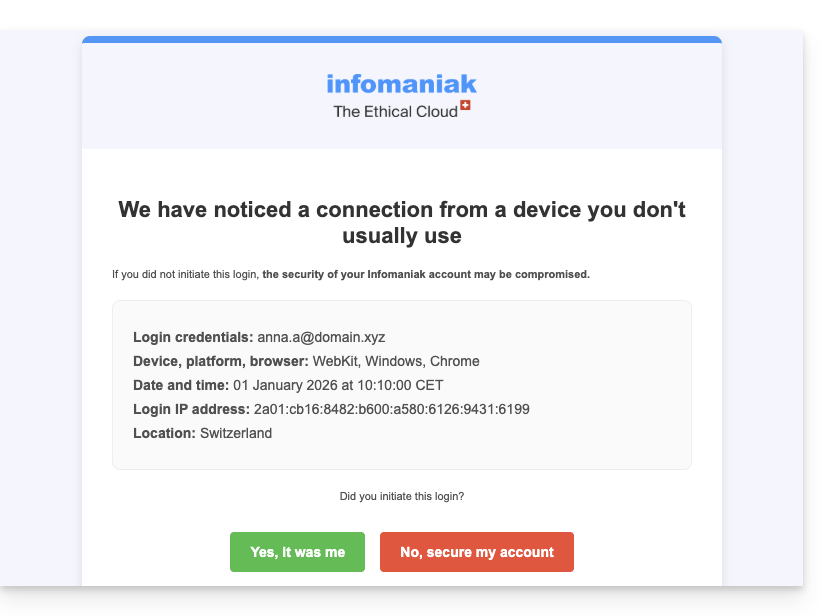
Isto pode acontecer, por exemplo, se utilizar o modo de navegação privada do seu navegador ou se aceder à sua conta a partir de um novo computador.
Se receber este e-mail logo após ter feito login na sua conta Infomaniak, pode ignorar o aviso de login!
2. Tentativa de login (senha incorreta)
Um e-mail de segurança é enviado automaticamente quando alguém insere uma senha incorreta após inserir o endereço de e-mail para acessar o Manager: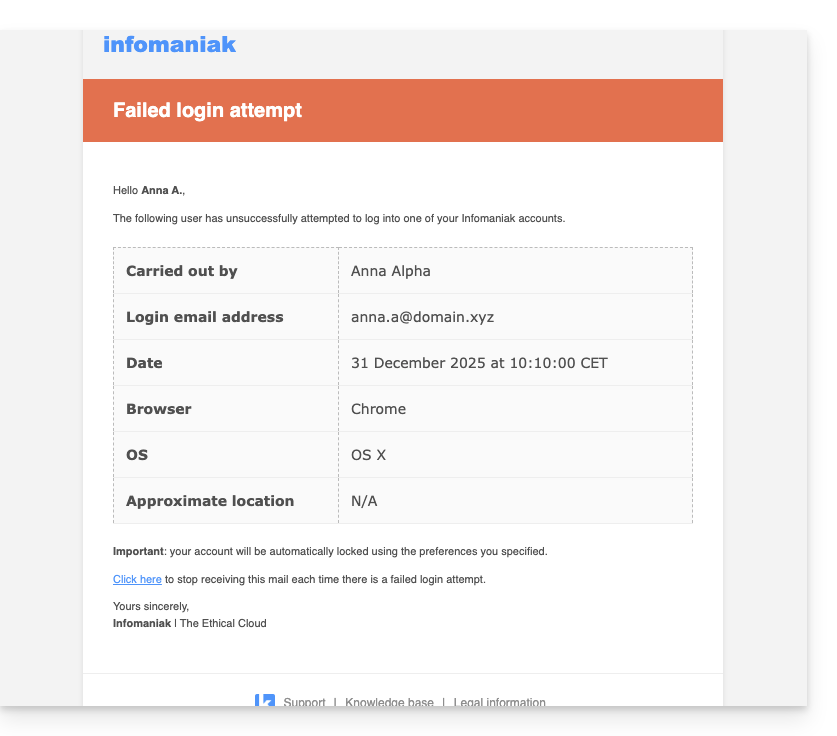
Consultar as atividades recentes no Manager
Pode consultar as atividades recentes da sua conta Infomaniak e da sua Organização Infomaniak em: aqui e aqui:
Se detetar ações ilegítimas, que não acredita ter realizado, e/ou em caso de suspeita de intrusão:
- Consulte este outro guia para proteger rapidamente suas ferramentas.
- Ative a autenticação de dois fatores em sua conta para aumentar a segurança e garantir que apenas você receba um código exclusivo que autoriza o acesso.
- Altere a senha do Manager.
- Altere as senhas dos endereços de e-mail associados ao Mail Infomaniak.
Link para esta FAQ: https://faq.infomaniak.com/88
Esta seção de perguntas frequentes foi útil?