Base de conhecimento
1000 perguntas frequentes, 500 tutoriais e vídeos explicativos. Aqui, você encontra apenas soluções!
Add emojis to the title and content of a newsletter
Atualização 02/11/2026
This guide explains how to freely integrate emojis/emoticons/smileys into the title and content of an Infomaniak Newsletter.
Insert an emoticon in the title
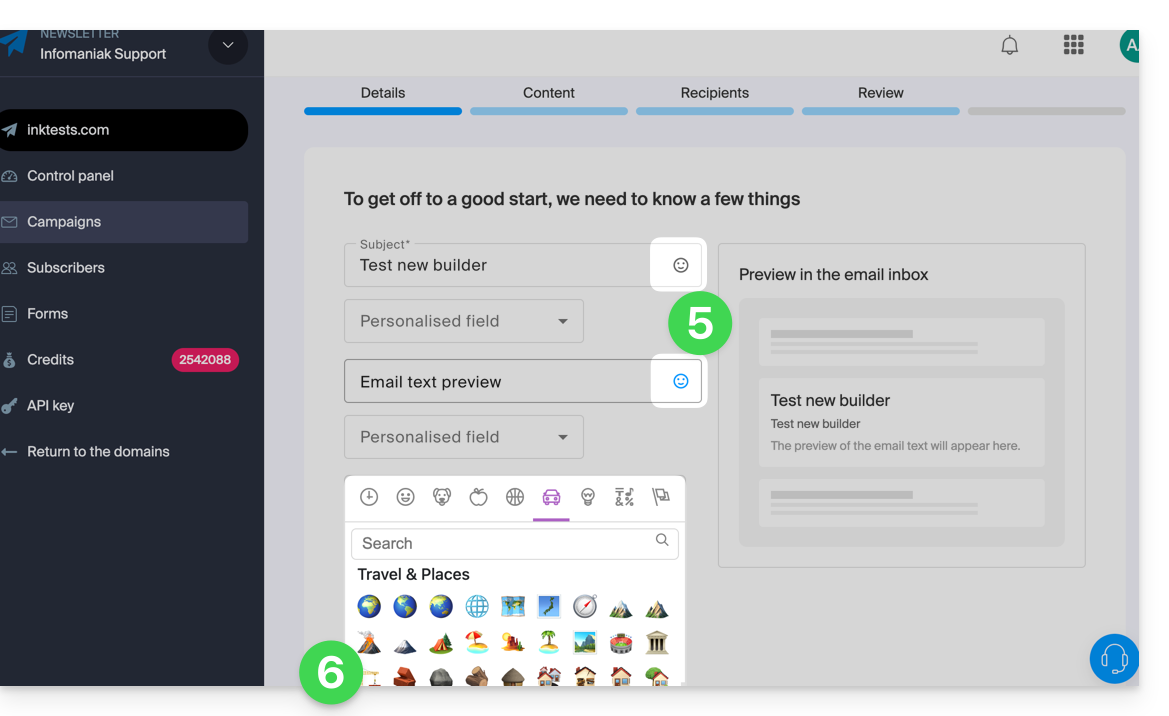
To choose an emoticon for your Newsletter title (and/or its preview text):
- Click here to access the Newsletter management section in your Infomaniak Manager.
- If nothing is displayed, you may not be in the Organization to which your Newsletter is linked (❓: help).
- Click on the domain name associated with your mailings:
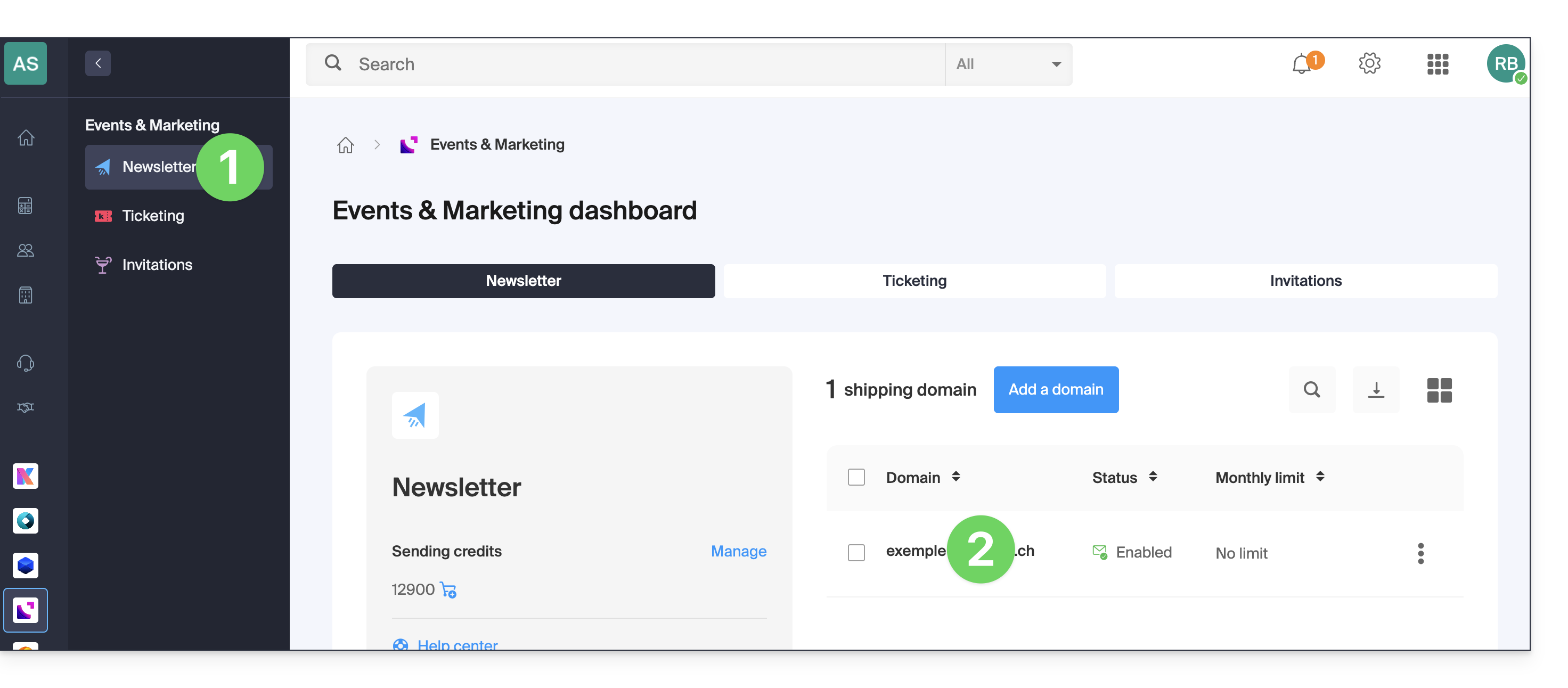
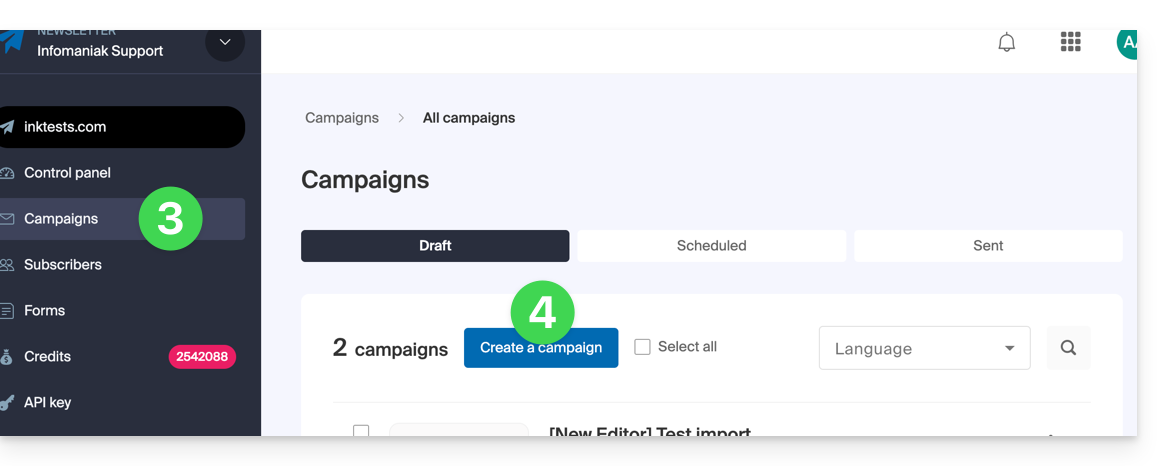
- Click on Campaigns in the left-hand menu.
- Click on Create a campaign:
- Click on the Smiley icon in the relevant field to open the emoji panel.
- Click on the emoji to insert:
Insert an emoji in the email body
You can paste any Unicode character or emoji that you have copied from elsewhere into your text: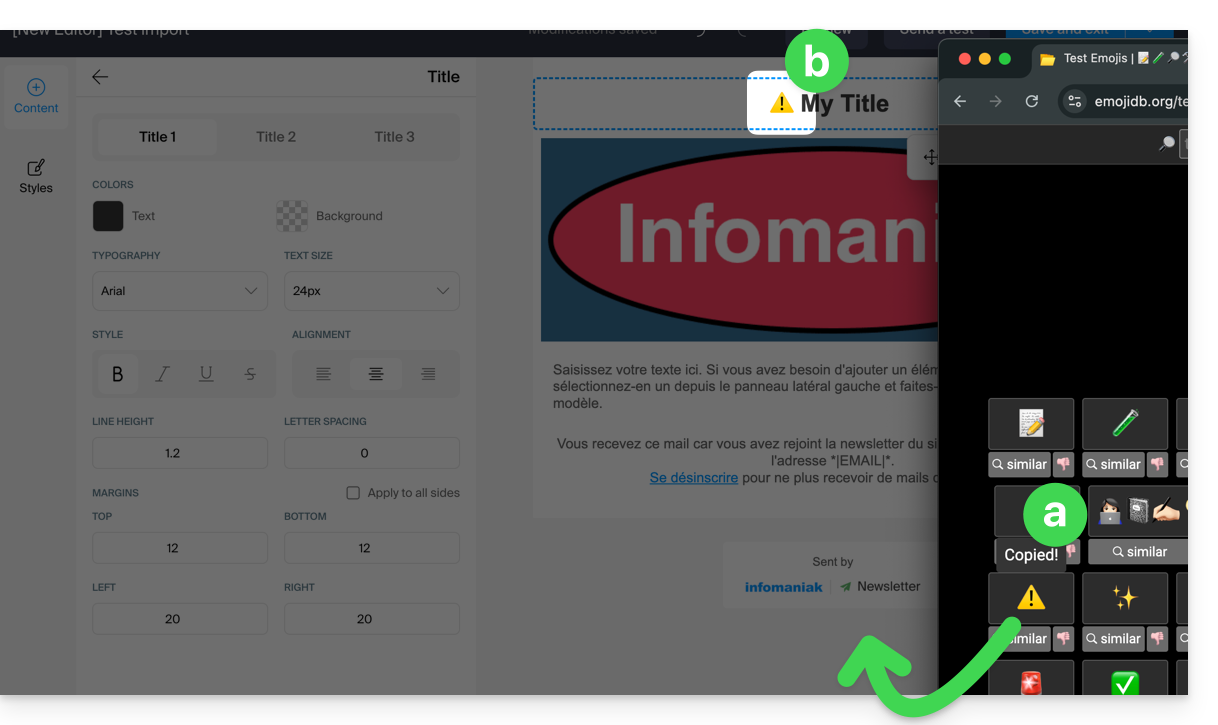
… or display emojis
… on macOS
Press the CTRL + CMD ⌘ + SPACE keys
… on Windows
Press the WINDOWS LOGO + PERIOD (.) keys
Alternative method:
- Right-click on an empty area of the taskbar.
- In the menu, click on Show the on-screen keyboard.
- An keyboard icon will then appear in the taskbar at the bottom right of your screen.
- Click this icon to display the virtual keyboard.
- Click the key with a smiley face in the bottom left corner of the keyboard.
- Use the various Windows emojis.
Link para esta FAQ: https://faq.infomaniak.com/869
Esta seção de perguntas frequentes foi útil?