Base de conhecimento
1000 perguntas frequentes, 500 tutoriais e vídeos explicativos. Aqui, você encontra apenas soluções!
Show website statistics
This guide explains how to view information about visitors who have accessed your Web Hosting sites (traffic statistics).
✘ UNAVAILABLE with
Site Creator standalone (independent of web hosting)
Starter hosting plans
Introduction
- Please refer to this other guide if you are specifically looking for access logs.
- Consult this other guide about the Site Creator Pro offer.
Access website traffic statistics
To view statistics regarding the traffic to your websites:
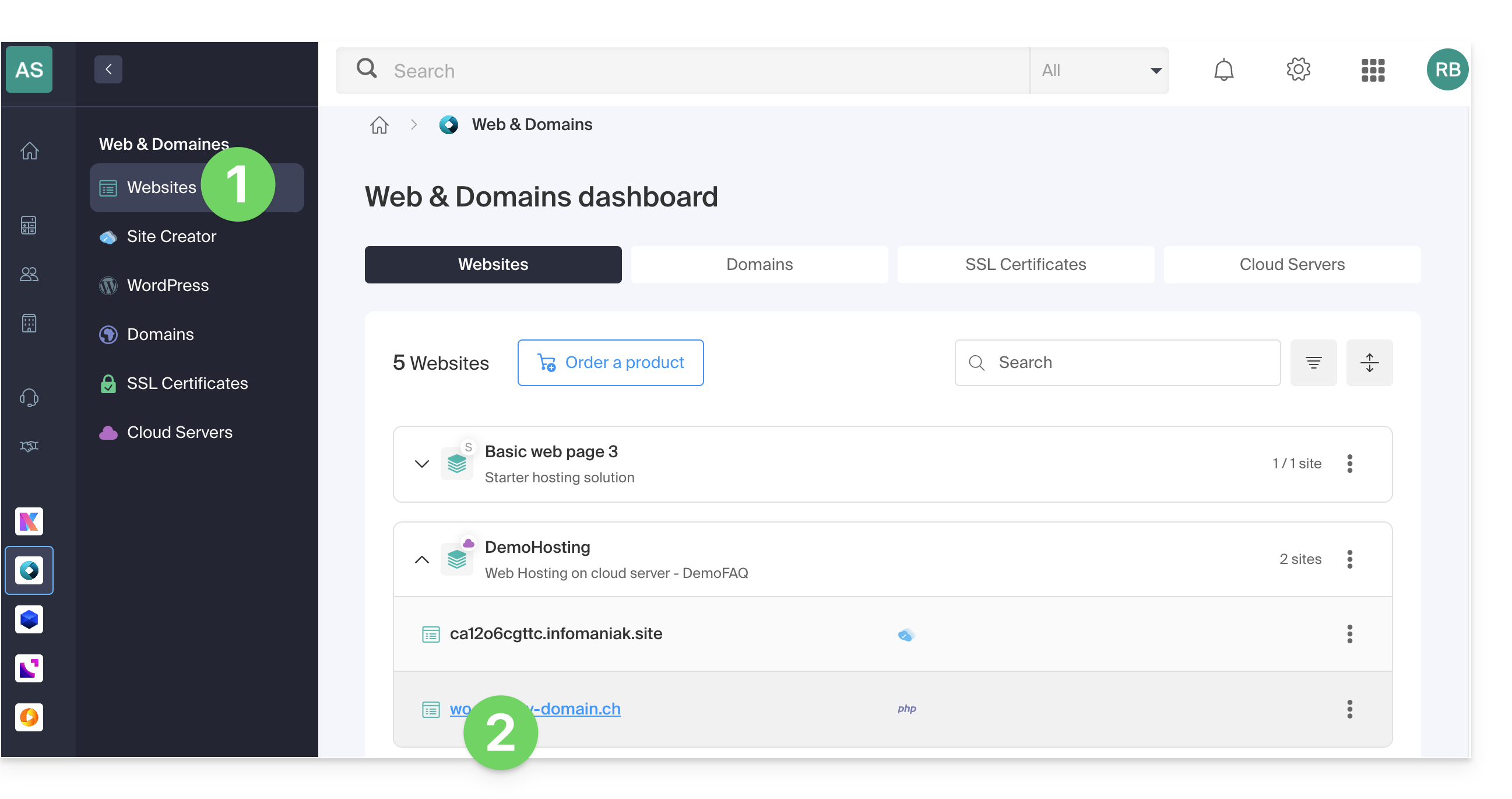
- Click here to access the hosting & website management section in your Infomaniak Manager (❓: help).
- Click on the name of the website in question:
- Click on Statistics in the left-hand menu:
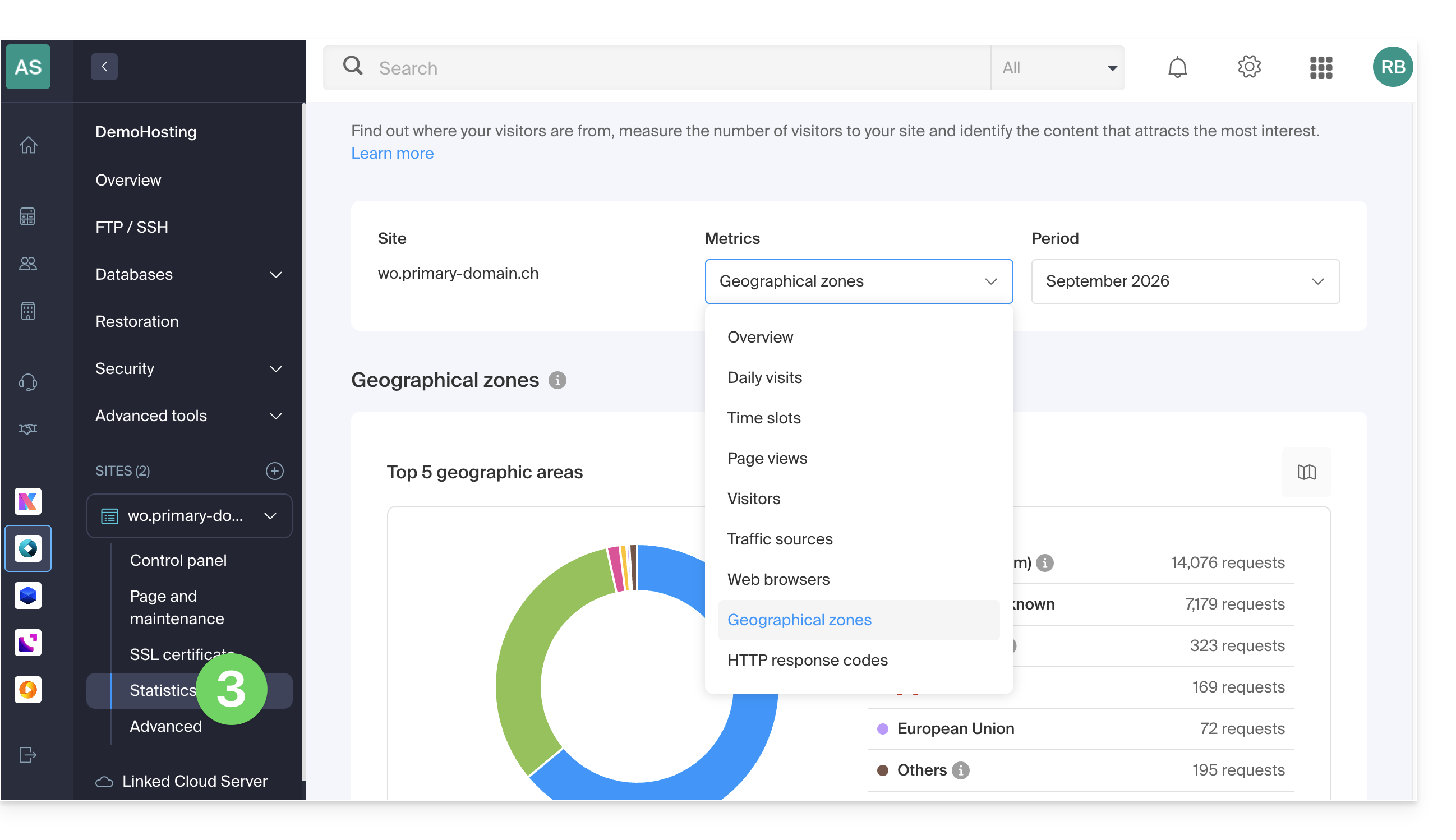
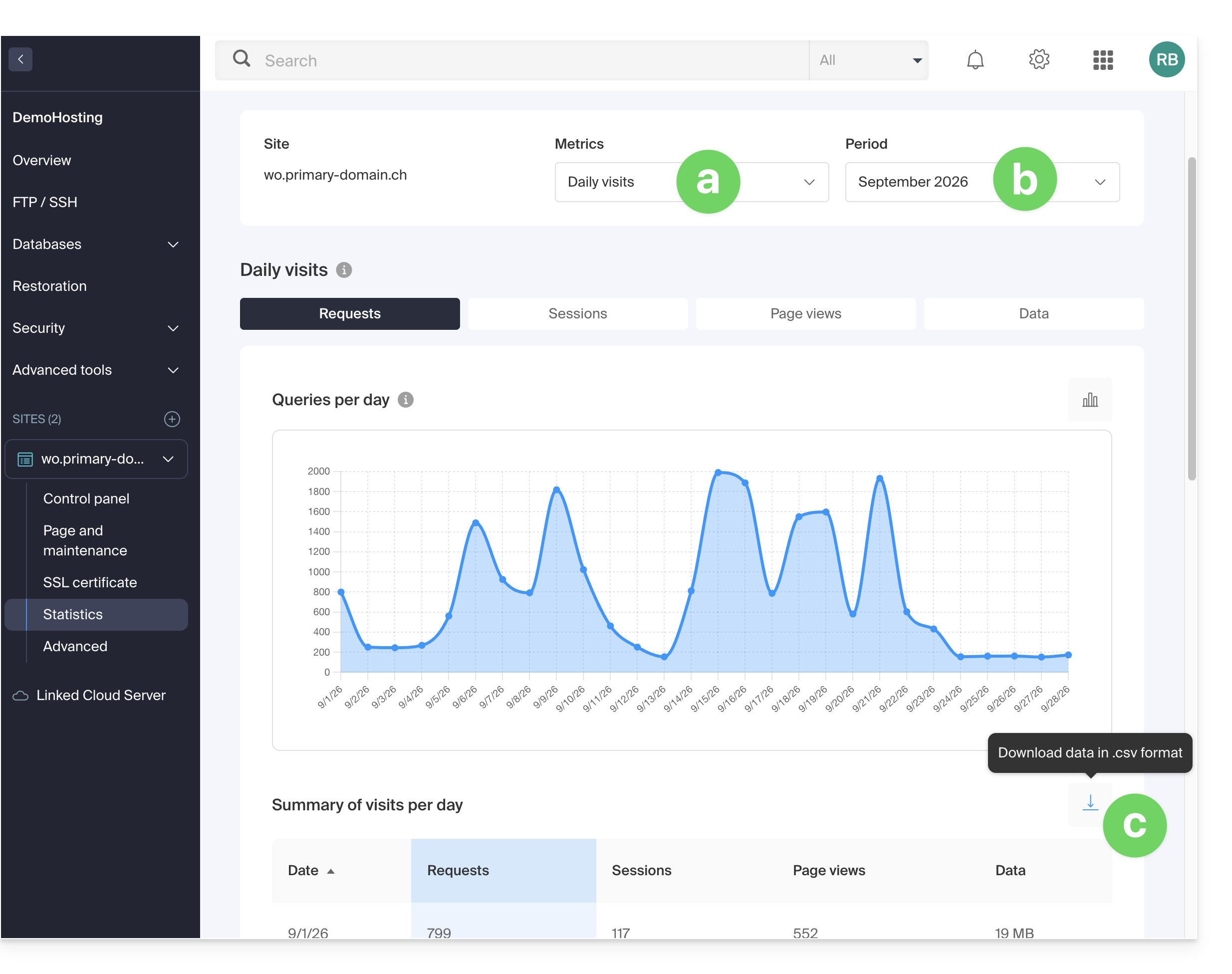
- The toolbars allow you to choose:
- the type of statistics,
- the period,
- or to download the data for a third-party tool:
Explanation of terms
There is no distinction between humans and robots. You can also use tools like Matomo, Open Web Analytics, or Google Analytics.
| Category | Description | Details |
|---|---|---|
| Hits | Every request sent to the server. | Includes everything (HTML, images, audio, etc.). Each requested element, whether visible or not, counts as a hit. It's as if a visitor activated an invisible button with each interaction. |
| Files | Requests requiring data to be sent in return. | Records requests that require the server to send back a file (graphic, HTML). The difference with hits corresponds to the ratio between incoming requests and outgoing data. |
| Pages | Number of pages displayed on your website. | Measures the HTML pages viewed, excluding graphic or audio files. Each access to a new HTML page is recorded as a page view. |
| Visits | Sessions based on IP address. | A visit starts with an IP request. If the address returns within 30 minutes, it is counted as a single visit. After that, a new visit is recorded. |
| Sites | Estimated visits based on fixed IP addresses. | Excludes mobile or dynamic connections. This targets regular visitors (businesses, institutions) to better understand your target audience. |
| Ko | Data volume sent by the server. | Total amount of data transferred during the period, calculated via log files (with a possible margin of error depending on the size of the files). |
| Total hits | Total number of requests. | A page with 3 images and text generates 5 hits (the page + the text + the 3 images). This total is therefore much higher than the number of page views. |
| Total Pages / Visits | Engagement metrics. | The number of pages viewed compared to the number of unique visits allows you to assess the level of interest users have in your content. |
| Total unique sites | Number of distinct IPs. | Represents the diversity of traffic sources and helps identify the most active audience segments during the period. |
| Total number of unique URLs | Distinct paths taken. | Corresponds to the different pages or files visited, providing an overview of your navigation structure and the most popular content. |
| Total number of unique referring domains | Number of source sites. | External sites that have directed traffic to you. This is a key indicator of the effectiveness of your marketing and partnerships. |
Meaning of "Commercial (com)" and "Unresolved"
"Commercial" often represents a significant portion of geographic traffic. It includes users connected via internet service providers (ISPs) using a .com domain. As this extension is used by many ISPs and global companies, it does not allow for the identification of a specific country.
"Unresolved" refers to IP addresses that cannot be geographically located, often due to privacy settings, the use of VPNs, or network restrictions.
Link para esta FAQ: https://faq.infomaniak.com/83
Esta seção de perguntas frequentes foi útil?