Base de conhecimento
1000 perguntas frequentes, 500 tutoriais e vídeos explicativos. Aqui, você encontra apenas soluções!
Mostrar os feriados no Calendário Infomaniak
Este guia explica como exibir um calendário com as datas dos feriados do cantão ou país de sua escolha no aplicativo web Calendar da Infomaniak (serviço online ksuite.infomaniak.com/calendar).
Introdução
- Estes calendários sugeridos podem ser sincronizados com os seus dispositivos móveis e de ambiente de trabalho.
- O calendário de aniversários (calendário que exibe as datas de aniversário dos seus contactos quando a data é indicada no respetivo registo da agenda) só é visível através da aplicação web Calendar Infomaniak (serviço online ksuite.infomaniak.com/calendar) e não pode ser sincronizado com ferramentas CalDAV.
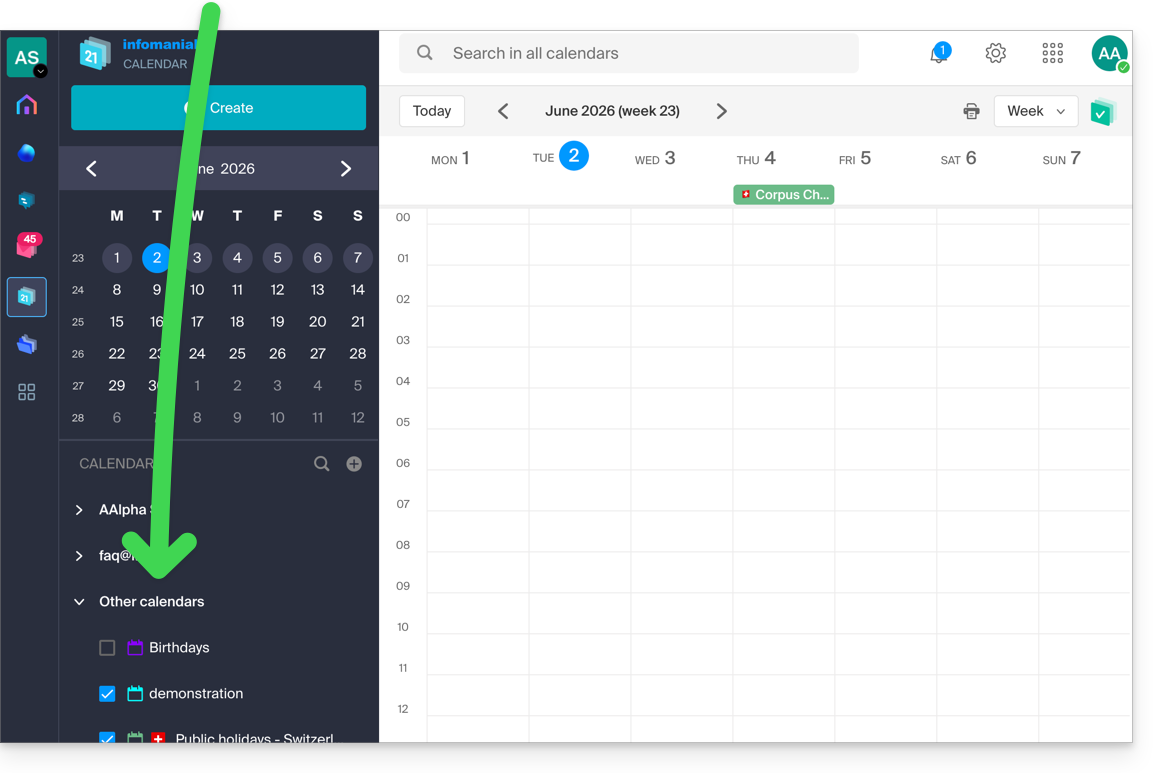
Exibir calendários oficiais adicionais
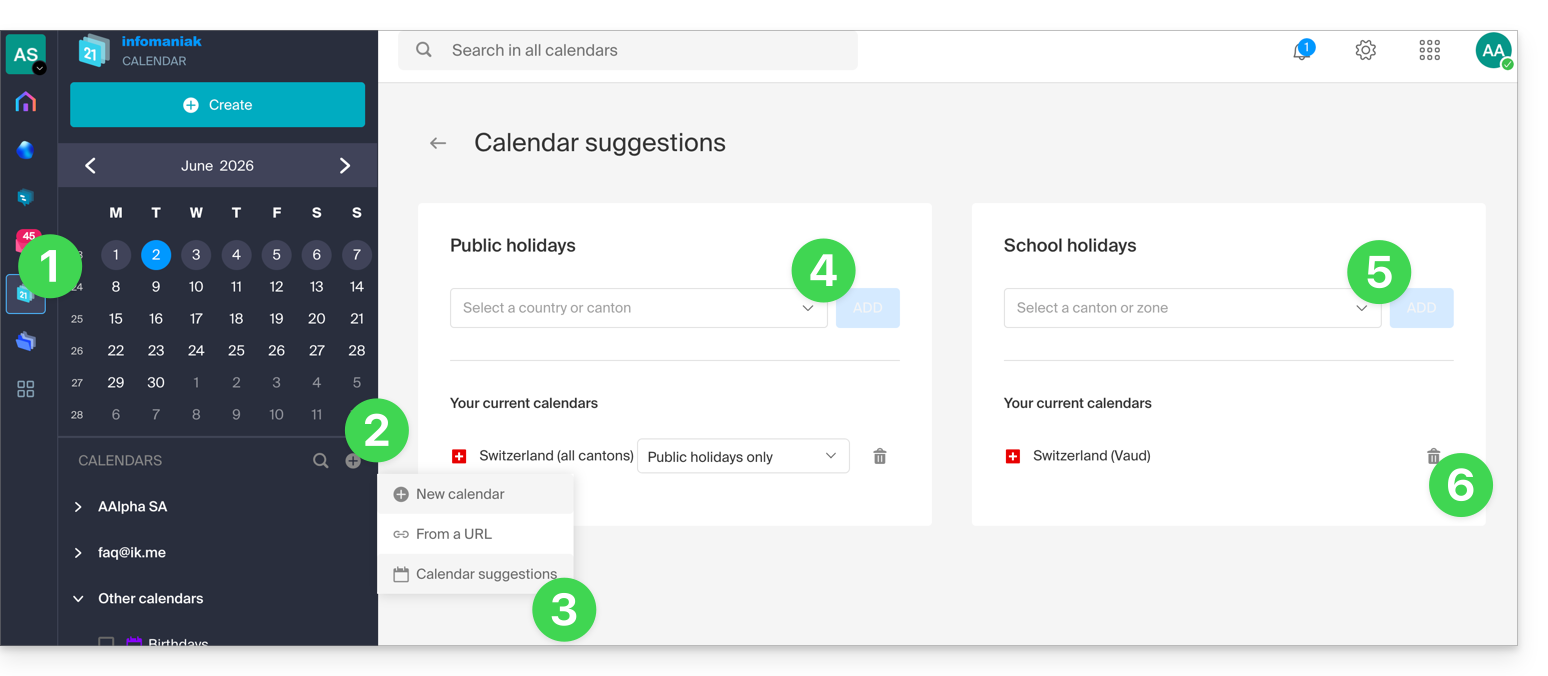
Para adicionar o calendário de feriados ou de férias escolares:
- Clique aqui para acessar o aplicativo web Calendar da Infomaniak (serviço online ksuite.infomaniak.com/calendar).
- Clique no botão no menu lateral esquerdo.
- Clique em Sugestões de calendários.
- Escolha um dos calendários de feriados nacionais (por cantão ou país).
- Você também pode adicionar o calendário oficial das férias escolares nacionais (França, Suíça, etc.).
- Depois de adicionado, é aqui também que você pode removê-lo:
Link para esta FAQ: https://faq.infomaniak.com/566
Esta seção de perguntas frequentes foi útil?