Base de conhecimento
1000 perguntas frequentes, 500 tutoriais e vídeos explicativos. Aqui, você encontra apenas soluções!
Transfer your domain name to Infomaniak
Atualização 12/11/2026
This guide details the entire procedure for transferring a domain name from your current provider to Infomaniak.
Introduction
- This is a change of registrar to Infomaniak, and not an internal transfer between two Infomaniak accounts (❓: help).
- The terms
EPP,AuthCode,AuthInfo, “transfer code”, and “authorization code” all refer to the same alphanumeric key used to validate the transfer of a domain between registrars. - For most extensions, the period already paid to the registry is retained, and the expiration date of your domain is extended by one year (❓: help).
- For some extensions (such as
.ch), only the period registered with the registry (1 year) is maintained during a transfer; any additional years prepaid with the previous registrar are not carried over.
- For some extensions (such as
- The transfer duration varies depending on the extension's registry (e.g., up to 8 days for a
.FRdomain as defined by Afnic) and the responsiveness of your previous registrar in releasing the domain; details per extension are available on the Infomaniak price list (❓: help). - Any DNS addition or modification may require up to 48 hours to propagate (❓: help).
- The DNS zone cannot be modified while the transfer process is in progress.
6 steps to transfer a domain to Infomaniak
Prerequisites
- The domain must have been created or transferred at least 60 days ago.
- Make sure that the email address associated with the administrative contact for your domain (❓: help) is valid and accessible.
- Remember to note your current DNS records (A, MX, TXT, CNAME) if some services (such as your emails or your website) remain hosted with another provider.
1. Obtain the authorization code (AuthCode)
- Log in to your current provider's customer account to obtain the authorization code (❓: help).
- Also, remember to disable transfer protection if it is enabled.
2. Start the domain transfer to Infomaniak
- Go to the domain transfer page, enter and search for your domain name, then click the transfer button to start the process.
3. Configure options and DNS management
- Enter the owner's details.
- At this stage, configure the toggle switch for DNS management:
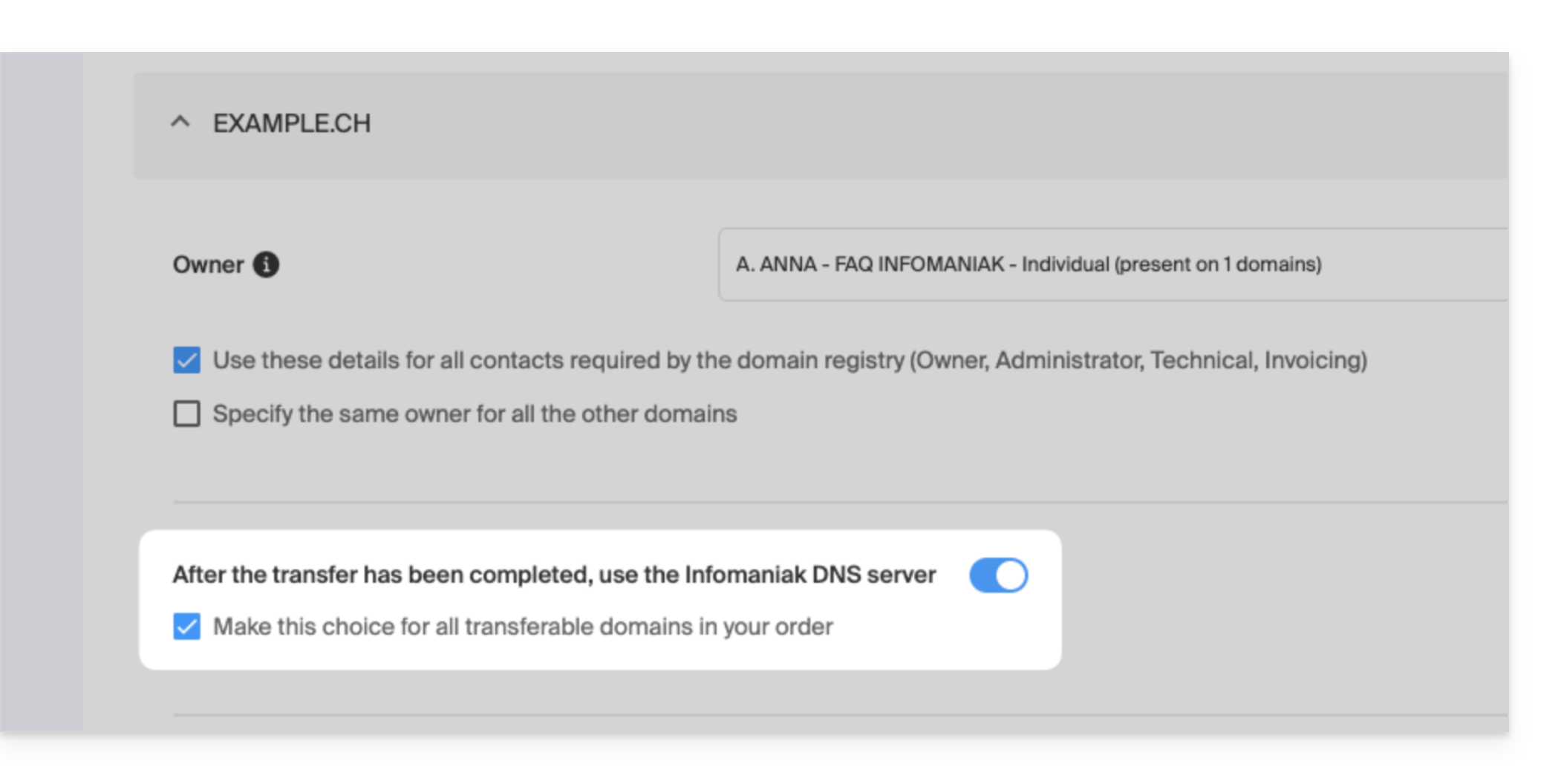
- Leave the switch activated if…
- All your services (hosting, emails) are already with Infomaniak (or if you are already using the DNS servers
ns11.infomaniak.comandns12.infomaniak.com, for example). - No product or service is linked to this domain name.
- All your services (hosting, emails) are already with Infomaniak (or if you are already using the DNS servers
- Disable the button if…
- Some services (website, email) remain hosted elsewhere than with Infomaniak. In this case, ensure you keep your current DNS settings and verify beforehand that your DNS zone is still available with your previous registrar.
- If you have any doubts about your current DNS settings, perform a search on the WHOIS service (❓: help).
4. Enter the authorization code
- Paste the
AuthCode/EPPcode (❓: help) into the field provided, validate the code, and then click Next.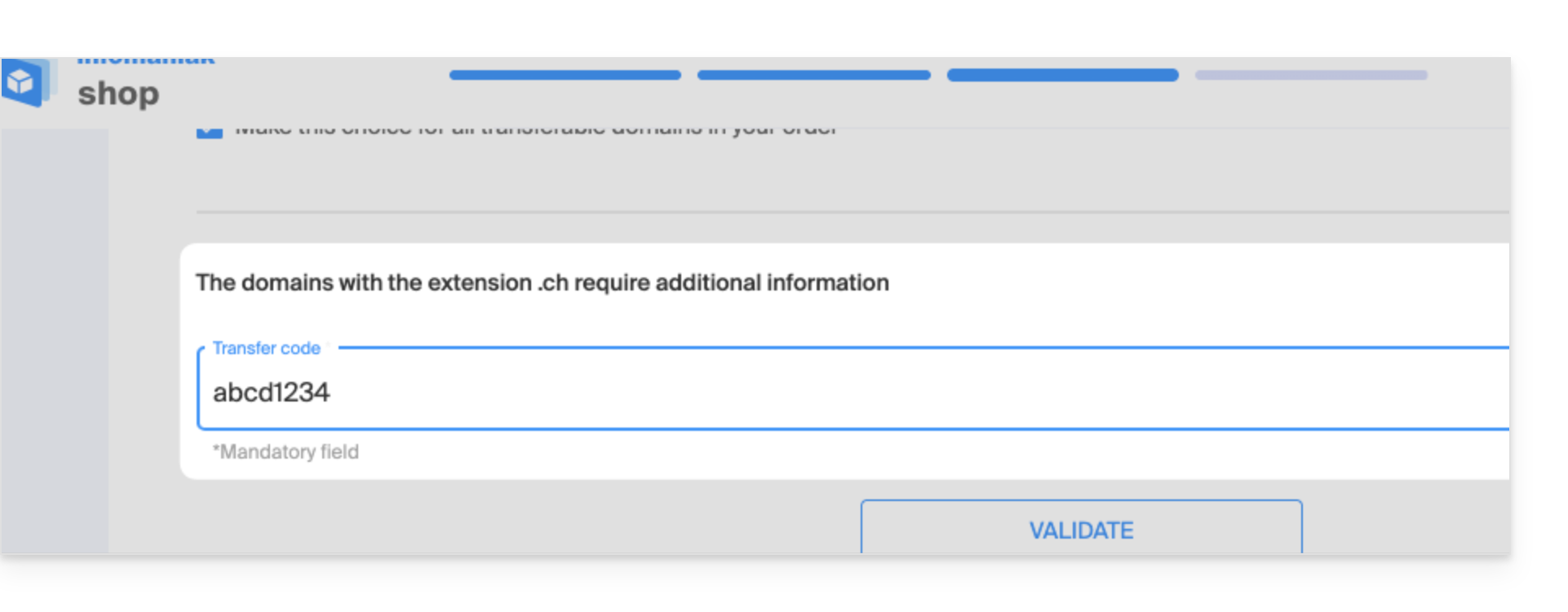
5. Complete the order and validate
- This final step allows you to adjust your renewal preferences and pay any transfer fees (depending on the domain extension).
- Accept the terms and conditions, then click Next to complete the order.
6. Track the transfer from the Manager
- Go to your Infomaniak Manager under Web & Domains to track the progress of the transfer.
- In case of a problem or blockage, an automatic email will indicate the steps to follow.
Batch transfer
To transfer multiple domains simultaneously:
- Use the Infomaniak batch transfer wizard (❓: help).
- Enter the list of domains and their respective authorization codes, or import a file in
.csvor.xlsxformat (2 columns, up to 300 lines).
To also transfer your web hosting or email accounts, consult the service migration guide or discover the assisted migration service. If needed, Infomaniak support is available to assist you.
Link para esta FAQ: https://faq.infomaniak.com/447
Esta seção de perguntas frequentes foi útil?