Base de conhecimento
1000 perguntas frequentes, 500 tutoriais e vídeos explicativos. Aqui, você encontra apenas soluções!
Desassociar um nome de domínio associado ao kSuite Free
Atualização 13/10/2026
Este guia explica como remover a ligação entre um nome de domínio e o kSuite Free.
Introdução
- Um nome de domínio pode ser associado a qualquer oferta kSuite (❓: ajuda), mas apenas a oferta kSuite Free permite remover a sua ligação ao domínio.
- Após a remoção desta ligação, o nome de domínio fica novamente disponível para ser associado a um dos seus serviços.
Remover o domínio associado
Para desvincular um nome de domínio do kSuite Free, comece por iniciar sessão com o seu identificador (utilizador com os direitos necessários sobre o produto em questão):
- Clique aqui para acessar o kSuite.
- Se nada for exibido após o login, você pode não estar na Organização à qual seu kSuite está vinculado (❓: ajuda).
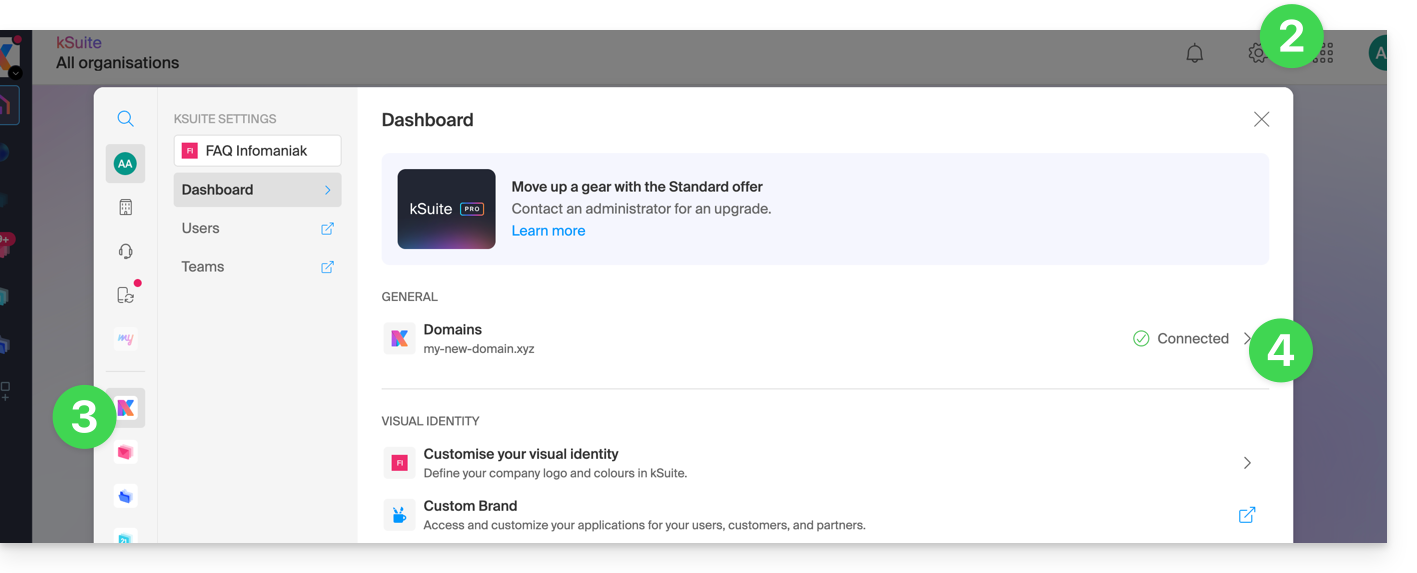
- Clique em Configurações no canto superior direito.
- Clique em kSuite no menu lateral esquerdo.
- Clique em Domínios:
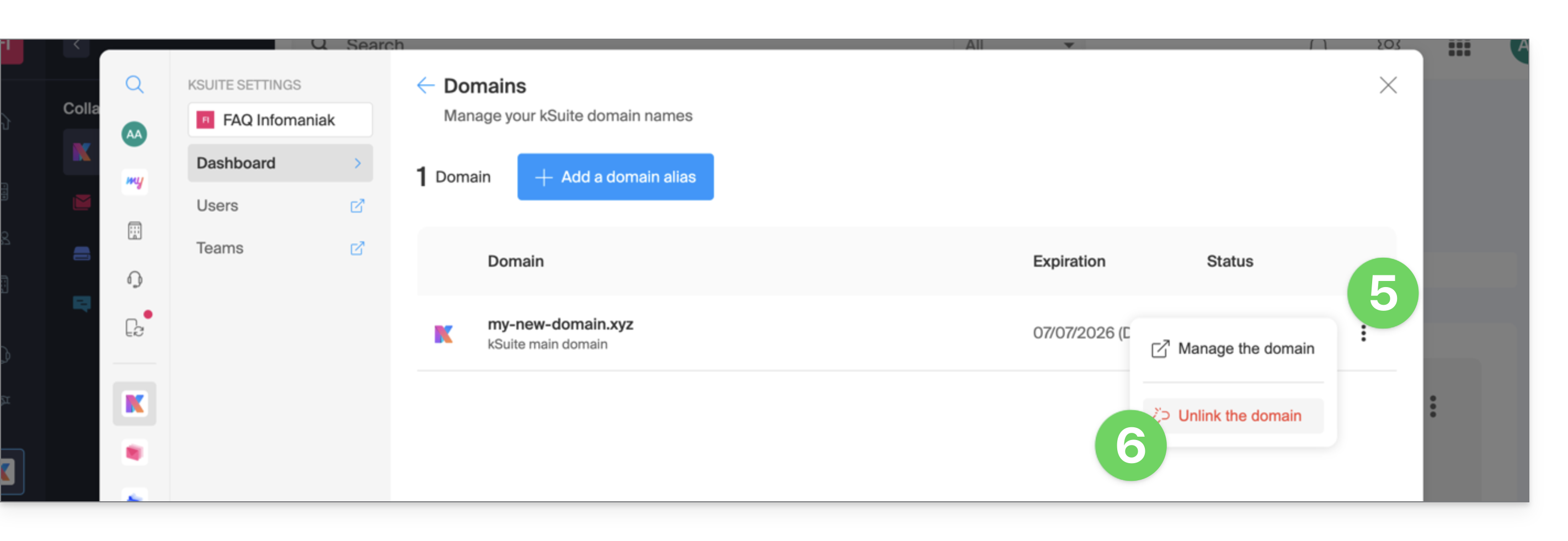
- Clique no menu de ação ⋮ à direita do nome de domínio que deseja desvincular.
- Clique em Desvincular o domínio:
- Se você tiver um plano kSuite pago, não poderá desvincular o nome de domínio; cancele o plano pago, se necessário (❓: ajuda):
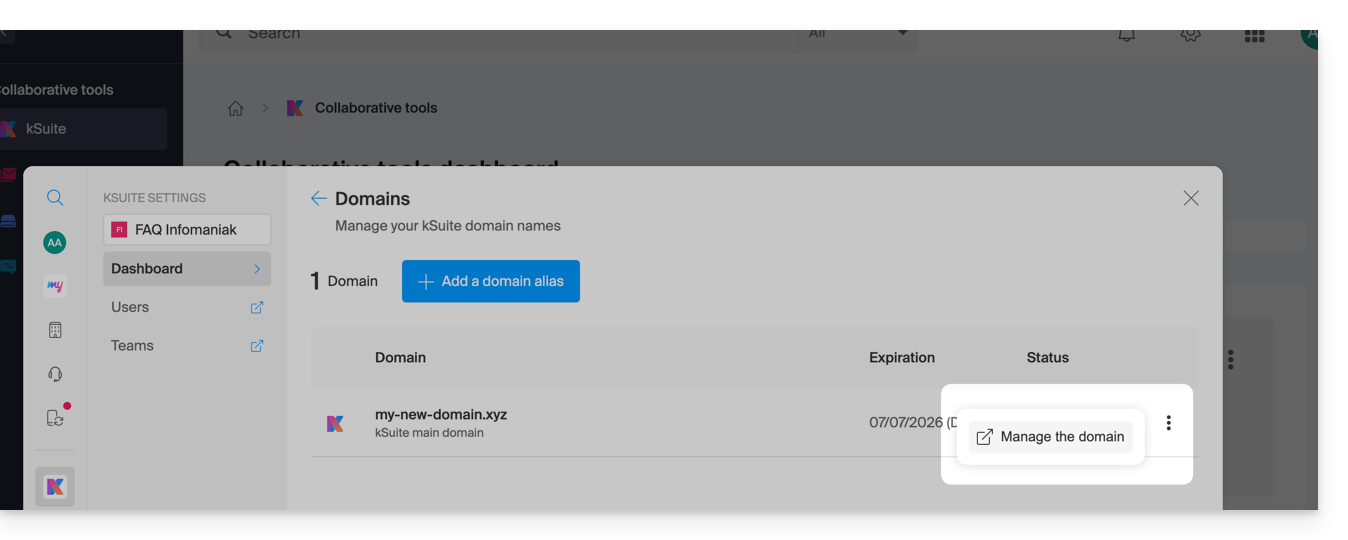
- Se você tiver um plano kSuite pago, não poderá desvincular o nome de domínio; cancele o plano pago, se necessário (❓: ajuda):
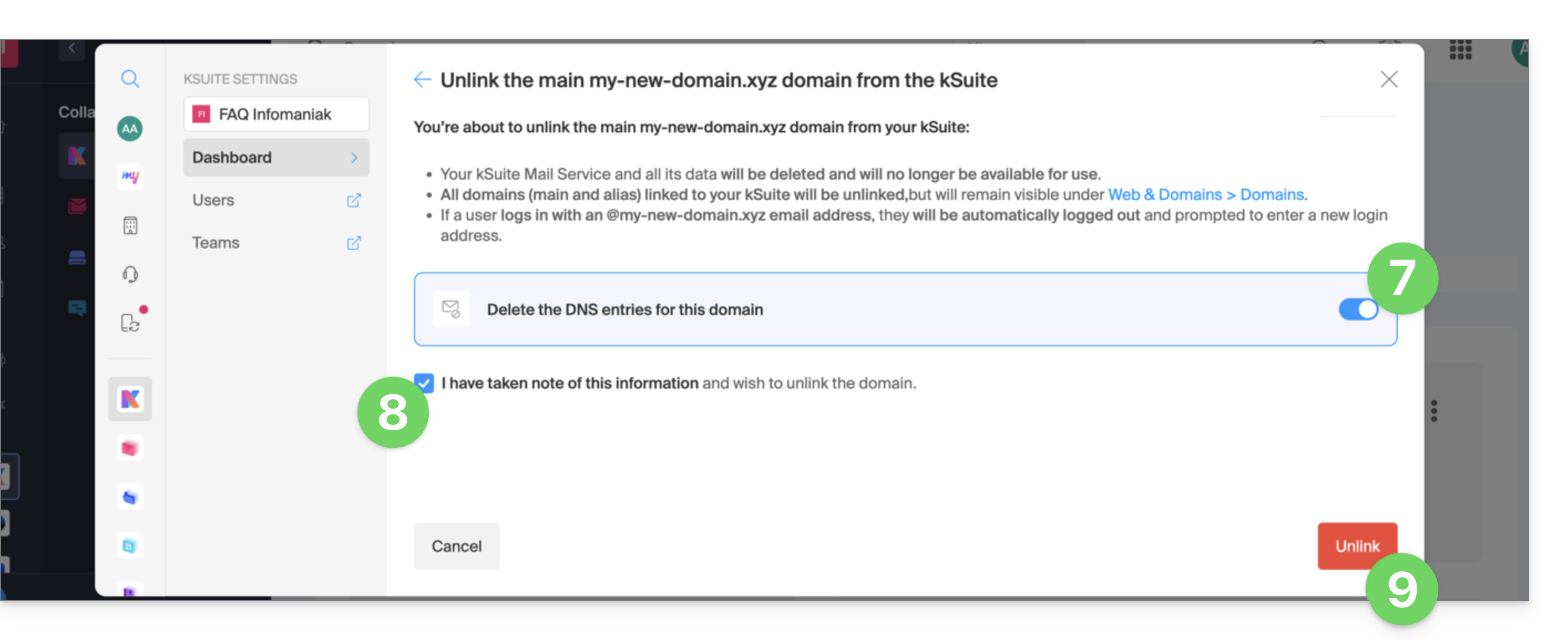
- Se necessário, ative a remoção das entradas DNS do nome de domínio.
- Confirme a desvinculação.
- Clique no botão para confirmar a desvinculação:
Link para esta FAQ: https://faq.infomaniak.com/2893
Esta seção de perguntas frequentes foi útil?