Base de conhecimento
1000 perguntas frequentes, 500 tutoriais e vídeos explicativos. Aqui, você encontra apenas soluções!
Restrict access to a video stream based on the country
Atualização 02/11/2026
This guide explains how to restrict access to Infomaniak video streaming based on geographical criteria (geolocation).
Restrict access to streams via GeoIP
To do this:
- Click here to access the management interface for your product in the Infomaniak Manager (need help?).
- Click directly on the name assigned to the product in question.
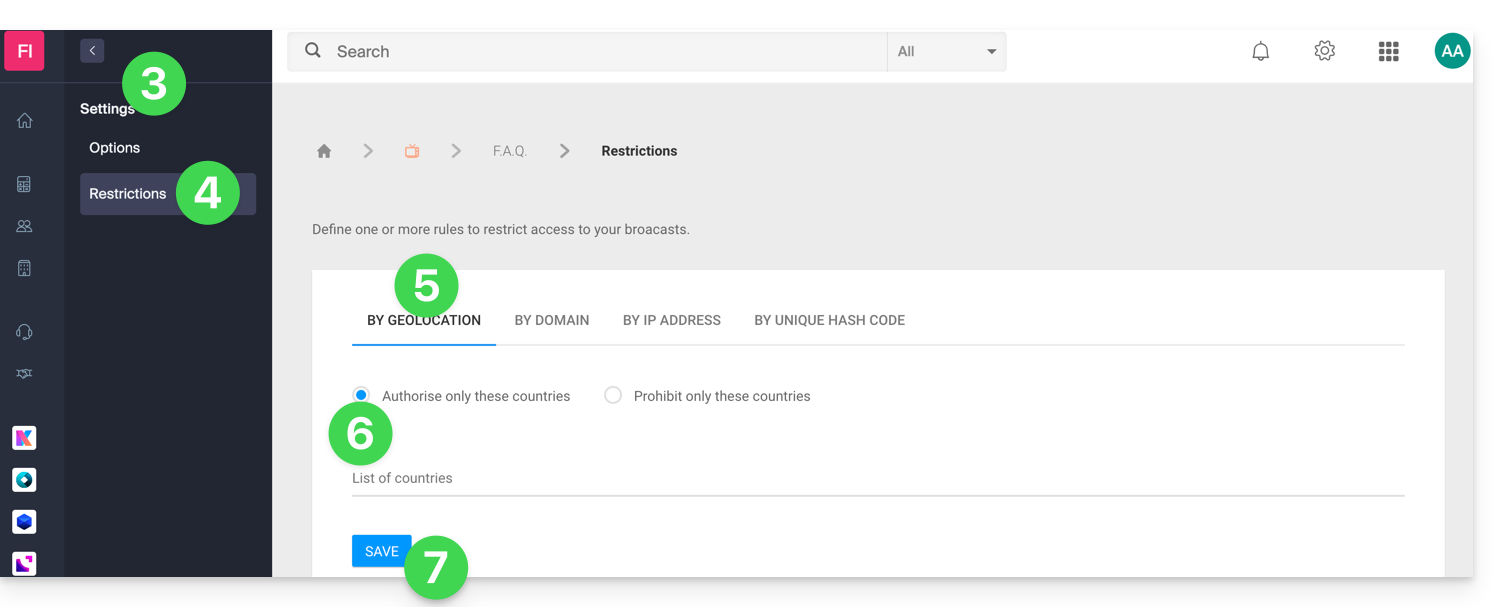
- Click on Settings in the left-hand menu.
- Click on Restrictions in the left-hand menu.
- Click on the Geolocation restriction tab.
- Define the countries that should be specifically allowed or blocked.
- Click the Save button:
Refer to this other guide to customize the replacement image offered to viewers who are blocked.
Link para esta FAQ: https://faq.infomaniak.com/2863
Esta seção de perguntas frequentes foi útil?