Base de conhecimento
1000 perguntas frequentes, 500 tutoriais e vídeos explicativos. Aqui, você encontra apenas soluções!
Transferir um domínio da Swisscom para a Infomaniak
Atualização 14/09/2026
Este guia explica como obter o código EPP do seu nome de domínio na Swisscom para poder transferi-lo para a Infomaniak.
Introdução
- Os termos "
EPP", "AuthCode", "AuthInfo", "código de transferência" e "código de autorização" referem-se a sequências alfanuméricas específicas de um domínio, cujo objetivo principal é verificar a autorização do proprietário antes de uma transferência entre registradores. - Consulte o guia principal sobre o restante do processo de transferência.
- ⚠️ Trata-se de transferir um nome de domínio que você possui junto a um fornecedor diferente da Infomaniak, para que a gestão futura desse domínio seja feita pela Infomaniak; portanto, não se trata de uma transferência interna de um titular para outro, e o código a ser obtido não é, portanto, um código para uma transferência interna para o seu fornecedor atual.
Transferir o nome de domínio para a Infomaniak
Para obter o código de autorização do seu provedor atual:
- Clique aqui para acessar a interface de gerenciamento dos seus produtos Painel de Controle HCP Swisscom.
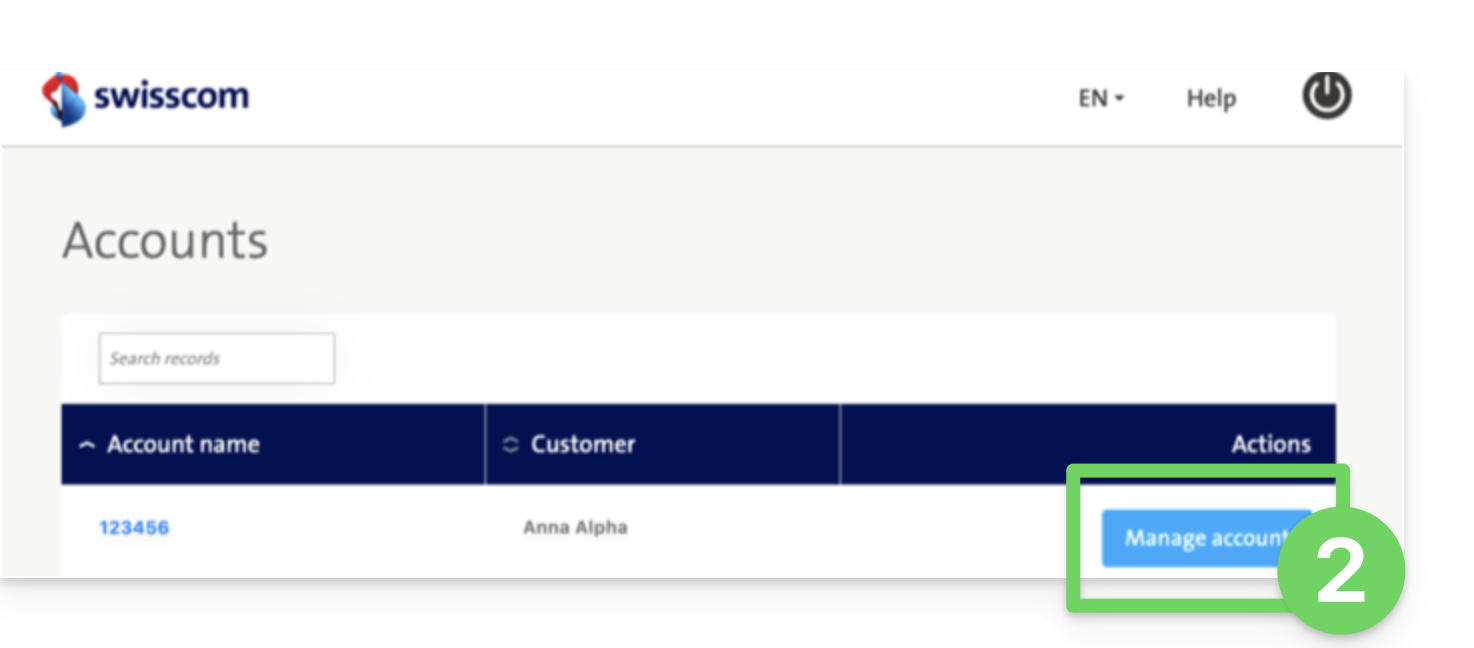
- Clique no botão azul Gerenciar conta:
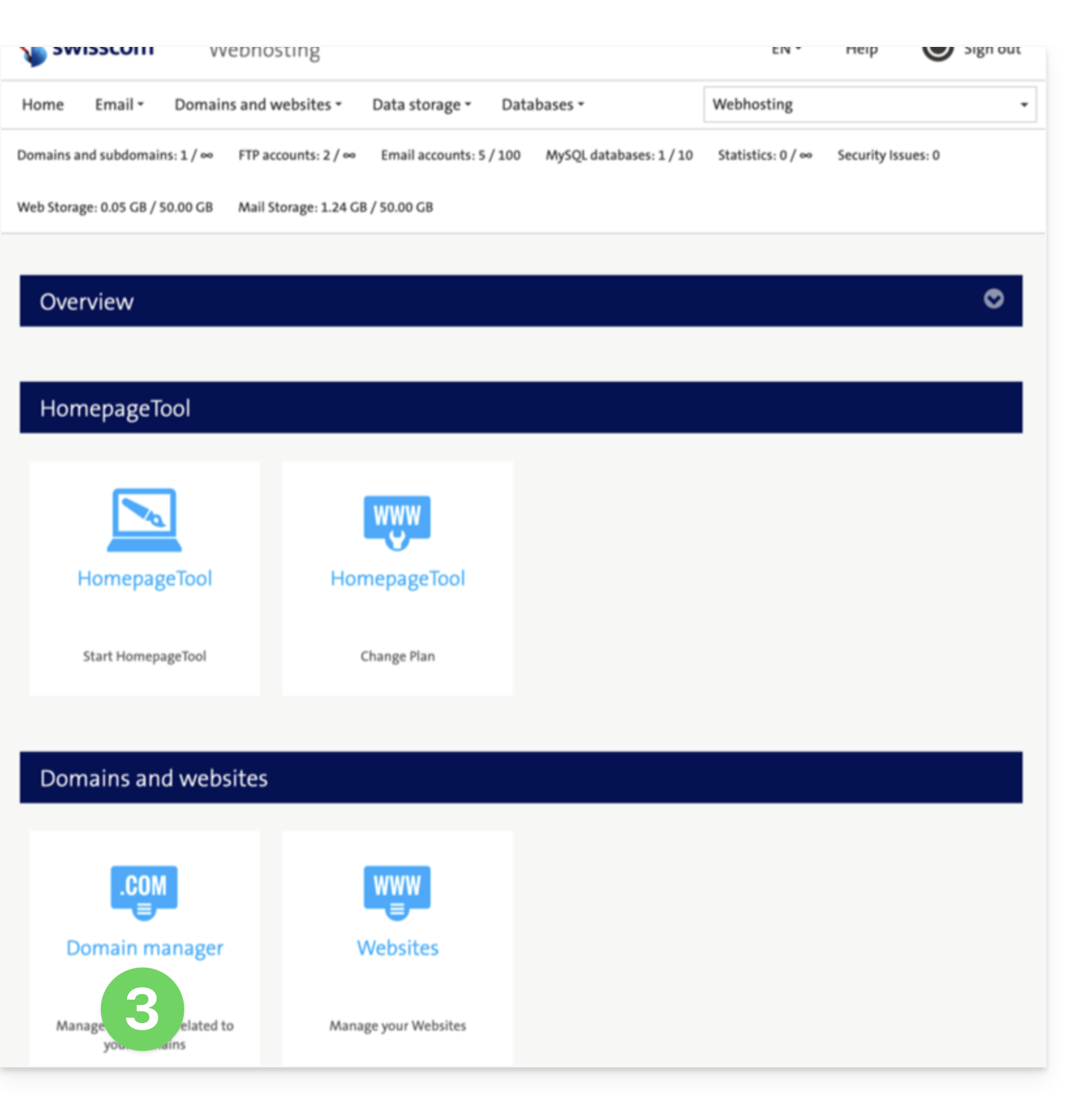
- Clique em Gerenciador de domínio (na seção Domínios e Sites):
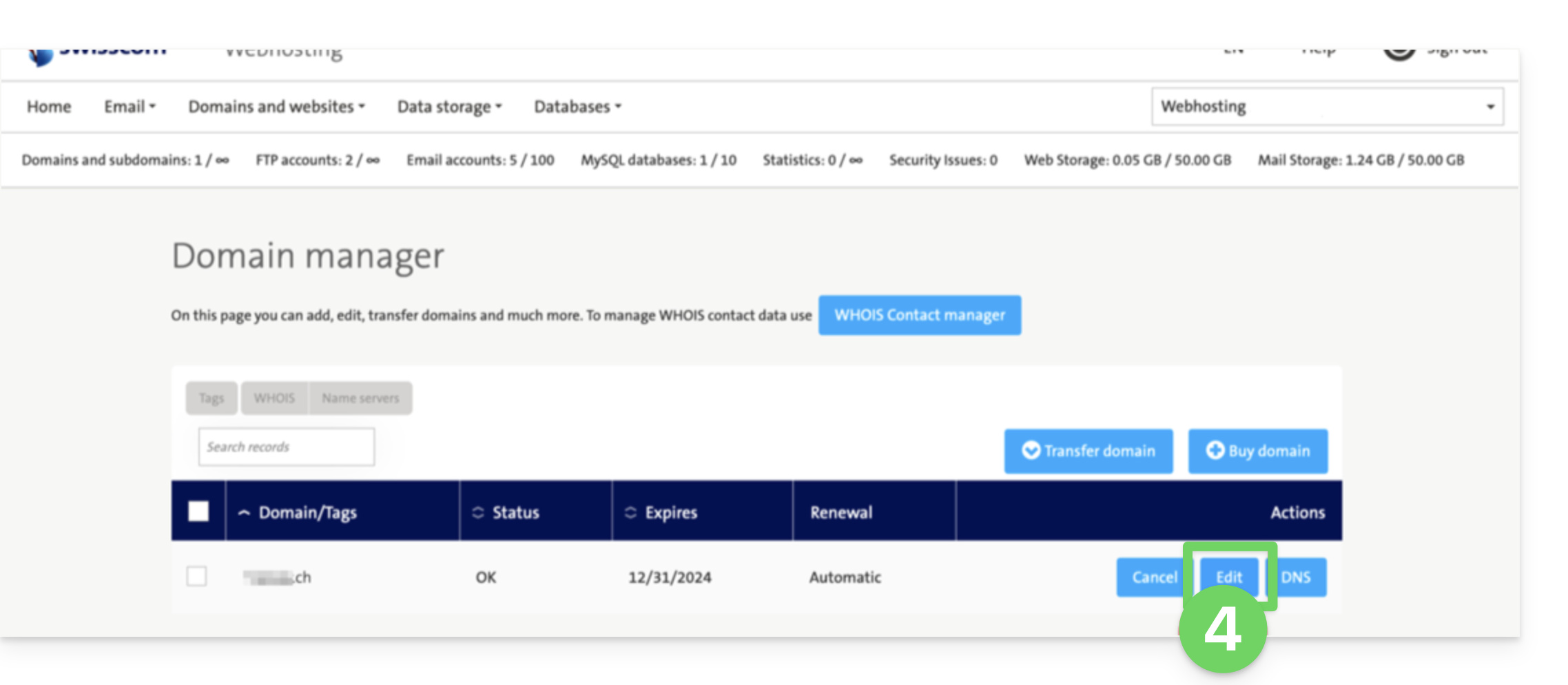
- Clique em Editar no domínio em questão:
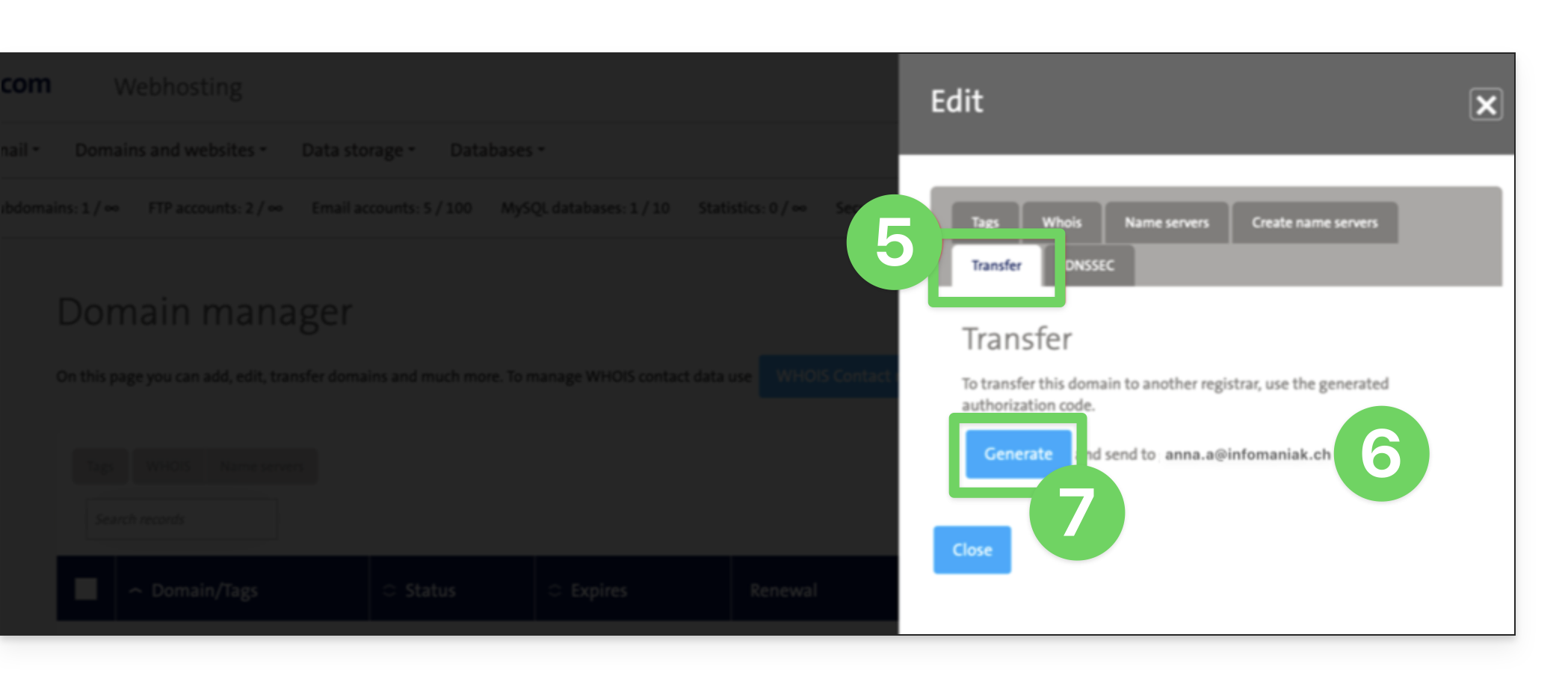
- Clique em Transferir (na seção Editar).
- Verifique o endereço de e-mail de contato.
- Clique em Gerar para enviar o código por e-mail (para o endereço indicado no item 6 acima):
- Depois de obter o código de autorização, consulte o guia principal da Infomaniak sobre o restante do processo de transferência do nome de domínio.
Link para esta FAQ: https://faq.infomaniak.com/2853
Esta seção de perguntas frequentes foi útil?