Base de conhecimento
1000 perguntas frequentes, 500 tutoriais e vídeos explicativos. Aqui, você encontra apenas soluções!
Gerenciar contatos duplicados no Infomaniak
Este guia explica como eliminar contactos duplicados numa lista de contactos da aplicação web Contacts da Infomaniak.
Eliminar contactos duplicados
Para visualizar os contactos duplicados existentes nos seus catálogos de contactos Infomaniak e fundi-los (ou ocultá-los):
- Clique aqui para aceder à aplicação web Contactos Infomaniak (serviço online ksuite.infomaniak.com/contacts).
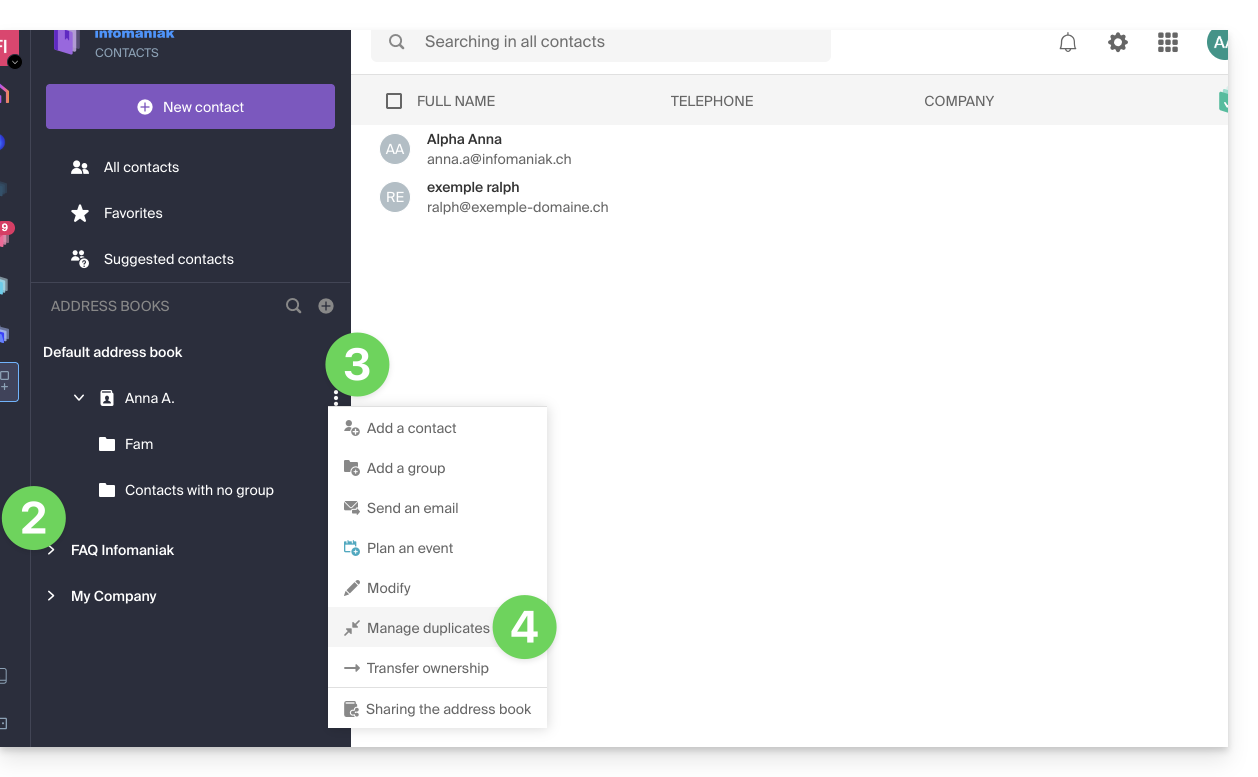
- Clique no ícone de seta para baixo para expandir a lista de agendas, se necessário.
- Clique no menu de ações ⋮ à direita da agenda desejada.
- Clique em Gerenciar duplicatas:
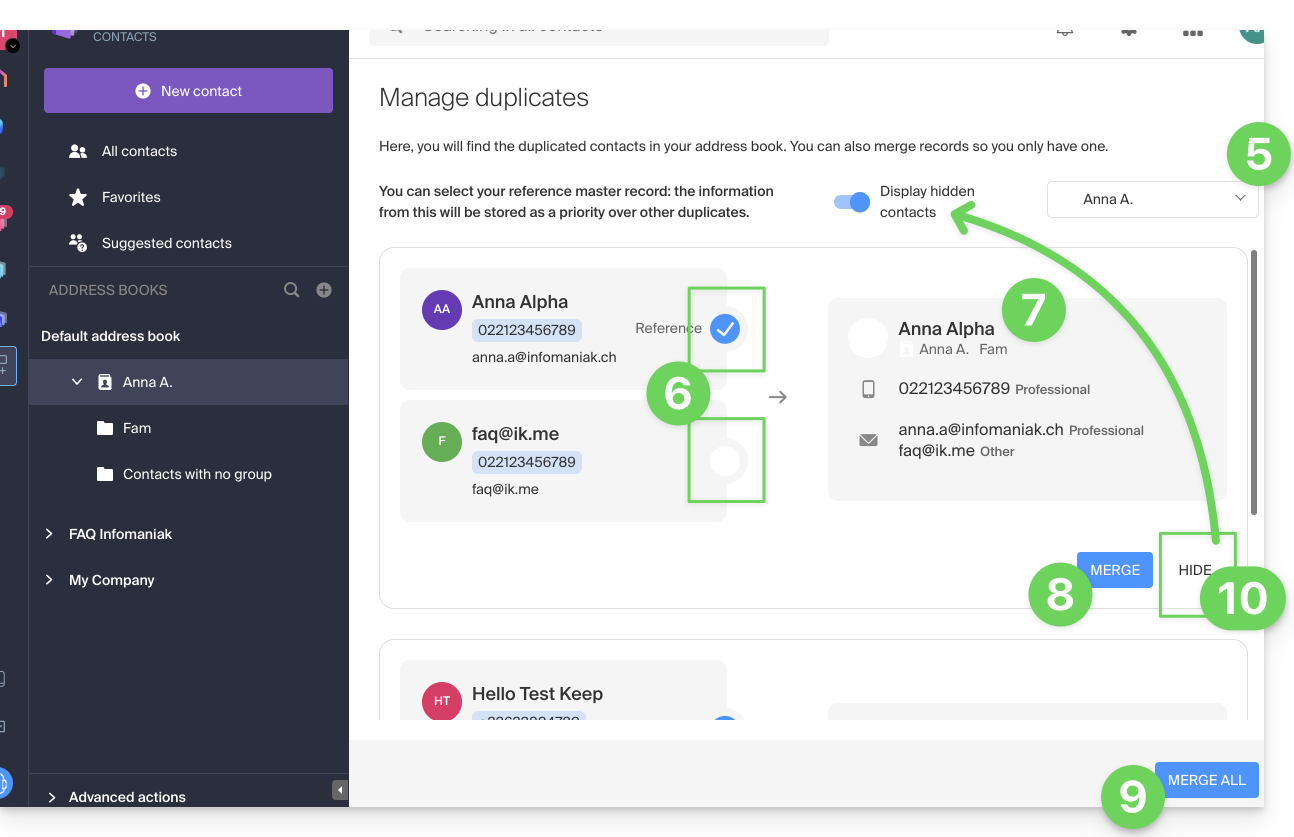
- Se necessário, selecione o catálogo de endereços no qual deseja procurar as duplicatas.
- Clique na ficha que deve ser a referência a ser mantida; as informações idênticas são destacadas em azul.
- Visualize e verifique as informações das fichas duplicadas que serão adicionadas à ficha de referência (item 6 acima):
- Clique no botão azul Combinar para processar cada duplicata individualmente…
- … ou em Combinar tudo para processar todas as duplicatas.
- Você também pode ocultar um duplicado para não o processar e revê-lo clicando no botão de alternância (toggle switch) na parte superior da página:
Atenção: você não pode cancelar esta operação (consulte este outro guia se precisar de informações sobre a restauração de agendas).
Link para esta FAQ: https://faq.infomaniak.com/2794
Esta seção de perguntas frequentes foi útil?