Base de conhecimento
1000 perguntas frequentes, 500 tutoriais e vídeos explicativos. Aqui, você encontra apenas soluções!
Usar o aplicativo "Fluxo RSS" do Site Creator
Este guia explica como inserir um feed RSS externo em uma página do Site Creator da Infomaniak.
O Site Creator não oferece feeds RSS para serem integrados externamente, inclusive com seu módulo Blog.
Exibir um feed RSS (externo) no Site Creator
Pré-requisitos
- Aceder ao Site Creator:
- Clique aqui para aceder à gestão do seu produto no Manager Infomaniak (precisa de ajuda?).
- Clique diretamente no nome atribuído ao Site Creator em questão.
- Clique no botão Editar o meu site para iniciar o editor:
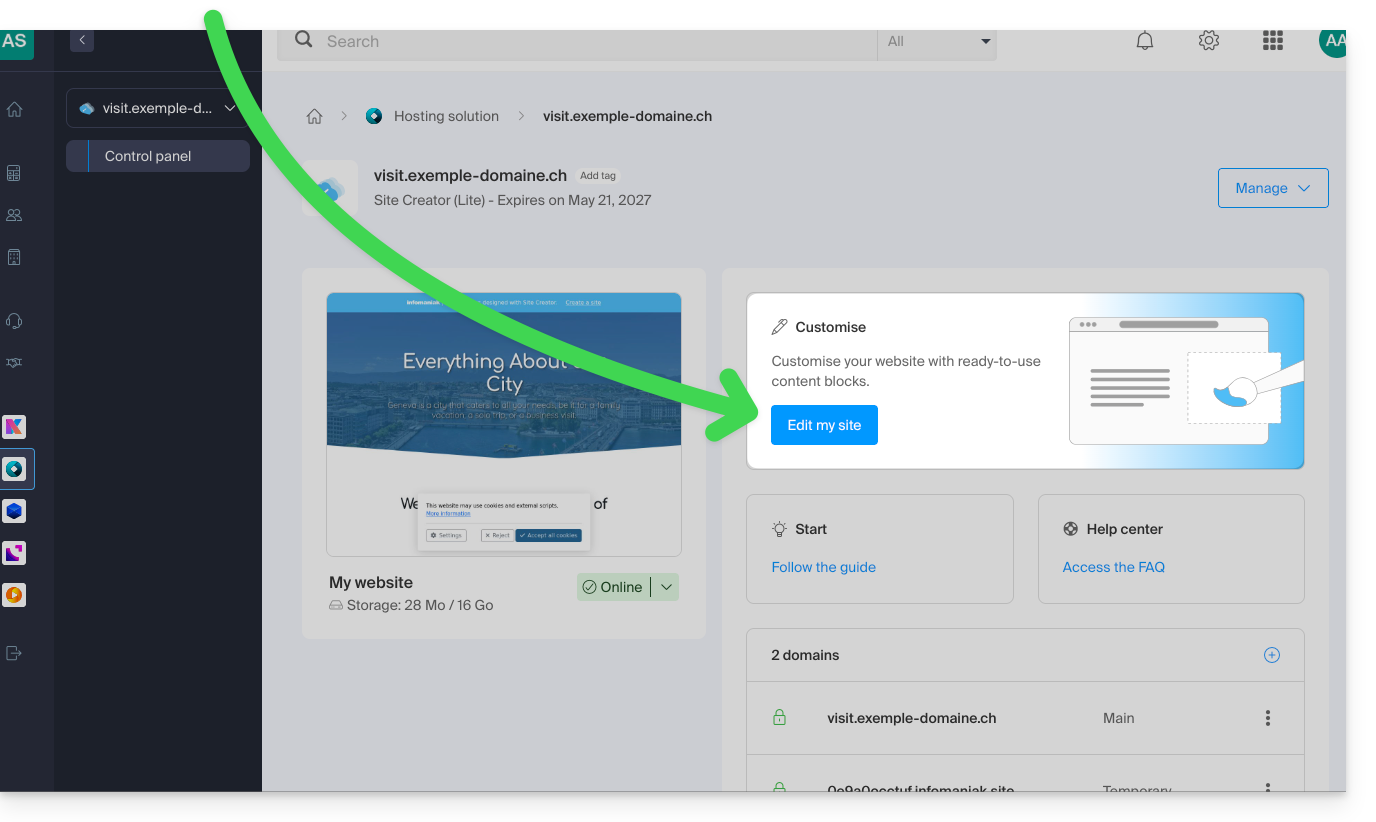
Depois de estar no Site Creator, na página onde pretende inserir os seus futuros artigos de blog:
- Clique no botão + localizado abaixo de um bloco já inserido:
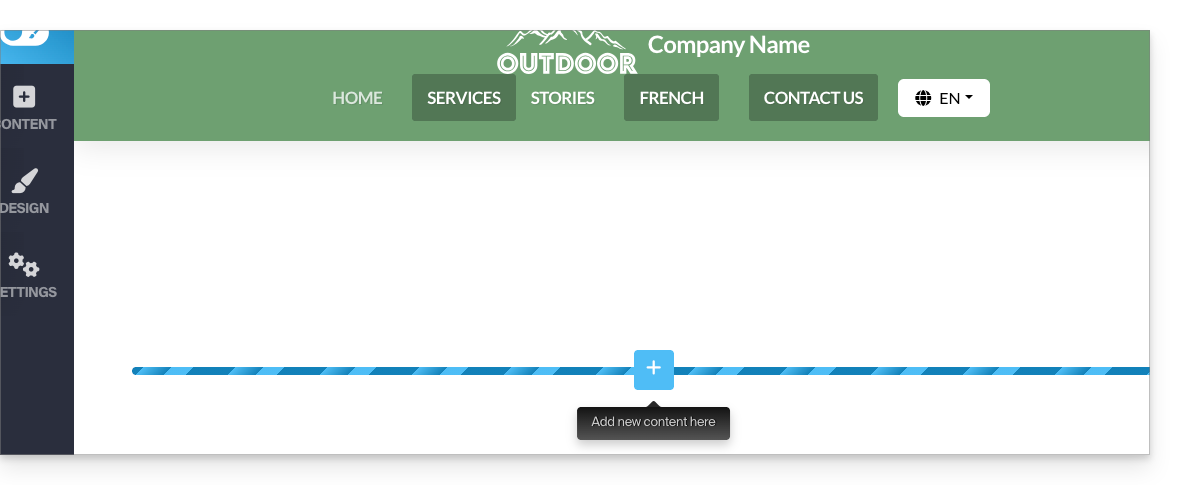
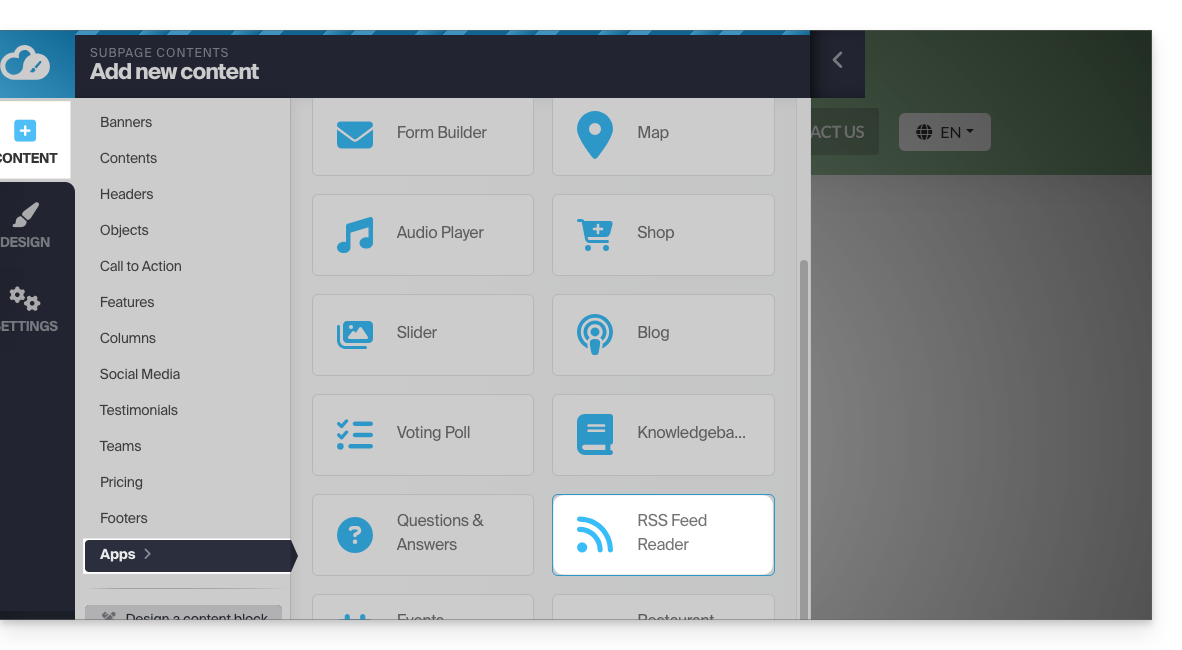
- Clique em Aplicações (na aba Conteúdo que se abriu quando você clicou para adicionar o bloco visual).
- Clique no módulo RSS Feed:
- Clique para adicionar um novo canal:
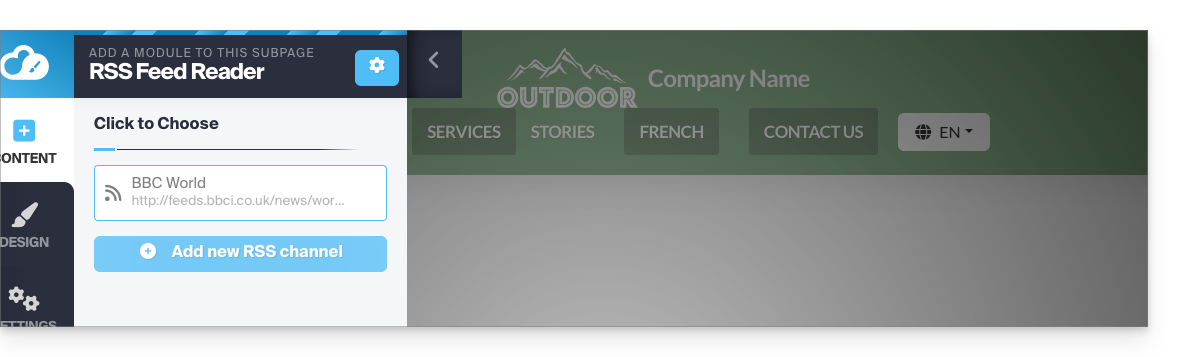
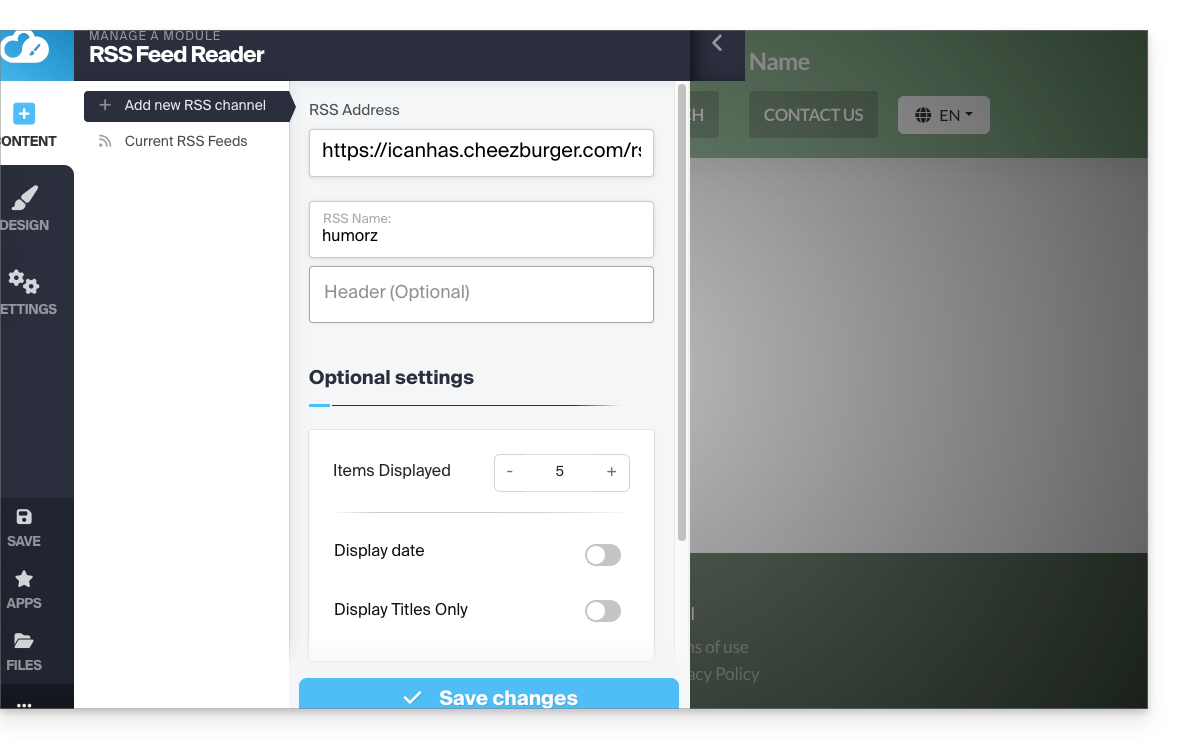
- Insira os detalhes do feed desejado e salve:
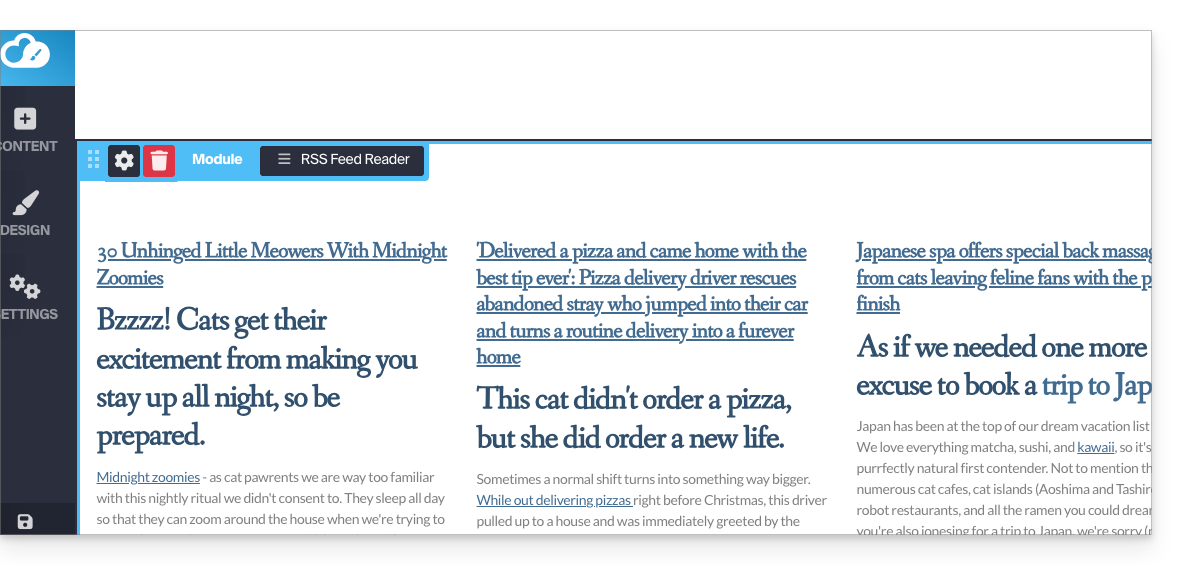
- O feed dinâmico será integrado à sua página e será atualizado automaticamente à medida que novas publicações forem adicionadas:
Link para esta FAQ: https://faq.infomaniak.com/2793
Esta seção de perguntas frequentes foi útil?