Base de conhecimento
1000 perguntas frequentes, 500 tutoriais e vídeos explicativos. Aqui, você encontra apenas soluções!
Enable or disable the maintenance page for a Site Creator website
Atualização 02/11/2026
This guide explains how to temporarily take a website created with Infomaniak's Site Creator offline.
Introduction
- The maintenance page will only be displayed to your visitors:

- By remaining connected to the editor, you retain full access to your site, allowing you to view and modify it using Site Creator.
- No translation is available at this time; the maintenance page will only be displayed in French.
Put Site Creator in maintenance mode
To temporarily disable Site Creator:
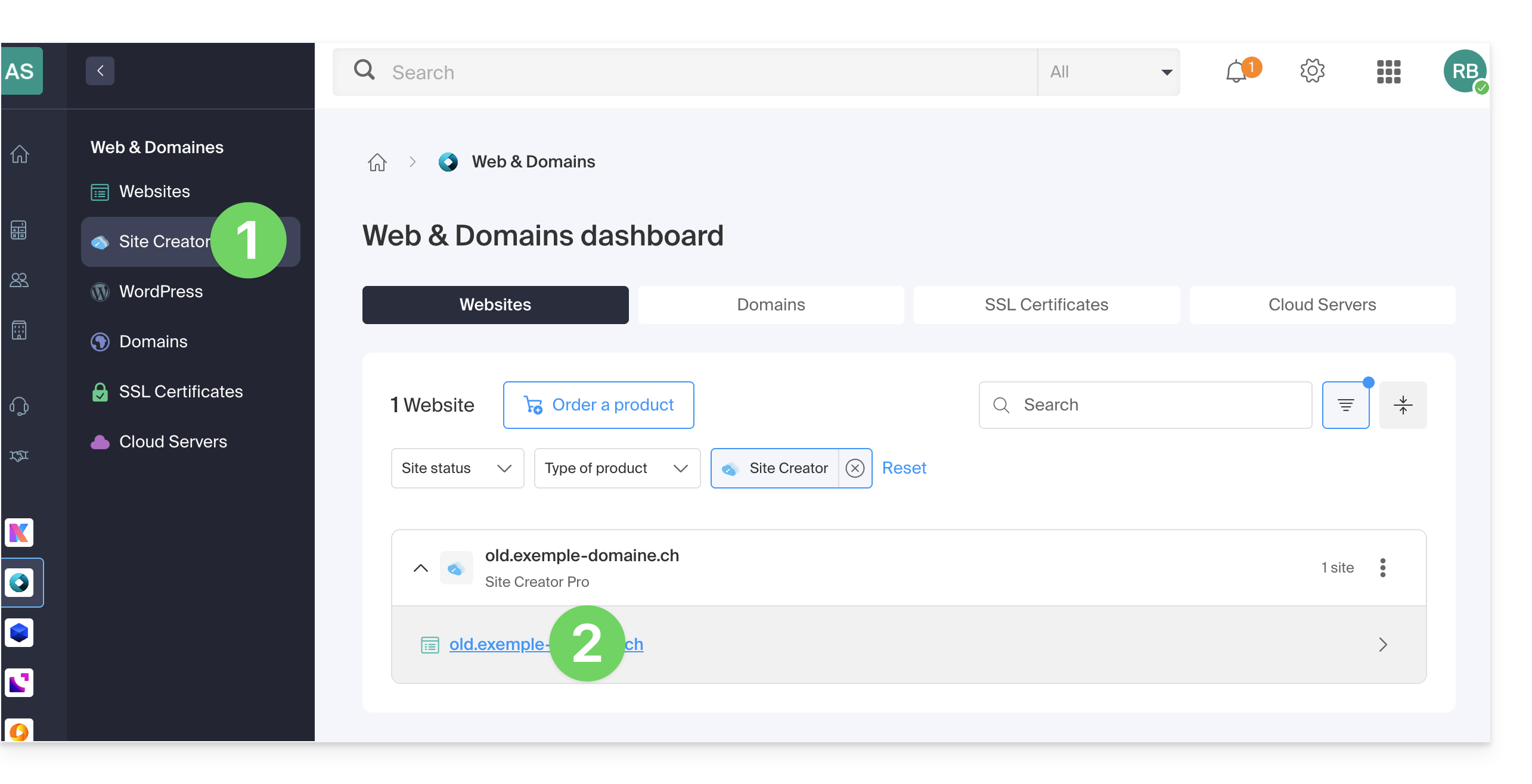
- Click here to access the hosting & site management section (filtered to display only Site Creator).
- If nothing is displayed, you may not be in the Organization to which your site is linked (❓: help).
- Click on the name of the Site Creator in question:
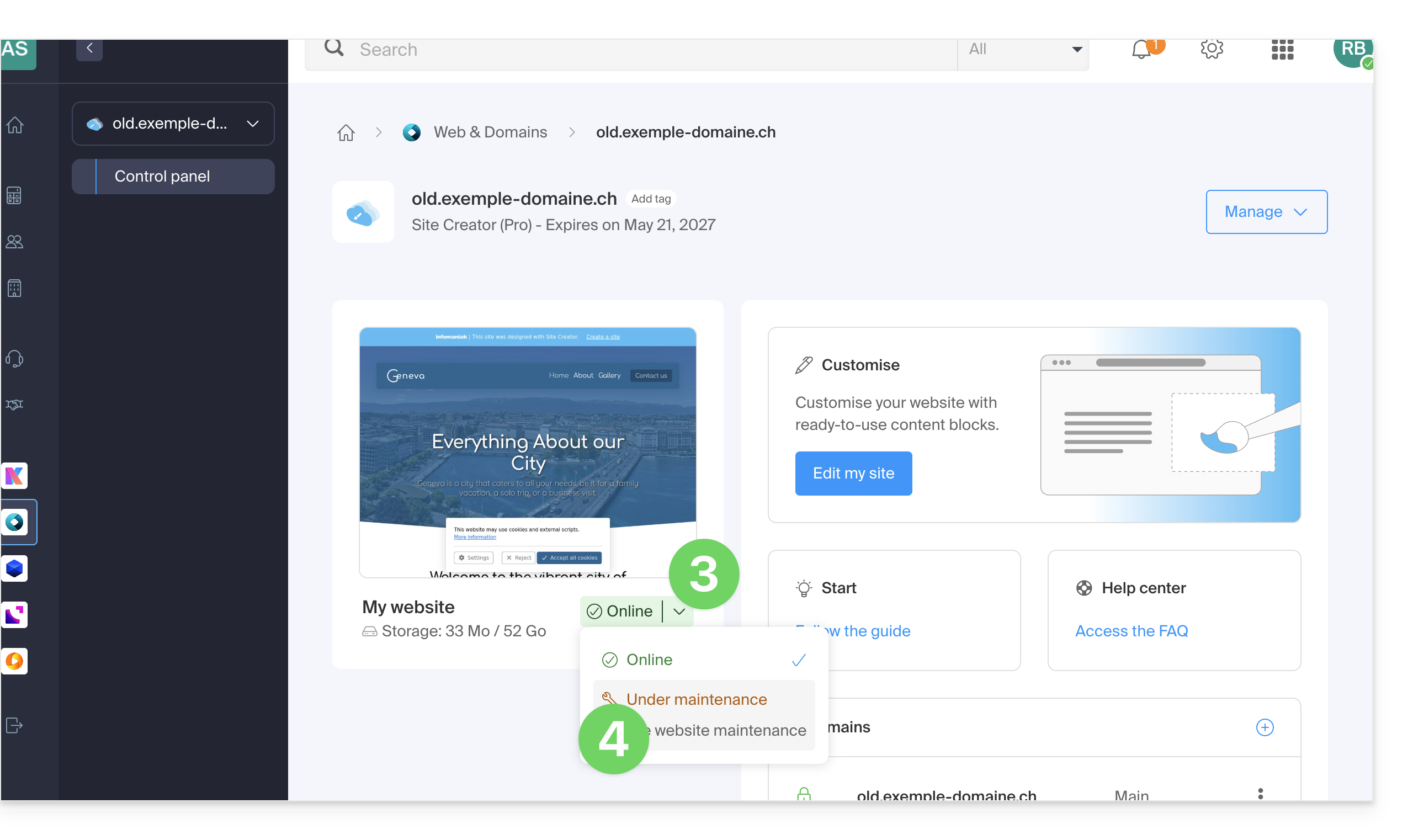
- Click on Manage at the top of the page.
- Click on Enable maintenance:
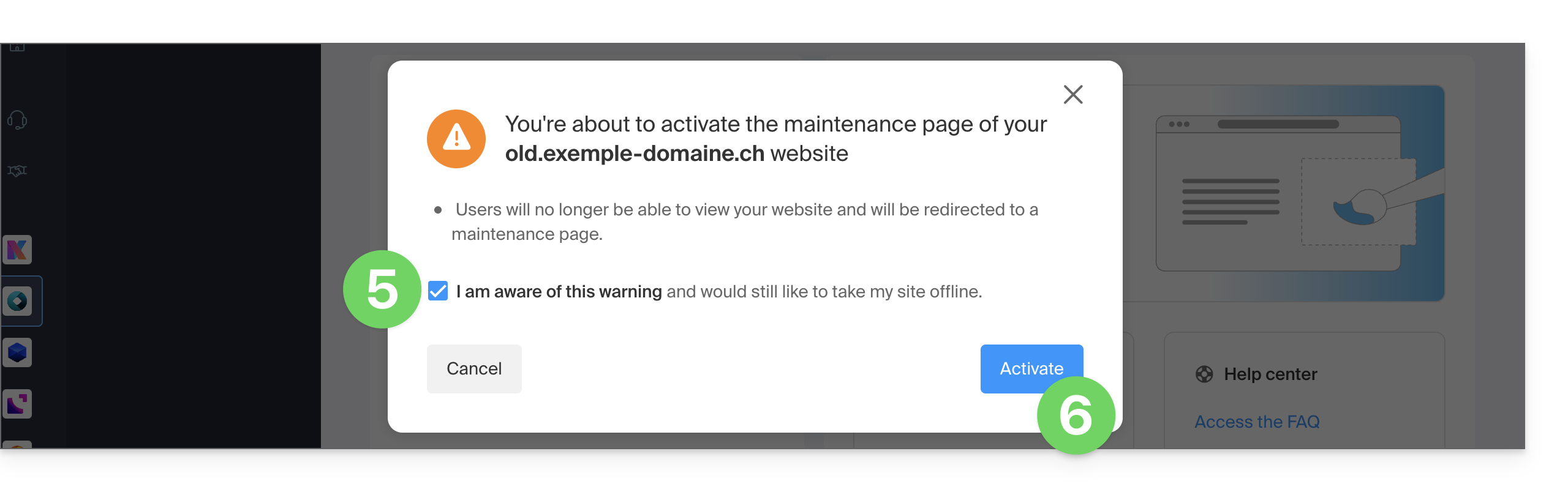
- Confirm the operation.
- Enable maintenance mode:
Disable the maintenance page
To bring the site back online for its visitors:
- Repeat the operation above; the menu allows you to disable maintenance mode:
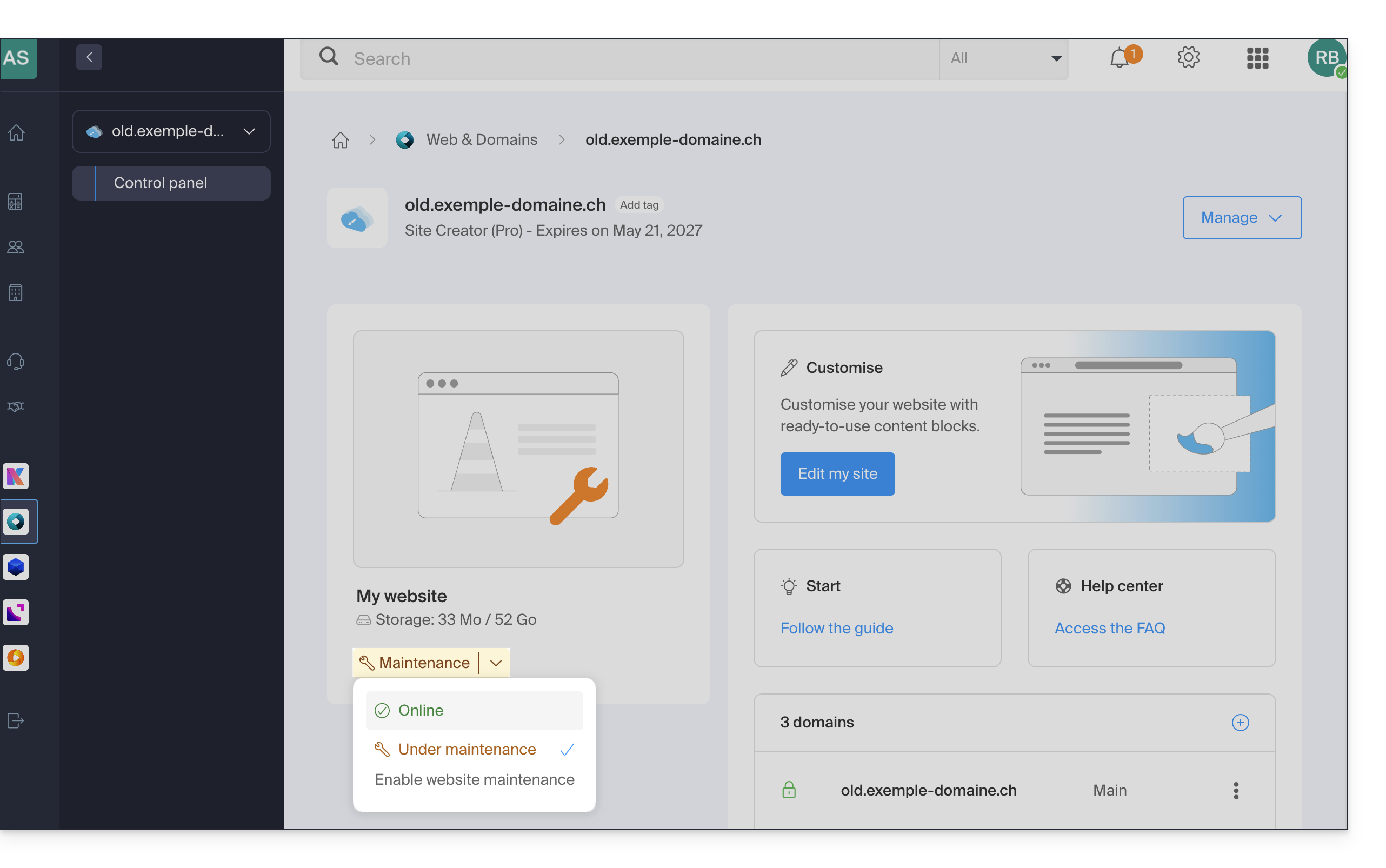
You can also enable and disable maintenance from the website management page: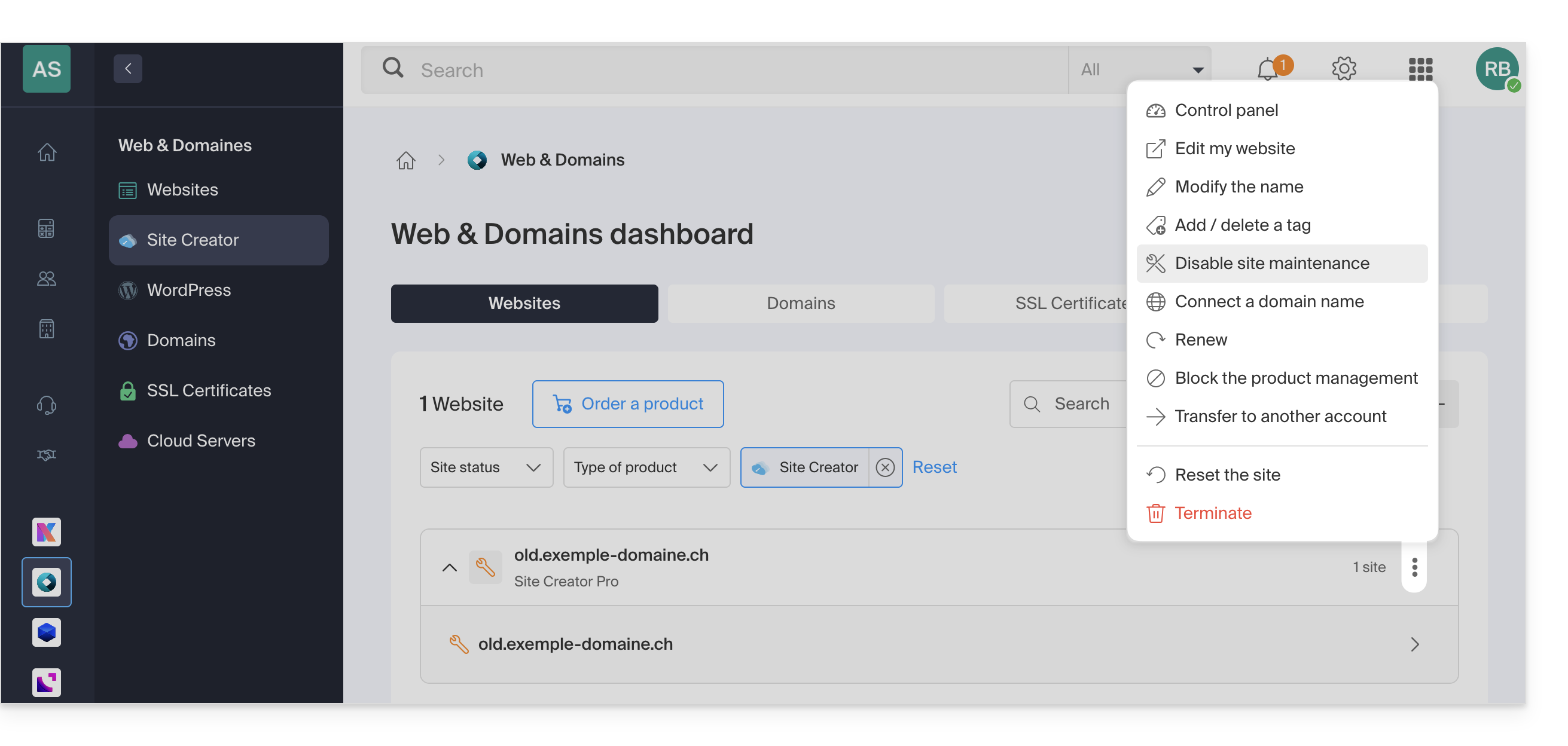
Link para esta FAQ: https://faq.infomaniak.com/2735
Esta seção de perguntas frequentes foi útil?