Base de conhecimento
1000 perguntas frequentes, 500 tutoriais e vídeos explicativos. Aqui, você encontra apenas soluções!
Undo a change in Site Creator
This guide concerns the undo function in Infomaniak's Site Creator.
Introduction
- No backup/restore is possible from the Infomaniak Manager.
- For example, if you delete a content block and want to restore it, you can undo up to the last 20 operations in Site Creator.
Cancel an Operation
Start by logging into the Infomaniak Manager with your credentials (user account with the necessary permissions for the relevant product):
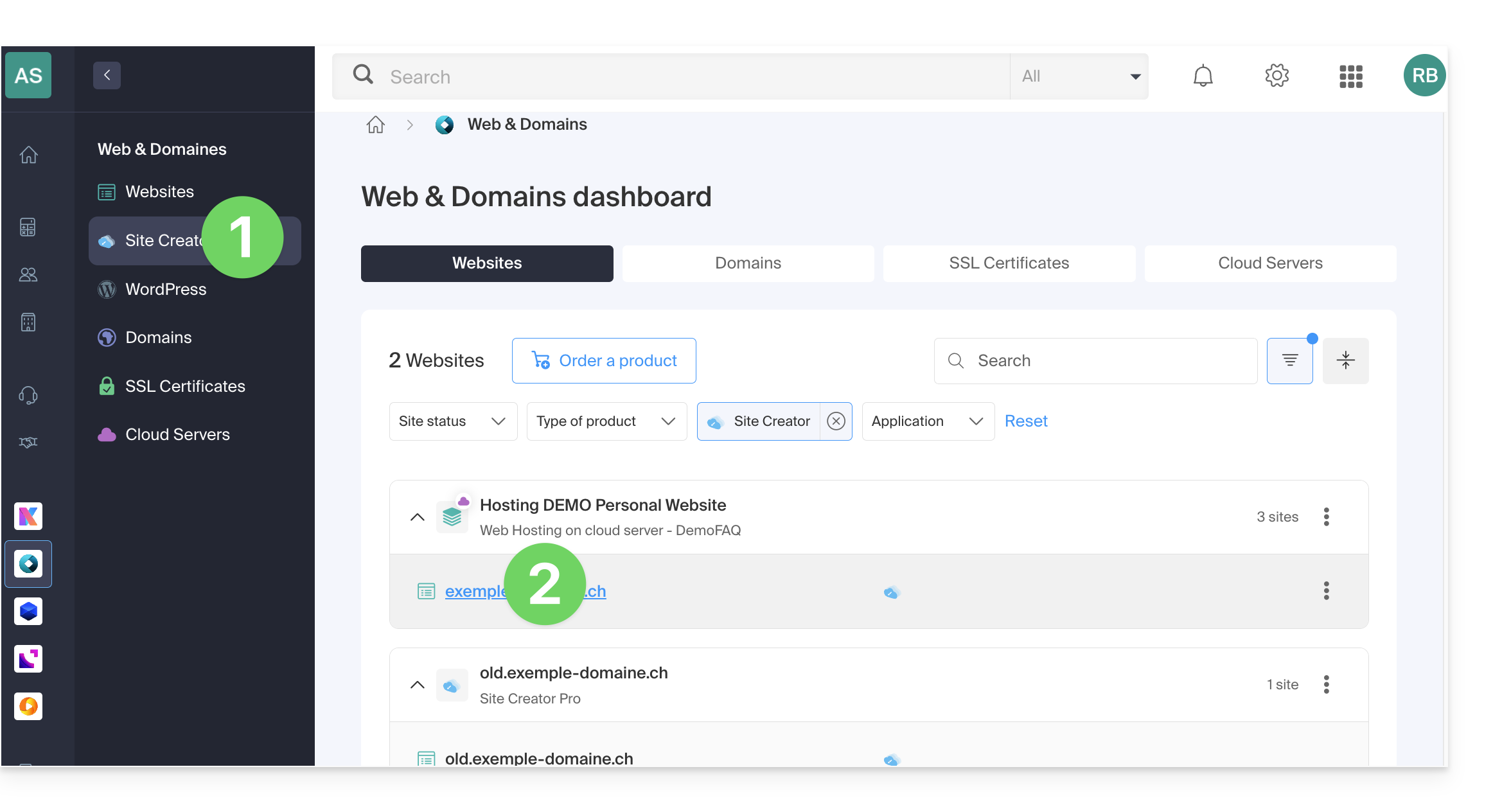
- Click here to access the hosting & site management section (filtered to display only Site Creator).
- If nothing is displayed, you may not be in the Organization to which your site is linked (❓: help).
- Click on the name of the Site Creator in question:
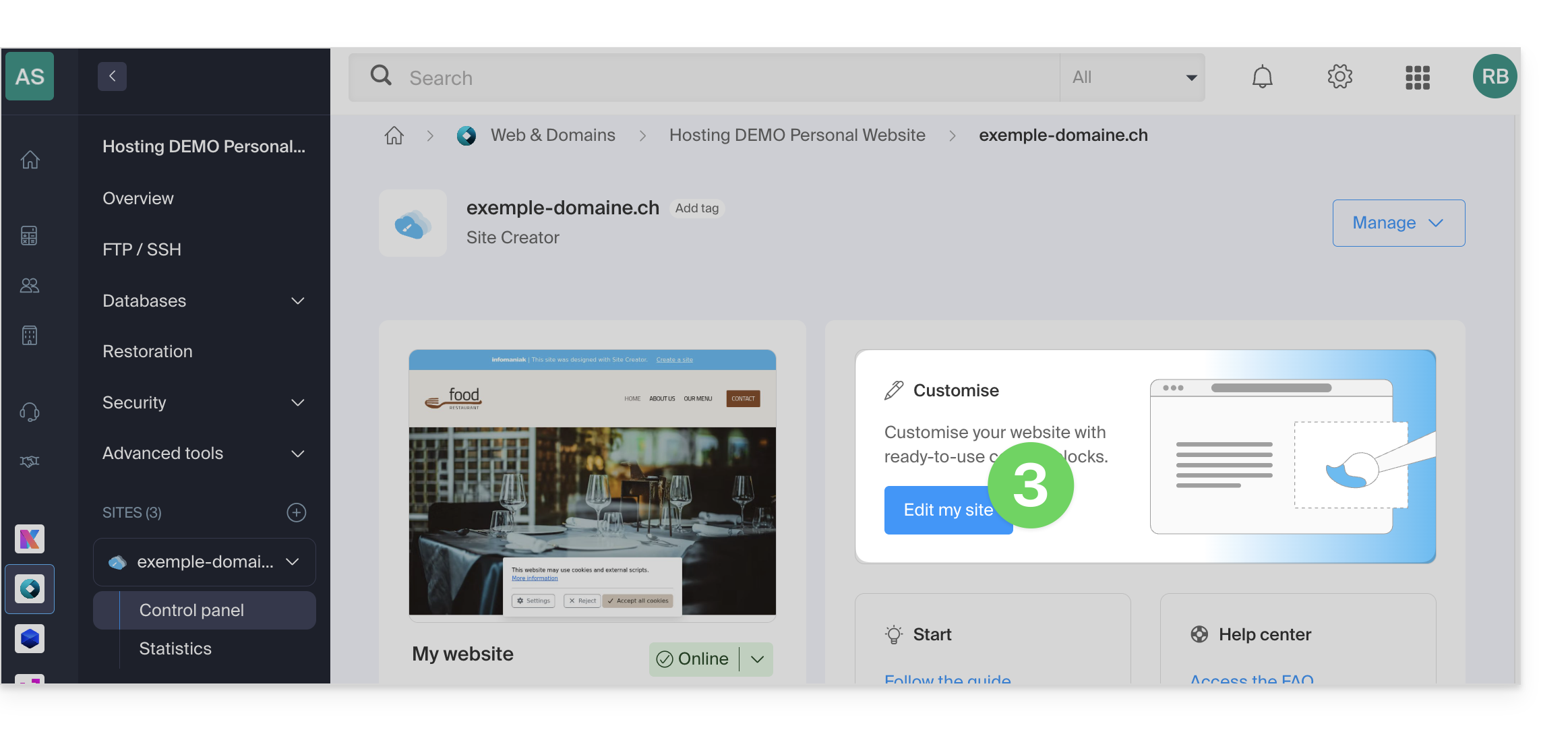
- Click on the button to edit your site:
Once in Site Creator:
- Click on the … button at the very bottom of the Site Creator's left-hand menu to expand the cancellation options.
- Click on Cancel and confirm the restoration (the arrows next to it allow you to "navigate" through the latest backups):
Link para esta FAQ: https://faq.infomaniak.com/2731
Esta seção de perguntas frequentes foi útil?