Base de conhecimento
1000 perguntas frequentes, 500 tutoriais e vídeos explicativos. Aqui, você encontra apenas soluções!
Criar um formulário de contato no Site Creator
Este guia explica como adicionar e configurar um formulário de contacto no seu site criado com o Site Creator da Infomaniak.
Criar um formulário de contacto personalizado
Pré-requisitos
- Aceder ao Site Creator:
- Clique aqui para aceder à gestão do seu produto no Manager Infomaniak (precisa de ajuda?).
- Clique diretamente no nome atribuído ao Site Creator em questão.
- Clique no botão Editar o meu site para iniciar o editor:
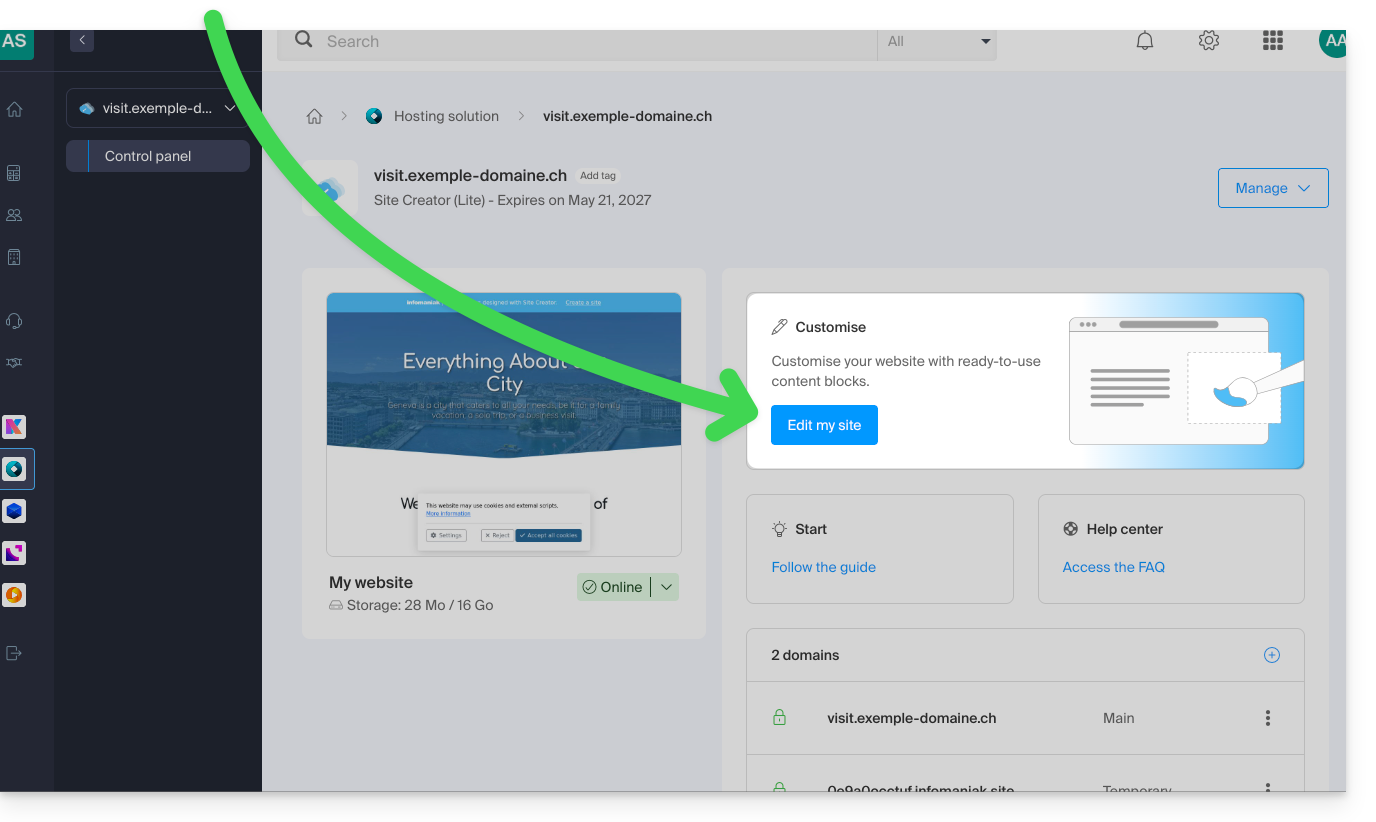
Você pode criar um ou mais formulários para que seus visitantes possam escrever uma mensagem, inscrever-se em uma atividade ou, em resumo, preencher qualquer tipo de formulário online, com ou sem anexos:
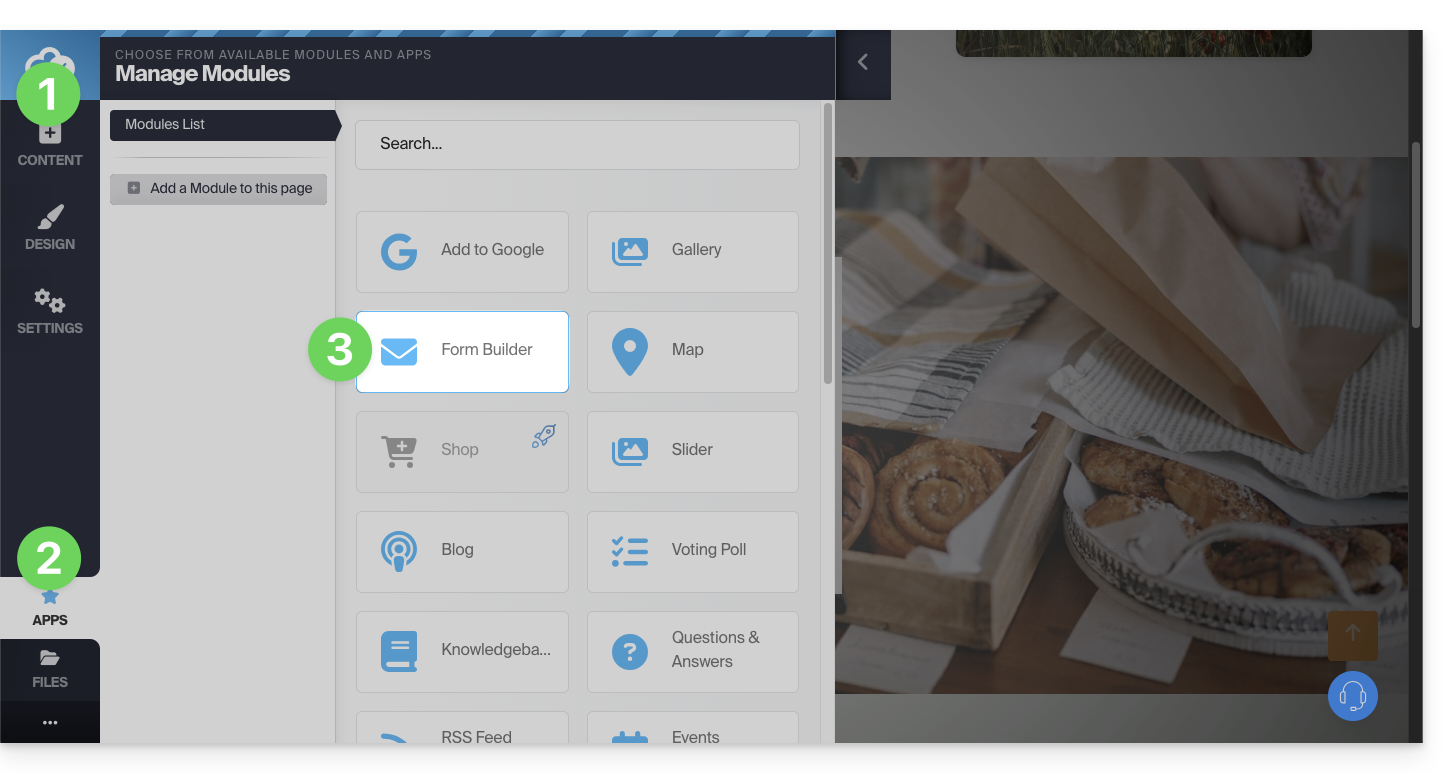
- Clique no botão Conteúdo no menu lateral esquerdo.
- Clique em Aplicações na parte inferior da lista.
- Clique em Criador de formulários:
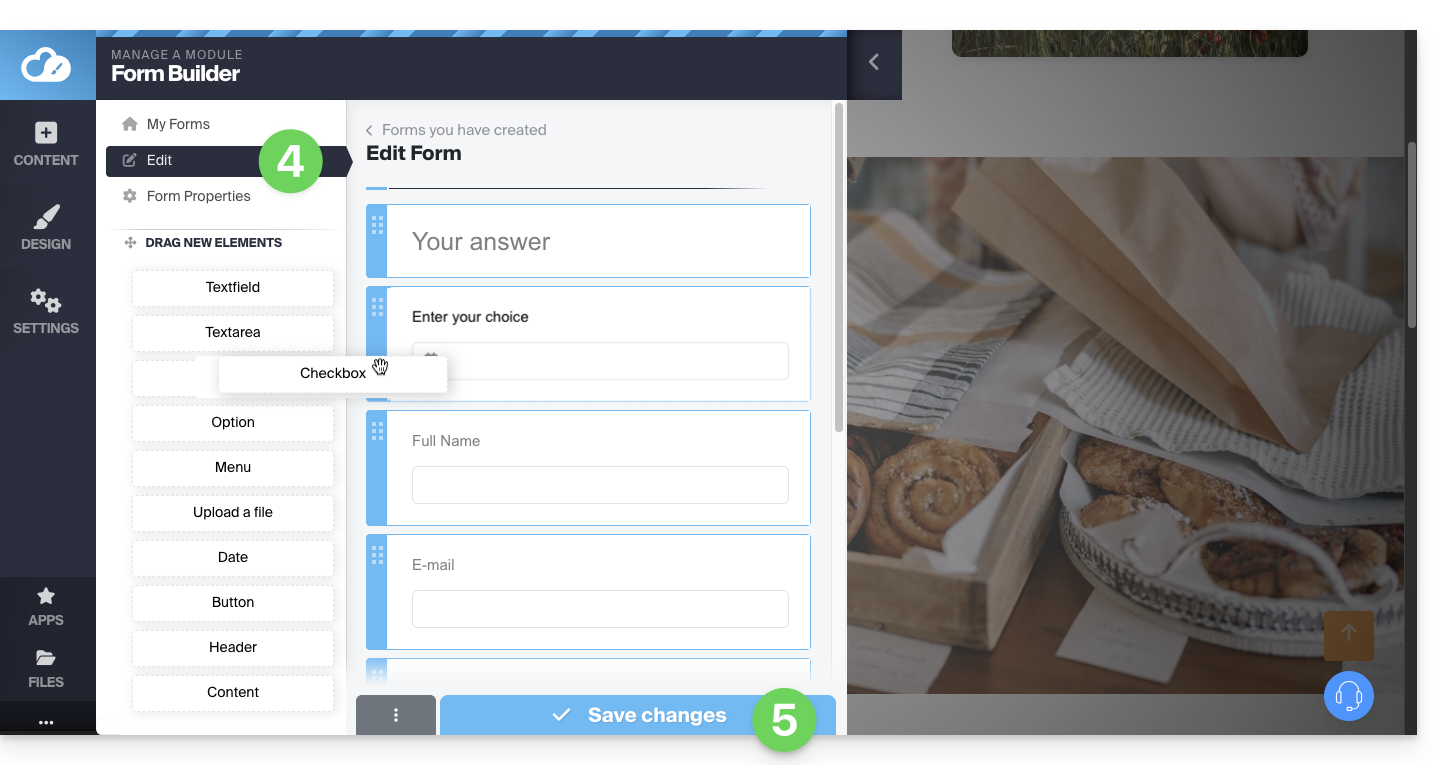
- Crie seu formulário usando os elementos à esquerda.
- Salve na parte inferior da página:
Depois de criar o primeiro formulário, pode inseri-lo clicando em no local desejado e selecionando-o: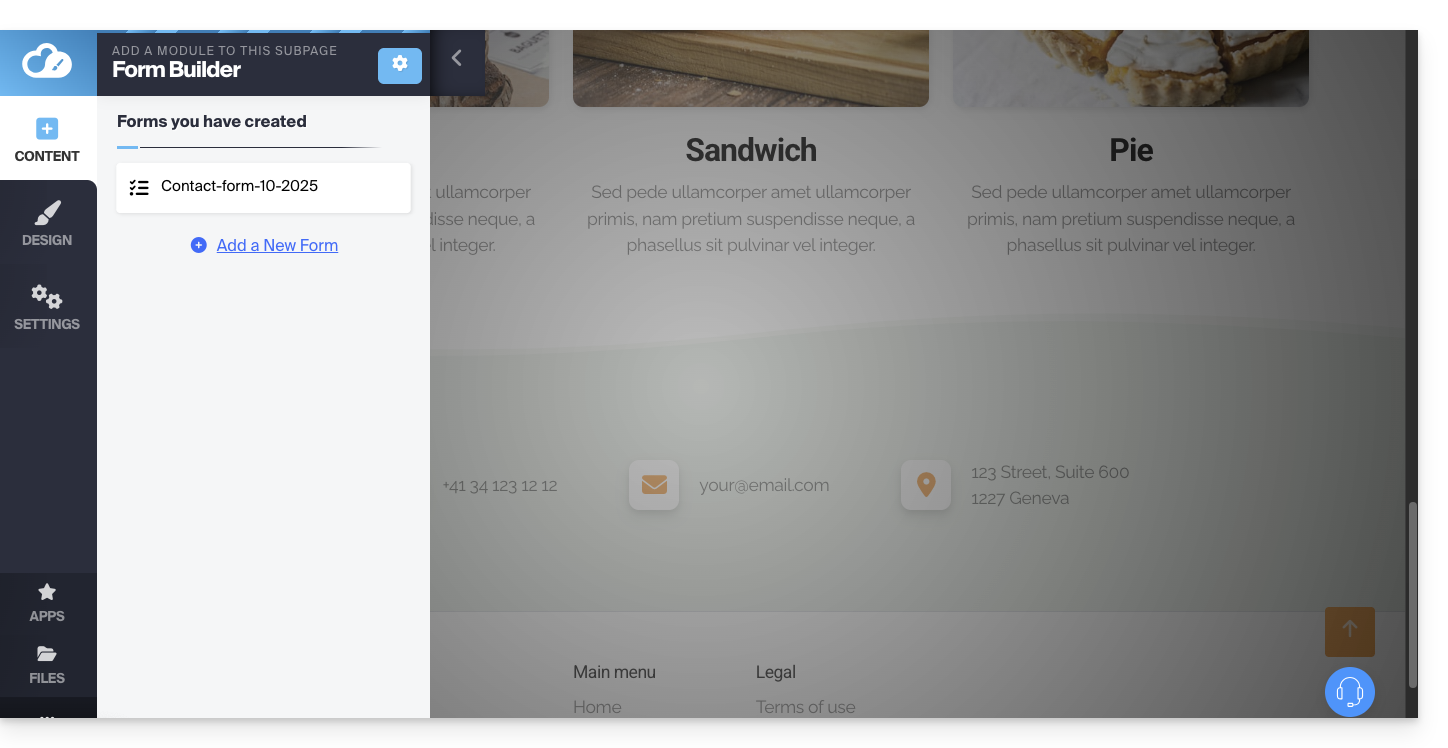
O formulário criado será inserido na sua página: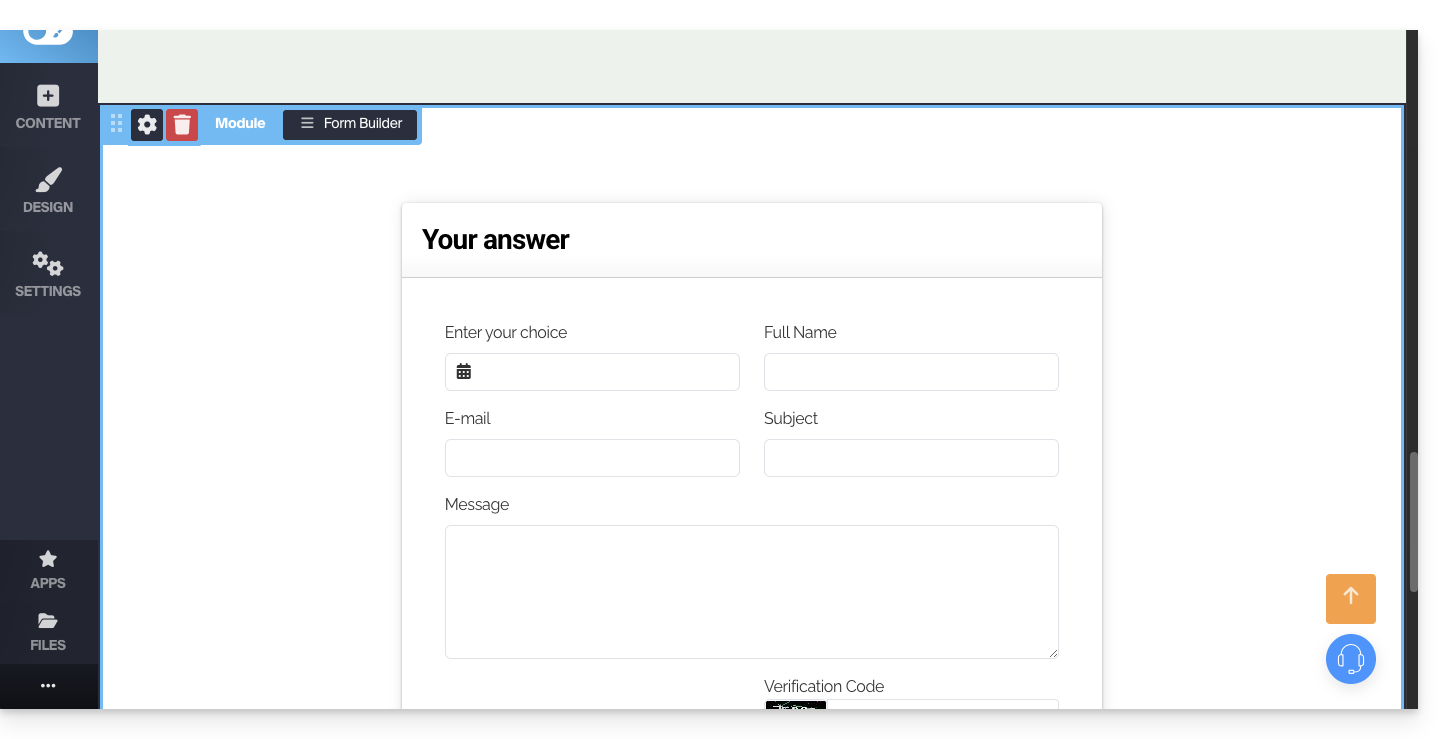
Configurações do formulário de contato
Você pode personalizar a mensagem de agradecimento, a página de redirecionamento após o envio (se houver), o endereço de e-mail utilizado e adicionar um captcha (recomendado), entre outras opções.
Para isso, passe o cursor sobre o módulo para acessar suas configurações: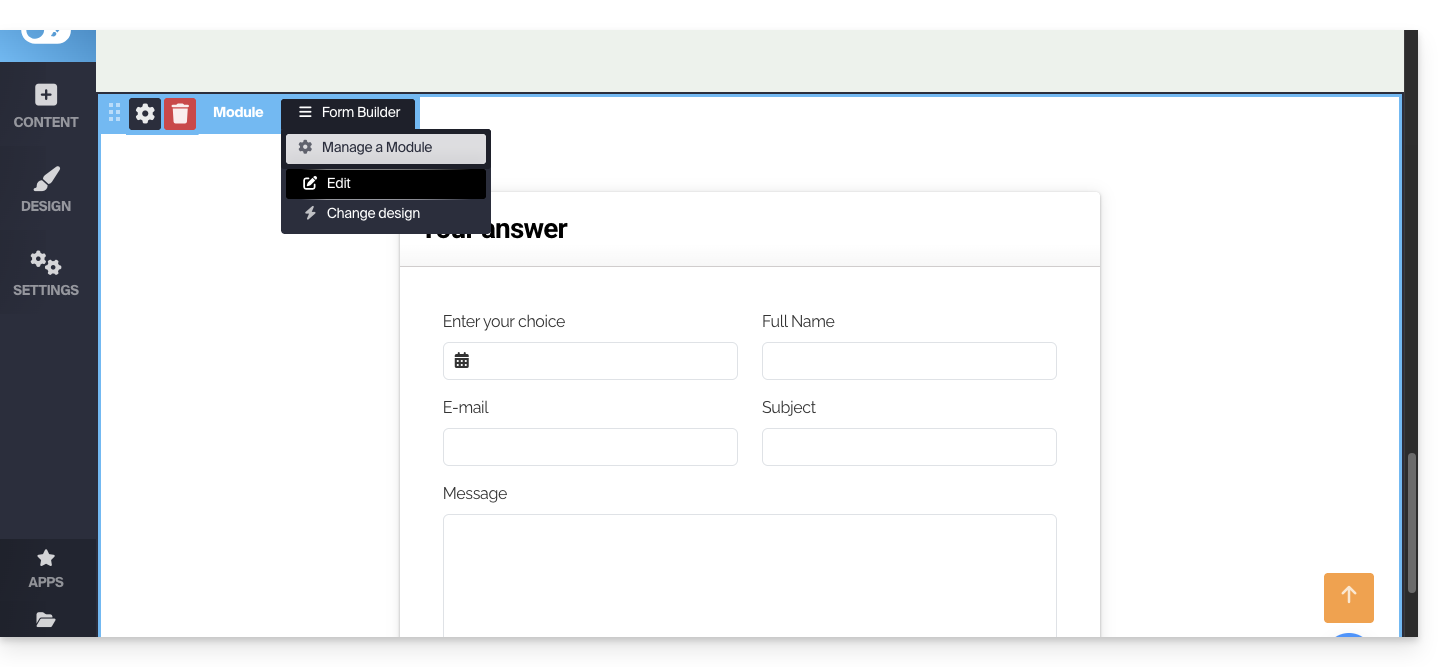
Se necessário, clique no formulário que deseja editar e, em seguida, em Propriedades do formulário: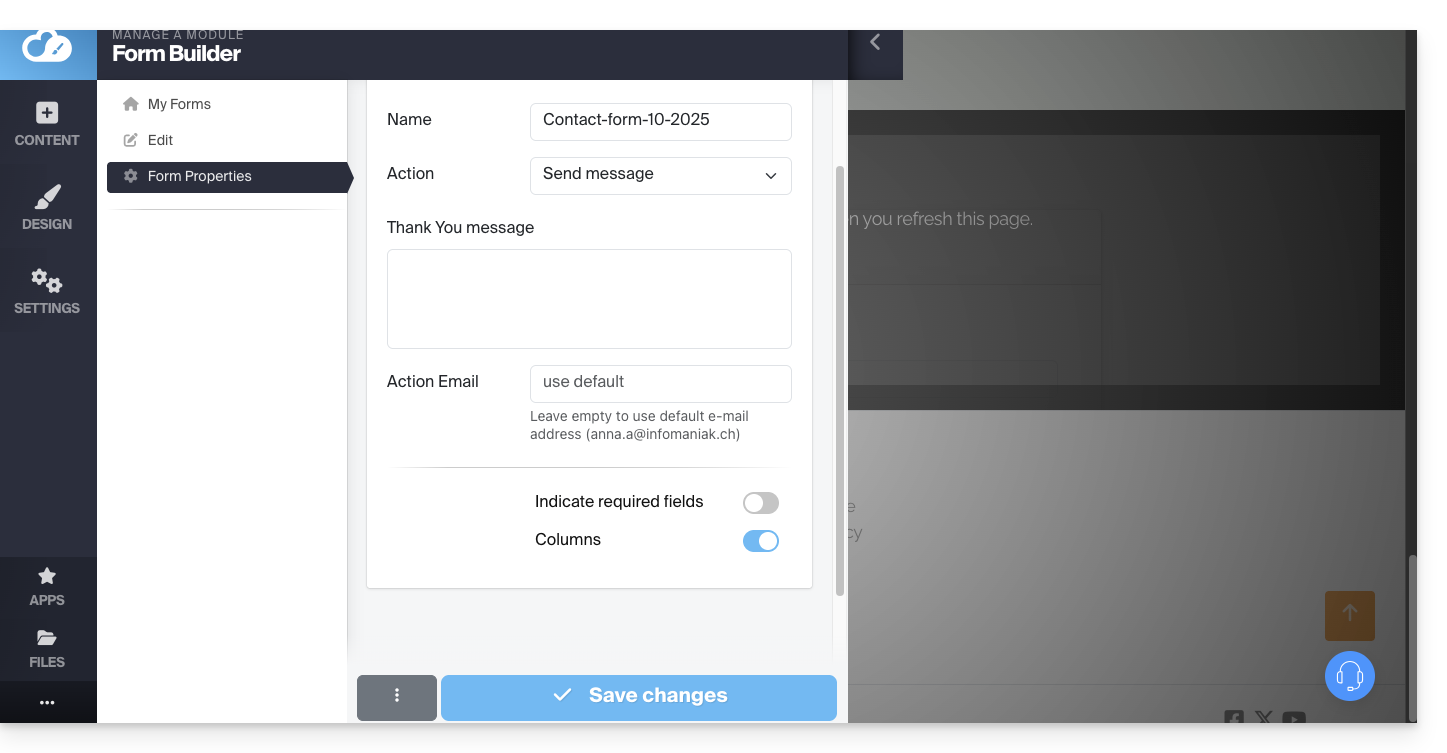
Recomenda-se alterar o método de envio predefinido.
Também pode eliminar o formulário criado para que este deixe de ser proposto:
Note que também é possível inserir um formulário de inscrição na newsletter da Infomaniakno Site Creator.
Link para esta FAQ: https://faq.infomaniak.com/2724
Esta seção de perguntas frequentes foi útil?