Base de conhecimento
1000 perguntas frequentes, 500 tutoriais e vídeos explicativos. Aqui, você encontra apenas soluções!
Gerenciar o favicon com o Site Creator
Atualização 13/10/2026
Este guia aborda a configuração, no Site Creator da Infomaniak, do ícone exibido na barra de favoritos de um navegador como Brave, Chrome, Edge, Firefox, Opera, Safari…, o favicon.
Introdução
- Os formatos recomendados pela Microsoft para os seus navegadores são
16 x 16,32 x 32e48 x 48. - A Apple, por sua vez, recomenda que a dimensão do favicon seja de
180 x 180.
Definir o favicon no Site Creator
Comece por iniciar sessão no Painel de controlo Infomaniak com a sua conta (utilizador com os direitos necessários sobre o produto em questão):
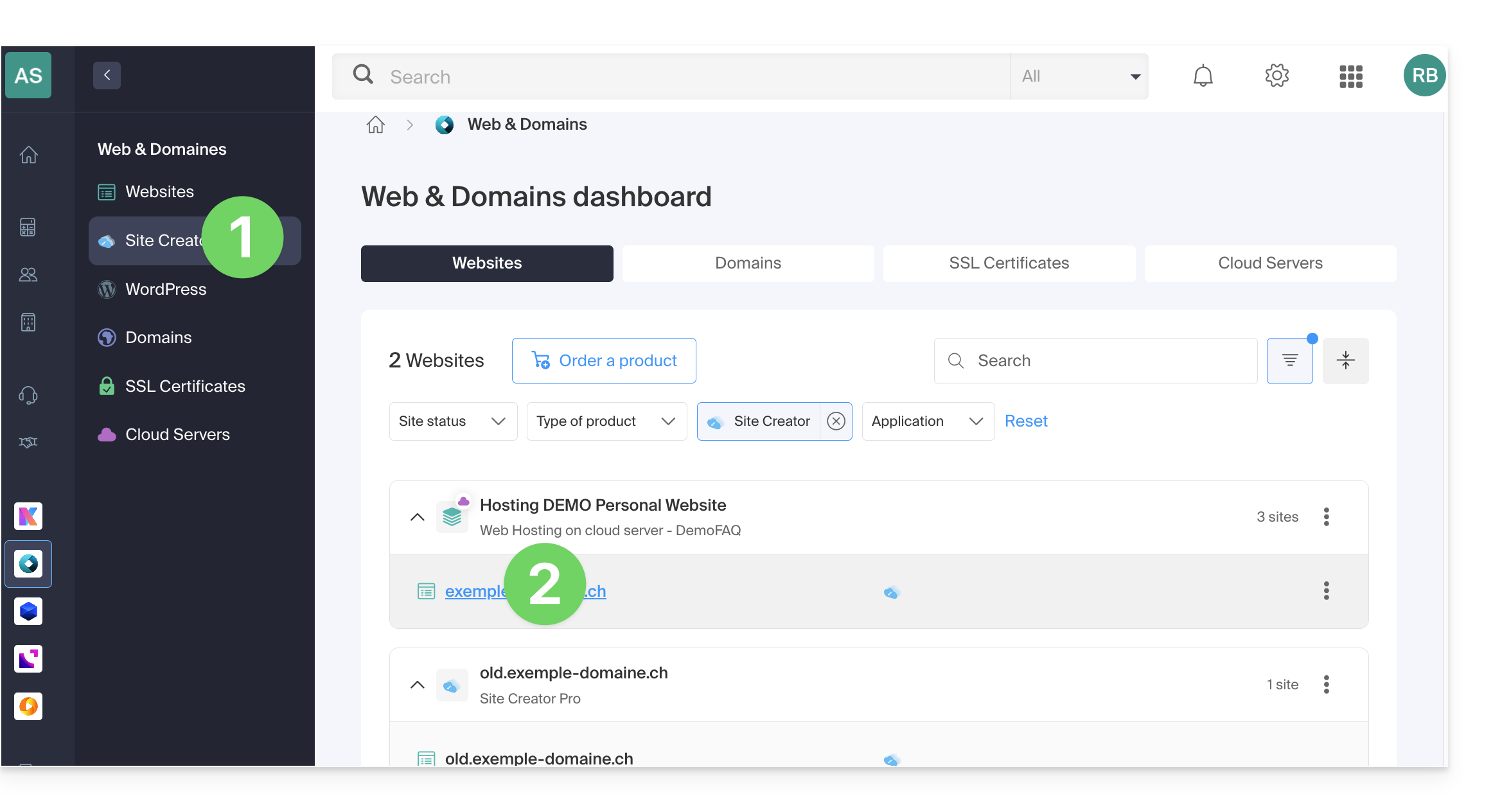
- Clique aqui para acessar o gerenciamento de hospedagens e sites (filtrado para exibir apenas o Site Creator).
- Se nada for exibido, você pode não estar na Organização à qual seu site está vinculado (❓: ajuda).
- Clique no nome do Site Creator desejado:
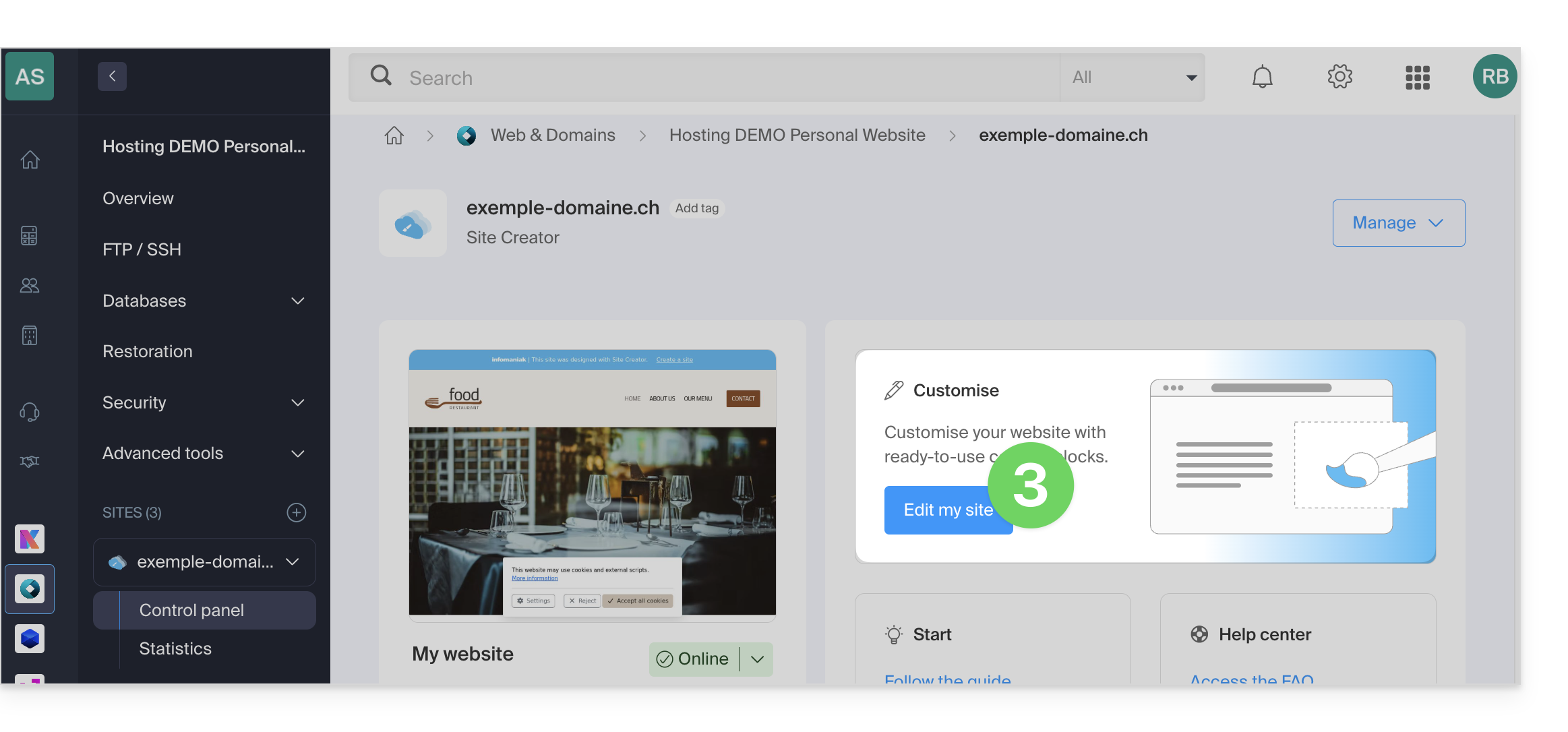
- Clique no botão para editar o seu site:
Depois de estar no Site Creator, para definir um novo favicon:
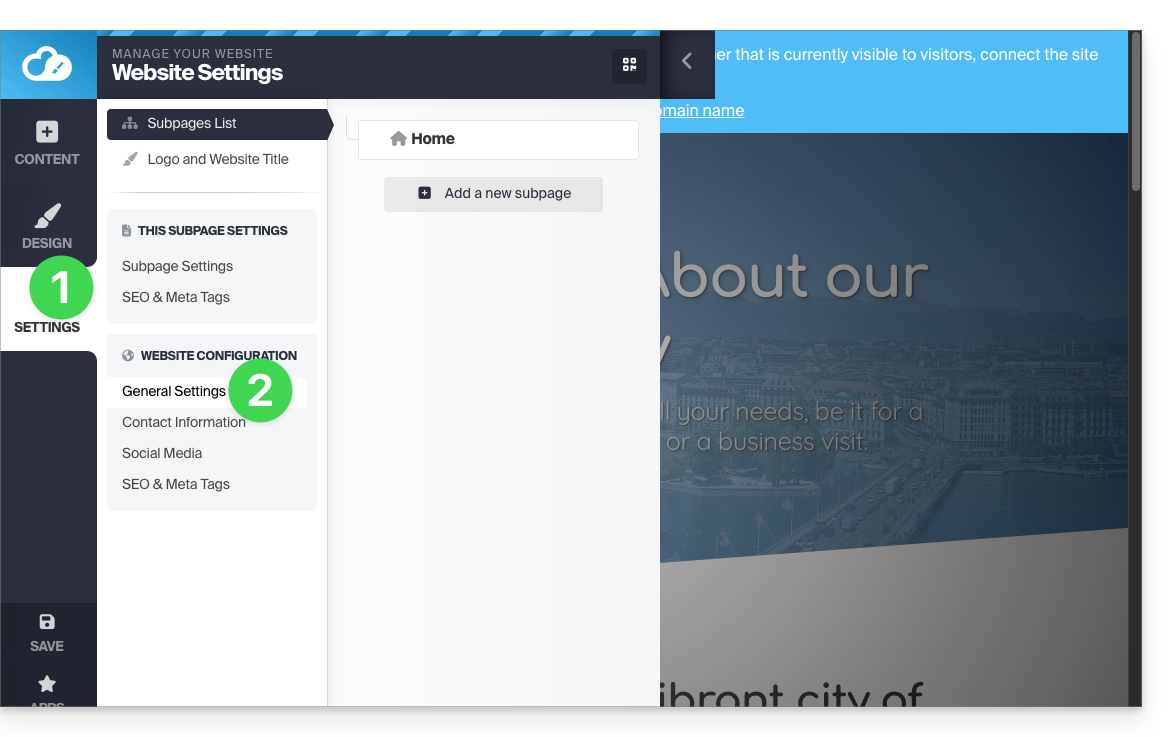
- Clique no botão Configurações no menu lateral esquerdo.
- Clique em Configurações gerais:
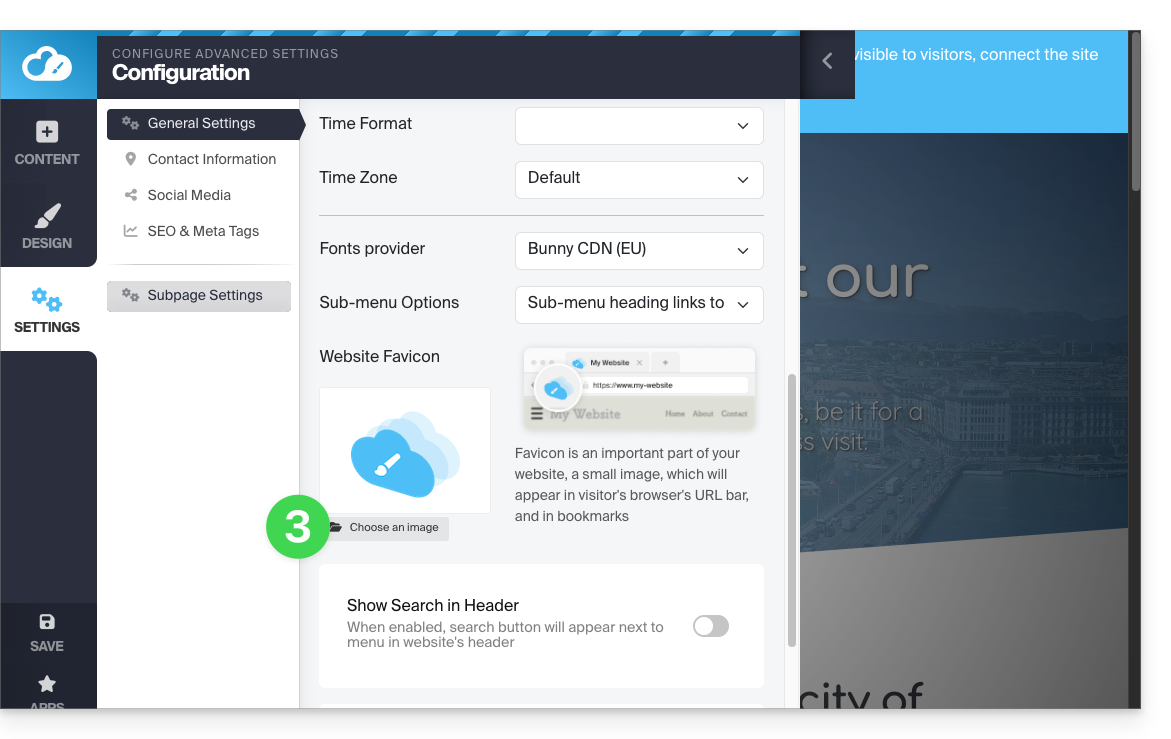
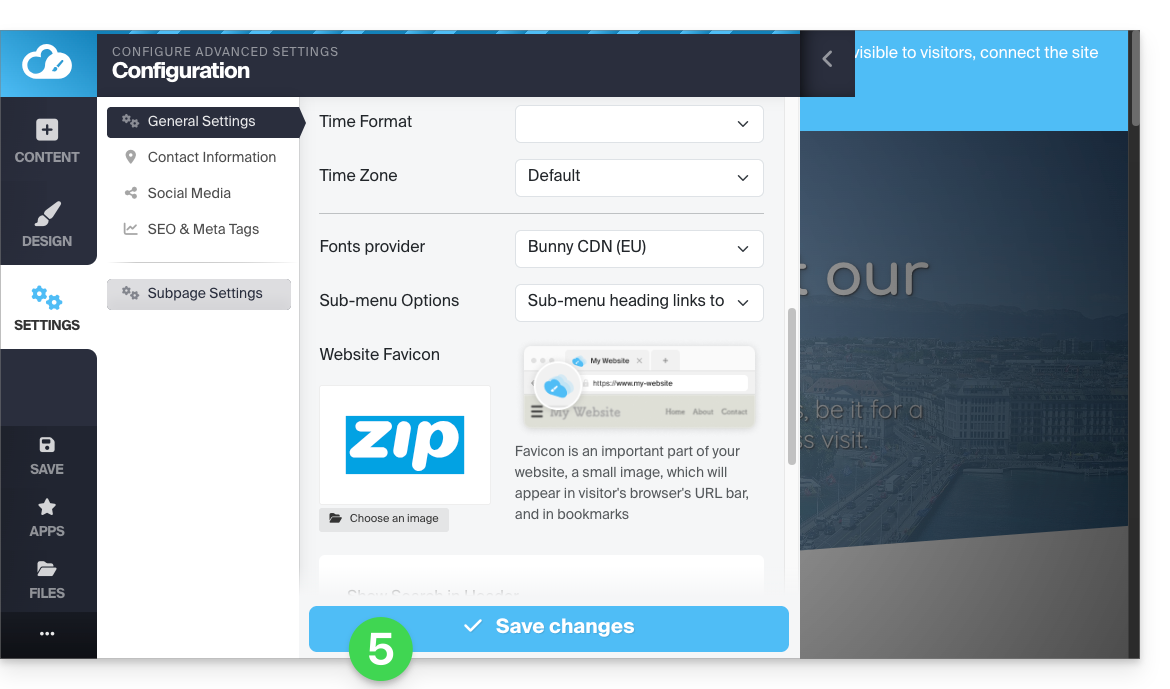
- Role para baixo até à secção Favicon e clique para escolher uma imagem:
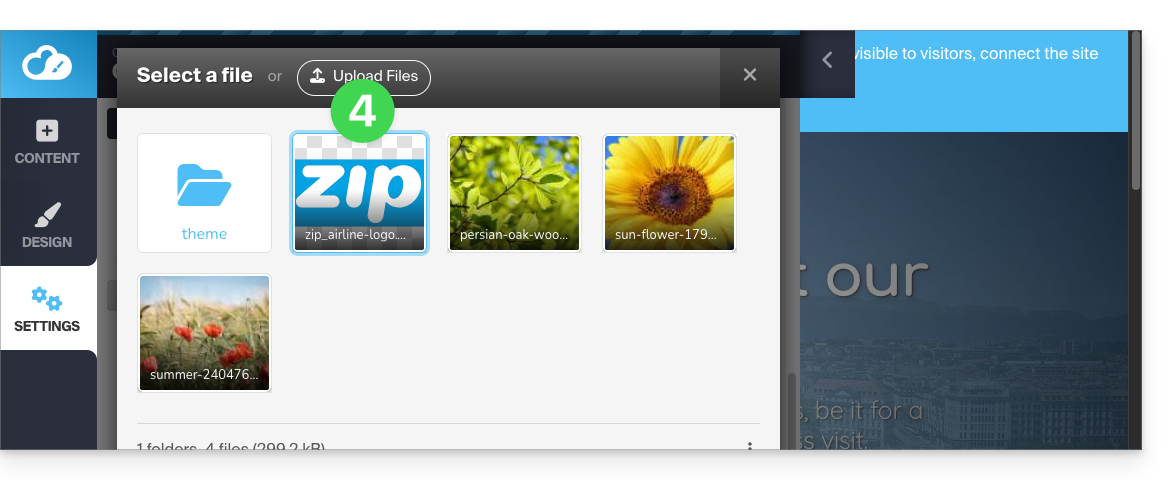
- Importe/selecione o favicon no seu disco rígido:
- Salve as alterações na parte inferior da página:
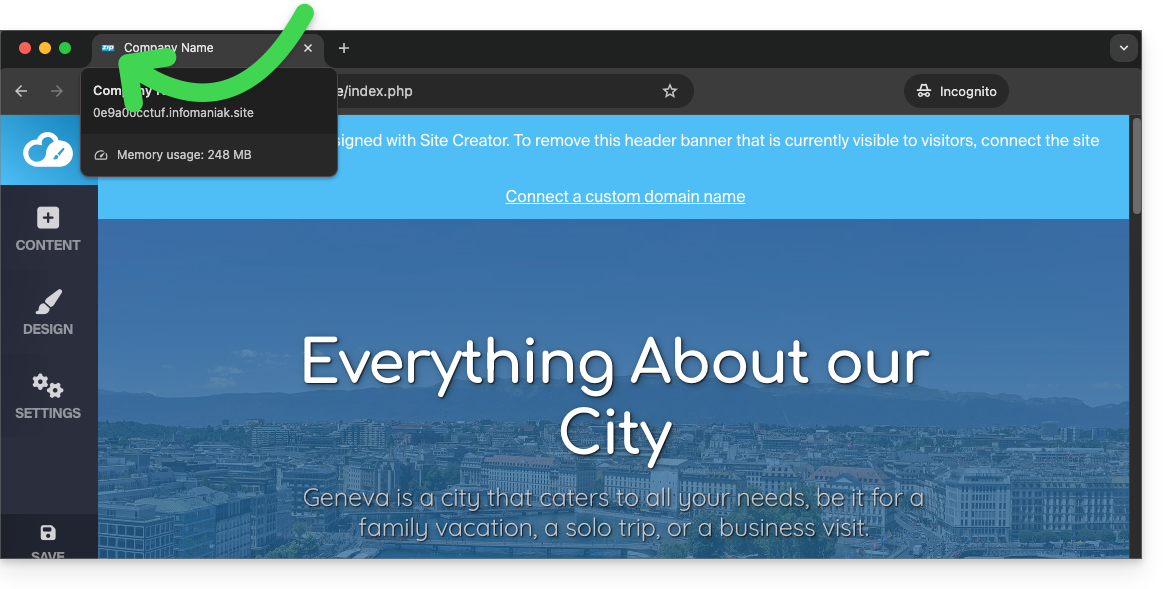
- Visualize o resultado no seu navegador (se necessário, numa nova janela em modo de navegação privada, por exemplo):
Link para esta FAQ: https://faq.infomaniak.com/2723
Esta seção de perguntas frequentes foi útil?