Base de conhecimento
1000 perguntas frequentes, 500 tutoriais e vídeos explicativos. Aqui, você encontra apenas soluções!
Manage the Favicon with Site Creator
This guide explains how to set up the icon displayed in the favorites bar of a browser such as Brave, Chrome, Edge, Firefox, Opera, Safari, etc., within Site Creator Infomaniak. This icon is called the favicon.
Introduction
- Microsoft recommends the following formats for its browsers:
16 x 16,32 x 32, and48 x 48. - Apple, on the other hand, recommends that the favicon size be
180 x 180.
Define the Site Creator favicon
Start by logging into the Infomaniak Manager with your credentials (user account with the necessary rights for the relevant product):
- Click here to access the hosting & site management section (filtered to display only Site Creator).
- If nothing is displayed, you may not be in the Organization to which your site is linked (❓: help).
- Click on the name of the Site Creator in question:
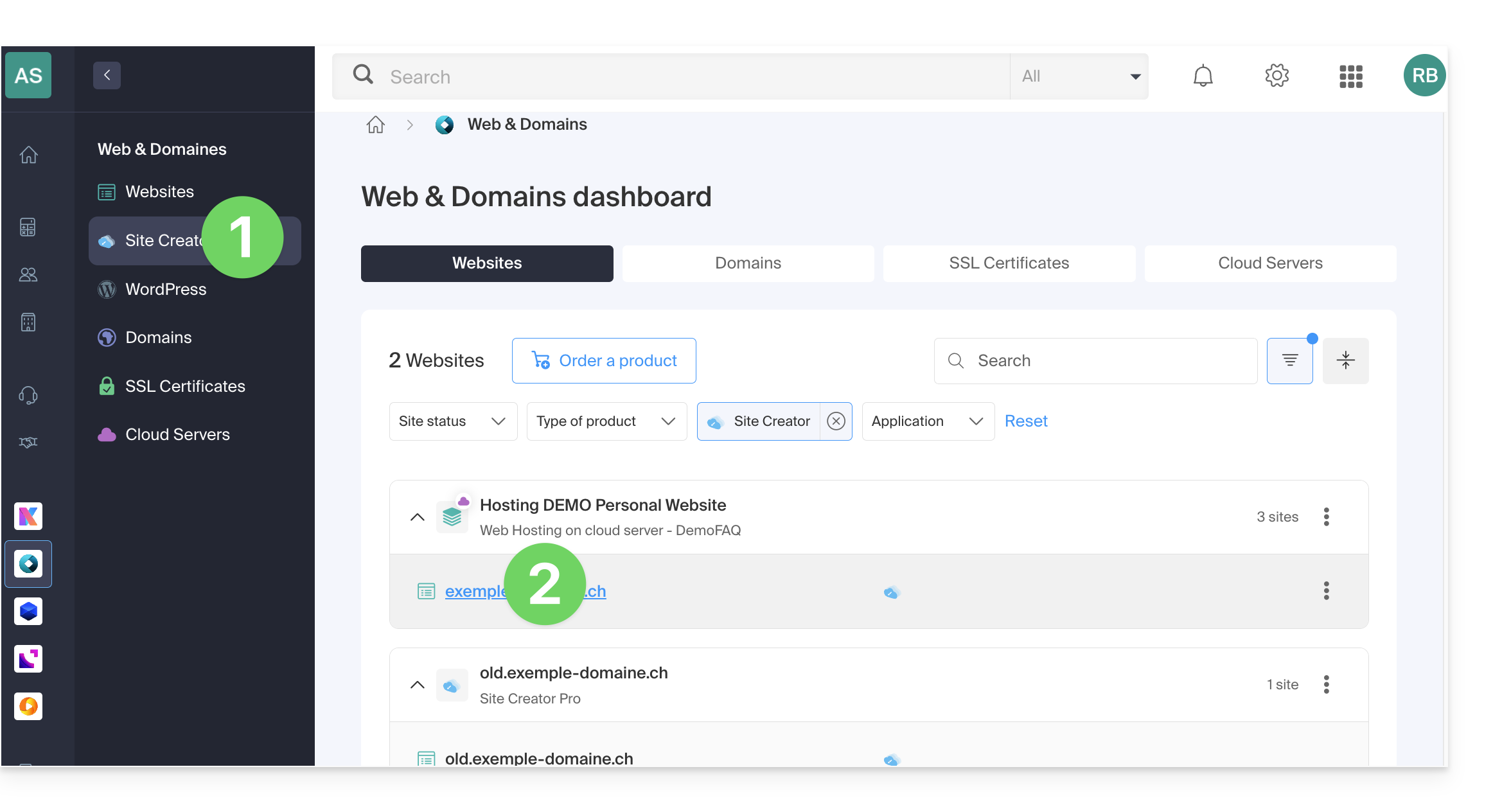
- Click on the button to edit your website:
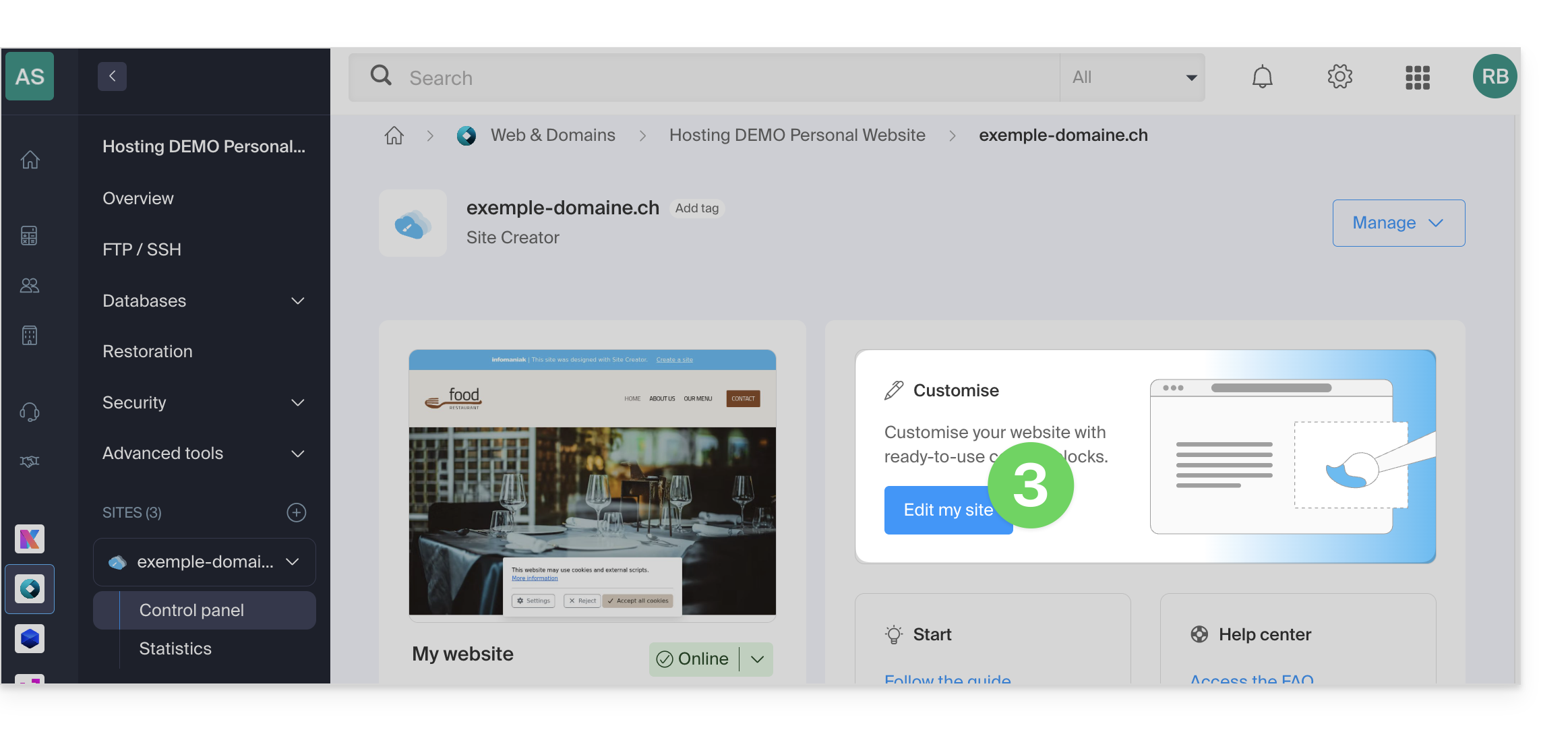
Once in Site Creator, to define a new favicon:
- Click on the Settings button in the left-hand menu.
- Click on General Settings:
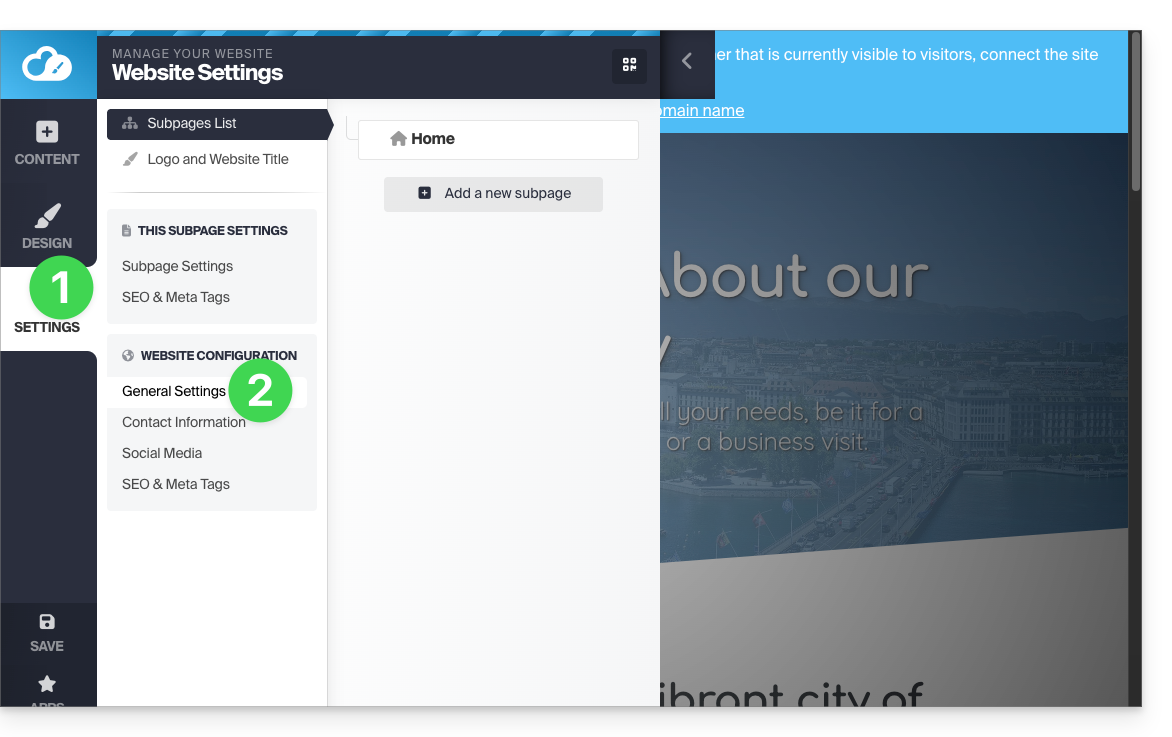
- Scroll down to the Favicon section and click to choose an image:
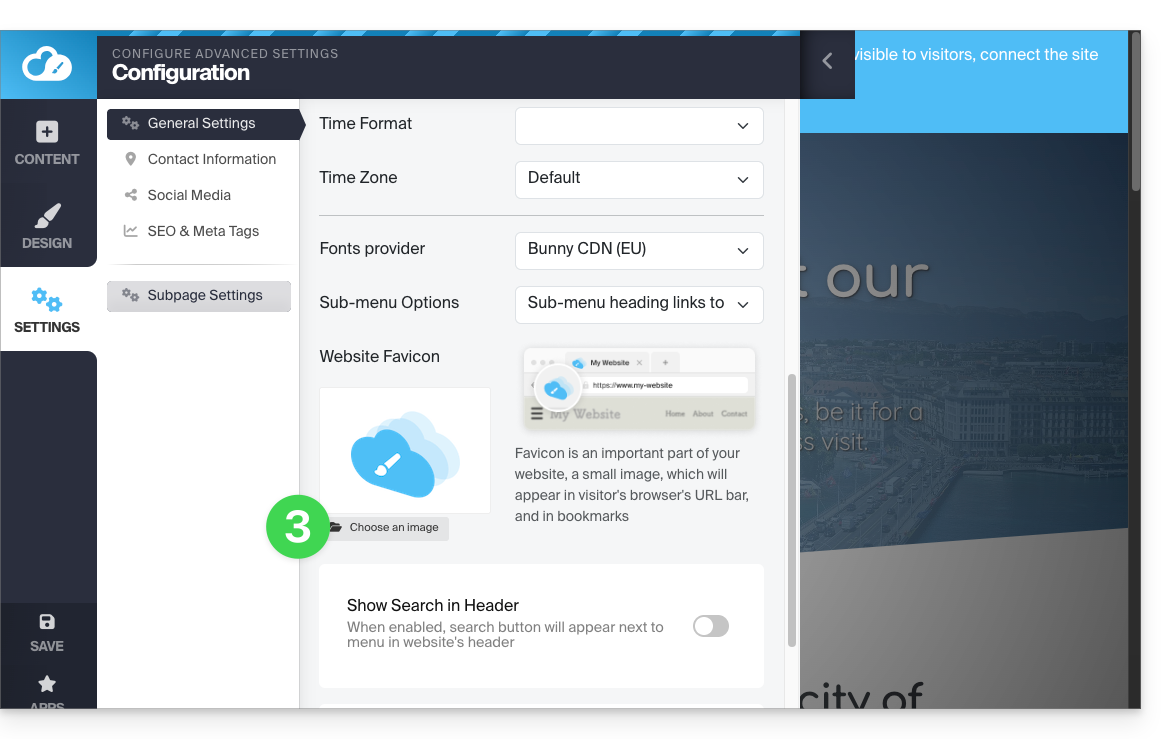
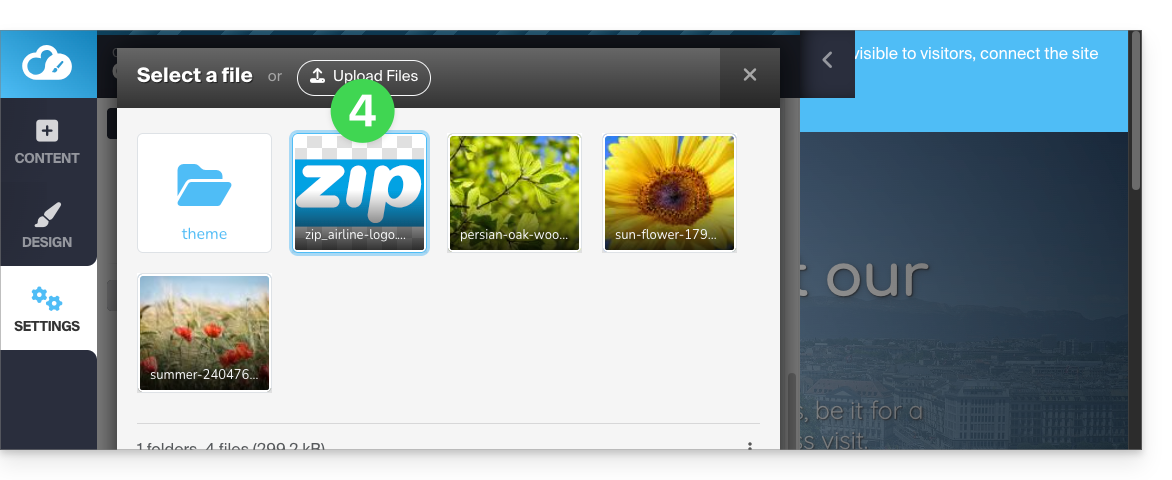
- Import/select the favicon from your hard drive:
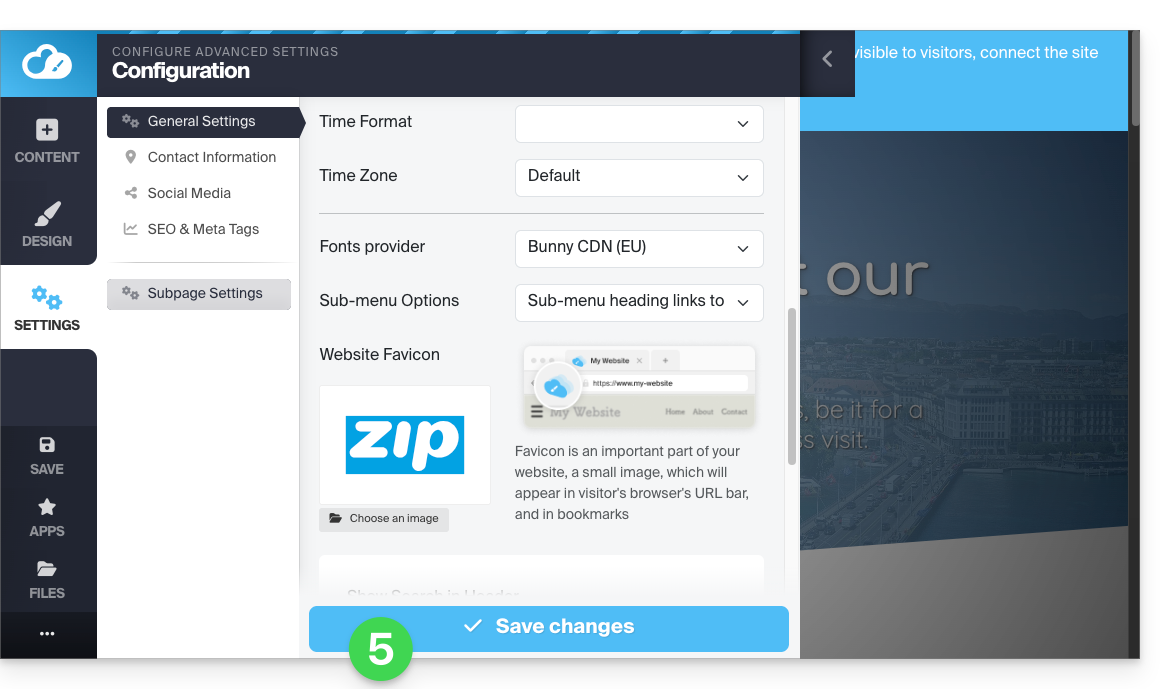
- Save the changes at the bottom of the page:
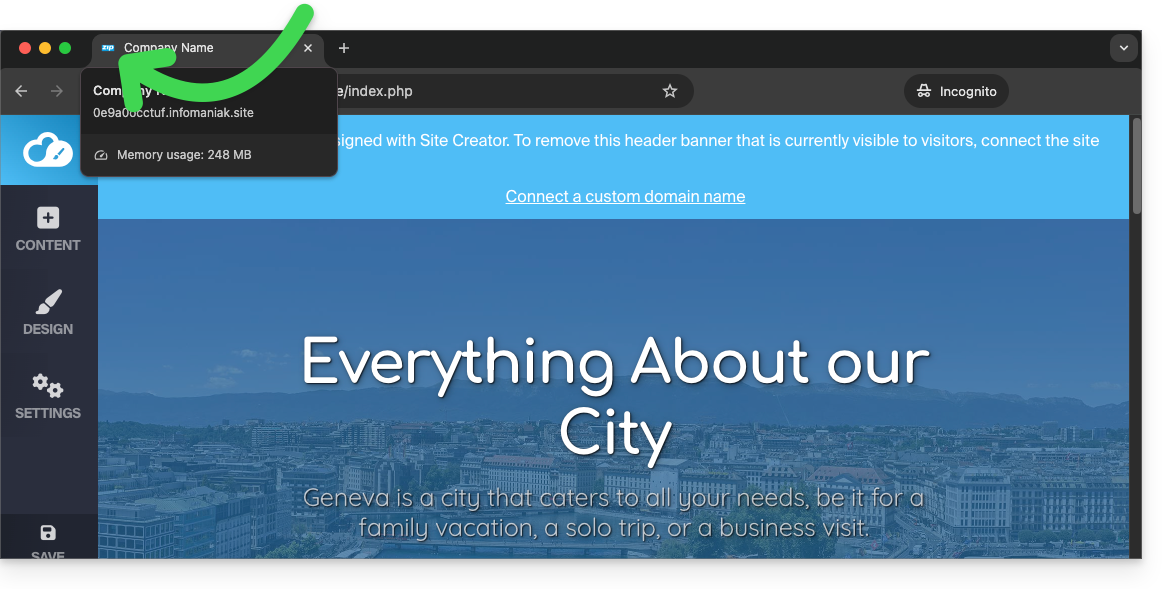
- Preview the result in your browser (if necessary, in a new private browsing window, for example):
Link para esta FAQ: https://faq.infomaniak.com/2723
Esta seção de perguntas frequentes foi útil?