Base de conhecimento
1000 perguntas frequentes, 500 tutoriais e vídeos explicativos. Aqui, você encontra apenas soluções!
Gerenciar o nome e os detalhes do site no Site Creator
Atualização 13/10/2026
Este guia explica como modificar alguns detalhes de um site criado com o Site Creator da Infomaniak.
Alterar o nome do site
Comece por iniciar sessão no Painel de Controle Infomaniak com o seu identificador (utilizador com os direitos necessários sobre o produto em questão):
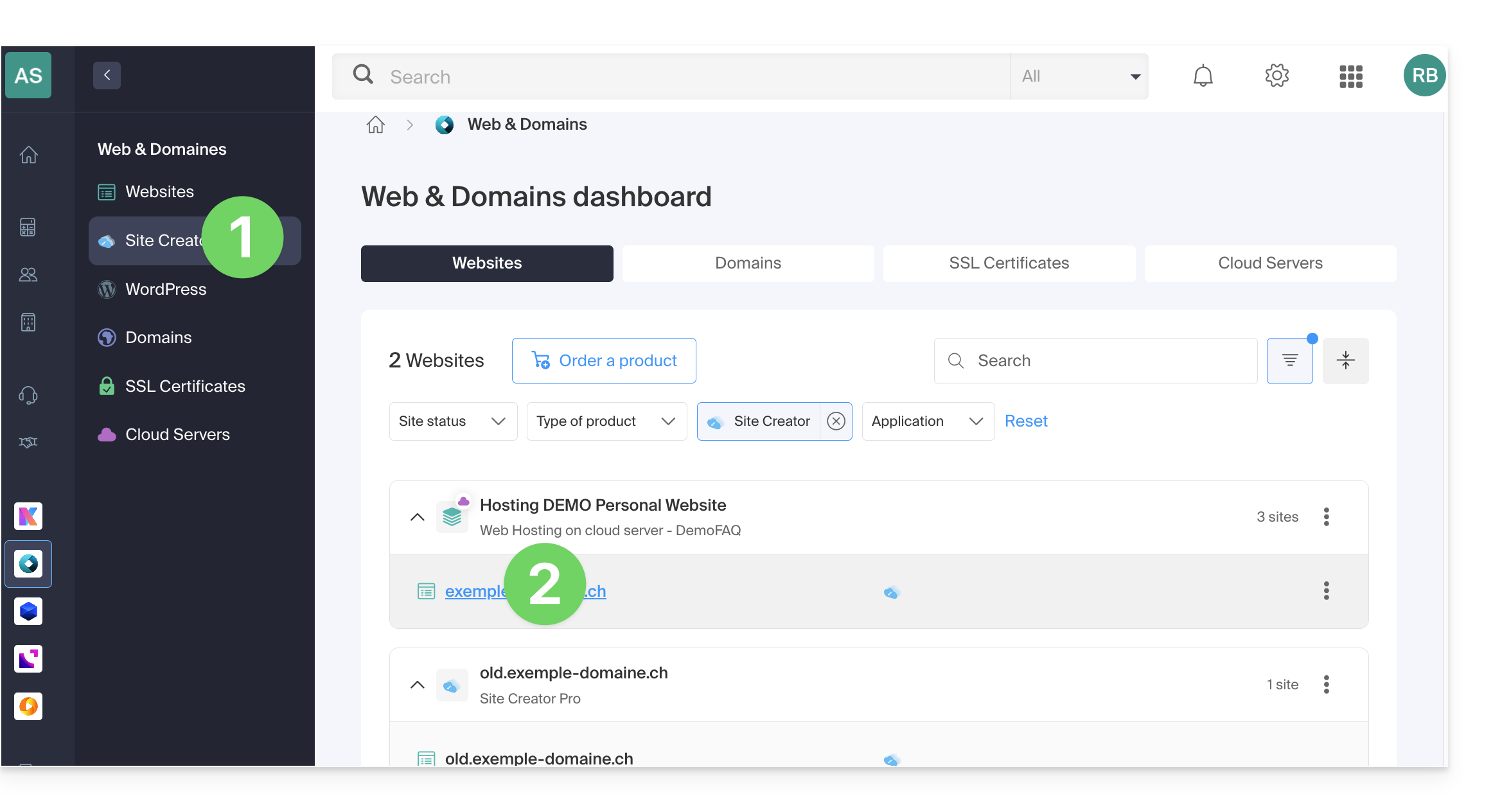
- Clique aqui para aceder à gestão de alojamentos e sites (filtrada para mostrar apenas o Site Creator).
- Se nada for exibido, pode ser que não esteja na Organização à qual o seu site está associado (❓: ajuda).
- Clique em o nome do Site Creator em questão:
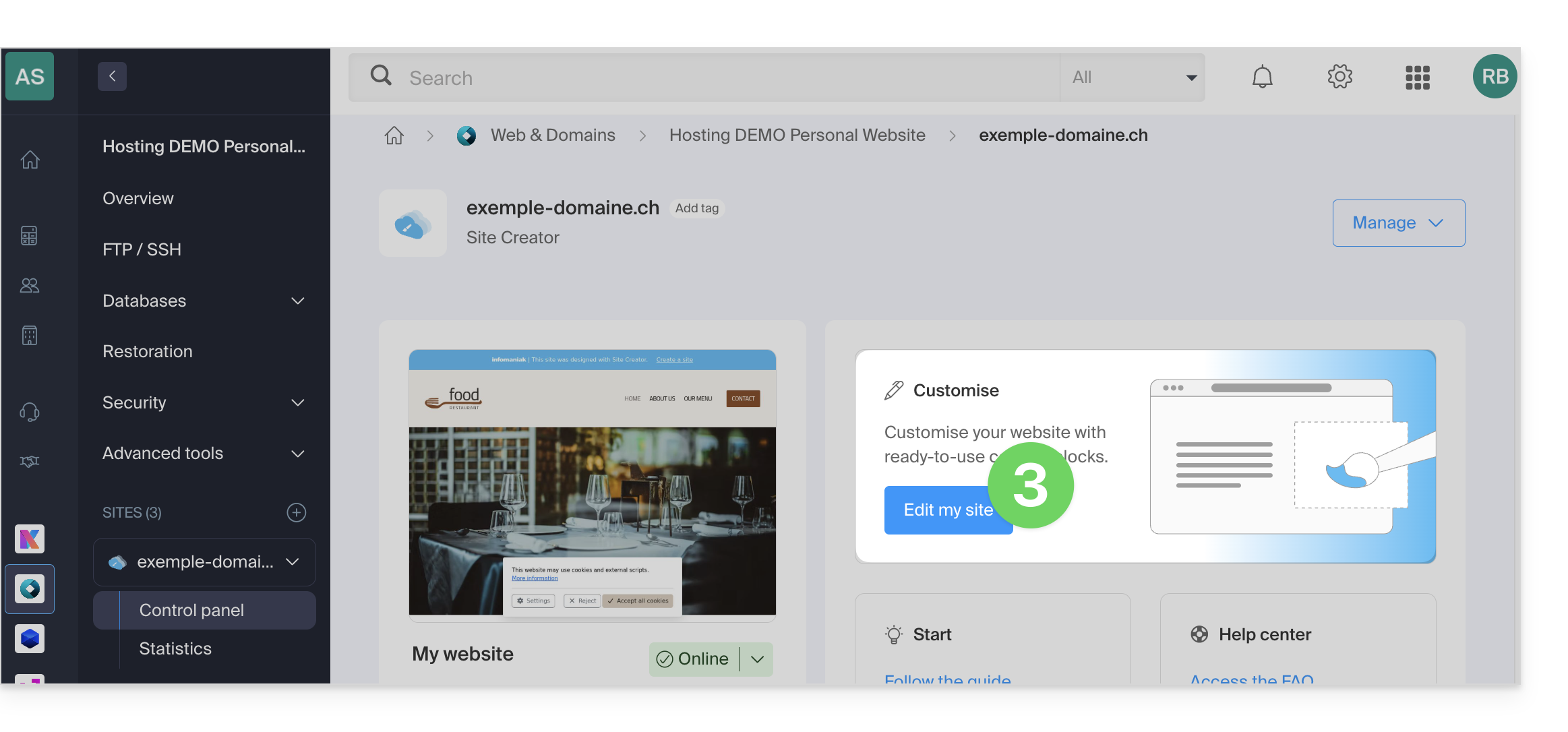
- Clique no botão para editar o seu site:
Depois de acessar o Site Creator, clique no botão Configurações na barra lateral esquerda e, em seguida, em Título do site: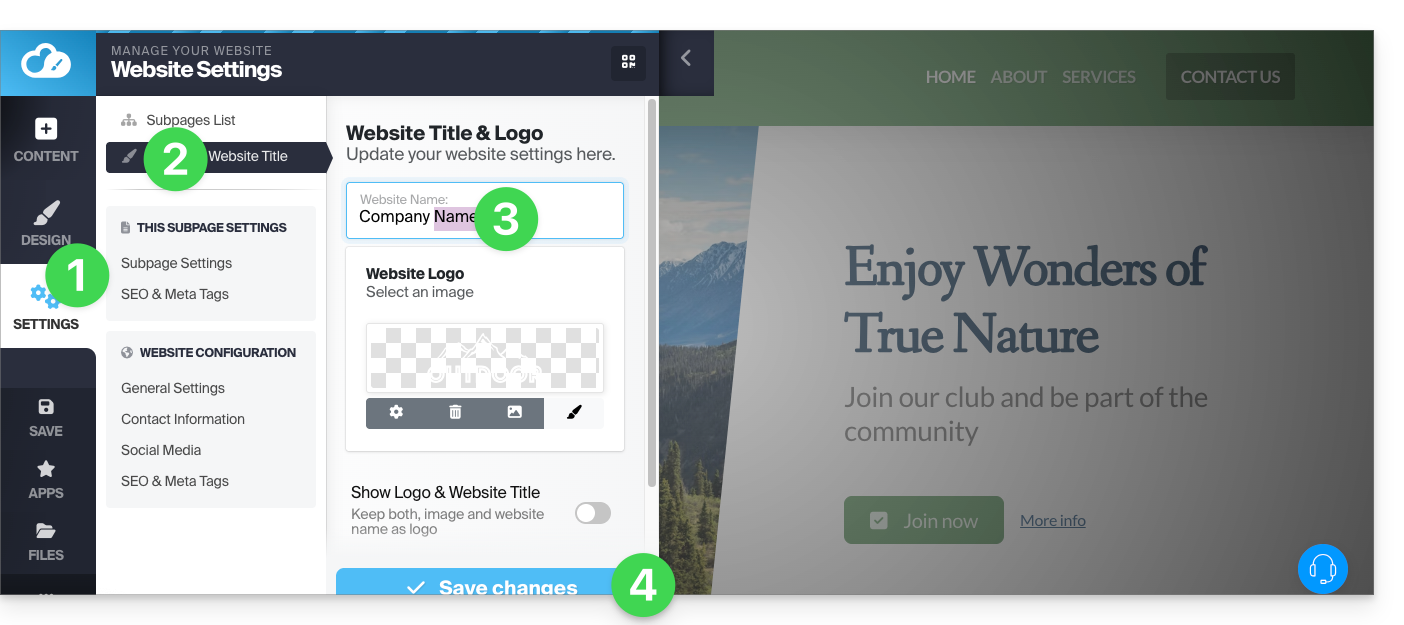
Dados da empresa
Clique no botão Configurações na barra lateral esquerda e, em seguida, em Informações de contato, em Configuração do site: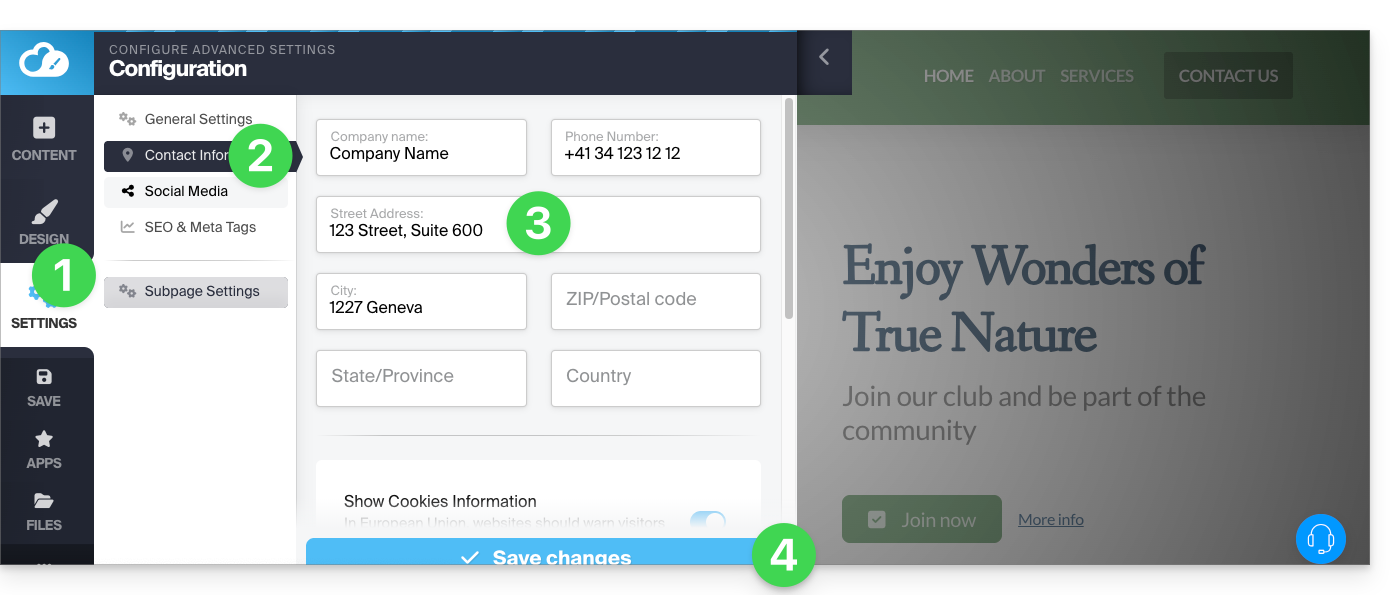
Link para esta FAQ: https://faq.infomaniak.com/2721
Esta seção de perguntas frequentes foi útil?