Base de conhecimento
1000 perguntas frequentes, 500 tutoriais e vídeos explicativos. Aqui, você encontra apenas soluções!
Adicionar uma barra de pesquisa ao Site Creator
Atualização 13/10/2026
Este guia destina-se aos utilizadores da ferramenta Site Creator da Infomaniak que desejam permitir que os visitantes efetuem uma pesquisa de texto no conteúdo do site.
Adicionar uma barra de pesquisa ao Site Creator
Comece por iniciar sessão no Painel de Controle Infomaniak com o seu identificador (utilizador com os direitos necessários sobre o produto em questão):
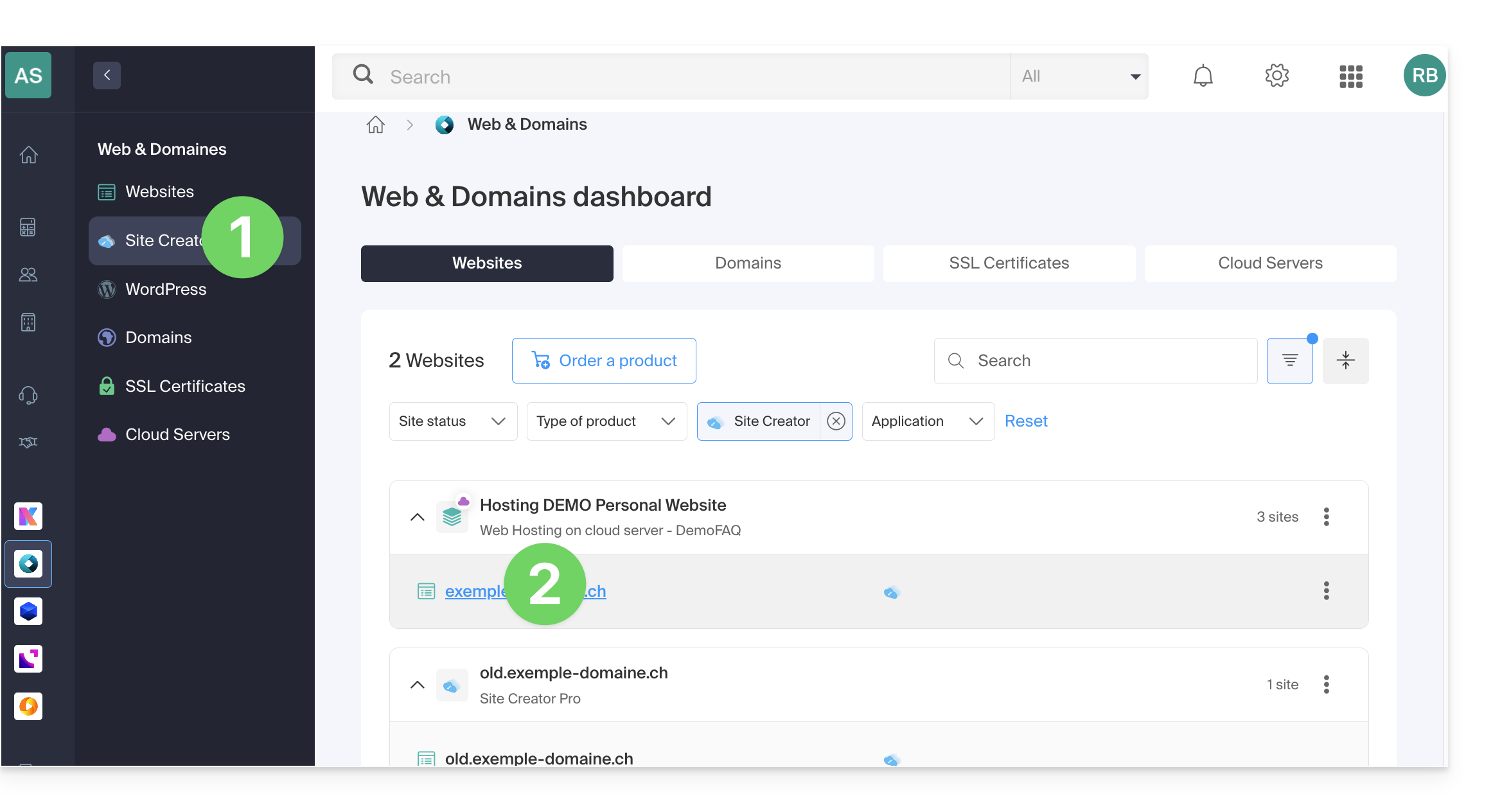
- Clique aqui para aceder à gestão de alojamentos e sites (filtrada para mostrar apenas o Site Creator).
- Se nada for exibido, pode ser que não esteja na Organização à qual o seu site está associado (❓: ajuda).
- Clique em o nome do Site Creator em questão:
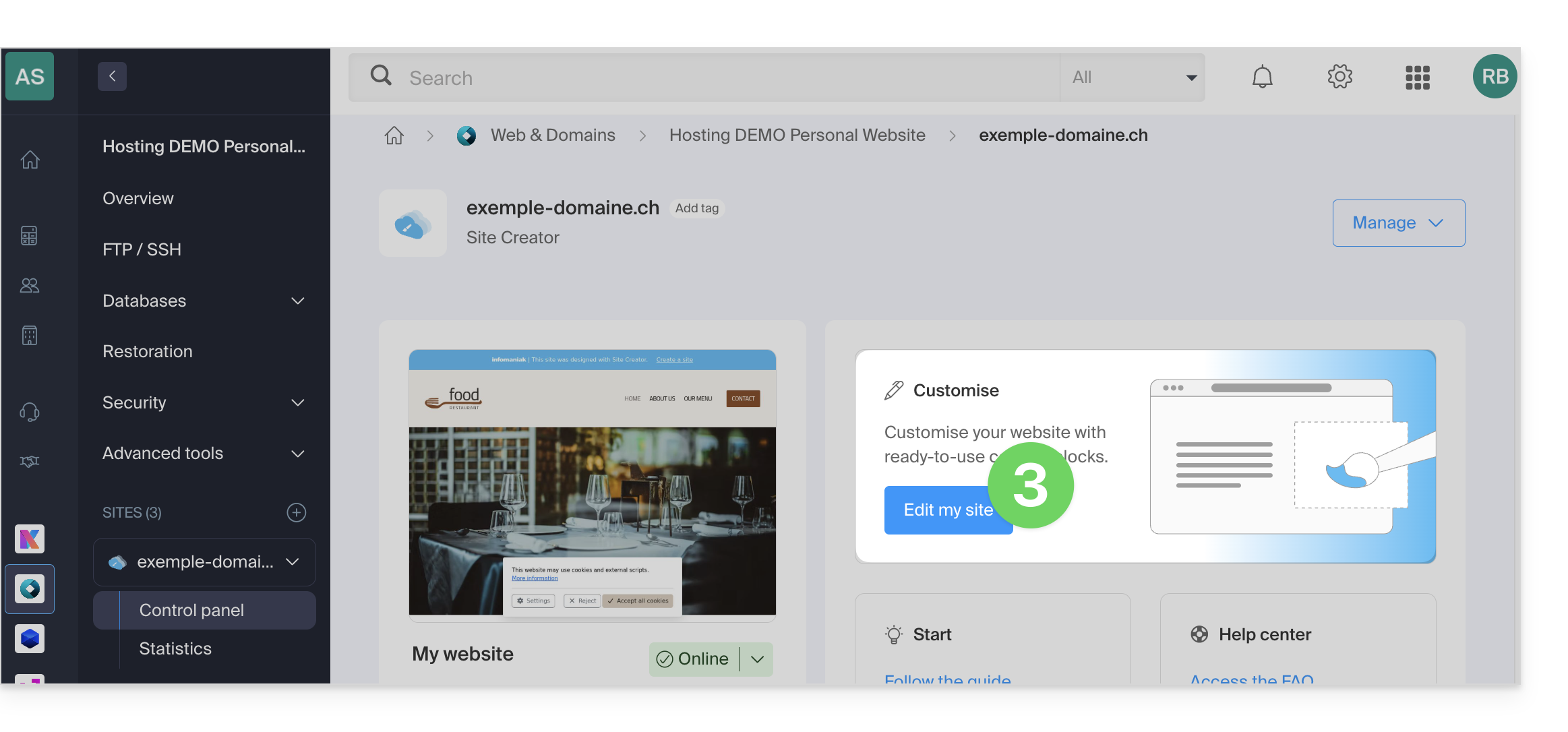
- Clique no botão para editar o seu site:
Depois de acessar o Site Creator, para permitir que os visitantes pesquisem conteúdo em seu site, é preciso ativar a barra de pesquisa:
- Clique no botão Configurações no menu lateral esquerdo.
- Clique em Configurações gerais.
- Ative a opção de pesquisa.
- Salve as alterações na parte inferior da página.
- Visualize a nova localização da pesquisa na sua página inicial:
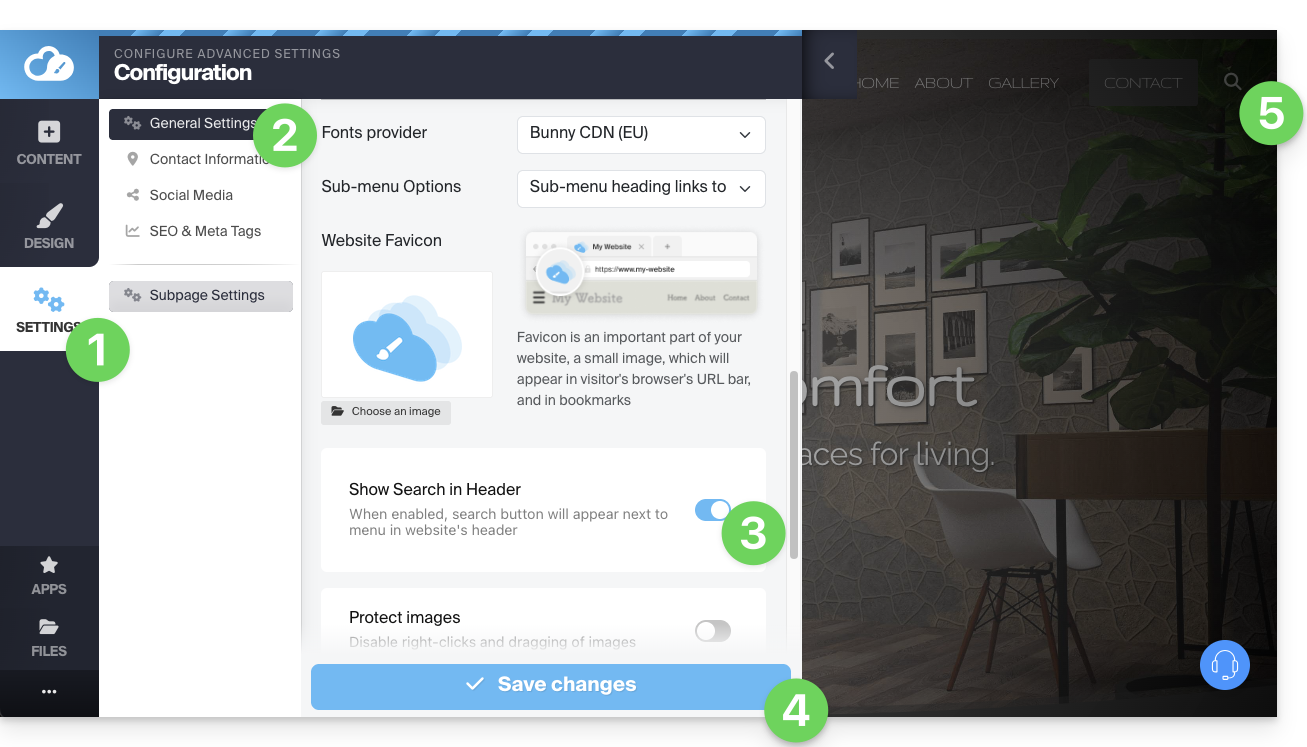
- Um ícone de lupa será adicionado no cabeçalho do seu site e a barra de pesquisa aparecerá ao clicar nele:

- Um ícone de lupa será adicionado no cabeçalho do seu site e a barra de pesquisa aparecerá ao clicar nele:
Link para esta FAQ: https://faq.infomaniak.com/2714
Esta seção de perguntas frequentes foi útil?