Base de conhecimento
1000 perguntas frequentes, 500 tutoriais e vídeos explicativos. Aqui, você encontra apenas soluções!
Change the domain name of a kSuite
This guide explains how to replace the primary domain name associated with a kSuite.
Introduction
- Changing the domain linked to kSuite is useful if your business name changes.
- This affects:
- Custom Brand (and therefore the custom URLs leading to your tools such as kDrive or Euria)
- Mail Service (and therefore your email addresses)
Modify the kSuite domain name
Prerequisites
- Own the new domain name (if necessary, create it beforehand).
- Consult the instructions in this other guide and apply the instructions that correspond to your situation (to ensure that the domain name works when it is linked to your kSuite).
- Add the domain name to kSuite.
Once the new domain name is ready to be used instead of the old one, start by logging in with your credentials (user with the necessary rights on the product in question):
- Click here to access kSuite.
- If nothing is displayed after logging in, you may not be in the Organization to which your kSuite is linked (❓: help).
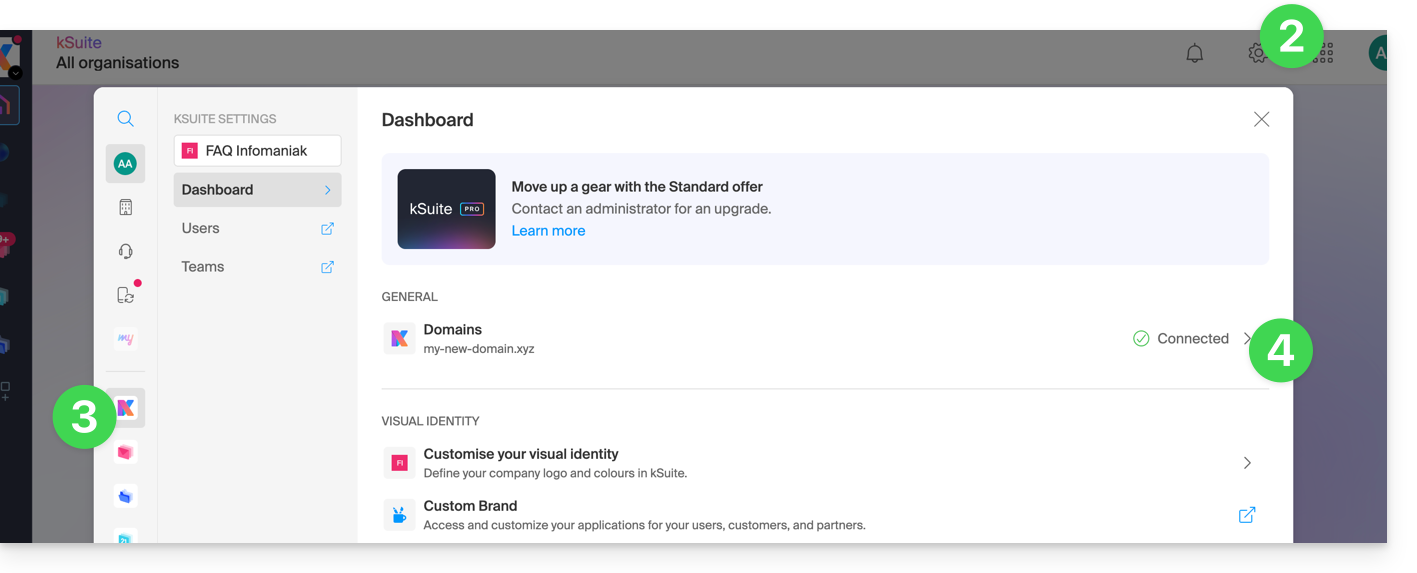
- Click on Settings in the top right corner.
- Click on kSuite in the left-hand menu.
- Click on Domains:
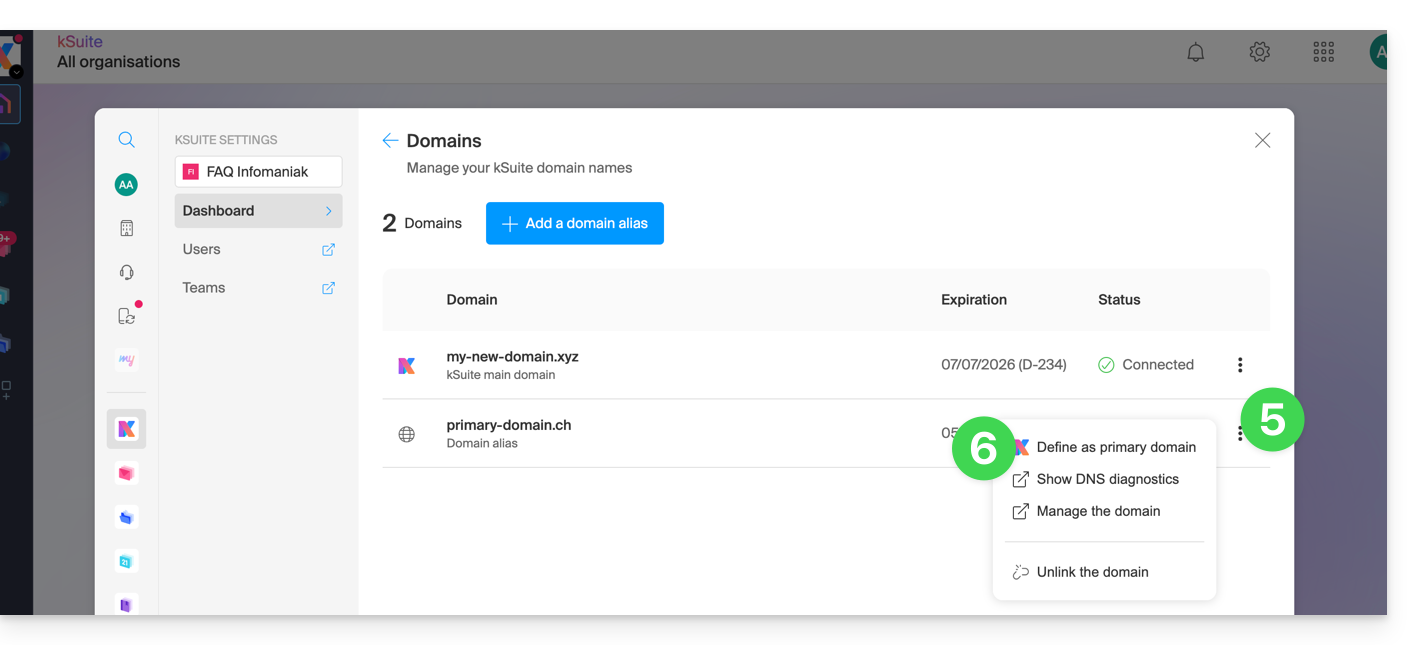
- Click on the action menu ⋮ located to the right of the domain you want to use as the new primary domain.
- Click on Set as primary domain:
- Information is displayed, click the Continue button.
- Read the information on the screen and then confirm that you have read it.
- Click on the Continue button:

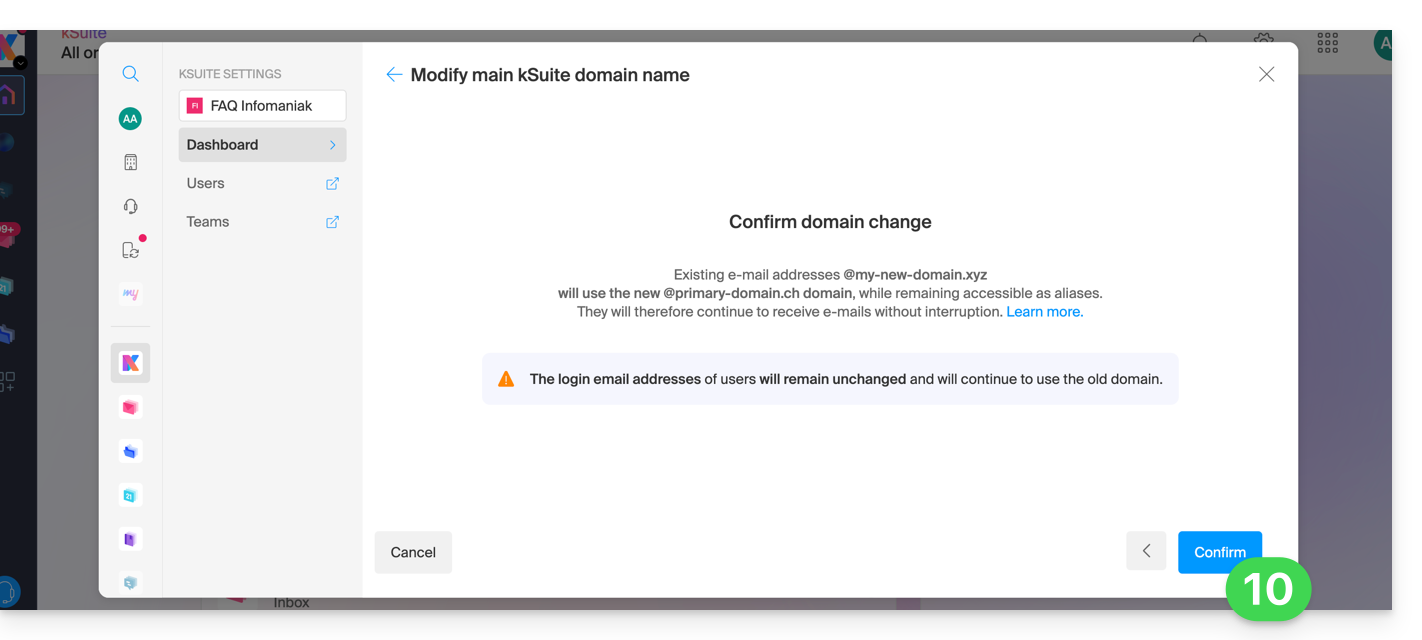
- Click on the Confirm button:
Impact on the Mail Service
By reversing the domain name of the kSuite as shown above, the Mail Service within kSuite is automatically updated. You will switch from: 
… to this:
Link para esta FAQ: https://faq.infomaniak.com/2701
Esta seção de perguntas frequentes foi útil?