Base de conhecimento
1000 perguntas frequentes, 500 tutoriais e vídeos explicativos. Aqui, você encontra apenas soluções!
Alterar o nome de domínio de uma kSuite
Atualização 13/10/2026
Este guia explica como substituir o nome de domínio principal associado a uma kSuite.
Introdução
- Alterar o domínio associado ao kSuite é útil se o nome da sua empresa mudar.
- Isso afeta:
- Marca personalizada (e, portanto, os URLs personalizados que direcionam para suas ferramentas, como o kDrive ou o Euria)
- Serviço de e-mail (e, portanto, seus endereços de e-mail)
Modificar o nome de domínio do kSuite
Pré-requisitos
- Ter o novo nome de domínio (se necessário, crie-o previamente).
- Consultar as instruções deste outro guia e aplicar as instruções correspondentes à sua situação (para garantir que o nome de domínio funcione quando for associado à sua kSuite).
- Adicionar o nome de domínio ao kSuite.
Depois que o novo nome de domínio estiver pronto para ser usado no lugar do antigo, comece fazendo login com seu identificador (usuário com as permissões necessárias no produto em questão):
- Clique aqui para acessar o kSuite.
- Se nada for exibido após o login, você pode não estar na Organização à qual seu kSuite está vinculado (❓: ajuda).
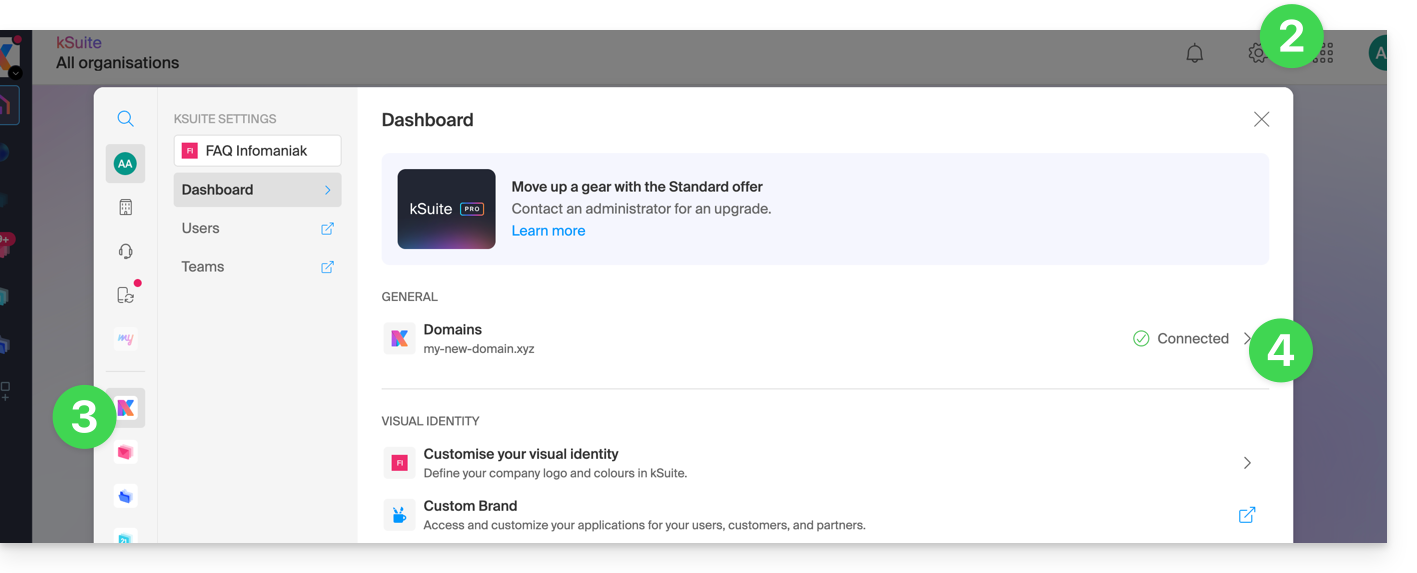
- Clique em Configurações no canto superior direito.
- Clique em kSuite no menu lateral esquerdo.
- Clique em Domínios:
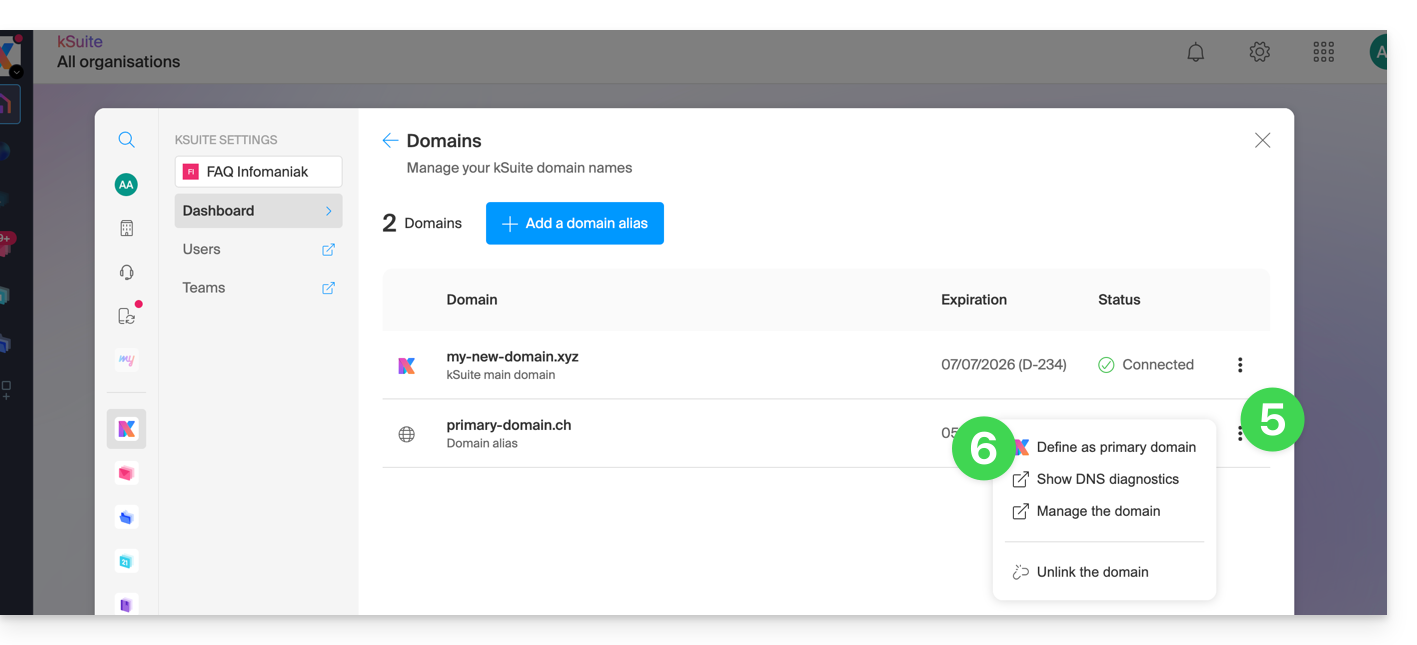
- Clique em o menu de ações ⋮, localizado à direita do domínio que você deseja usar como domínio principal.
- Clique em Definir como domínio principal:
- As informações são exibidas, clique no botão Continuar.
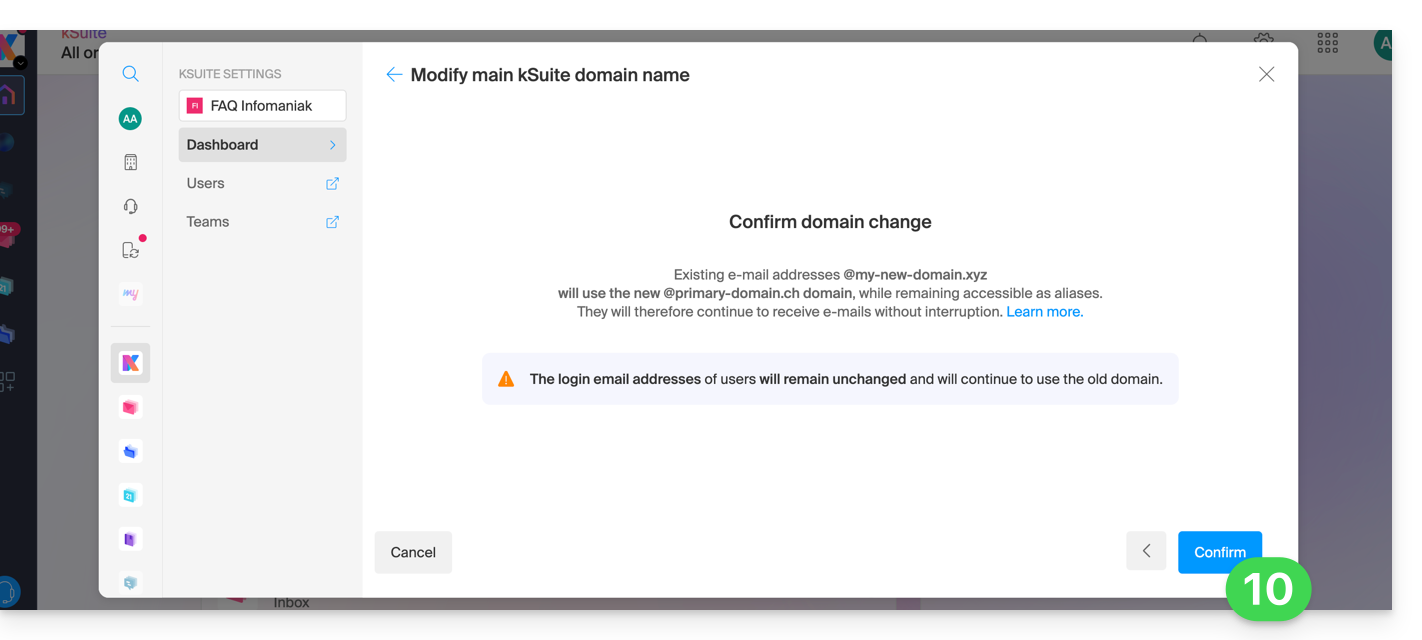
- Leia as informações na tela e confirme que as leu.
- Clique no botão Continuar:

- Clique no botão Confirmar:
Impacto no Serviço de E-mail
Ao inverter o nome de domínio da kSuite acima, o Serviço de E-mail dentro da kSuite é atualizado automaticamente. Você passará de:
… para isto:
Link para esta FAQ: https://faq.infomaniak.com/2701
Esta seção de perguntas frequentes foi útil?