Base de conhecimento
1000 perguntas frequentes, 500 tutoriais e vídeos explicativos. Aqui, você encontra apenas soluções!
Sistema de tickets: obtenha informações sobre os clientes
Este guia explica como coletar e recuperar informações dos clientes quando eles compram bilhetes no âmbito do sistema de bilheteira Infomaniak.
Configurar um formulário de contato
Para obter informações dos clientes:
- Clique aqui para acessar o gerenciamento do seu produto no Manager Infomaniak (precisa de ajuda?).
- Clique diretamente no nome atribuído ao sistema de bilheteira relacionado ao evento.
- Clique em Configurações no menu lateral esquerdo.
- Clique em Registo de clientes no menu lateral esquerdo.
- Ative as informações a serem solicitadas aos clientes e escolha a visibilidade:
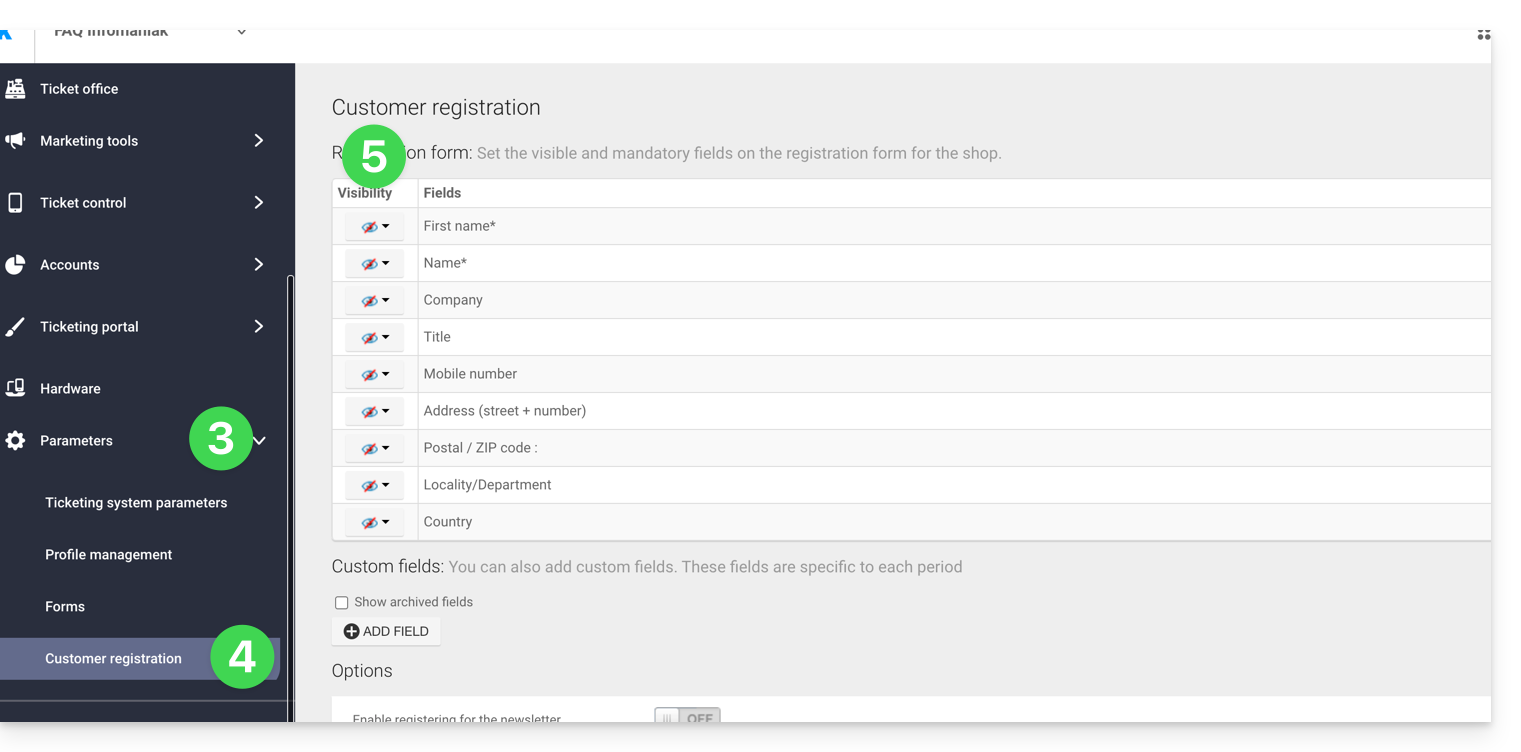
Visível e obrigatório
Visível, mas opcional
Invisível (não solicitar)
Adicionar campos adicionais
É possível adicionar informações adicionais a este formulário:
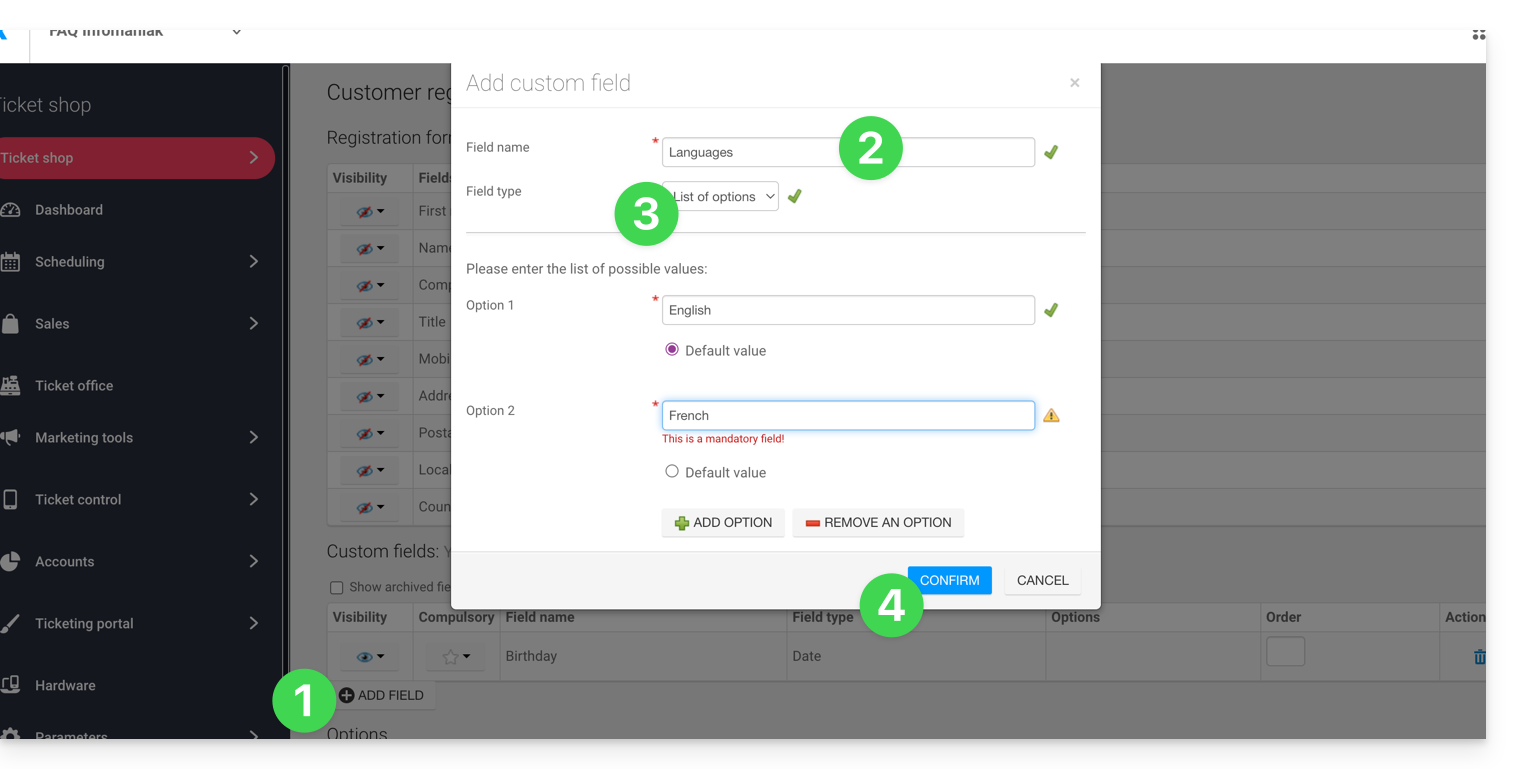
- Clique no botão Adicionar campo.
- Dê um nome ao campo e escolha o tipo de campo.
- Dependendo do tipo de campo, preencha com as opções dos menus suspensos ou caixas de seleção.
- Clique no botão para Confirmar:
Link para esta FAQ: https://faq.infomaniak.com/2697
Esta seção de perguntas frequentes foi útil?