Base de conhecimento
1000 perguntas frequentes, 500 tutoriais e vídeos explicativos. Aqui, você encontra apenas soluções!
Sistema de tickets: entenda as opções de pagamento
Este guia explica como gerenciar os diferentes métodos de pagamento (no âmbito do sistema de emissão de bilhetes Infomaniak).
Os métodos de pagamento disponíveis
É importante distinguir bem os 3 métodos de pagamento disponíveis:
- métodos online (preço: 0,89 + 1% + taxas bancárias)
- Postcard
- Cartão de crédito
- Twint
- métodos de pagamento no local ou diretamente na sua conta (preço: 0,20 por bilhete)
- em dinheiro
- Vale-presente
- Cartão de crédito
- por fatura
- no local
- pagamentos por troca (gratuito)
- trocas no balcão
- trocas na bilheteira online
- gratuito / convite
Além disso, existe um cartão de crédito de teste que permite simular um pagamento.
Ativar e gerir os métodos de pagamento
Para isso:
- Clique aqui para acessar o gerenciamento do seu produto no Manager Infomaniak (precisa de ajuda?).
- Clique diretamente no nome atribuído ao sistema de bilheteira relacionado ao evento.
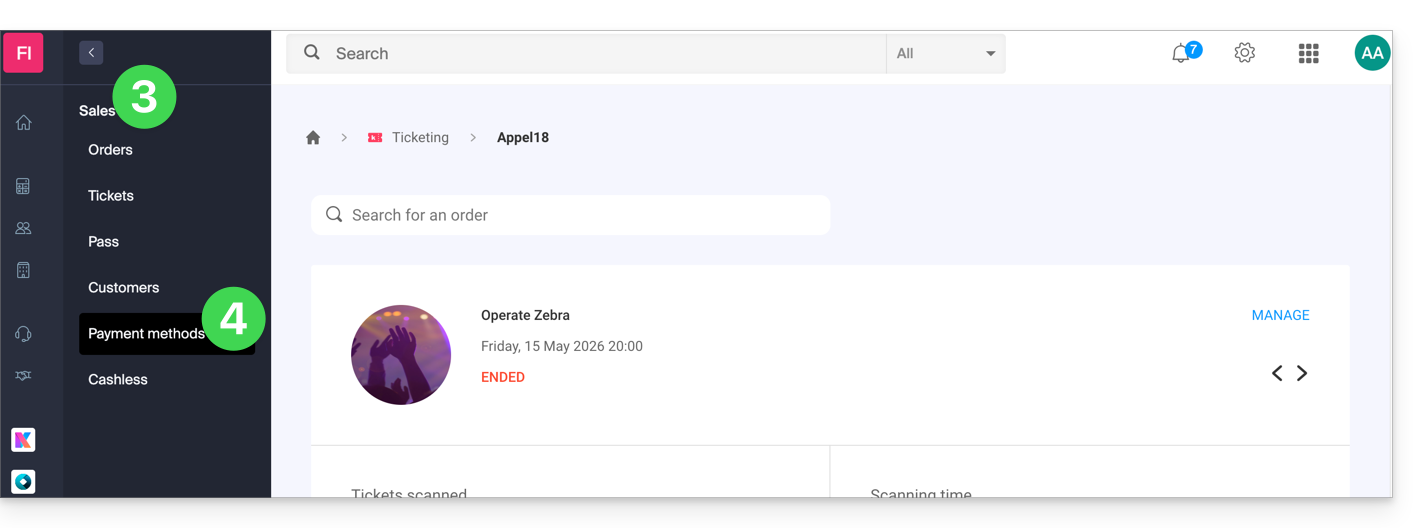
- Clique em Vendas no menu lateral esquerdo.
- Clique em Métodos de pagamento no menu lateral esquerdo:
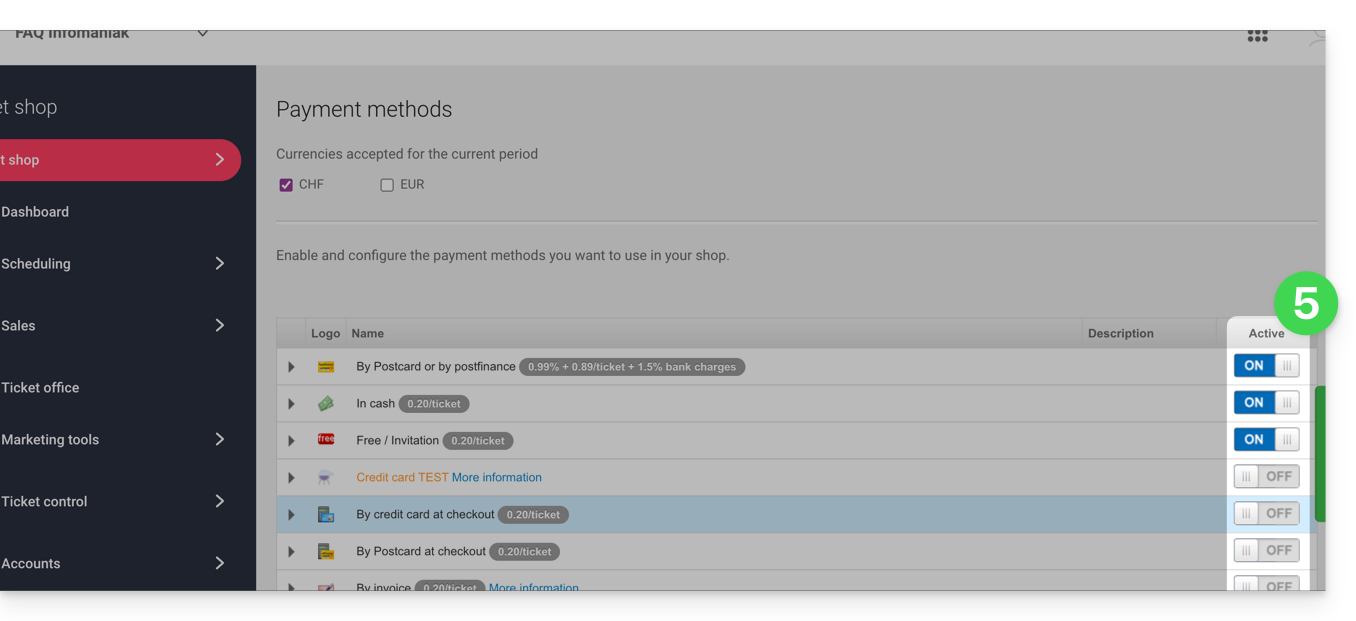
- Para ativar ou desativar um método de pagamento, mova o botão de alternância (toggle switch) para a posição ON ou OFF, à direita do método de pagamento desejado:
- Para gerir os detalhes de um método de pagamento, clique na seta à esquerda do método de pagamento para configurar diferentes aspetos:
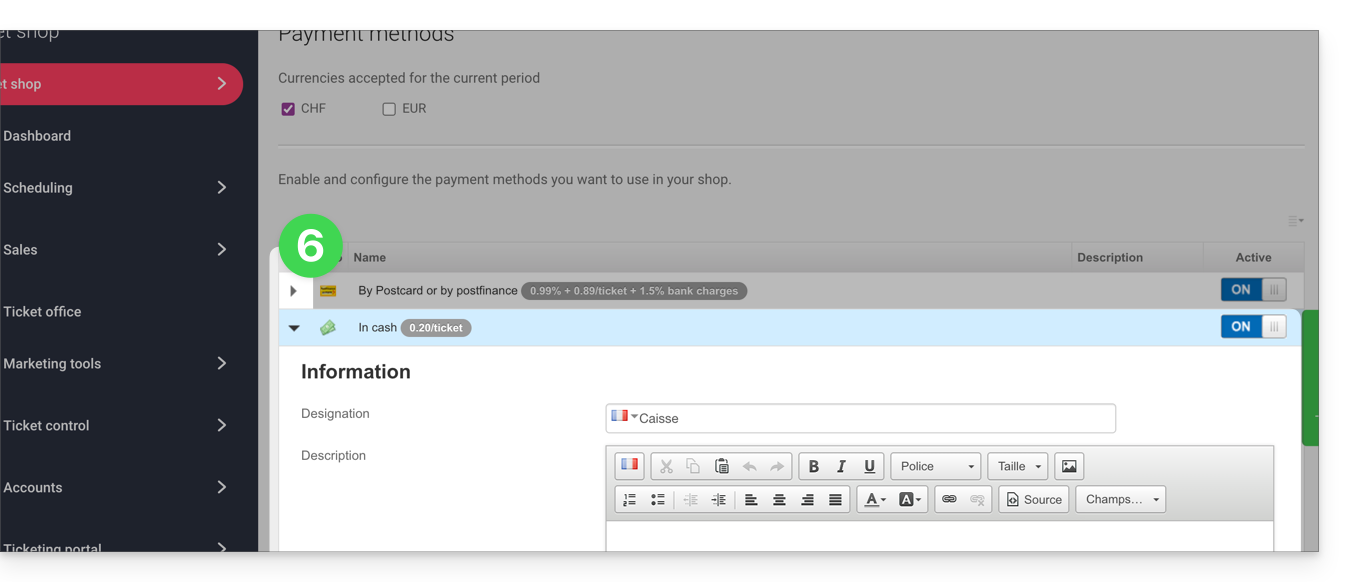
- Designação: o nome indicado para este método de pagamento
- Descrição: para a descrição deste método de pagamento, caso sejam necessárias explicações
- Mínimo necessário para que o método de pagamento esteja disponível
- Disponibilidade do método de pagamento (clientes, revendedores e administrador)
- Taxas de processamento ou de emissão de bilhetes (para o método de troca)
Link para esta FAQ: https://faq.infomaniak.com/2676
Esta seção de perguntas frequentes foi útil?