Base de conhecimento
1000 perguntas frequentes, 500 tutoriais e vídeos explicativos. Aqui, você encontra apenas soluções!
Bilheteira: trocar bilhetes no balcão
Este guia explica como realizar trocas de bilhetes no balcão (no âmbito do sistema de bilheteira Infomaniak).
Introdução
- Esta função permite selecionar novos bilhetes, cancelando os bilhetes atuais.
- Esta operação só é possível para bilhetes individuais; para passes, será necessário cancelar um bilhete e adicioná-lo novamente a partir do menu de passes.
Ativar o modo de troca
Para ativar o modo de pagamento Troca, consulte este outro guia e, em seguida:
- Acesse o Painel de Controle.
- No painel de controle, selecione o(s) novo(s) plano(s); eles serão adicionados ao carrinho, no lado direito da tela.
- Depois de selecionar todos os novos bilhetes, selecione o método de pagamento Troca:
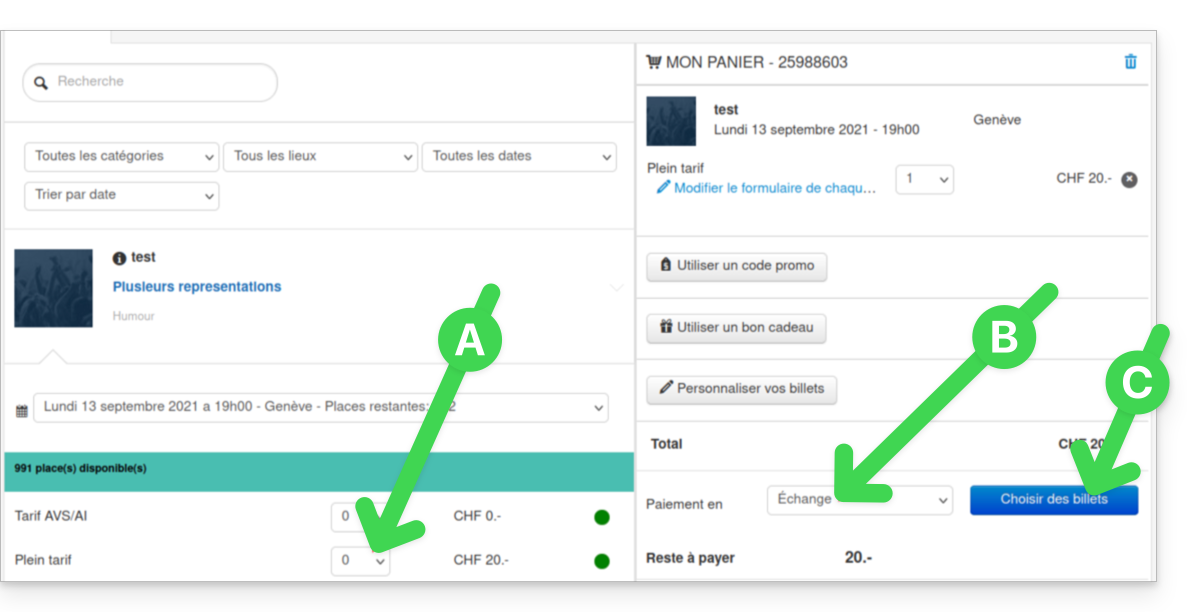
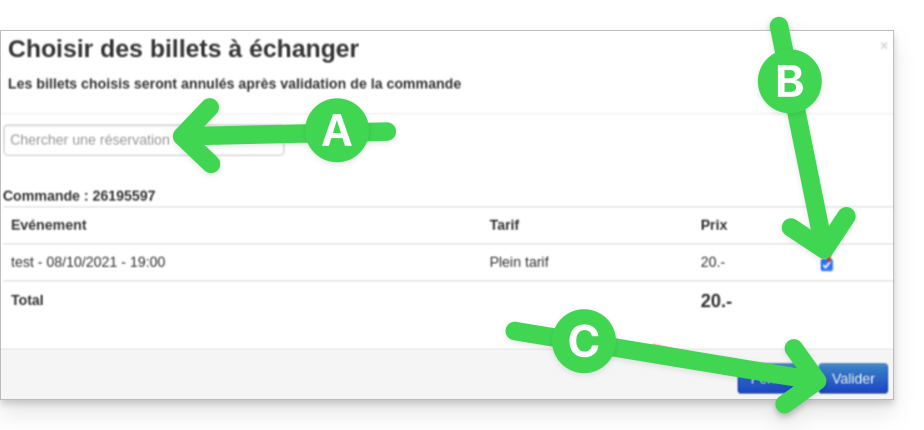
- Na nova janela, procure o pedido ou o número do bilhete.
- Selecione os bilhetes a cancelar e confirme:
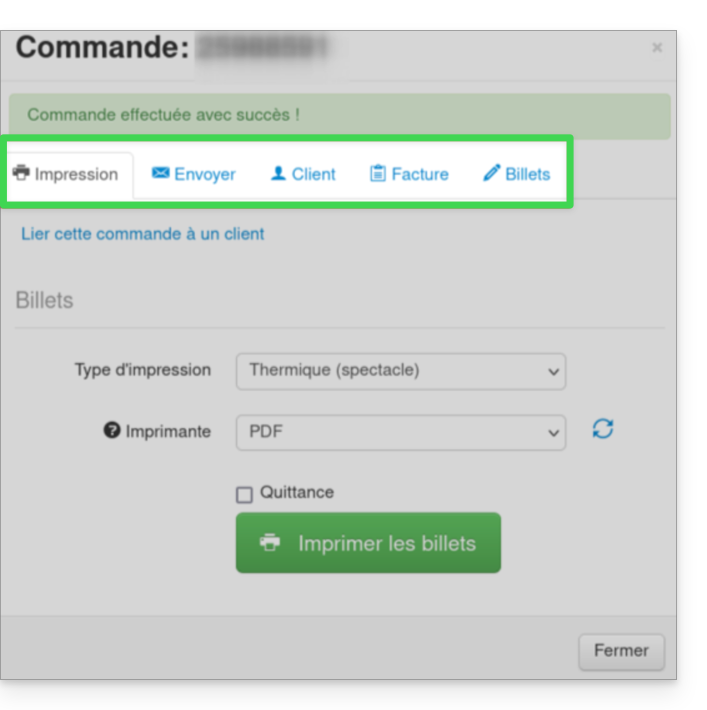
- Preencha as informações do cliente e envie a confirmação do pedido ao cliente ou imprima o bilhete:
Link para esta FAQ: https://faq.infomaniak.com/2657
Esta seção de perguntas frequentes foi útil?