Base de conhecimento
1000 perguntas frequentes, 500 tutoriais e vídeos explicativos. Aqui, você encontra apenas soluções!
Sistema de tickets: instalar a estação 4G
Atualização 06/10/2026
Este guia explica como configurar e usar o terminal 4G para conectar seu kit de vendas ou seus scanners ao sistema de emissão de bilhetes Infomaniak.
Introdução
- O terminal 4G funciona como um ponto de acesso para seus dispositivos de venda no local e seus scanners.
- Ele se conecta a uma rede de telefonia móvel e cria uma rede à qual tablets, impressoras e scanners se conectarão.
- Não é necessário usar a conexão Ethernet RJ45 para usar o hotspot 4G.
Configurar o hotspot 4G
Pré-requisitos
- Ter uma cobertura de rede móvel suficiente para que o dispositivo 4G possa funcionar.
Como usar o terminal
Para isso:
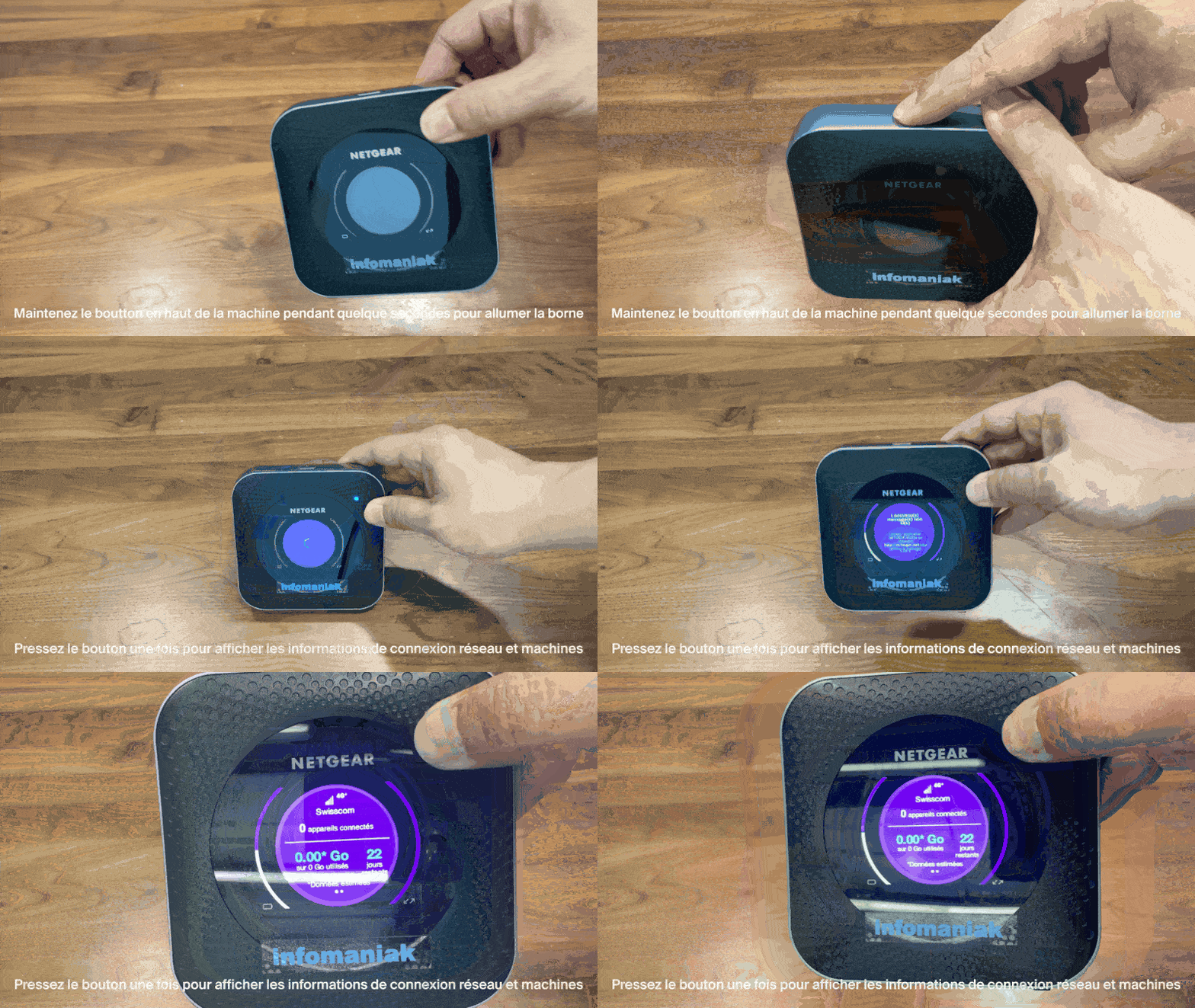
- Pressione o botão localizado na parte superior do dispositivo por cerca de 4 segundos:
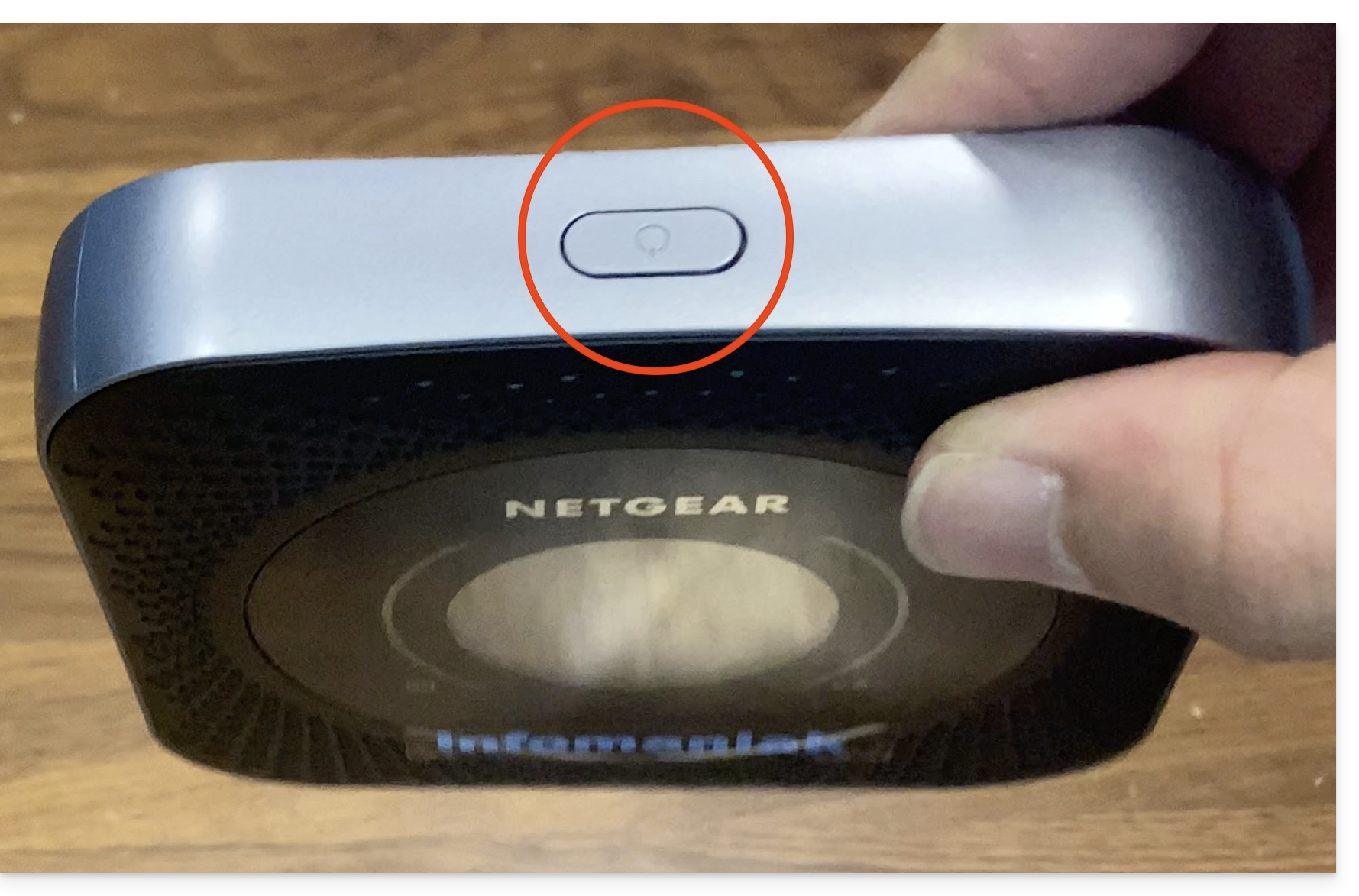
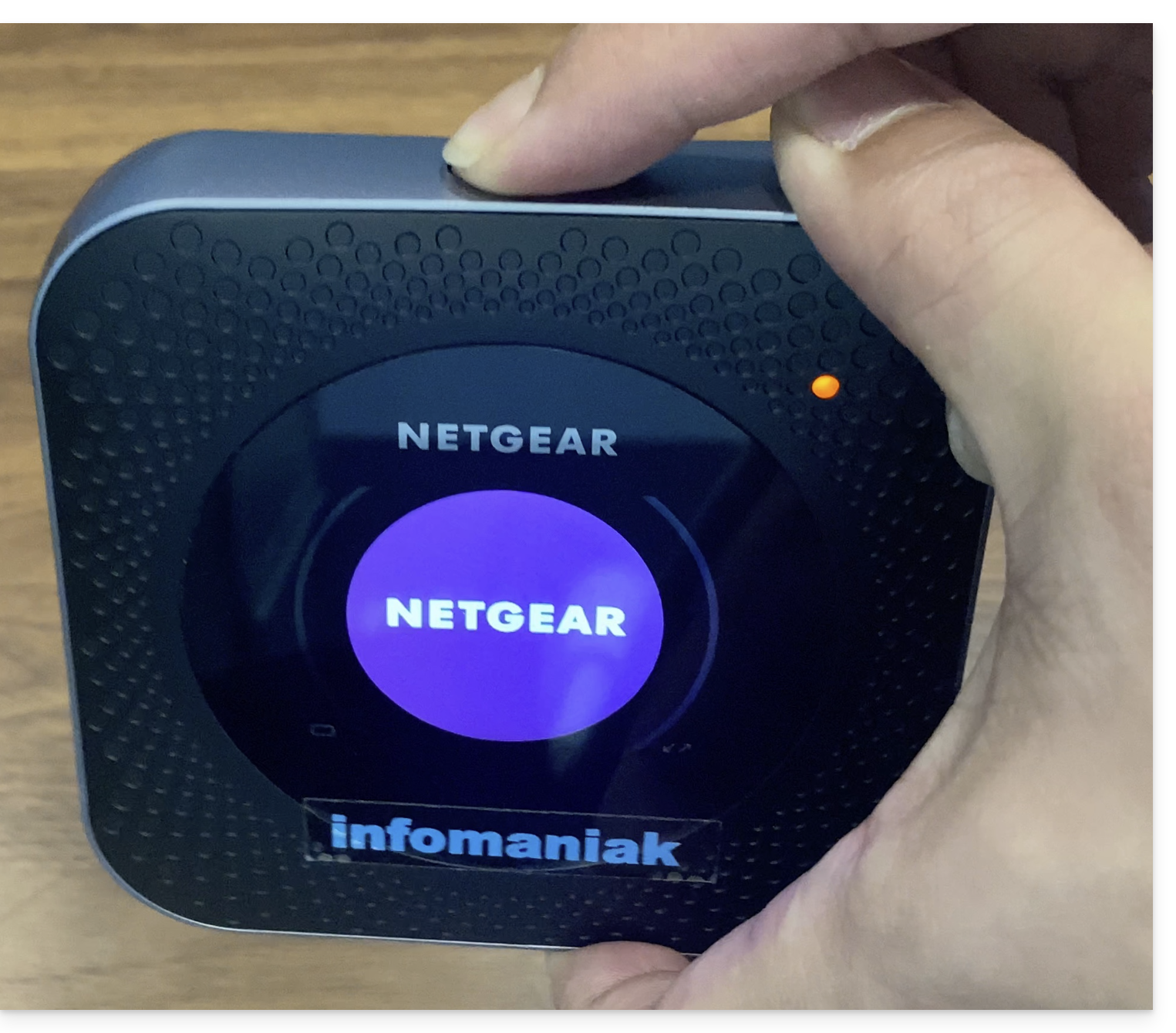
- O ecrã irá ligar:
- O dispositivo conecta-se automaticamente à rede Swisscom e está pronto para uso:
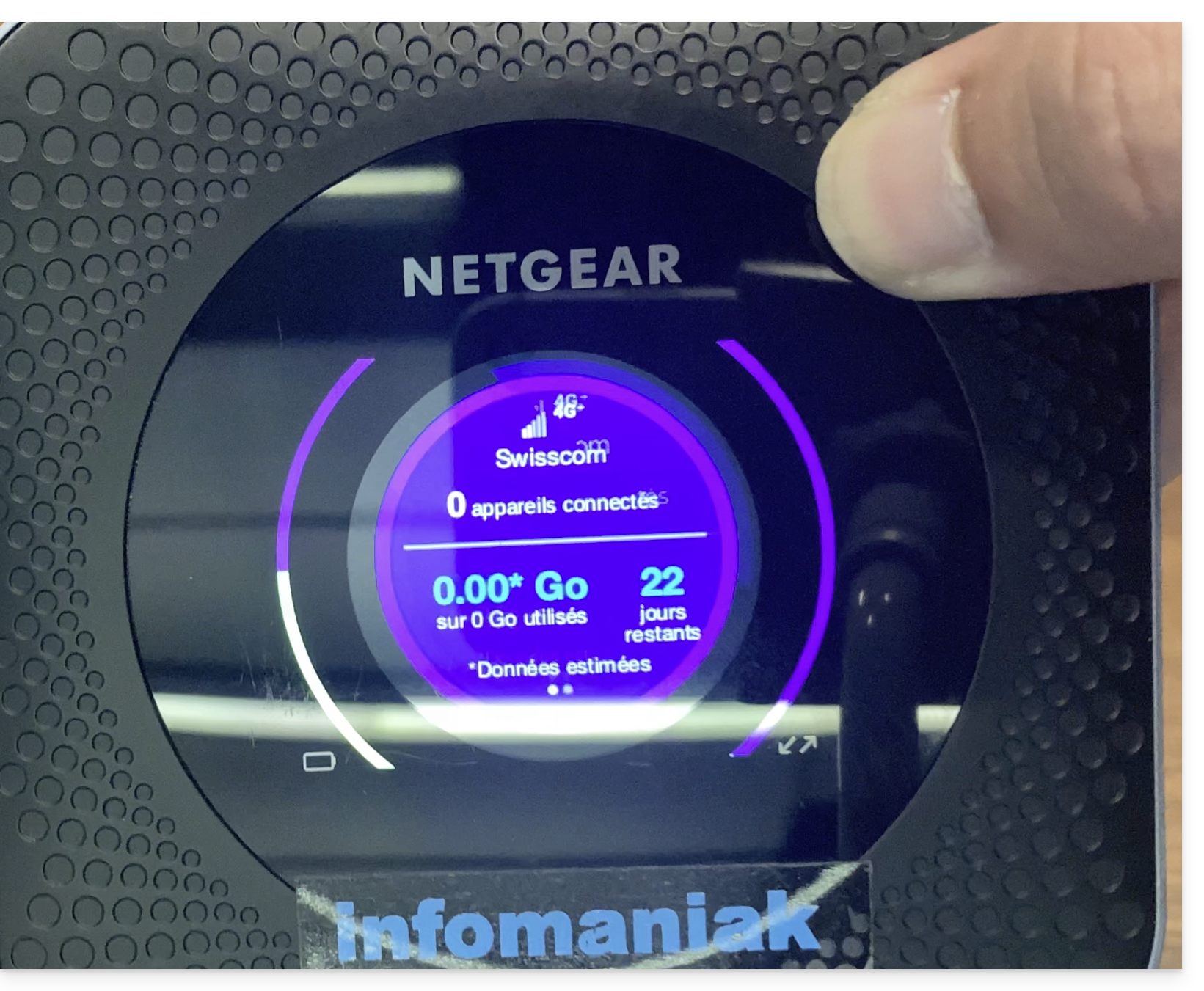
- É possível verificar o número de dispositivos conectados ao dispositivo com um simples toque no botão.
- O número de dias restantes é uma contagem regressiva até o final do mês e não tem qualquer impacto no uso do dispositivo.
- Uma vez que o dispositivo é ligado e conectado à rede 4G, ele cria uma rede com o nome Infomaniak.
- As impressoras, tablets e scanners Infomaniak conectam-se automaticamente a esta rede.
Link para esta FAQ: https://faq.infomaniak.com/2647
Esta seção de perguntas frequentes foi útil?