Base de conhecimento
1000 perguntas frequentes, 500 tutoriais e vídeos explicativos. Aqui, você encontra apenas soluções!
Sistema de tickets: instruções de uso do pacote de vendas no local
Este guia explica como configurar e usar o seu pacote de vendas com a impressora Zebra para bilhetes de formato de espetáculo e cinema (no âmbito do sistema de bilheteira Infomaniak).
Instalação e configuração do pacote de vendas
Conexão dos dispositivos
- Conecte o cabo de alimentação do tablet Samsung TabS.
- Ligue a fonte de alimentação da impressora Zebra.
- Ligue o terminal Wi-Fi ou 4G e certifique-se de que está conectado às outras máquinas.
- Verifique se o tablet está conectado à rede Infomaniak.
Configuração da impressora
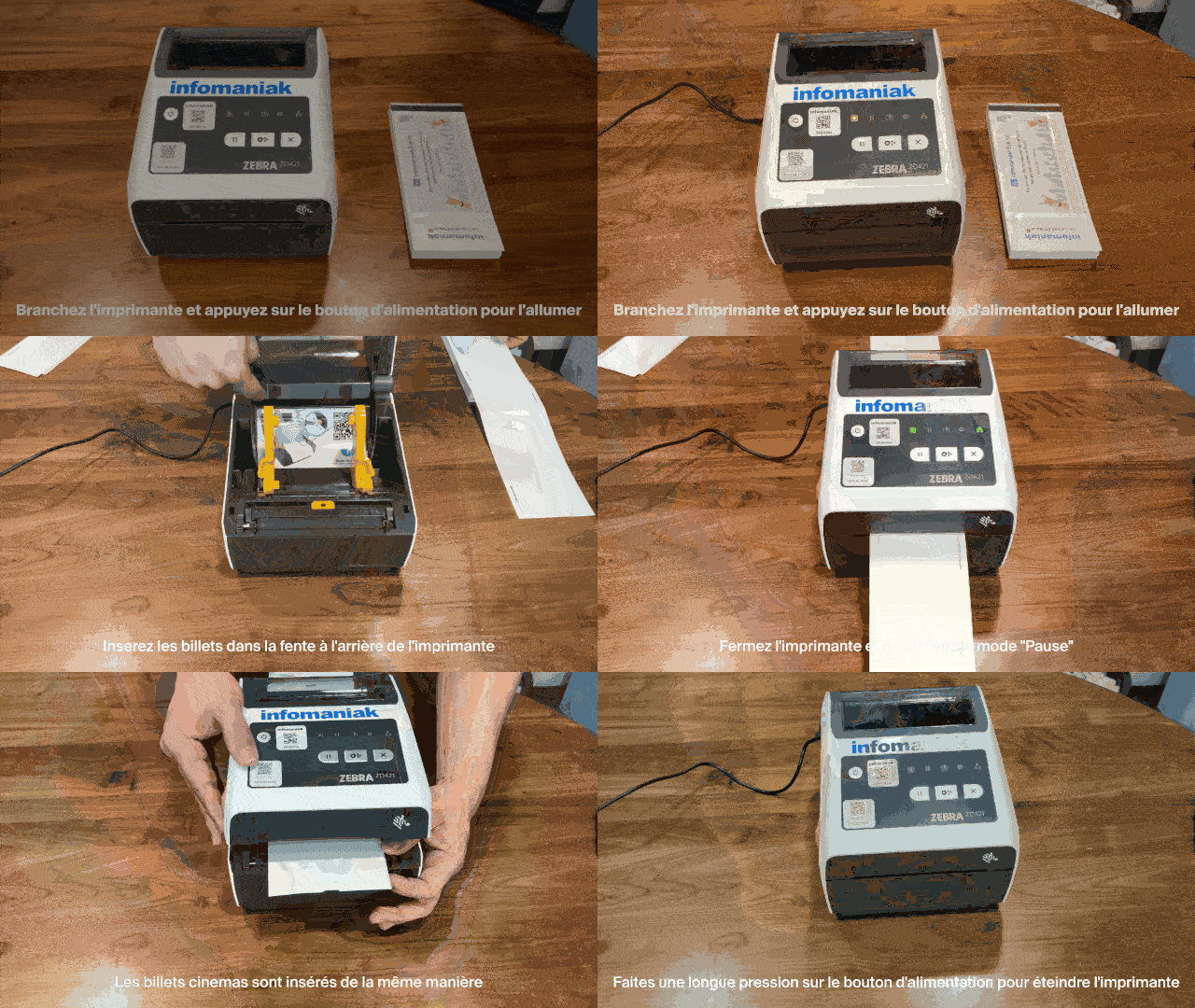
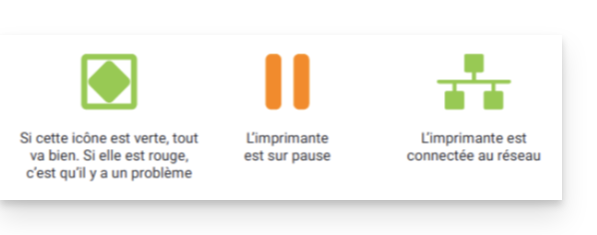
- Ligue a impressora à tomada e pressione o botão de energia para ligá-la e, em seguida, aguarde até que as duas luzes indicadoras fiquem verdes.
- Abra a impressora usando as travas de abertura localizadas nas laterais:


Insira os bilhetes na fenda na parte traseira da impressora:
- Bilhetes de espetáculo: certifique-se de que a aba removível esteja posicionada na parte traseira da impressora. Tenha em conta os logótipos da Infomaniak: o primeiro sai à esquerda, o segundo à direita (o bilhete deve estar na posição correta quando sair).
- Bilhetes de cinema: insira-os da mesma forma.


- Feche a impressora e, em seguida, pressione o botão "Pausa" para desativar o modo de pausa. A impressora está pronta para uso:

- Para desligar a impressora, pressione e mantenha pressionado o botão de energia.
Impressão de bilhetes com a impressora
Verificação do formato
As impressoras já estão configuradas para o formato dos bilhetes encomendados. Se necessário, é possível verificar a configuração abrindo o menu no canto superior esquerdo e em Opções. A opção Bilhetes no formato de cinema só deve ser ativada se os bilhetes forem utilizar este formato (ver mais abaixo na calibração ao alterar o formato).
Impressão de bilhetes
Para iniciar as impressões, é necessário conectar-se à conta da bilheteria a partir do tablet, utilizando o identificador e a senha da conta Infomaniak. O tablet conectará automaticamente à interface do balcão.
- Efetue um pedido de «teste» ou utilize um comando no menu «Comando».
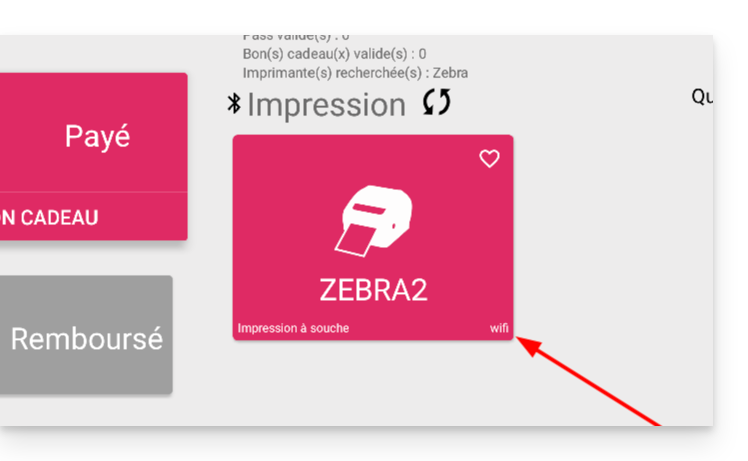
- A impressora deve aparecer (ZEBRAXX) na parte direita da tablet.
- Toque no ícone da impressora para iniciar a impressão:
Configurar o tipo de bilhete correto na impressora
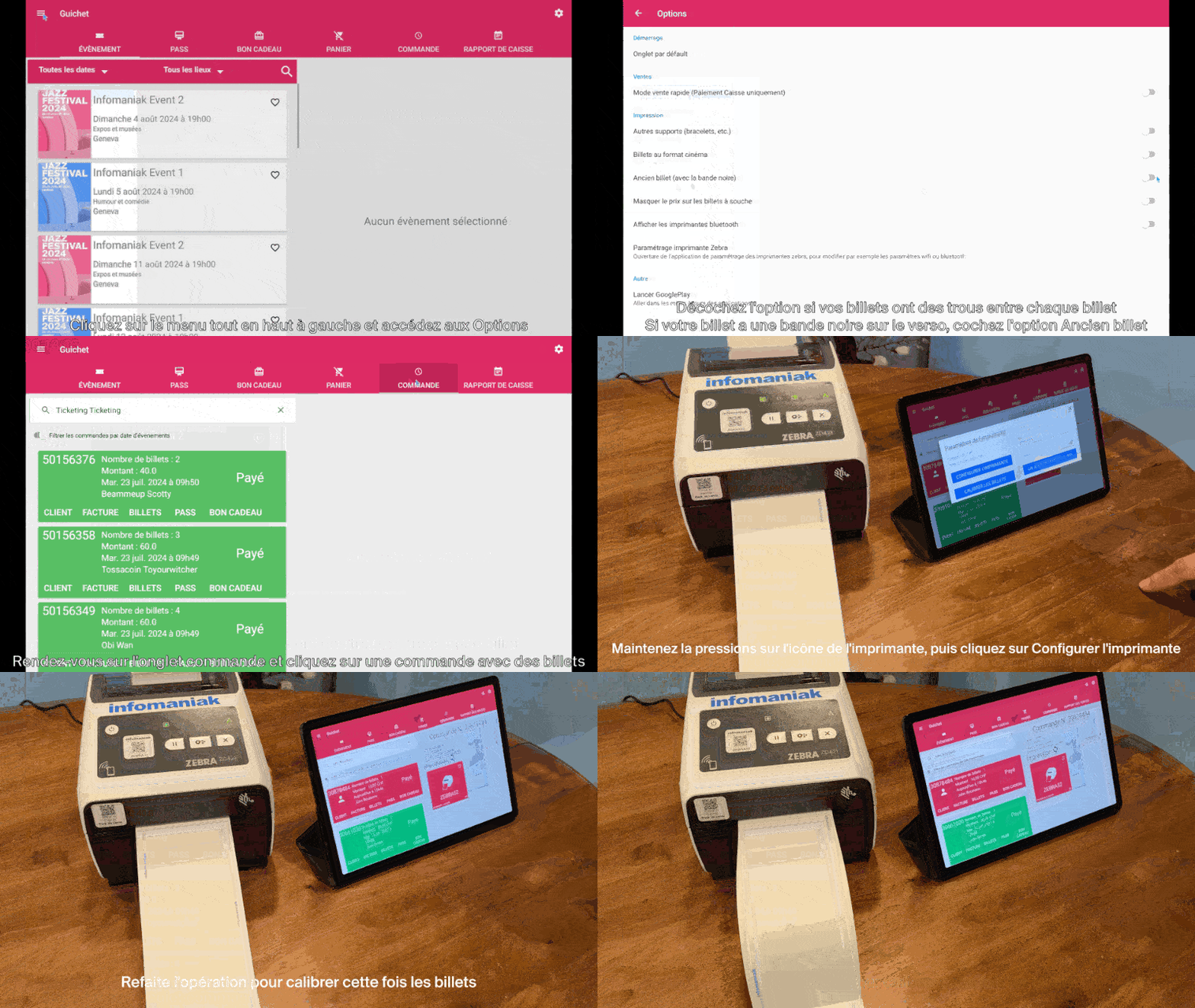
Esta secção destina-se apenas a utilizadores que tenham um stock de bilhetes encomendado antes de julho de 2024…
Desde julho de 2024, a Infomaniak fornece bilhetes com novos separadores na forma de um entalhe. Se ainda tiver bilhetes antigos, veja a animação abaixo para configurar corretamente os seus bilhetes:
Saiba mais
Link para esta FAQ: https://faq.infomaniak.com/2645
Esta seção de perguntas frequentes foi útil?