Base de conhecimento
1000 perguntas frequentes, 500 tutoriais e vídeos explicativos. Aqui, você encontra apenas soluções!
Associar um nome de domínio adicional ao kSuite
Atualização 01/09/2026
Este guia explica como associar vários nomes de domínio a uma kSuite existente, adicionando nomes de domínio adicionais.
Pré-requisitos
- Possuir o novo nome de domínio (se necessário, crie-o previamente).
- Consulte as instruções deste outro guia e siga as instruções correspondentes à sua situação (para garantir que o nome de domínio funcione quando for associado à sua kSuite).
Adicionar um nome de domínio ao kSuite
Depois que o novo nome de domínio estiver pronto para ser usado em conjunto com o antigo, é preciso adicioná-lo ao kSuite:
- Clique aqui para acessar o gerenciamento do seu kSuite (precisa de ajuda?).
- Clique no ícone Configurações no canto superior direito.
- Clique em kSuite no menu lateral esquerdo.
- Clique em Domínios:
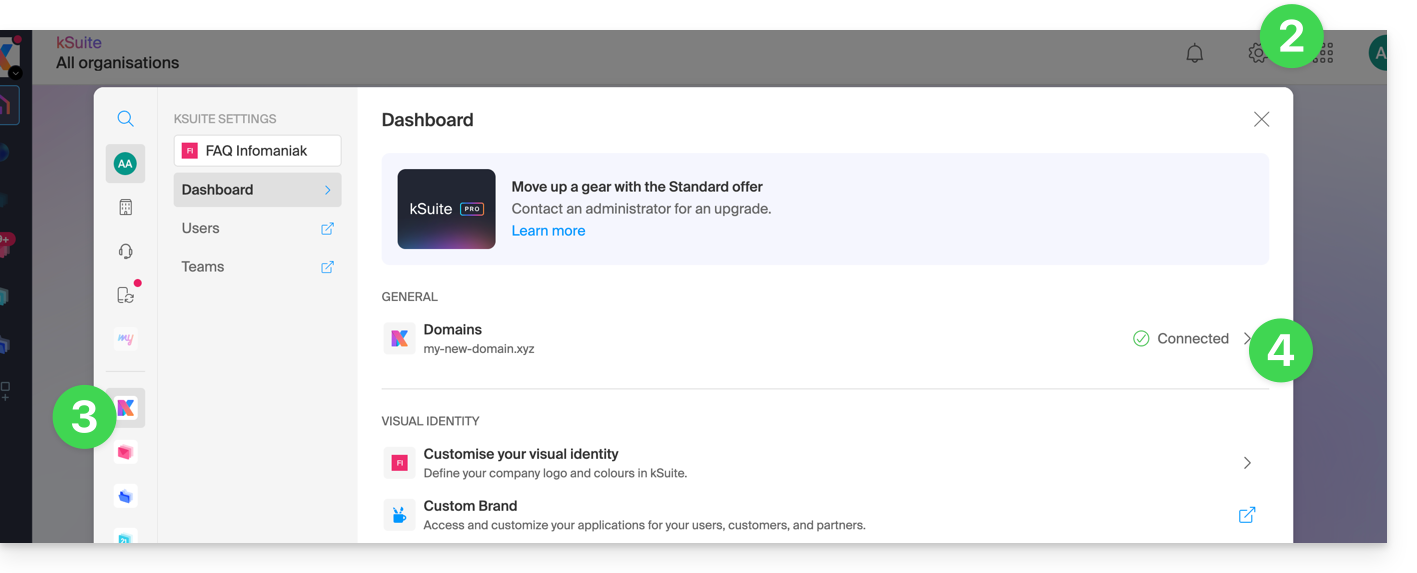
- Clique no botão azul Adicionar um domínio alias:

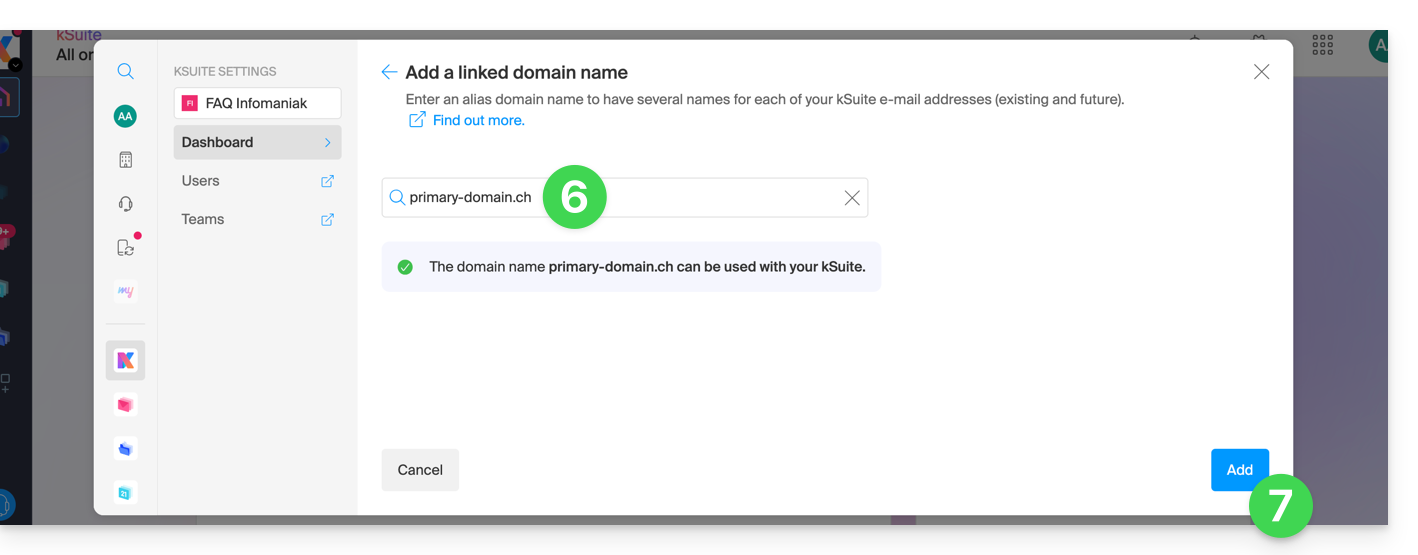
- Escolha o domínio a ser associado entre os domínios da sua Organização (que ainda estejam disponíveis, ou seja, não associados a nenhum serviço) ou insira um nome de domínio externo (consulte os pré-requisitos).
- Clique no botão para adicionar o domínio:
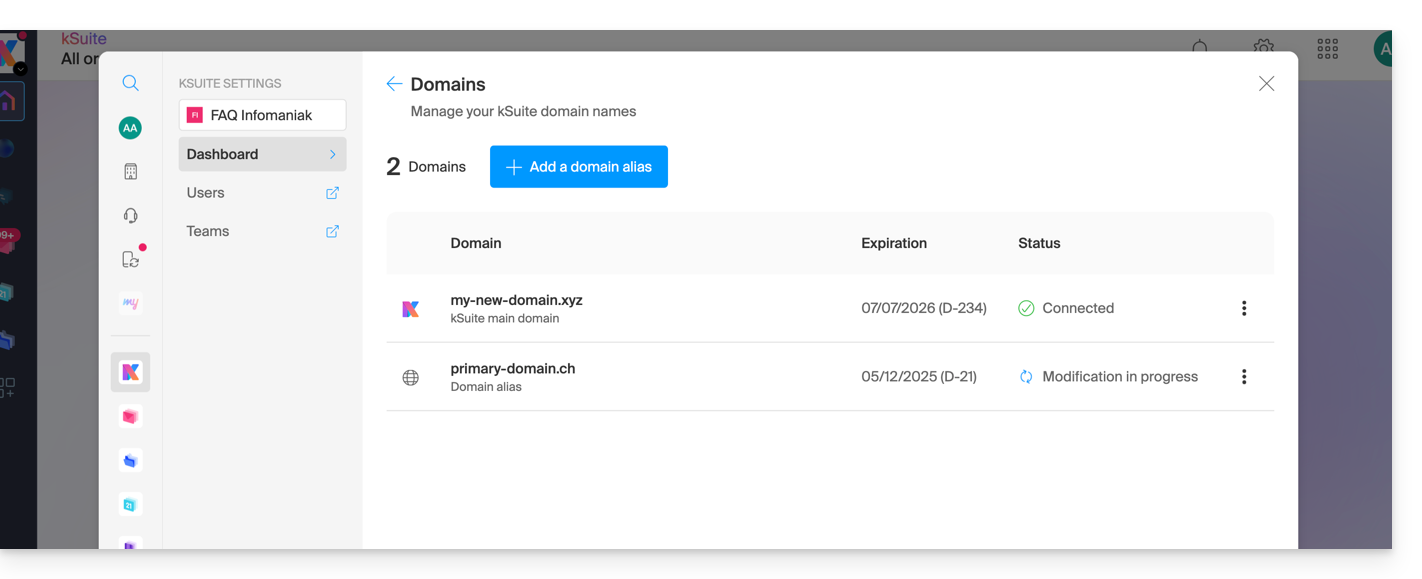
- O domínio foi associado com sucesso:
Você também pode considerar uma inversão do nome de domínio adicional vinculado ao kSuite, juntamente com seu domínio principal, a fim de alterar o nome de domínio do seu kSuite.
Link para esta FAQ: https://faq.infomaniak.com/2640
Esta seção de perguntas frequentes foi útil?