Base de conhecimento
1000 perguntas frequentes, 500 tutoriais e vídeos explicativos. Aqui, você encontra apenas soluções!
Sistema de tickets: gerenciar o método de pagamento "troca"
Este guia explica como configurar o método de pagamento Troca (no âmbito do sistema de bilheteira Infomaniak).
Introdução
- Este método de pagamento permitirá que seus clientes troquem os bilhetes que possuem por novos bilhetes.
Ativar o método de pagamento na Bilheteria
Para isso:
- Clique aqui para acessar o gerenciamento do seu produto no Manager Infomaniak (precisa de ajuda?).
- Clique diretamente no nome atribuído ao sistema de bilheteira relacionado ao evento.
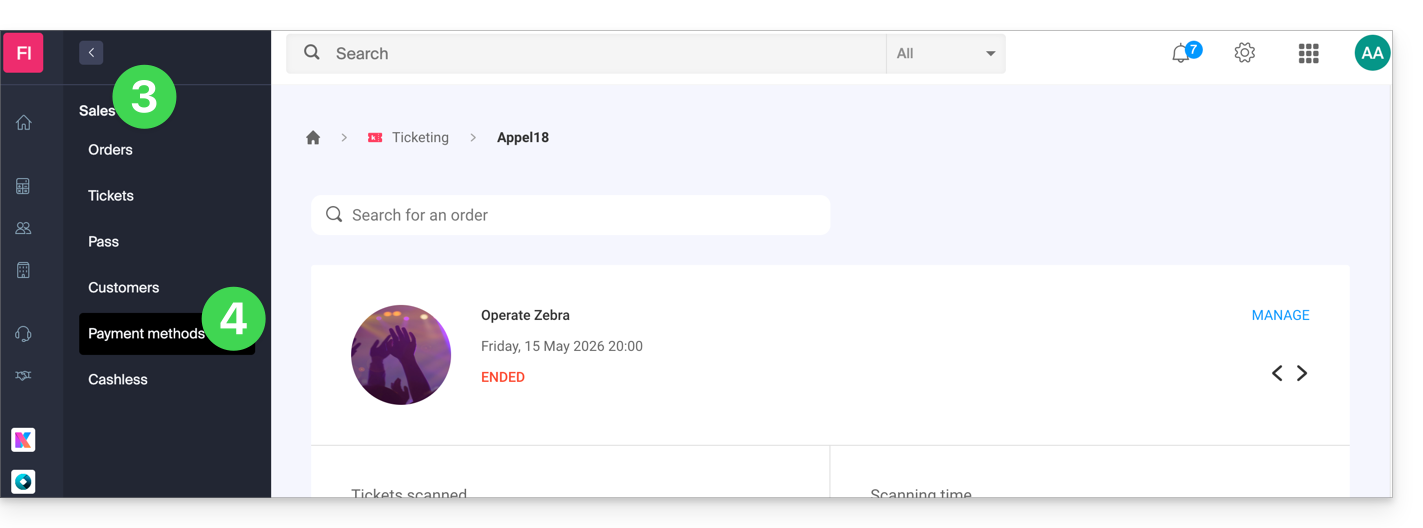
- Clique em Vendas no menu lateral esquerdo.
- Clique em Métodos de pagamento no menu lateral esquerdo:
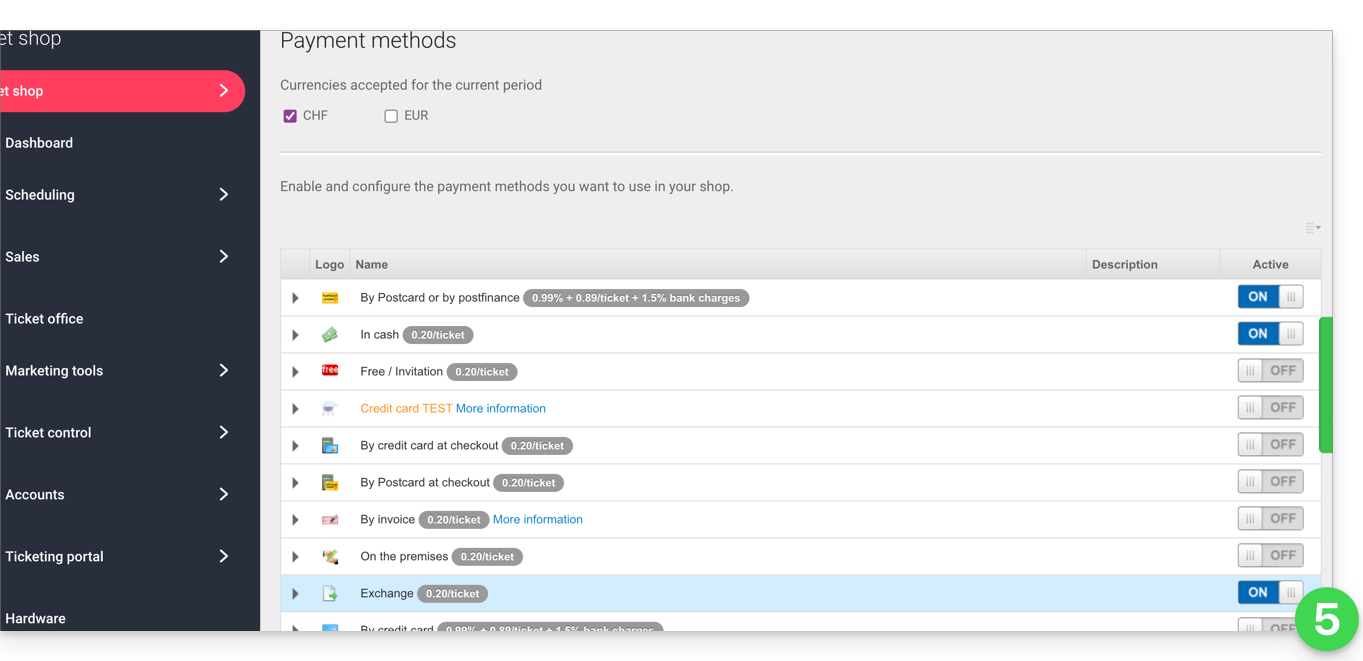
- Mova o botão de alternância (toggle switch) para a posição ON, à direita do item Troca:
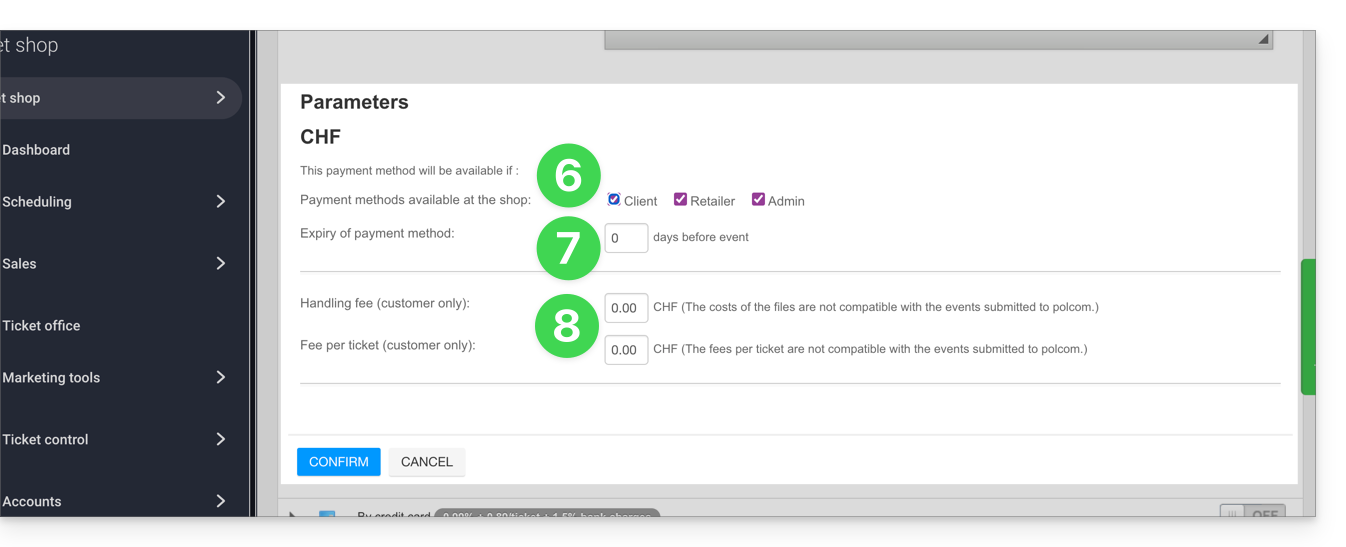
- Clique na seta à esquerda do modo Troca e marque a caixa cliente para ativar esta opção para os clientes no sistema de bilheteira online; assim, eles poderão efetuar as trocas diretamente na sua bilheteira online.
- Defina o número de dias antes do evento a partir do qual o cliente não poderá trocar o bilhete.
- Este valor permite impedir que o cliente altere os bilhetes na bilheteira online numa data muito próxima do evento.
- Especifique, em seguida, as taxas associadas a esta operação, que o cliente terá de pagar para trocar os bilhetes:
Após ativar a opção, seus clientes encontrarão a opção para trocar os bilhetes na parte inferior da página de emissão de bilhetes.
Link para esta FAQ: https://faq.infomaniak.com/2633
Esta seção de perguntas frequentes foi útil?