Base de conhecimento
1000 perguntas frequentes, 500 tutoriais e vídeos explicativos. Aqui, você encontra apenas soluções!
Remover um local de backup na nuvem no Swiss Backup
Este guia explica como remover um dispositivo (do tipo backup na nuvem) no Swiss Backup, a solução de backup em uma nuvem suíça independente.
Remover um dispositivo (Swift, S3, etc.)
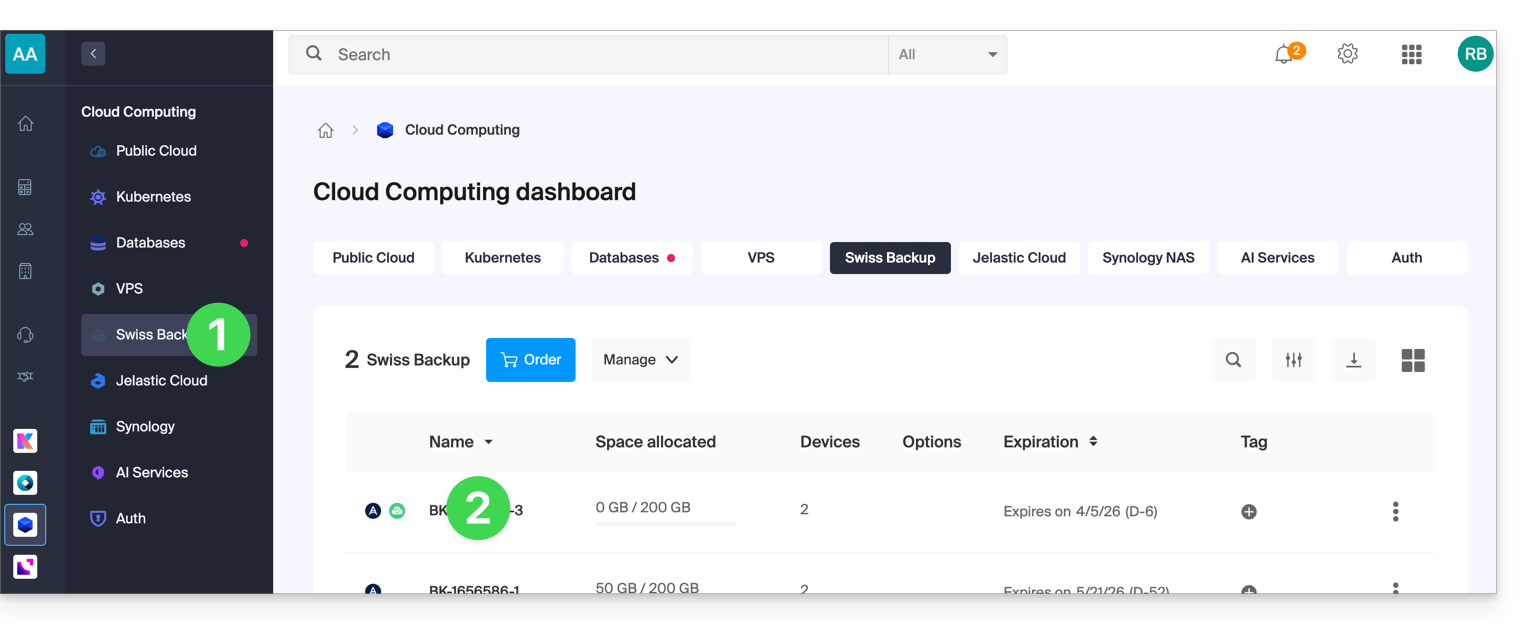
Para aceder ao Swiss Backup e remover um dos locais de armazenamento:
- Clique aqui para aceder à gestão do seu produto no Manager Infomaniak (precisa de ajuda?).
- Clique diretamente no nome atribuído ao produto em questão:
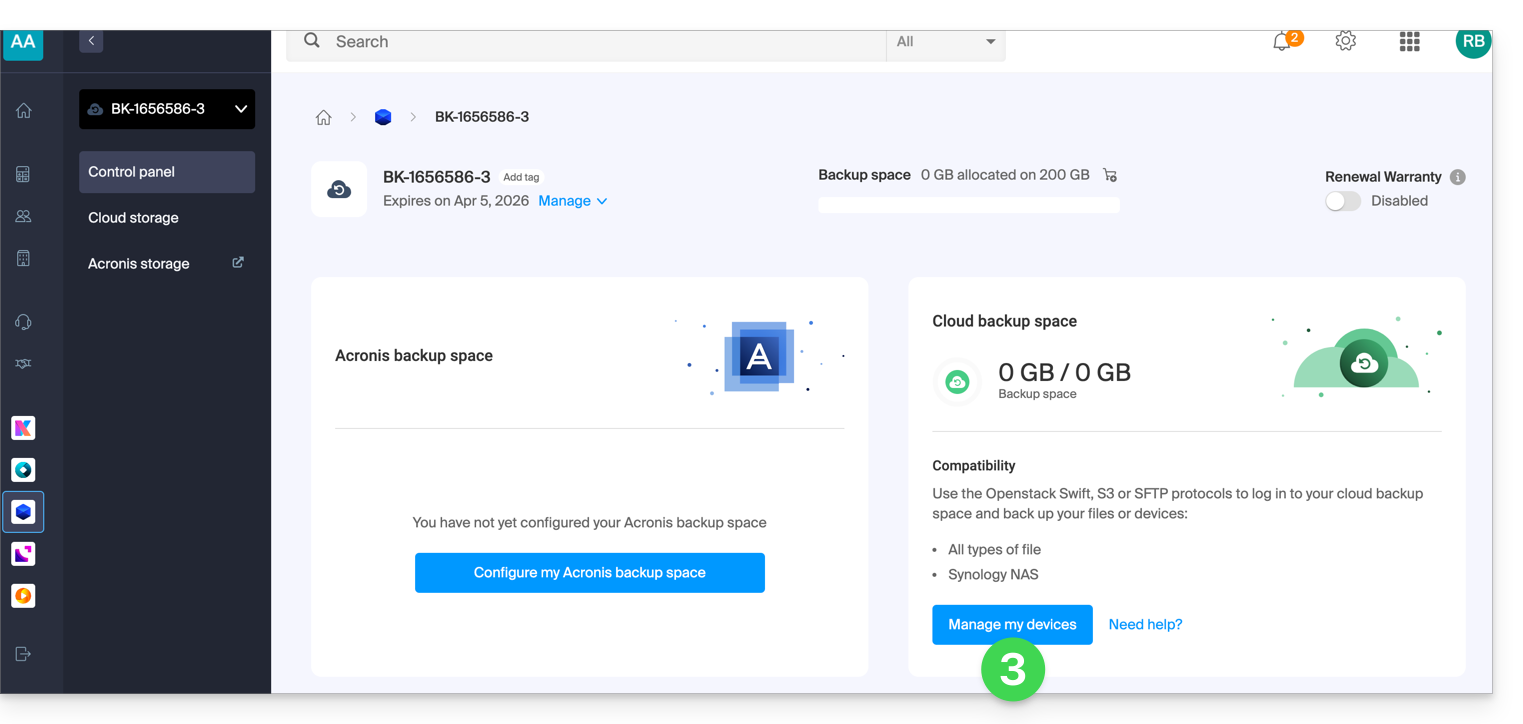
- Clique no botão azul Gerenciar meus dispositivos (na seção Espaço de armazenamento na nuvem):
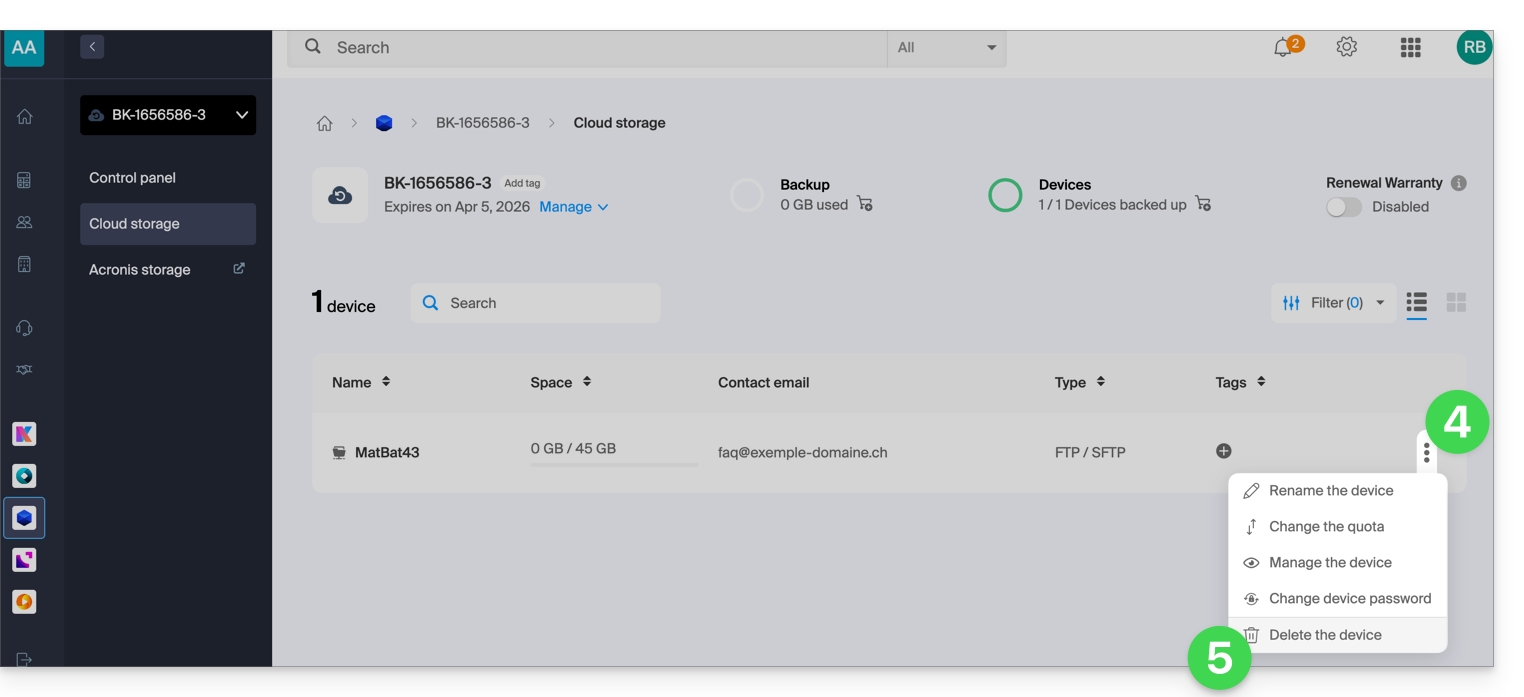
- Clique no menu de ação ⋮ à direita do item correspondente na tabela exibida.
- Clique em Remover dispositivo:
- Confirme a exclusão inserindo a senha de acesso ao Manager e ativando a caixa de confirmação.
A exclusão do dispositivo é irreversível e todos os dados armazenados serão removidos dos servidores Infomaniak, sem possibilidade de recuperação.
Para escolher um novo dispositivo no Swiss Backup, consulte este outro guia.
Link para esta FAQ: https://faq.infomaniak.com/2625
Esta seção de perguntas frequentes foi útil?