Base de conhecimento
1000 perguntas frequentes, 500 tutoriais e vídeos explicativos. Aqui, você encontra apenas soluções!
Adicionar e gerenciar os tokens de API da Infomaniak
Atualização 01/10/2026
Este guia explica como criar e gerenciar seus tokens de autenticação para interagir com a API Infomaniak (❓: ajuda) de forma segura.
Introdução
- Características dos tokens:
- Número: sem limite de criação
- Validade: ilimitada por padrão (personalizável no momento da criação)
- Inatividade: um token é automaticamente desativado se não for utilizado durante um ano
- Exemplo de utilização:
- Token para a API Newsletter (❓: ajuda)
Gerenciar os tokens da API
Ao criar, você deve definir a aplicação e o escopo de acesso:
- Clique aqui para acessar o gerenciamento de tokens no painel de controle (❓: ajuda).
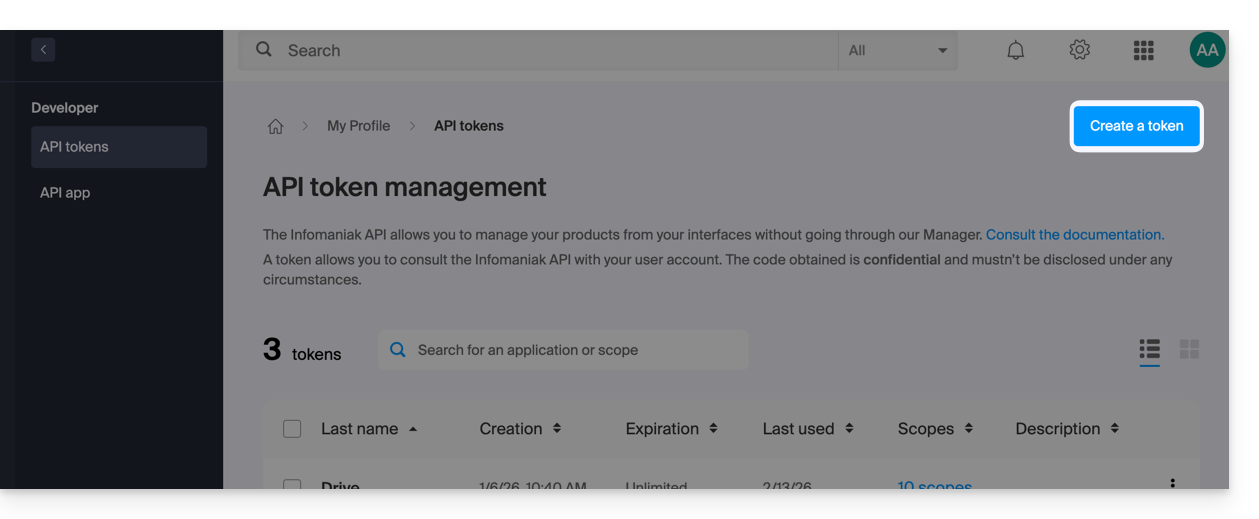
- Clique em Criar um token:
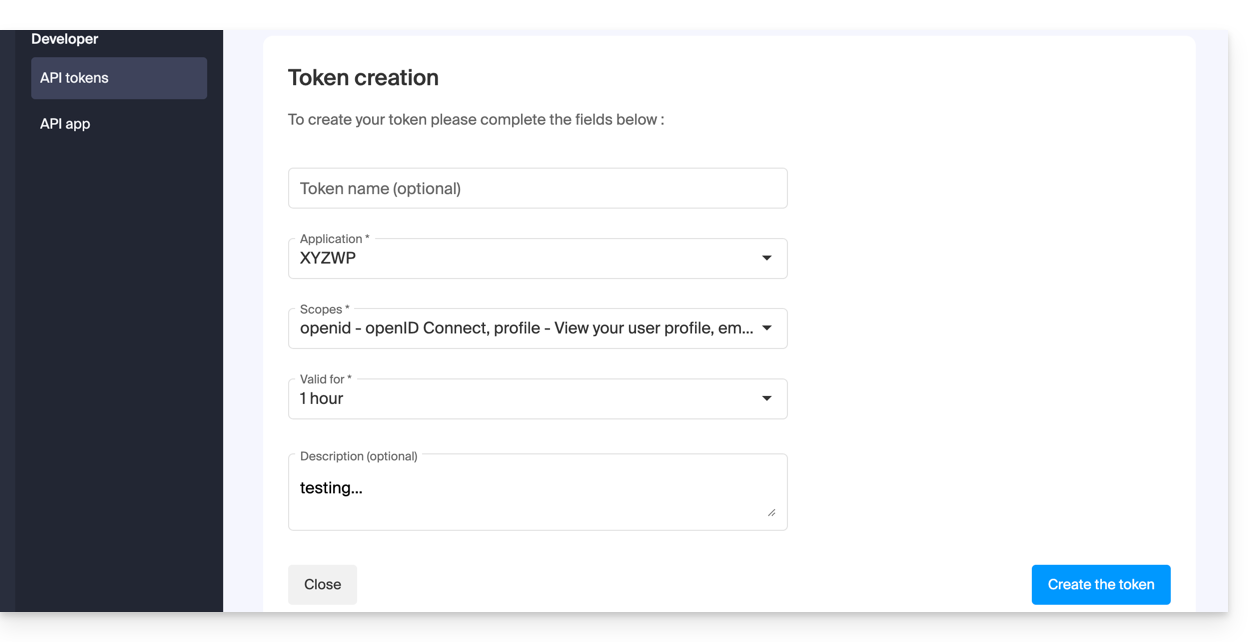
- Selecione o produto/aplicativo e o período de validade:
- Confirme a operação com a sua senha de conta.
- Importante: copie o token e guarde-o num local seguro; ele não será mais exibido posteriormente.
Para remover tokens, selecione-os e clique no botão de revogação que aparece: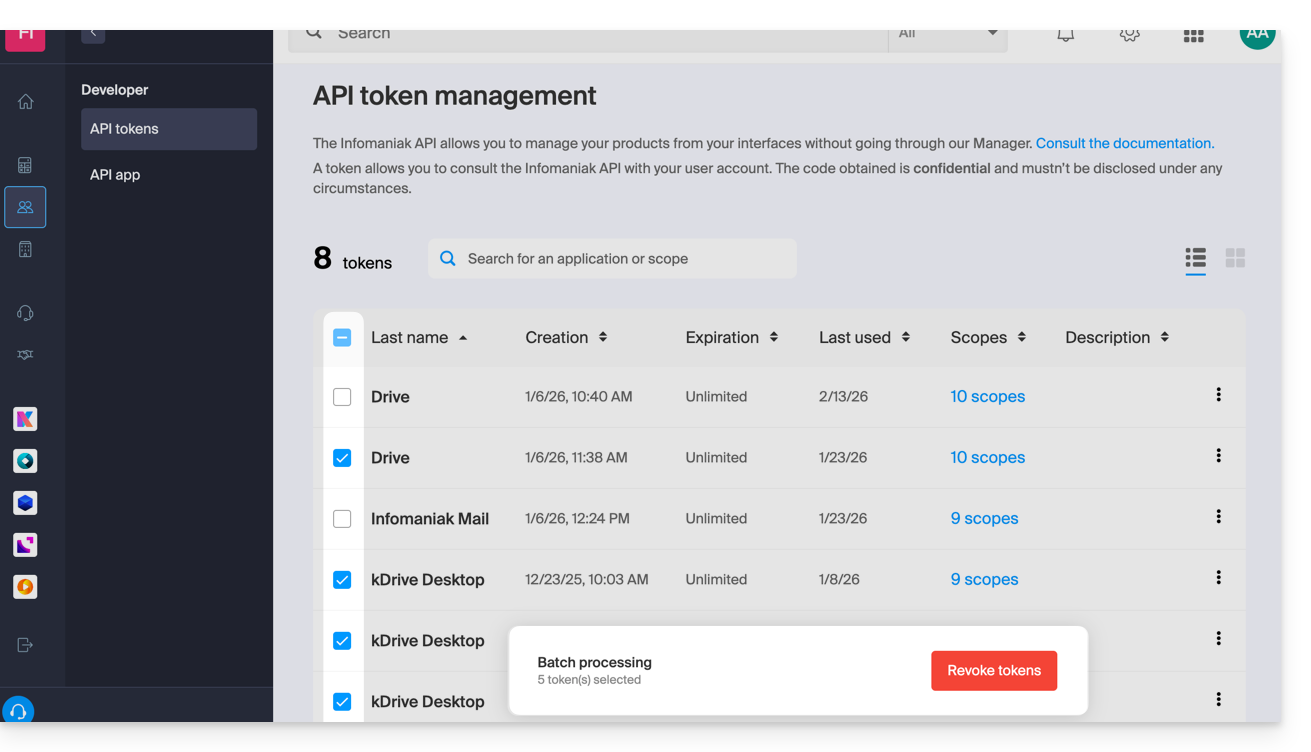
Link para esta FAQ: https://faq.infomaniak.com/2582
Esta seção de perguntas frequentes foi útil?