Base de conhecimento
1000 perguntas frequentes, 500 tutoriais e vídeos explicativos. Aqui, você encontra apenas soluções!
Sistema de tickets: criar eventos com várias datas
Este guia explica como criar eventos com várias datas (no âmbito do sistema de bilheteira Infomaniak).
Criar um evento com várias datas
Para isso:
- Clique aqui para acessar o gerenciamento do seu produto no Manager Infomaniak (precisa de ajuda?).
- Clique diretamente no nome do serviço de bilheteira em questão.
- Clique em Programação no menu lateral esquerdo.
- Clique em Eventos no menu lateral esquerdo.
- Clique no botão Adicionar evento.
- Na etapa Data e Local, será possível escolher a opção Várias sessões:
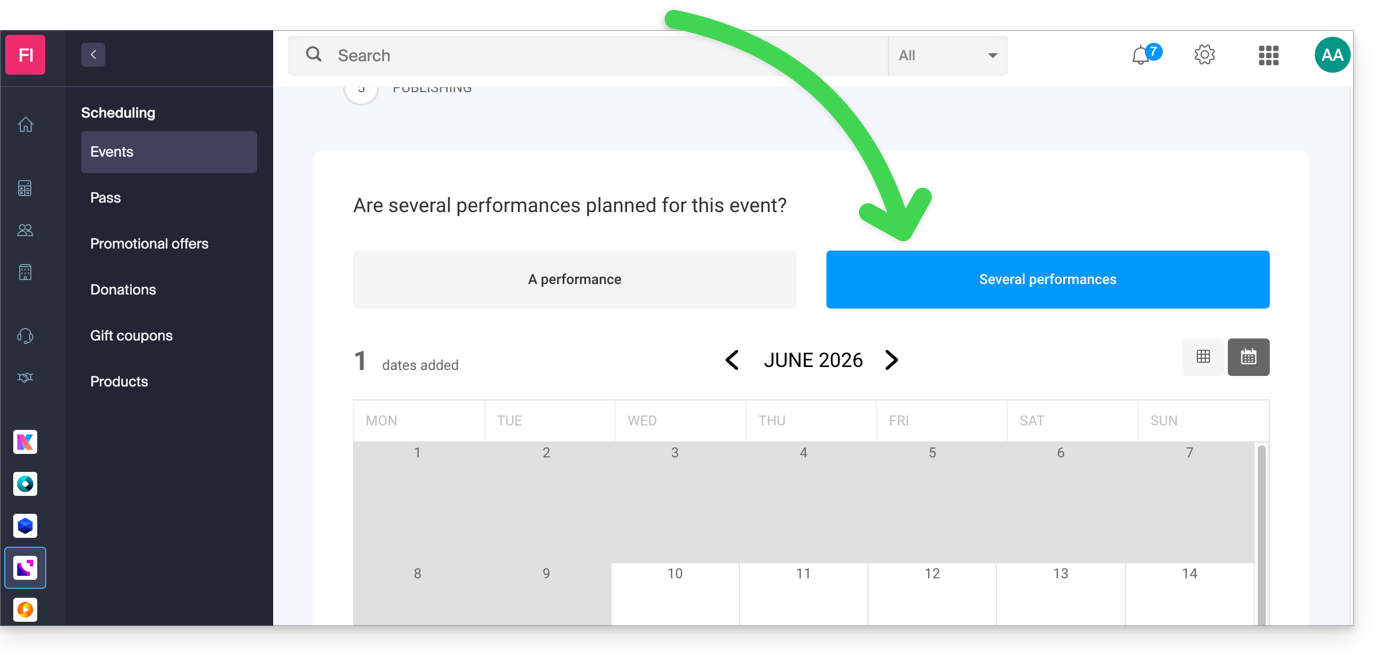
- Uma interface com um calendário será exibida. Escolha a data de início do evento.
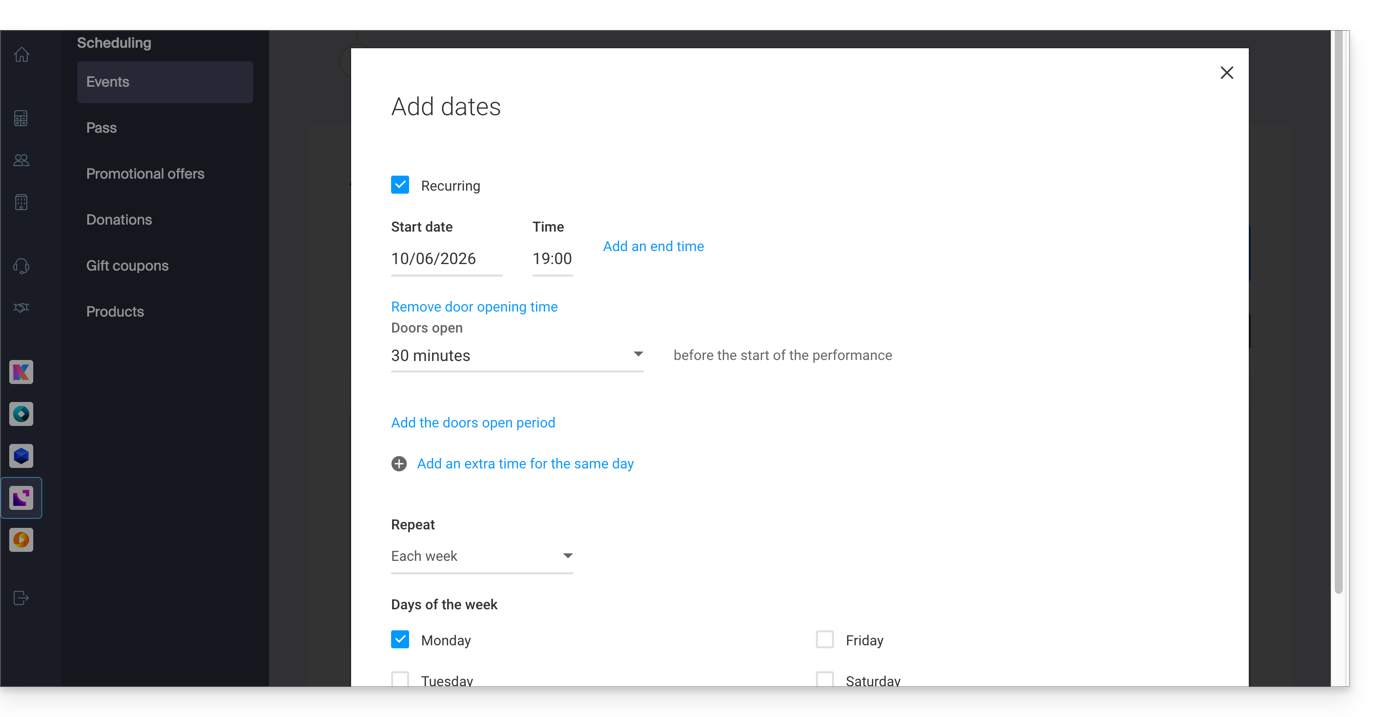
- É possível definir se o evento dura vários dias, semanas, meses ou se é recorrente várias vezes no mesmo dia:
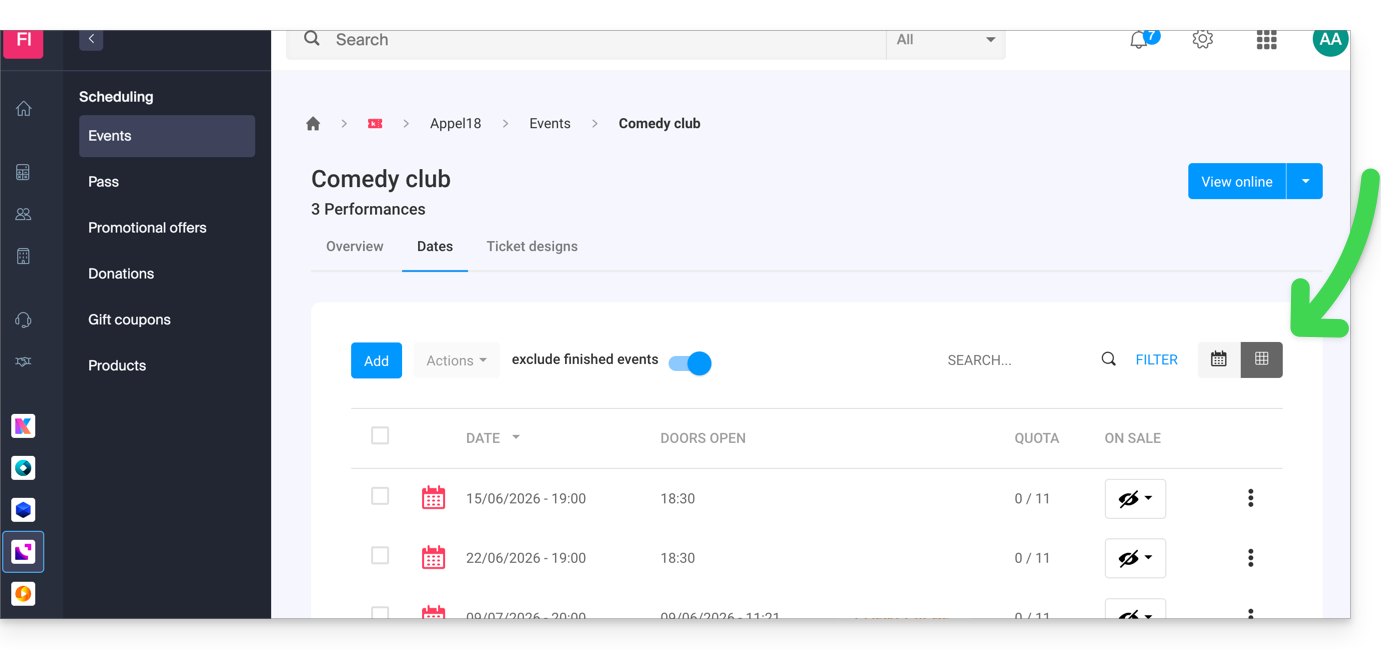
- Depois que o evento é criado e disponibilizado para venda, é possível acompanhar a evolução dos pedidos para cada data, utilizando uma visualização em modo Lista:
Link para esta FAQ: https://faq.infomaniak.com/2574
Esta seção de perguntas frequentes foi útil?