Base de conhecimento
1000 perguntas frequentes, 500 tutoriais e vídeos explicativos. Aqui, você encontra apenas soluções!
Atualizar a senha no Thunderbird
Este guia explica como atualizar a senha de um endereço de e-mail no seu dispositivo após tê-la alterado em um Serviço de E-mail Infomaniak.
Introdução
- Pode existir uma senha mestra predefinida; consulte a documentação oficial da Mozilla sobre este assunto.
Aceder ao menu de senhas
Para isso:
- Abra o software/cliente de e-mail Thunderbird.
- Clique no ícone de menu no canto superior direito.
- Clique em Preferências:
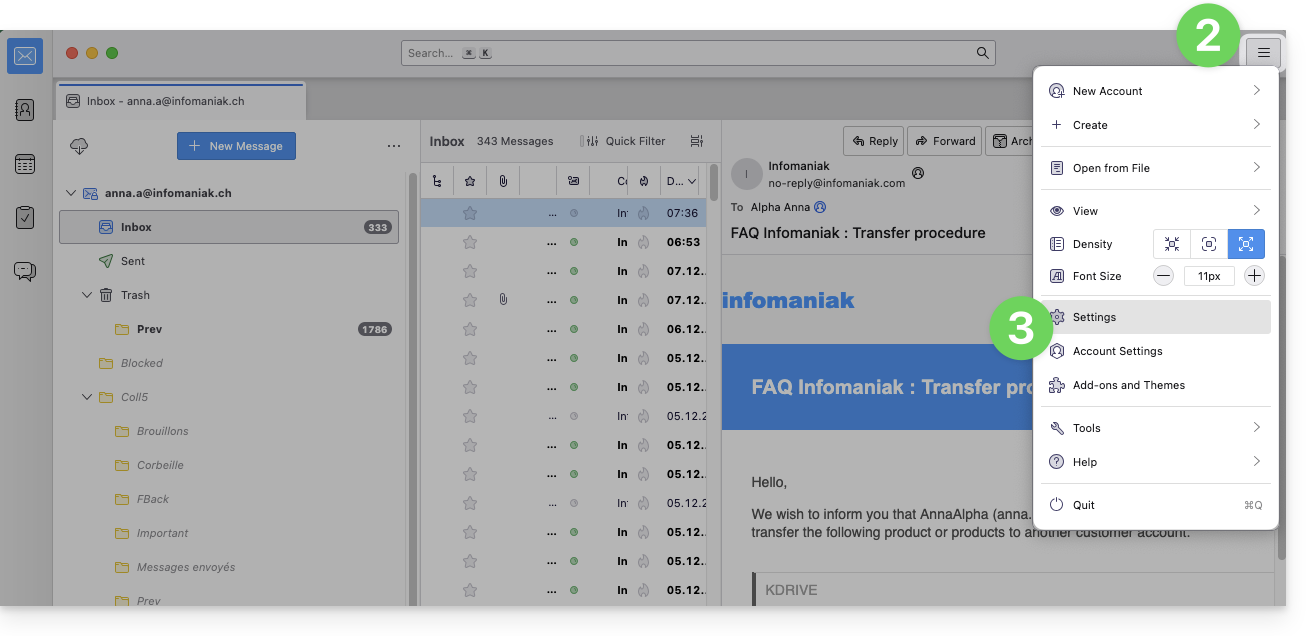
- Clique em Privacidade e Segurança no menu lateral esquerdo.
- Clique em Senhas salvas:
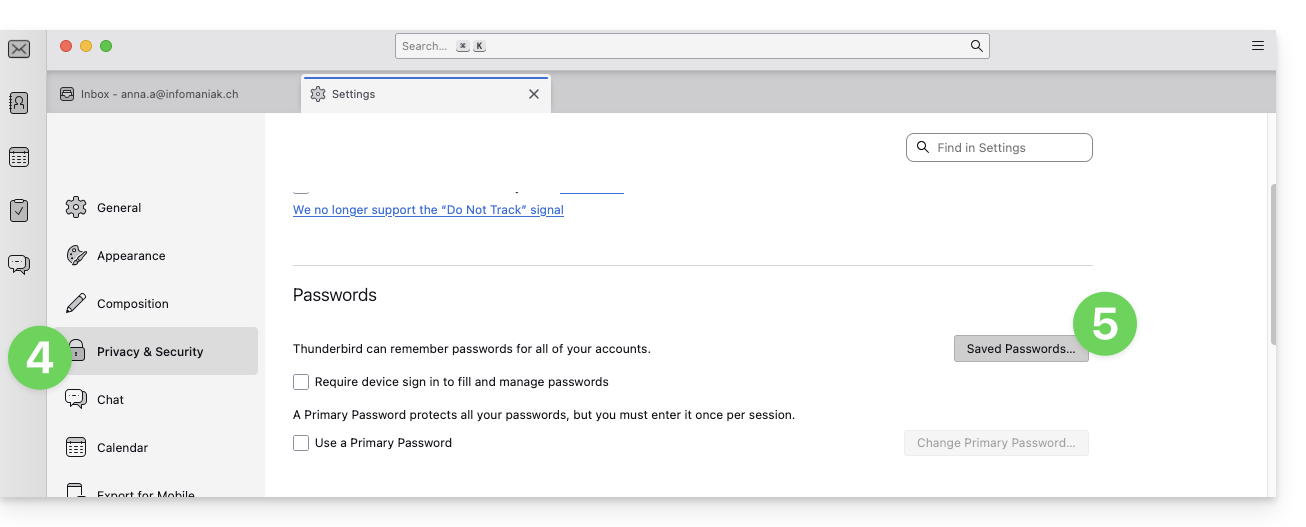
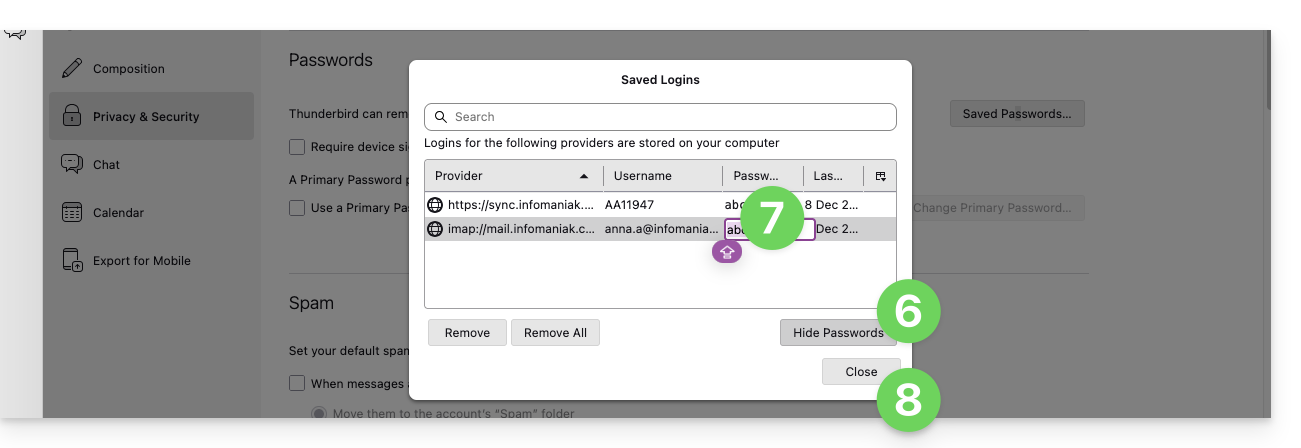
- Clique em Mostrar senhas no canto inferior direito.
- Clique duas vezes na senha associada ao endereço de e-mail (IMAP e, se necessário, SMTP) e insira a nova senha:
Link para esta FAQ: https://faq.infomaniak.com/2553
Esta seção de perguntas frequentes foi útil?