Base de conhecimento
1000 perguntas frequentes, 500 tutoriais e vídeos explicativos. Aqui, você encontra apenas soluções!
Usar a extensão "Infomaniak Connect for OpenID" para WordPress
Atualização 09/10/2026
Este guia diz respeito ao módulo WordPress Infomaniak Connect for OpenID, que permite aos utilizadores acederem ao seu site WordPress (seja ele alojado pela Infomaniak ou não) utilizando as suas credenciais Infomaniak (❓: ajuda).
Introdução
- Permitir que os visitantes façam login no seu site WordPress usando uma conta Infomaniak permite que eles comentem, se inscrevam em cursos ou acessem qualquer conteúdo reservado para membros com um único clique, sem precisar criar uma nova conta.
- Isso economiza tempo para eles e é um método mais seguro para você, pois você não precisa gerenciar senhas adicionais.
- O funcionamento deste módulo externo é idêntico às opções “Autenticar com o Google”, “Autenticar com o Facebook” ou “Autenticar com a Apple”; ele utiliza os protocolos padrão OAuth2 e OpenID Connect para permitir uma autenticação única (SSO).
A. Criar uma aplicação com o Auth Infomaniak
Para isso:
- Clique aqui para acessar a gestão do serviço Auth no seu Painel de Controle Infomaniak (❓: ajuda).
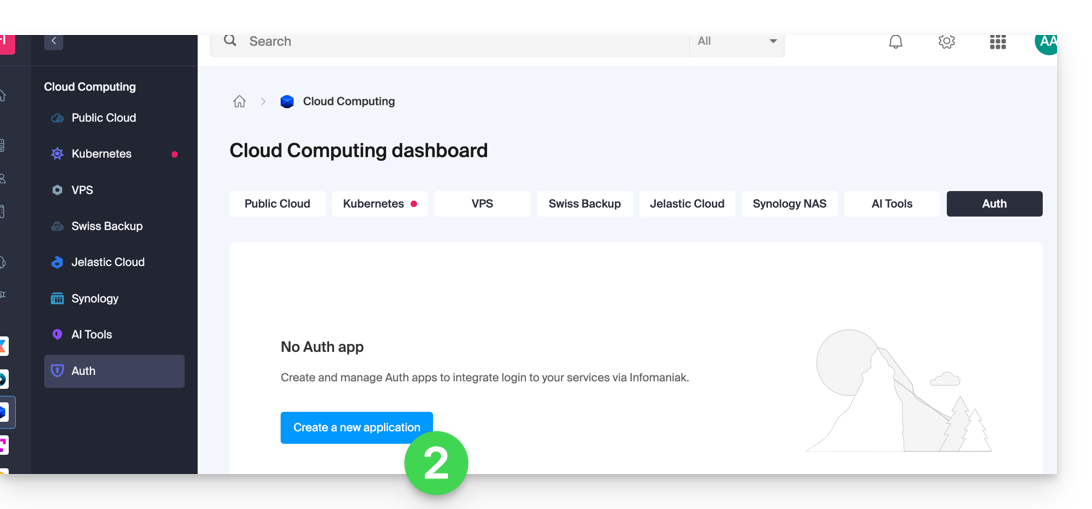
- Clique no botão para Criar uma nova aplicação:
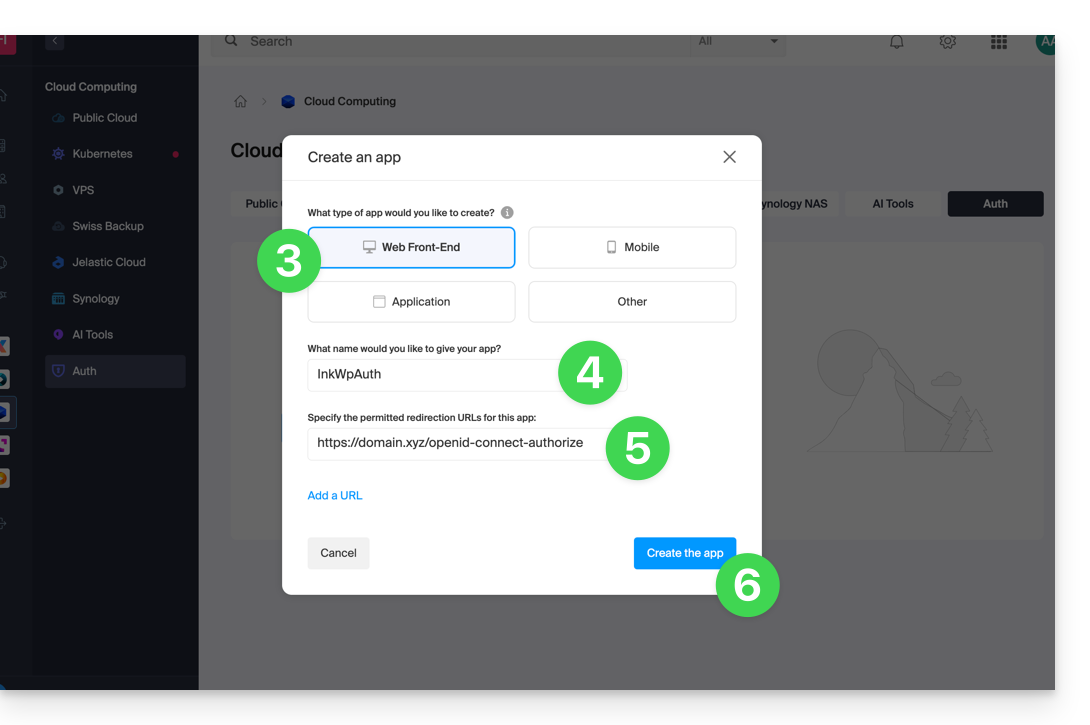
- Escolha o tipo “Interface Web”.
- Atribua um nome à sua aplicação.
- No campo URL, indique o nome de domínio correspondente ao seu site WordPress ao qual você adiciona
/openid-connect-authorize(❓: ajuda). - Clique no botão para concluir a criação do aplicativo:
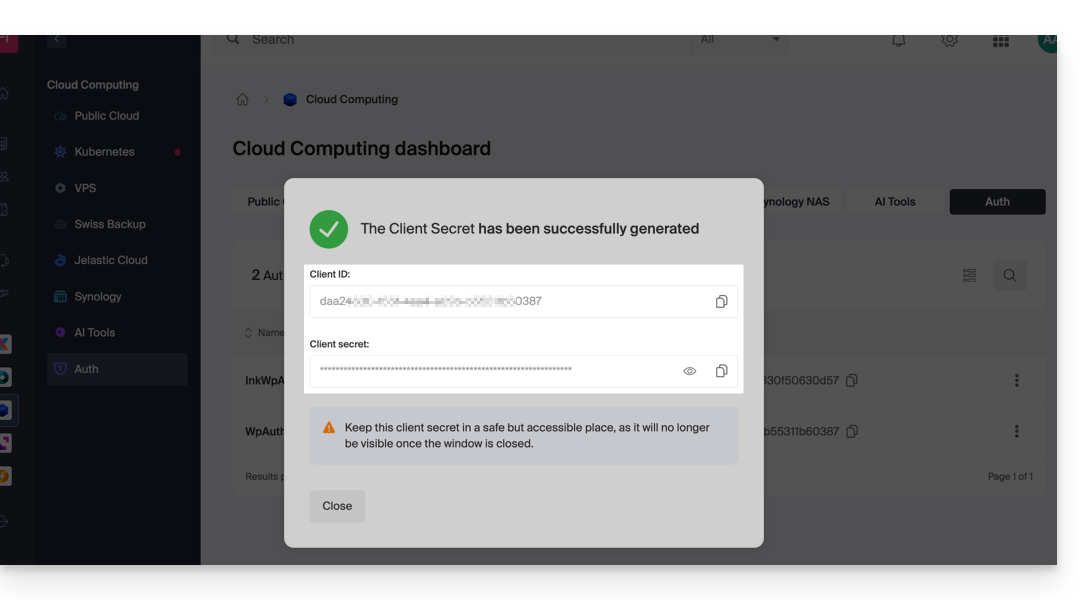
- Anote cuidadosamente as 2 informações obtidas ao finalizar o seu aplicativo OAuth2:
B. Configurar a extensão WordPress
Para isso:
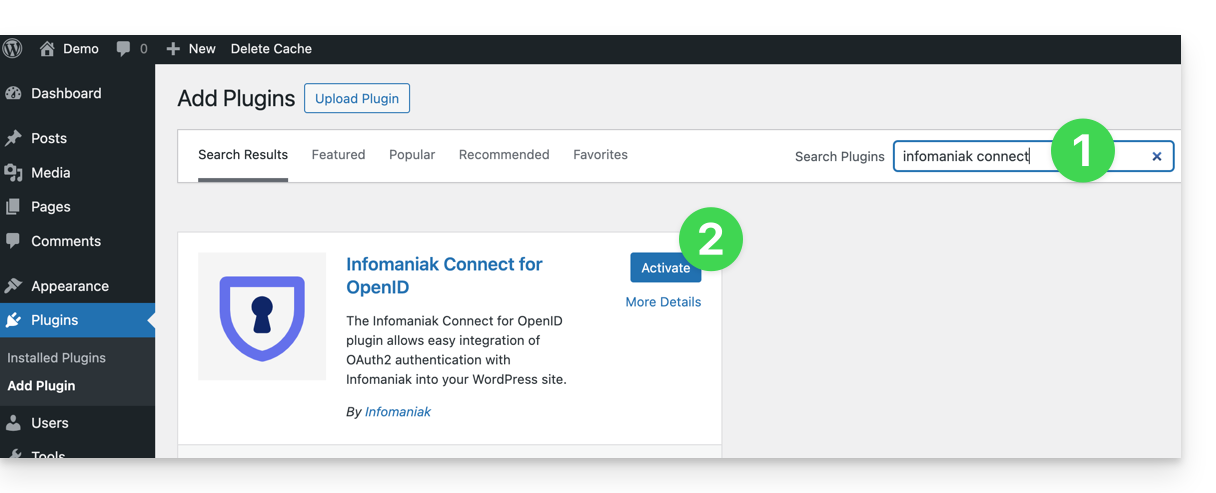
- Procure a extensão
Infomaniak Connect for OpenIDna plataforma de extensões WordPress, diretamente no seu site. - Instale e ative a extensão:
- Configure a extensão a partir do menu Configurações:
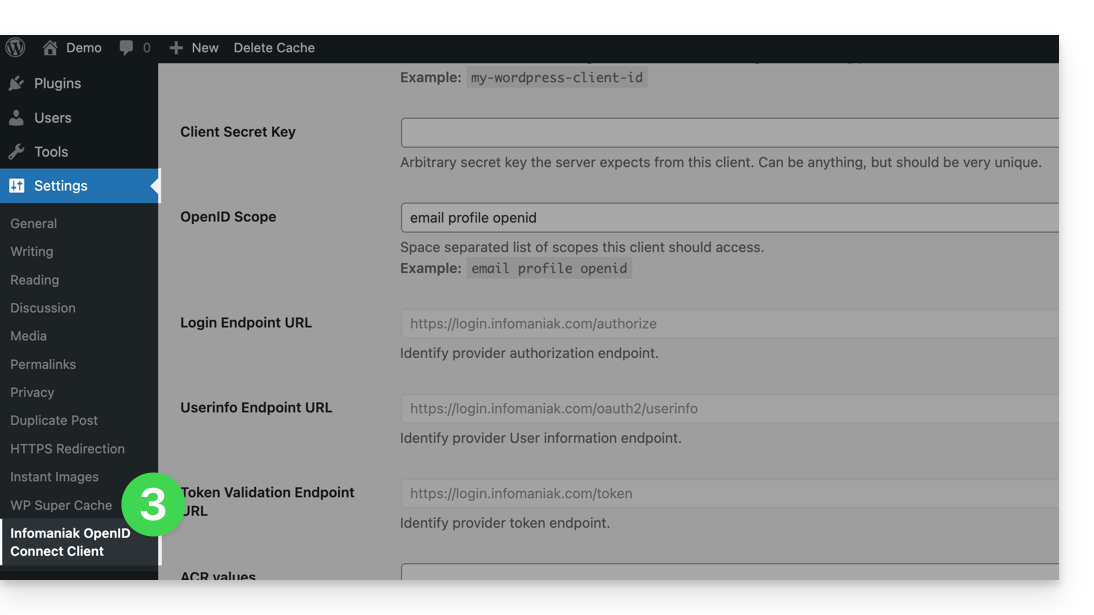
- Os únicos campos a preencher são ID do cliente e Chave secreta do cliente, e os valores devem ser obtidos nas informações do ponto A acima:
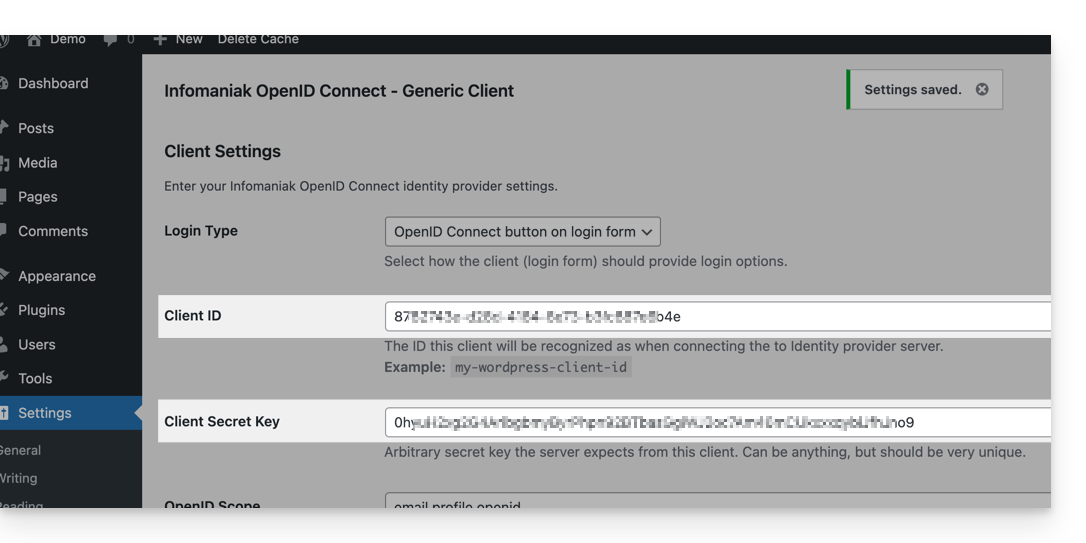
- Não se esqueça de guardar as alterações efetuadas nas configurações da extensão.
- Um botão adicional, para iniciar sessão com as suas credenciais Infomaniak, está agora visível na sua página de início de sessão para utilizadores
/wp-admin(/wp-login.php):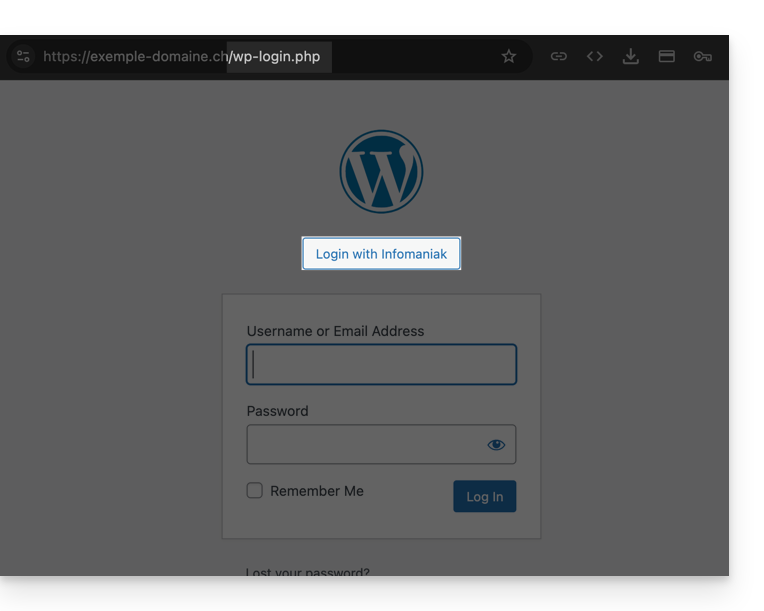
Link para esta FAQ: https://faq.infomaniak.com/2529
Esta seção de perguntas frequentes foi útil?