Base de conhecimento
1000 perguntas frequentes, 500 tutoriais e vídeos explicativos. Aqui, você encontra apenas soluções!
Transfer an audio stream from one radio to another
This guide explains how to transfer the audio streams present on one of your Streaming Radio Infomaniak to another of your radios, present in the same Organization.
Refer to this other guide to transfer all streams from a Streaming Radio to a new owner.
Transfer audio streams
To do this:
- Click here to access the management of your product on the Infomaniak Manager (need help?).
- Click directly on the name assigned to the product concerned.
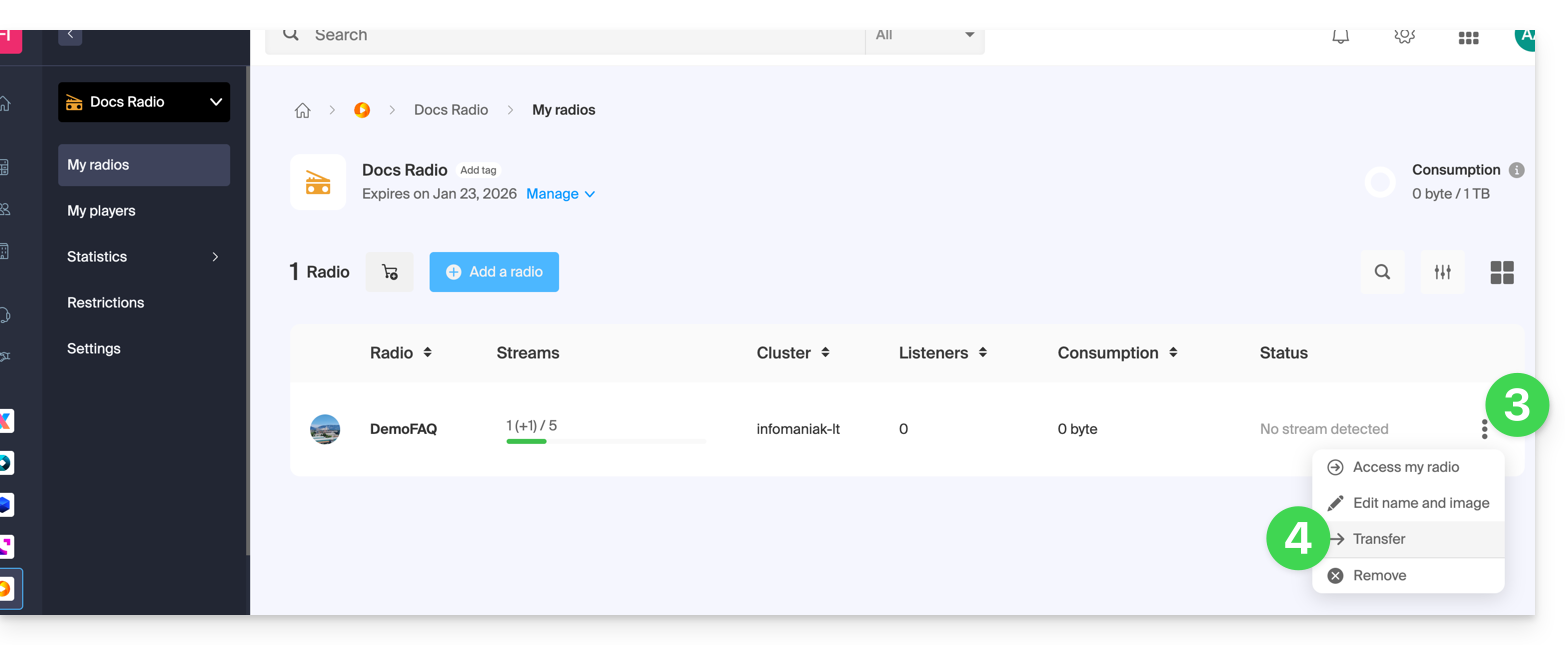
- Click on the action menu ⋮ located to the right of the item concerned.
- Choose Transfer:
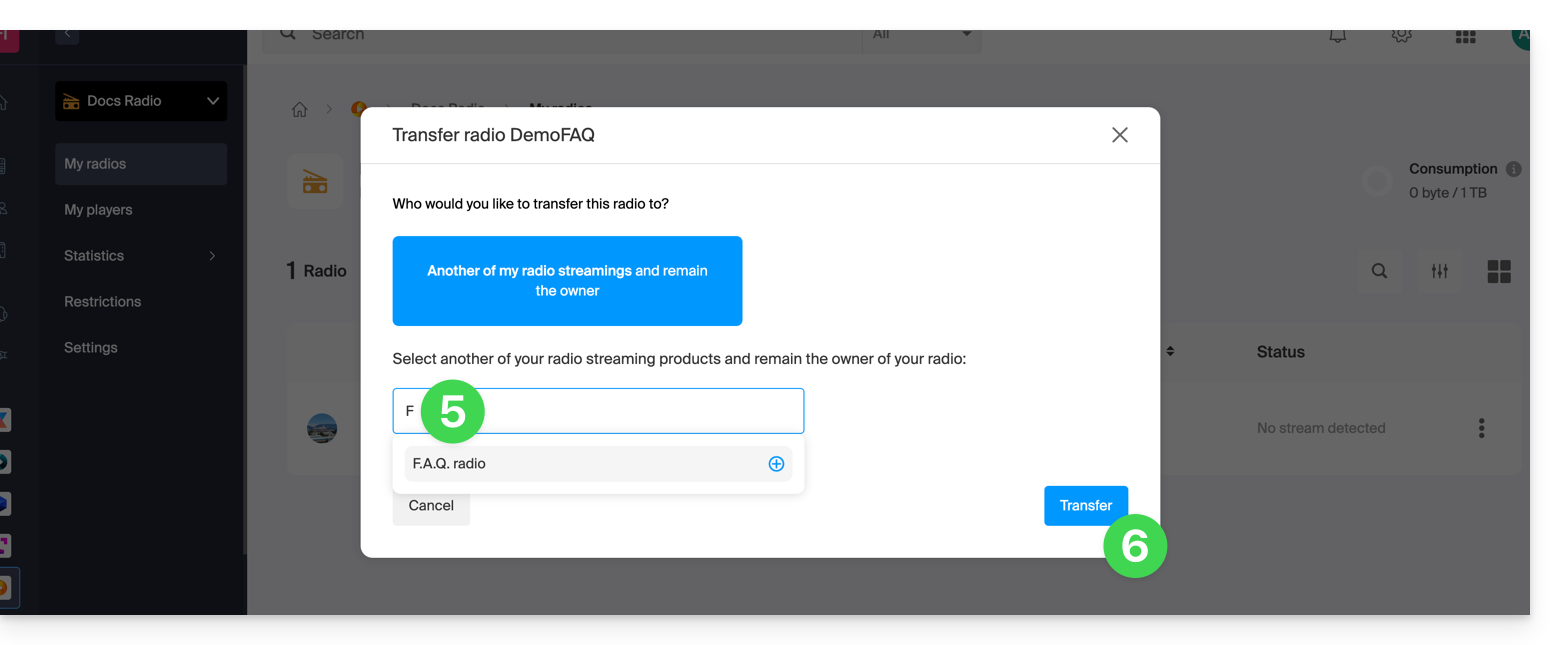
- Search for and validate the name of the other radio that you own in the same Organization.
- Validate the transfer:
Refresh the Manager pages if necessary to update the displayed information.
Link para esta FAQ: https://faq.infomaniak.com/2513
Esta seção de perguntas frequentes foi útil?