Base de conhecimento
1000 perguntas frequentes, 500 tutoriais e vídeos explicativos. Aqui, você encontra apenas soluções!
Sincronizar o kDrive via WebDAV no macOS
Este guia fornece instruções sobre como sincronizar o kDrive com o macOS usando o protocolo de conexão WebDAV.
✘ INDISPONÍVEL com
kSuite Free / kSuite Standard
my kSuite / my kSuite+ (ik.me, etik.com, ikmail.com)
⚠ ATENÇÃO ⚠
Utilize o protocolo WebDAV no kDrive para casos específicos e pontuais:
- Se pretende trabalhar nos seus ficheiros e partilhá-los, o kDrive é a ferramenta ideal; recomenda-se instalar a aplicação kDrive para evitar qualquer perda de ficheiros.
- Em contrapartida, para proteger seus dados contra perdas ou corrupção e garantir a continuidade de suas atividades, o Swiss Backup é a solução indispensável e adequada.
A Infomaniak garante a conformidade de seus serviços com os protocolos padrão (IMAP, S3, etc.), masnão oferece suporte adicional para serviços ou softwares externos, pois a configuração destes pode variar dependendo do fornecedor ou editor(ver:
Conectar-se ao kDrive via WebDAV no macOS
Para um computador com macOS, siga as instruções da Apple, que podem ser as seguintes:
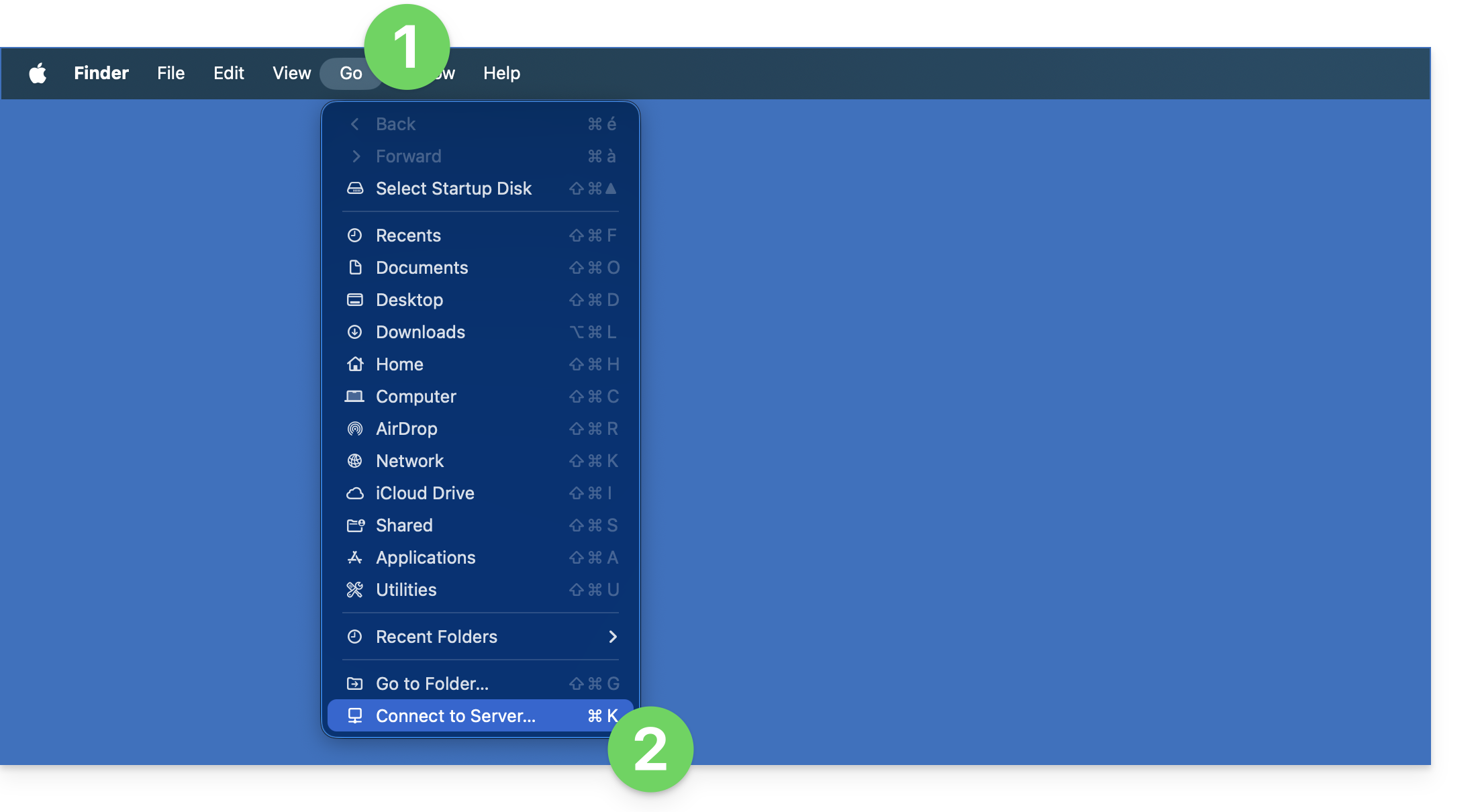
- Clique no menu Ir no Finder.
- Clique em Ligar ao servidor:
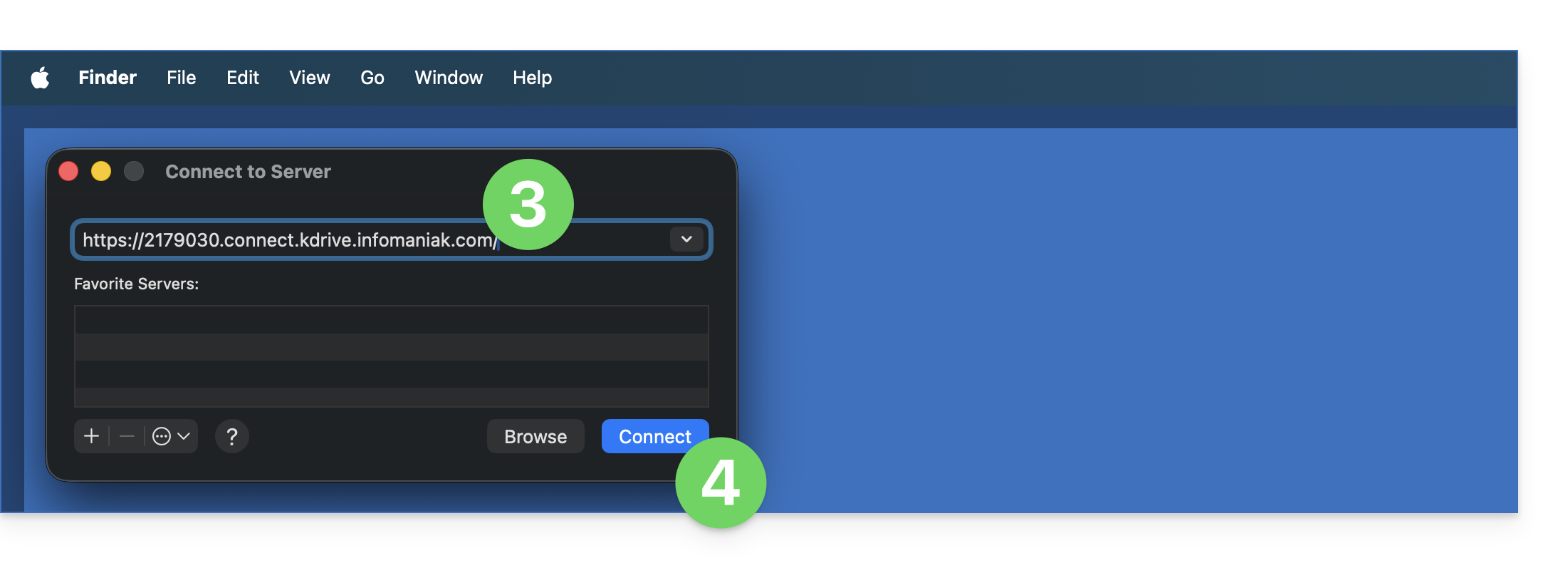
- Insira o endereço do servidor:
https://IDkDrive.connect.kdrive.infomaniak.com(precisa de ajuda?). - Clique em Conectar:
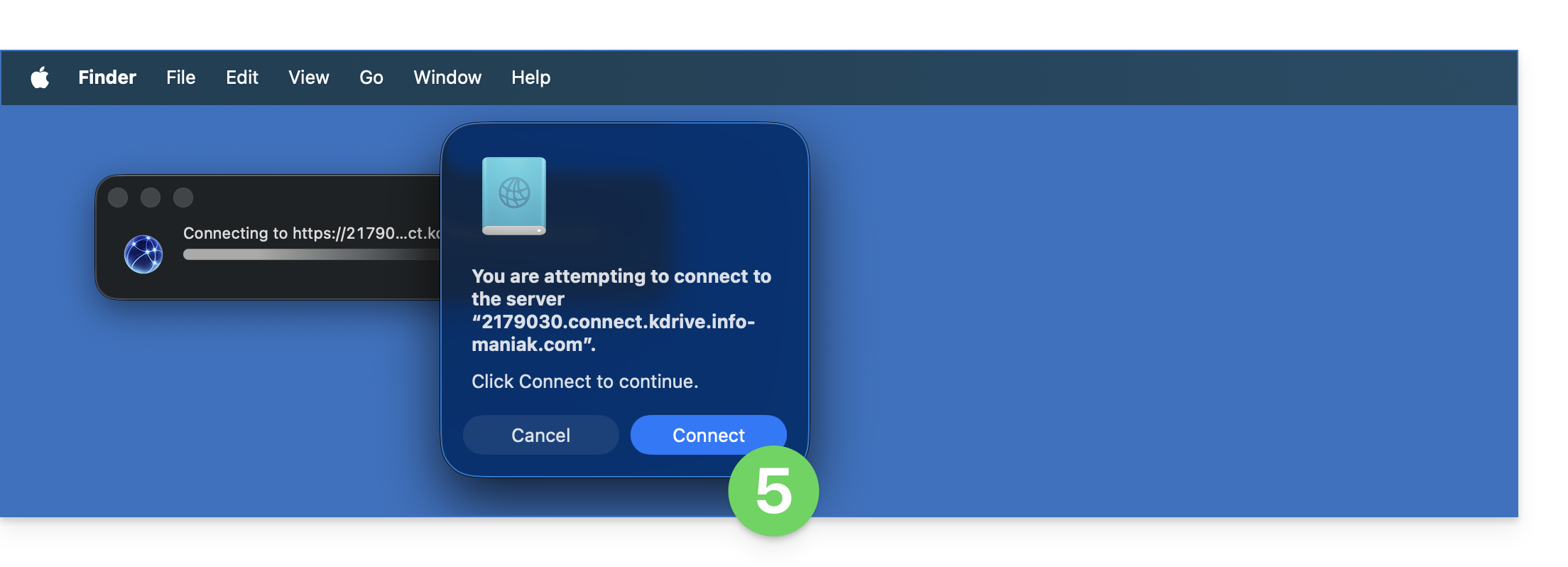
- Confirme a conexão clicando no botão azul:
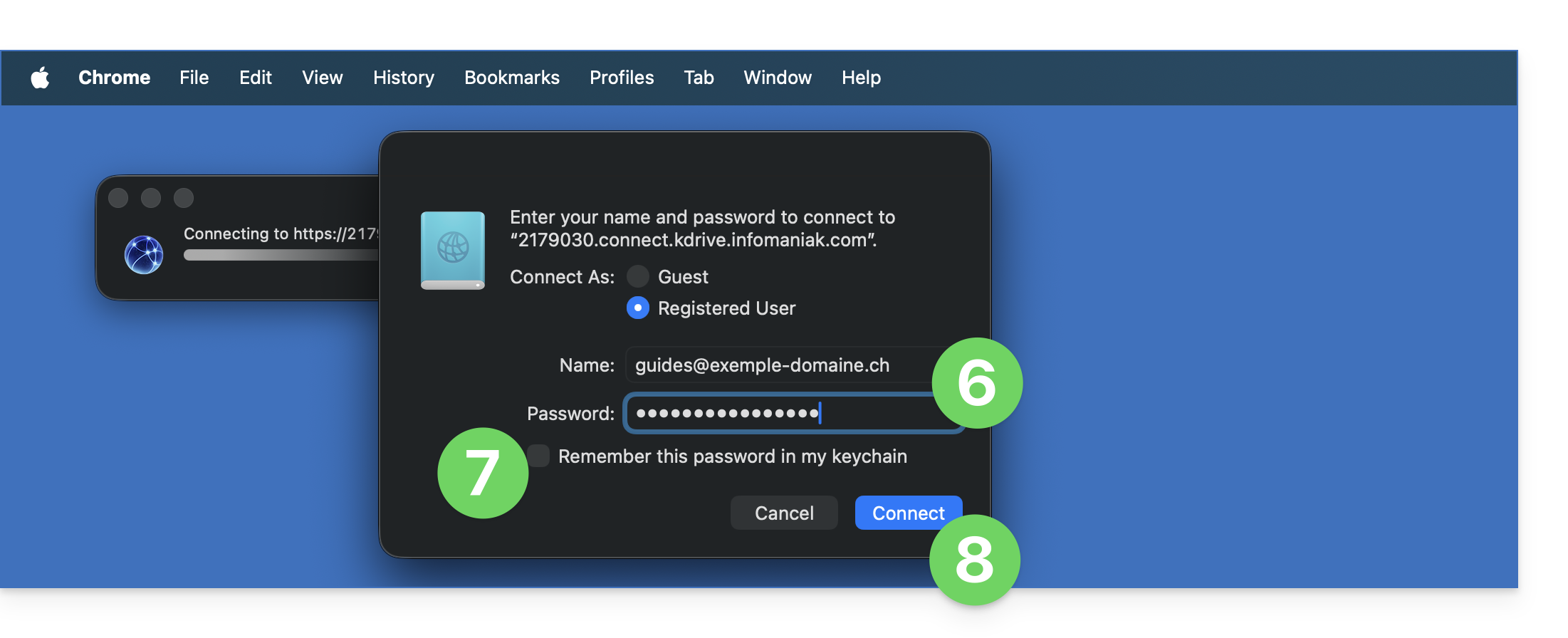
- Insira as seguintes informações:
- Nome de usuário: endereço de e-mail para acessar a conta Infomaniak
- Senha: crie uma senha de aplicativo para este uso específico.
- Se desejar, clique na caixa para guardar as informações de login.
- Clique no botão azul para fazer login:
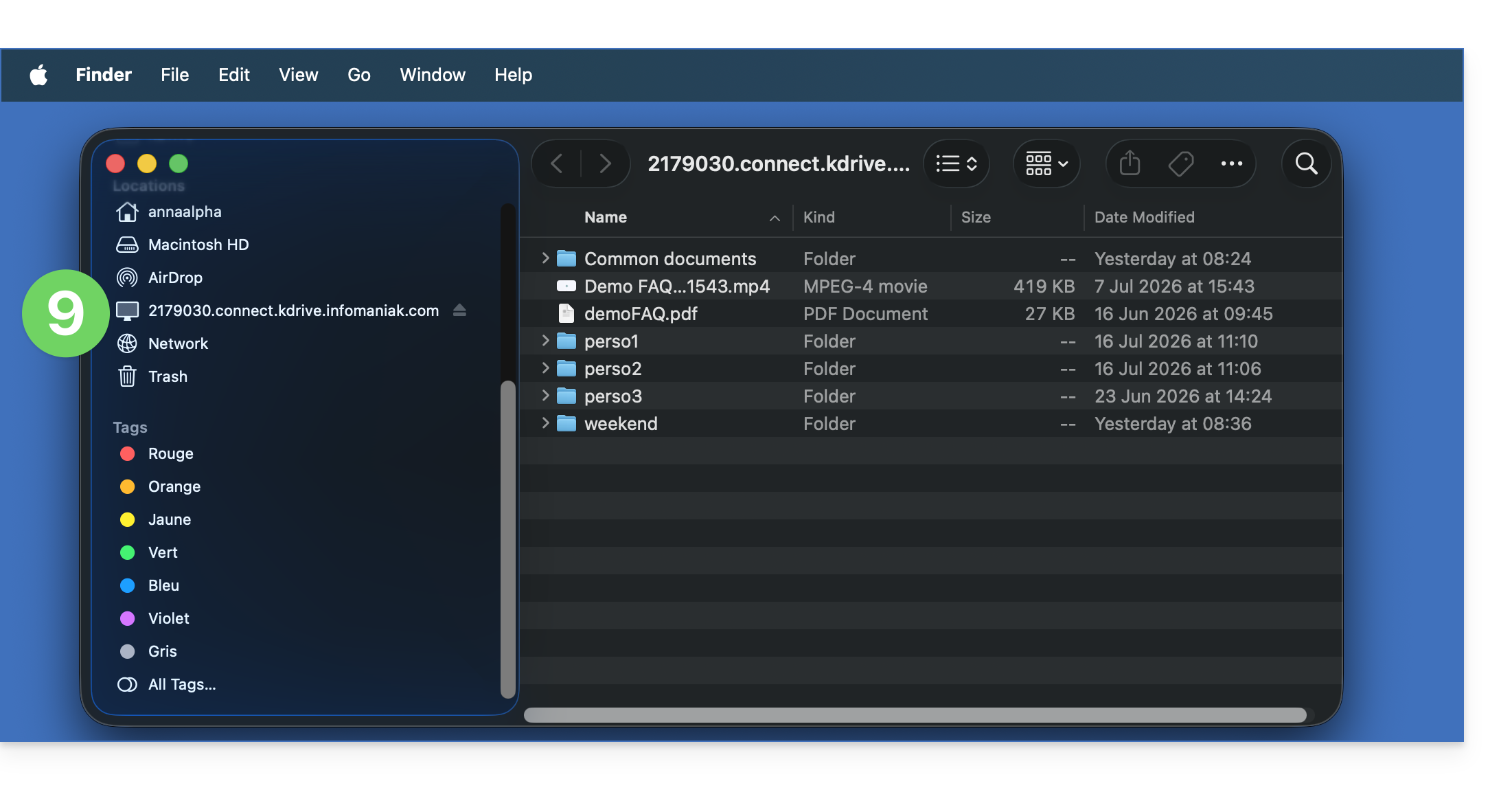
- Pronto, o conteúdo do kDrive é exibido no Finder, da mesma forma que o conteúdo acessível no kDrive para o seu utilizador Infomaniak:
A alternativa Mountain Duck
Com base no mesmo princípio e utilizando as mesmas informações, também pode considerar estabelecer uma ligação através de um software/cliente WebDAV, como o Mountain Duck:
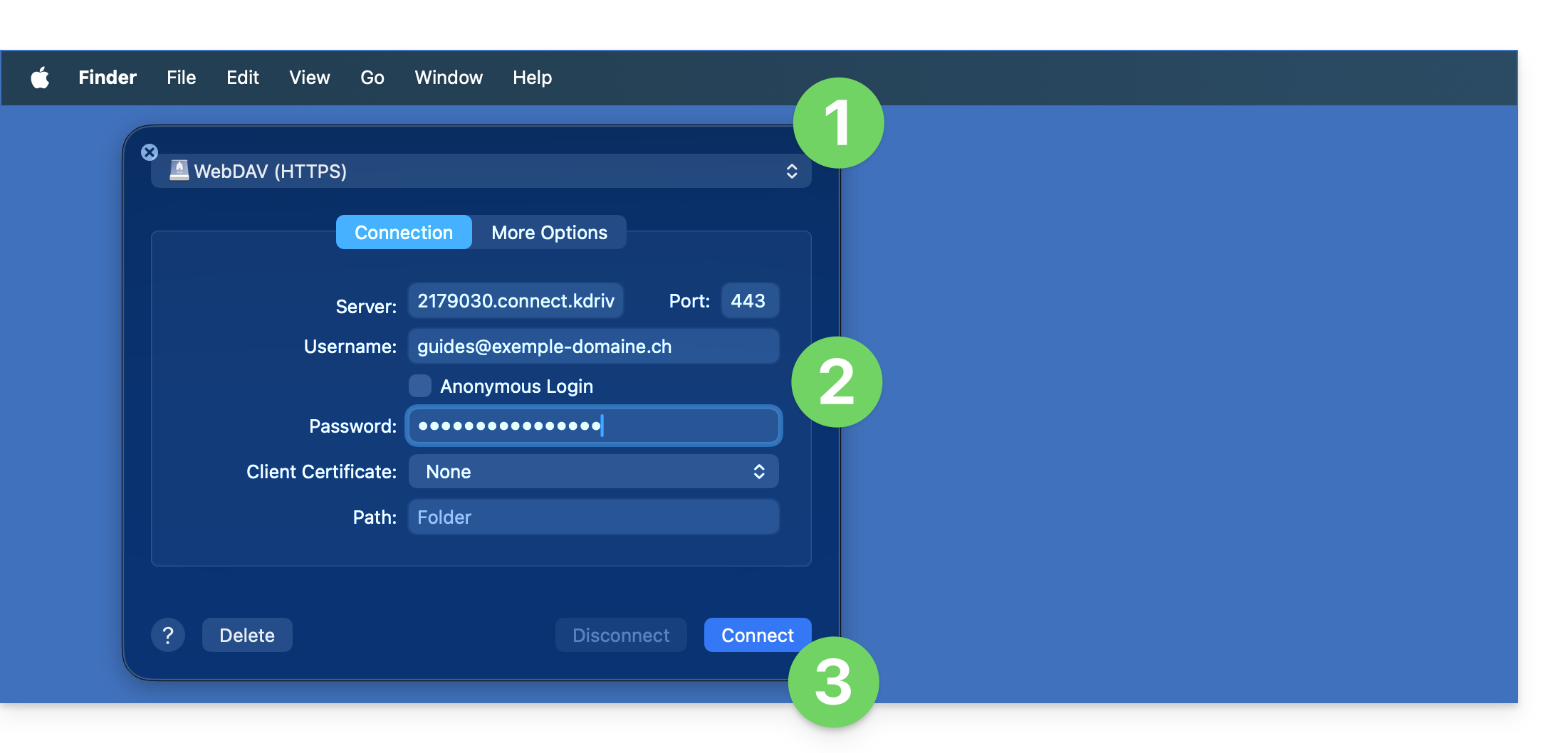
- Crie uma nova ligação WebDAV no Mountain Duck.
- Insira as informações necessárias.
- Clique em Iniciar sessão:
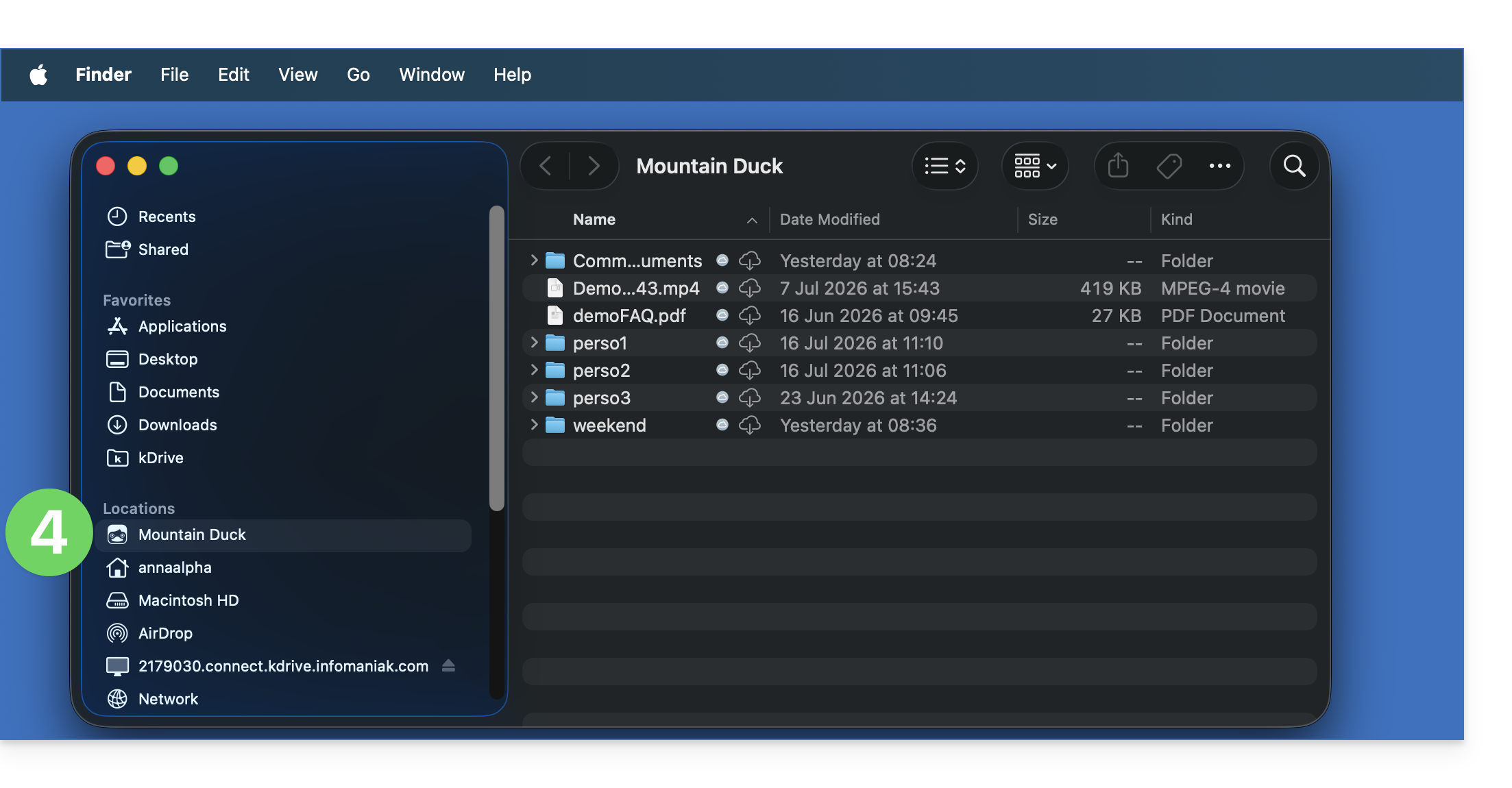
- Pronto, o conteúdo do kDrive é exibido no Finder, da mesma forma que o conteúdo acessível no kDrive para o seu utilizador Infomaniak:
Link para esta FAQ: https://faq.infomaniak.com/2504
Esta seção de perguntas frequentes foi útil?