Base de conhecimento
1000 perguntas frequentes, 500 tutoriais e vídeos explicativos. Aqui, você encontra apenas soluções!
Cancel Custom Brand
This guide explains how to cancel the URL customization product from your Infomaniak Manager.
Introduction
- It will no longer be possible to access the tools via your domain name. Remember to inform your users of the default addresses (
ksuite.infomaniak.com,ksuite.infomaniak.com/mail, etc.). - Any outstanding or overage charges will still be due.
- A cancellation confirmation is sent to any other administrators of the Organization.
Procedure for cancelling the custom URL
To access the Custom Brand offer cancellation:
- Click here to access your product management in the Infomaniak Manager (need help?).
- Scroll down to the Custom Brand service and click on Cancel (you can also simply temporarily disable it):
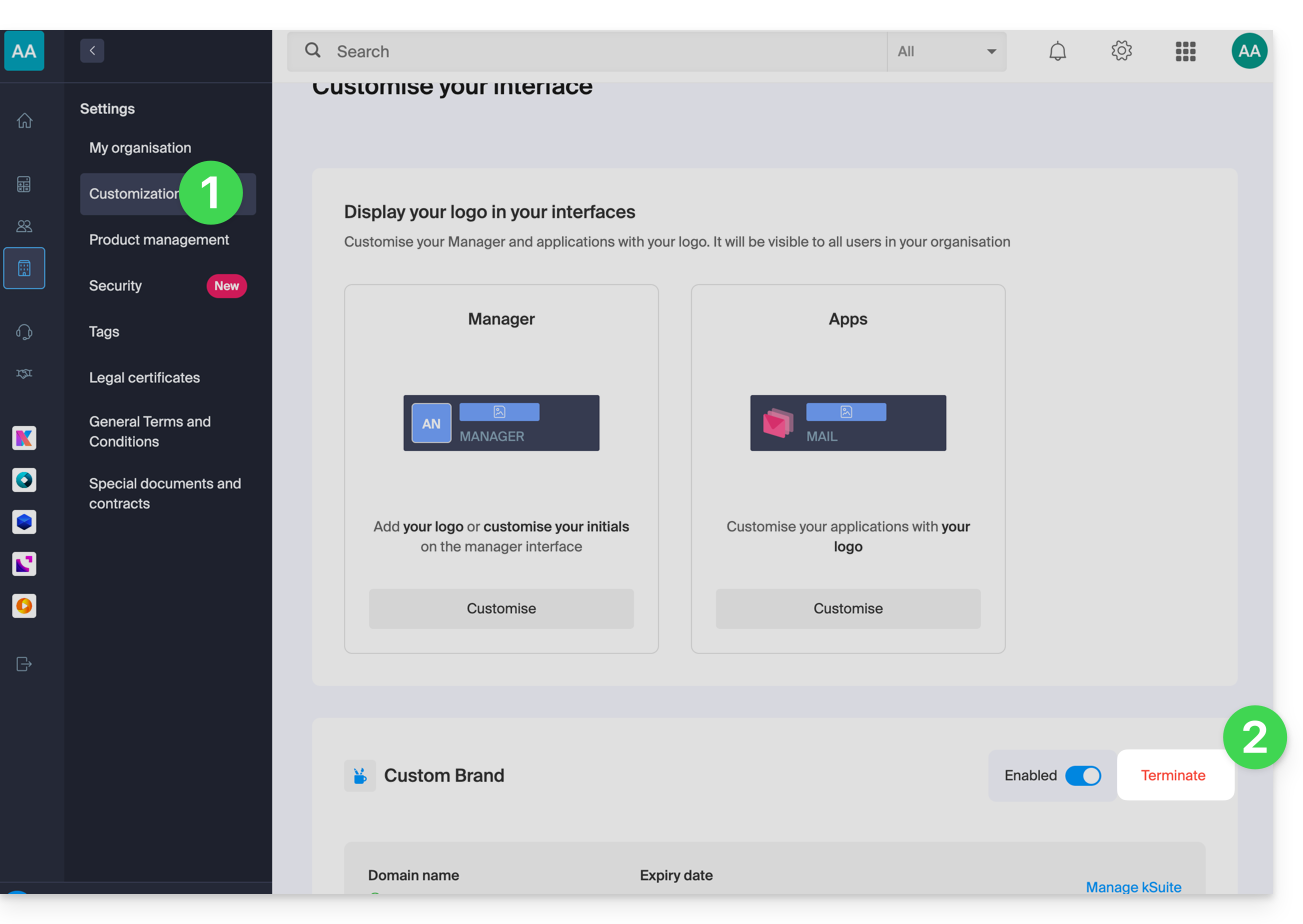
- Follow the procedure until the end.
Link para esta FAQ: https://faq.infomaniak.com/2503
Esta seção de perguntas frequentes foi útil?