Base de conhecimento
1000 perguntas frequentes, 500 tutoriais e vídeos explicativos. Aqui, você encontra apenas soluções!
Criar uma loja online no Site Creator
Este guia explica como adicionar e configurar um módulo de loja onlineno seu site criado com o Site Creator Infomaniak para começar a vender online e oferecer os seus produtos.
Pré-requisitos
- Aceder ao Site Creator:
- Clique aqui para aceder à gestão do seu produto no Manager Infomaniak (precisa de ajuda?).
- Clique diretamente no nome atribuído ao Site Creator em questão.
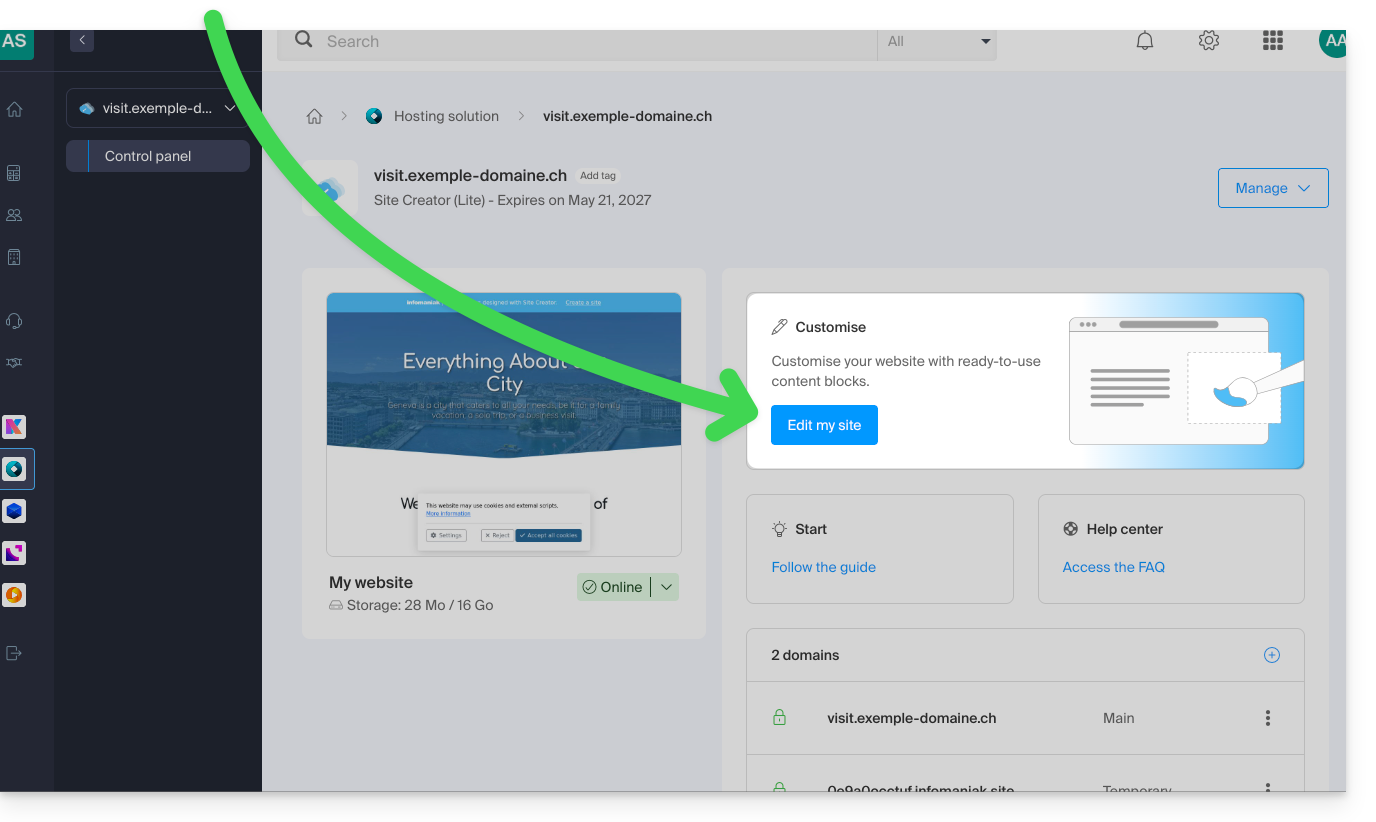
- Clique no botão Editar o meu site para iniciar o editor:
Adicionar a loja online no Site Creator
Temas dedicados
Se pretende criar um site totalmente dedicado aos seus produtos, na forma de uma loja online, pode optar, desde o início, por aplicar um tema entre os da categoria E-Commerce: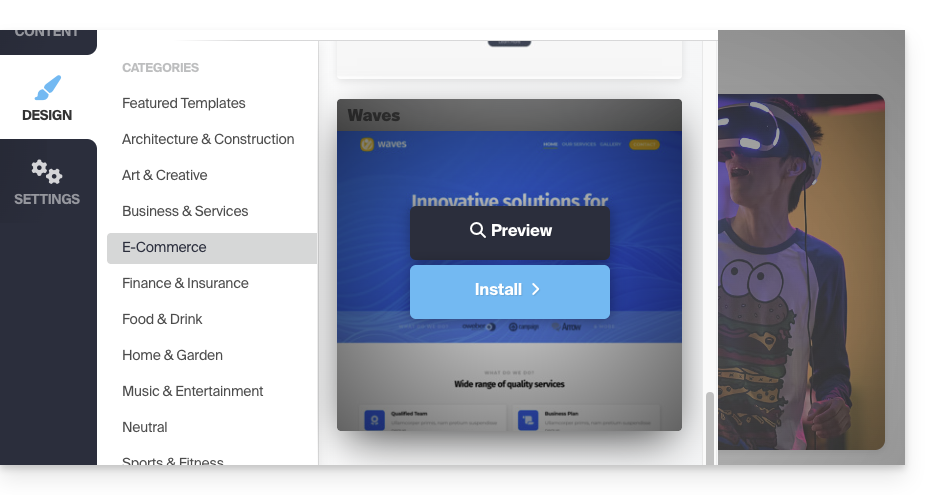
Módulo de loja para o Site Creator
Se o módulo Loja ainda não estiver integrado nas suas páginas, basta adicioná-lo no local desejado:
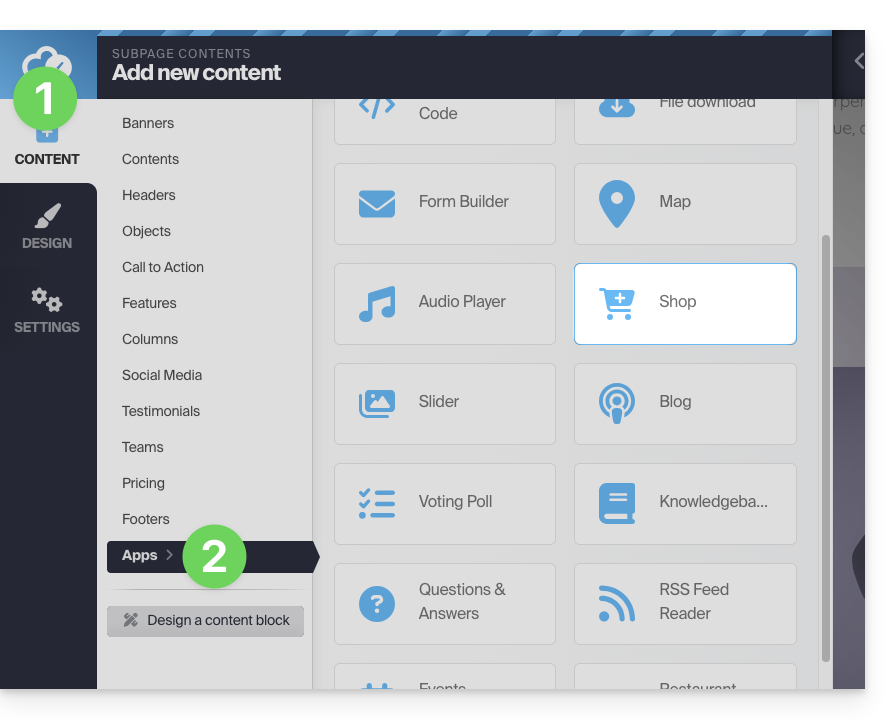
- Clique no botão Conteúdo na barra lateral esquerda.
- Clique em Aplicativos na parte inferior da lista e, em seguida, em Loja:
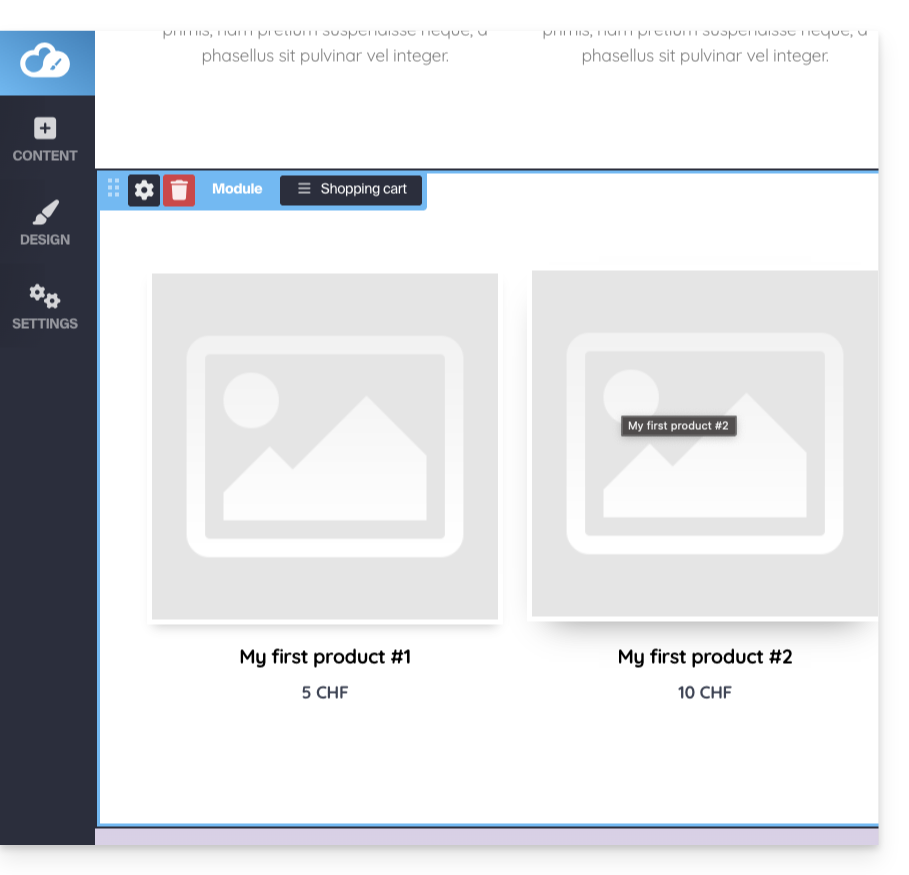
- A loja e 3 produtos de exemplo são inseridos:
Configurar a loja
Consulte este outro guia sobre as diferentes opções de configuração da loja Site Creator.
Link para esta FAQ: https://faq.infomaniak.com/2450
Esta seção de perguntas frequentes foi útil?