Base de conhecimento
1000 perguntas frequentes, 500 tutoriais e vídeos explicativos. Aqui, você encontra apenas soluções!
Bulk edit the contact information associated with the domain name (WHOIS)
This guide details the procedure for modifying the WHOIS contact information (❓: help) for domain name holders, which you can apply to an entire batch of domains within your Organization at Infomaniak.
Change contact information in bulk
To modify the WHOIS contact information for multiple domain names at once:
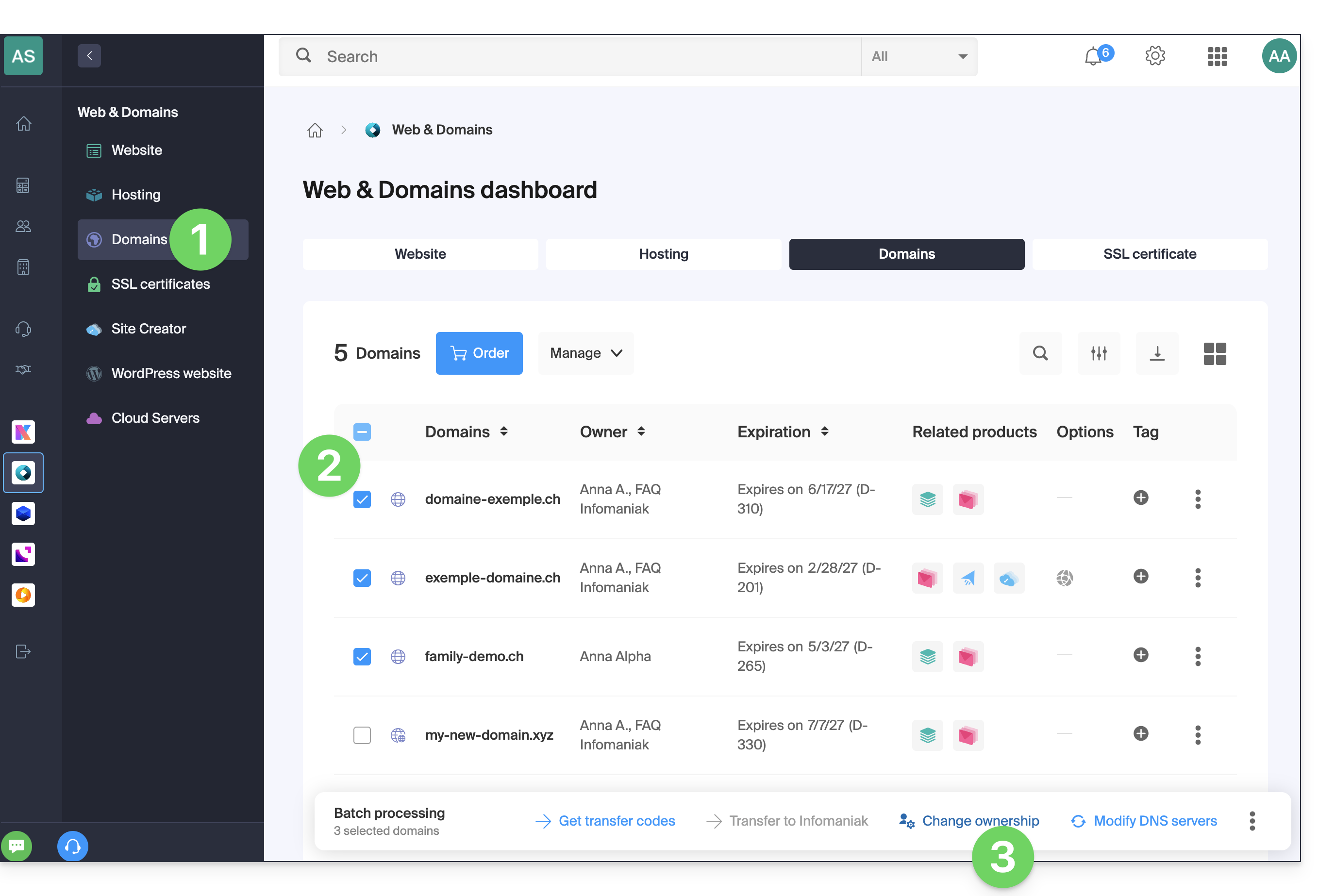
- Click here to access the domain management section in your Infomaniak Manager (❓: help).
- Select the domains whose owner needs to be changed using the checkboxes.
- Click on Change owner at the bottom of the table:
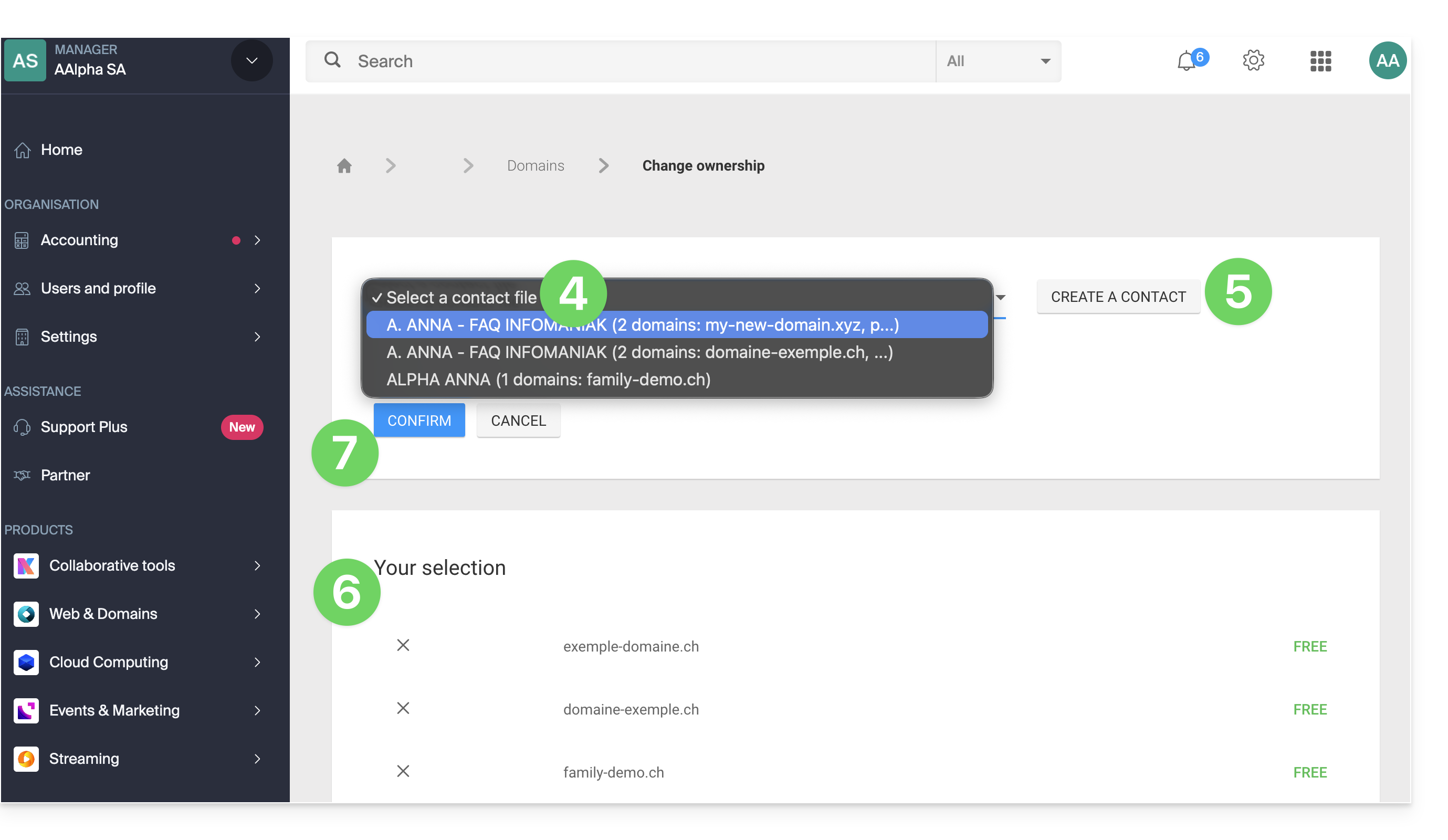
- Choose another existing contact entry…
- … or click the Add button to create a brand new contact entry.
- Check your selection and any potential modification fees in the box.
- Click Confirm:
Link para esta FAQ: https://faq.infomaniak.com/2348
Esta seção de perguntas frequentes foi útil?