Base de conhecimento
1000 perguntas frequentes, 500 tutoriais e vídeos explicativos. Aqui, você encontra apenas soluções!
Mostrar a atividade da conta Infomaniak
Este guia explica como obter informações sobre…
- … as conexões que são efetuadas no Manager Infomaniak com o seu identificador de acesso à conta Infomaniak,
- … as atividades realizadas no Gerenciador pela sua conta Infomaniak.
O mesmo tipo de registos, mas relativo à totalidade da Organização, está disponível para os administradores: consulte este outro guia.
Obter o registo das conexões à conta Infomaniak
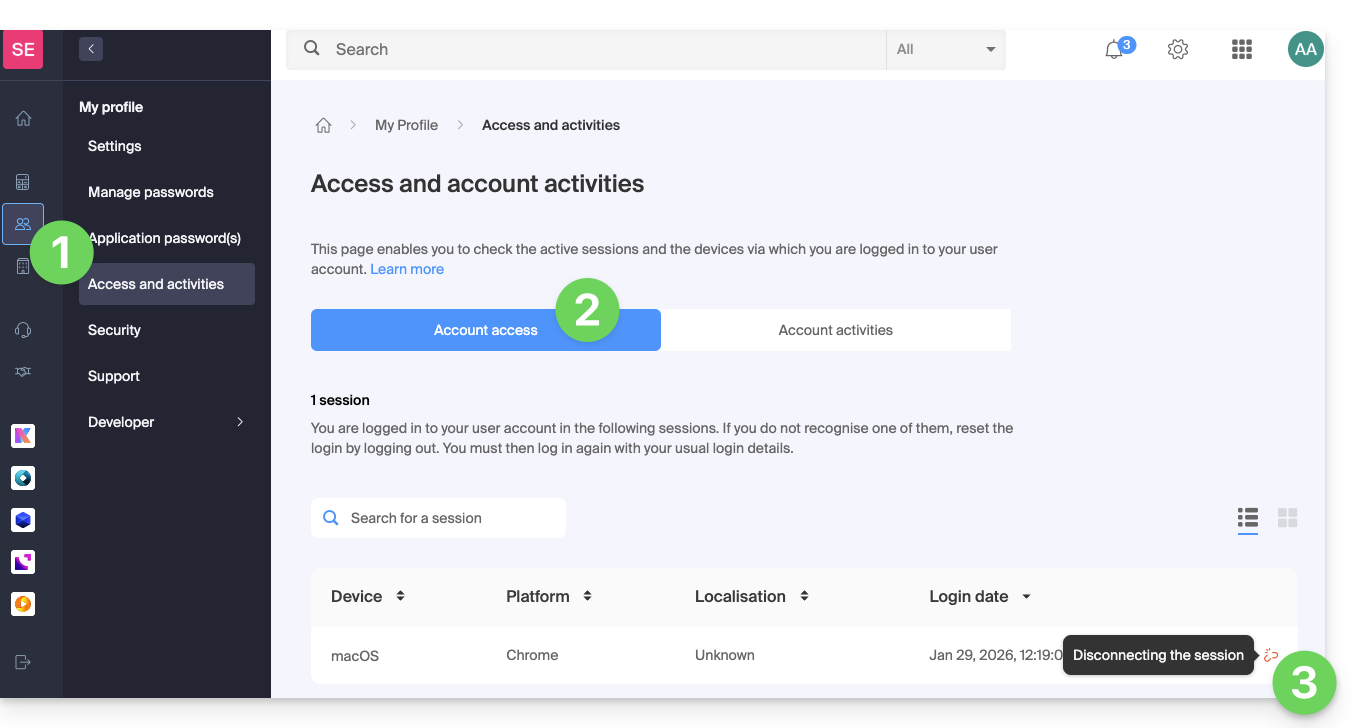
Para consultar um registo das conexões (sessões ativas) que são efetuadas no Painel de controlo Infomaniakcom o seu identificador de acesso à conta Infomaniak:
- Clique aqui para aceder ao resumo dos acessos ao painel de controlo Infomaniak através da sua conta Infomaniak.
- Na aba Acesso à conta, consulte a lista de dispositivos conectados à sua conta Infomaniak.
- É possível encerrar uma sessão ativa clicando no ícone mais à direita do nome do dispositivo conectado à sua conta, o que o desconectará:
Ser notificado em caso de login bem-sucedido ou malsucedido
Para ser notificado por e-mail quando efetuar login ou tentar efetuar login na sua conta Infomaniak:
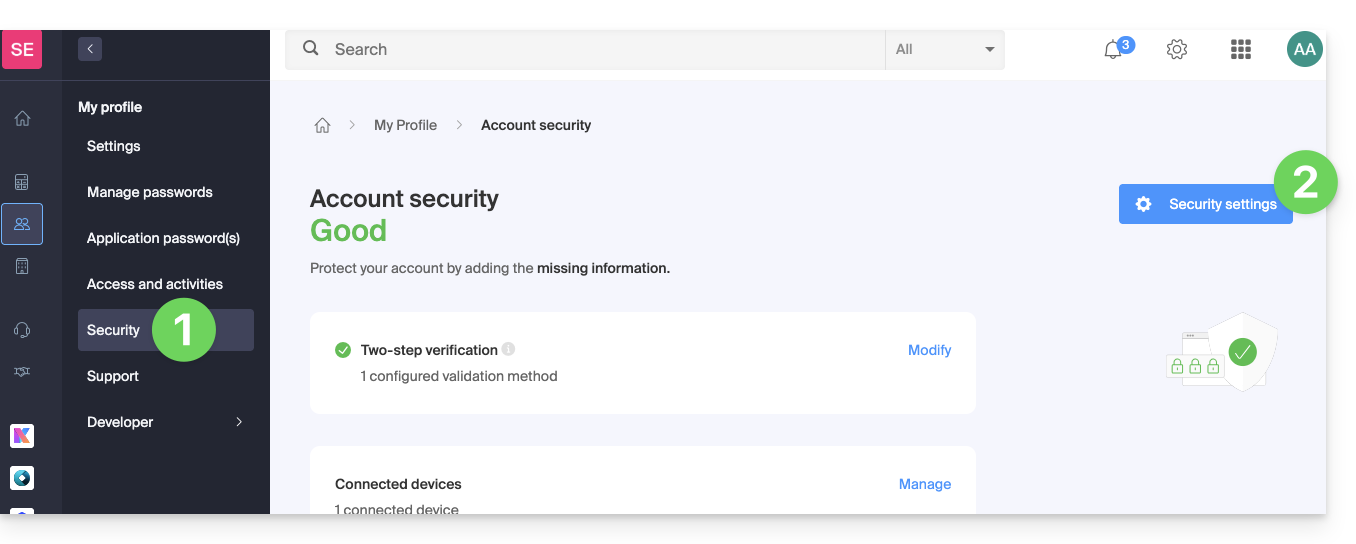
- Clique aqui para acessar o resumo de segurança da sua conta no painel de controle Infomaniak.
- Clique em Configurações de segurança:
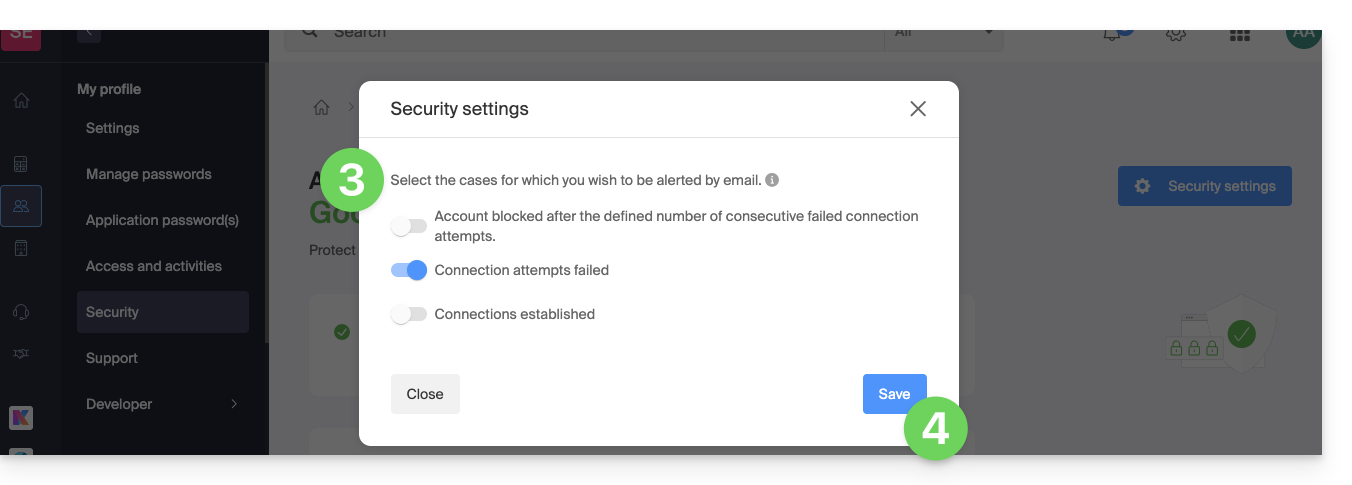
- Selecione os casos para os quais deseja receber alertas por e-mail (notificação em caso de login bem-sucedido ou apenas em caso de falha no login).
- Clique em Salvar para guardar as suas alterações:
No mesmo local, pode escolher a partir de quantas tentativas infrutíferas mínimas bloquear a sua conta Infomaniak: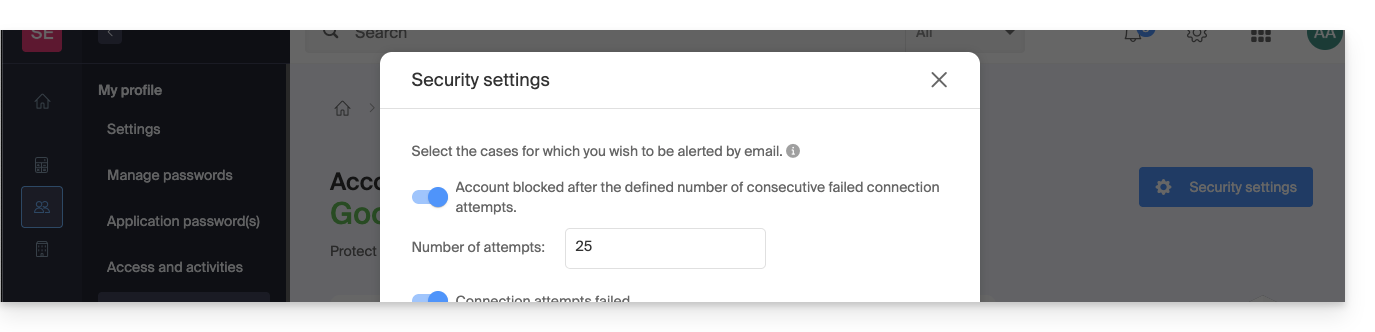
Uma vez bloqueada, a conta pode ser desbloqueada por um administrador da Organização ou através de um formulário seguro.
Obter o registo de atividades da conta de utilizador
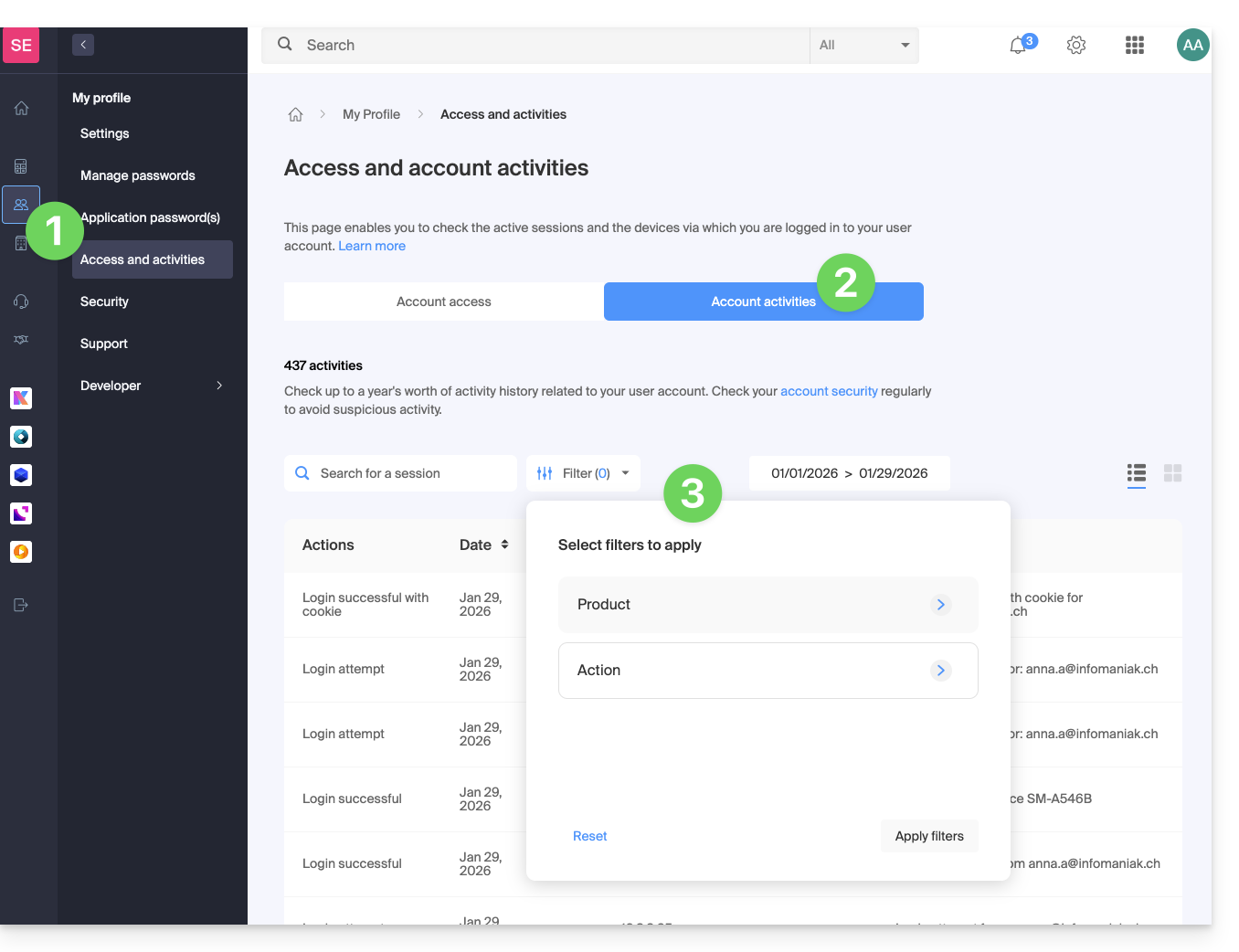
Para visualizar as atividades recentes efetuadas no painel de controlo pela sua conta Infomaniak:
- Clique aqui para acessar o resumo da atividade da sua conta no Gerenciador Infomaniak.
- Na aba Atividades da conta, confira as últimas atividades e ações da sua conta Infomaniak.
- Opções de pesquisa e filtragem de logs estão disponíveis: data, produto ou tipo de ação:
Link para esta FAQ: https://faq.infomaniak.com/2339
Esta seção de perguntas frequentes foi útil?